253 comments found.

Hi, before i purchase i tested one of your demos on Google page speed, it scored 55 for mobile and desktop failed completely with no score. The demo url is home-design-agency/. Is there an explanation for this as i really like the smoothness of the demos?
Hi evangel71,
We have tested the page with Google pagespeed https://pagespeed.web.dev/analysis/https-litho-themezaa-com-home-design-agency/6ehtu8gh2x?form_factor=desktop and that is showing the score of 93 for desktop.
Thanks,
ThemeZaa
Hi, the report you shared has a mobile score of (58) on a clean install(your demo). PageSpeed shows ~7,690ms render-blocking from 40+ CSS files loaded synchronously in the head, plus jQuery blocking before paint. The blocking files include Litho theme CSS and multiple icon sets, plus Elementor.
The issue seems to be the number of CSS requests created by the theme. Most modern themes use critical CSS + one combined stylesheet. Litho loads 40+ separate CSS files (icon packs, element styles, etc.) which delays LCP.
Is Litho planning native support for critical CSS + deferring non-critical CSS, and reducing the number of theme/Elementor CSS files? This appears to be theme-level, not a caching issue.
Its a pity if not because you have really nice smooth demos…
Hi evangel71,
As per this article – https://litho.themezaa.com/documentation/general-theme-options/?category=theme-options-customizer, user can disable not required styles and scripts to reduce the files loading. Unfortunately we do not have critical CSS feature, but that can be achieved using some plugins. We will also add this in our feedback list for future theme updates.
You can also check our Crafto WordPress theme – https://themeforest.net/item/crafto-aipowered-multipurpose-wordpress-theme/58019829 and that include critical CSS and many other performance related options.
Thanks,
ThemeZaa
Hello! Please deactivate my current license for the site, as the site is no longer online, and I cannot deactivate it myself!
Hi Ipadmon,
We have manually deactivated license from https://office-resilience.com/, so you can try to activate in new WP site. Please make sure to deactivate the license before deleting any WP site / domain, so it can allow you to activate license in other WP site.
If you are planning to create staging site then please refer this article – https://litho.themezaa.com/documentation/will-i-be-able-to-set-up-a-staging-site-for-testing-purposes/.
Thanks,
ThemeZaa
Hi,
Urgent HELP needed!!!
I’m trying to update the theme & theme plugins, but it does not allow me. Giving me a message:
Unfortunately you cannot activate theme license in this WordPress site as this purchase code is already used in this live domain – http://samaaudit.com/sama/. Please purchase other license of theme or deactivate the license in other WordPress site.
Please note, it is saying purchase code is registered to http://samaaudit.com/sama/ .... and my site is the same, only difference is the ‘https;//’ . I have restored it to old version now. Could you please deactivate the license? or if you can change it to https ?
-thanks Manjusha
Hi manjusha123,
We have deactivated license as requested above.
As this is not a support plateform and meant for pre-sale queries, so please create a support ticket here: https://www.themezaa.com/support/ with your further queries, so our support team can check it and guide you as needed.
Thanks,
ThemeZaa
Thanks for the quick help.
And thank you.
ThemeZaa
Hi,
I purchased this theme a few minutes ago and would like to request a refund.
Here’s the reason for my request:
I’m the new developer for karmasis.com, which is already using your theme. The site has a valid license, so I mistakenly purchased a new one that isn’t needed.
I would greatly appreciate it if you could process a refund for this accidental purchase.
Thank you very much for your understanding.
Best regards,
Diana.
How do I deactivate license if I do not remember which domain I have used the license for ? I had developed a website using this theme but website never went live. Now I want to use the same license for developing another website.
Hello anvedmarketing,
We can see your license is already activated in https://tekigou.vvtr.in/. You can deactivate it from there and then you can activate it in another WP site.
As this is not a support plateform and meant for pre-sale queries, so please create a support ticket here: https://www.themezaa.com/support/ with your further queries, so our support team can check it and guide you as needed.
Thanks,
ThemeZaa
I’m getting below error while activating add-on plugins. If there is no solution then kindly deactivate the license so I can activate it again.
Important Notice: Theme license must be activated to install theme bundled premium plugins. Unfortunately we have deactivated your purchase code, because of purchase code is already being used on another domain.
We have now deactivated the license for you.
Thanks,
ThemeZaa
- Current Plugin Version: 6.7.35
- Details: To protect your site from this vulnerability, the safest option is to deactivate and completely remove “Slider Revolution” until a patched version is available. Get more information.(opens in new tab)
- Vulnerability Information: https://www.wordfence.com/threat-intel/vulnerabilities/id/ea49df40-e58f-4e20-8e48-ed0f9a1b94ca?source=plugin(opens in new tab)
- Vulnerability Severity: 6.5/10.0 (Medium)
I see this is patched in version 6.7.37 – When will Litho be updated to include the patched version?
Thanks
Hi lcwebcreations,
Yes our technical team will test and include the latest version of Slider Revolution plugin and will release the update end of this month.
Thanks,
ThemeZaa
Hi, my Litho license is currently linked to a domain that no longer exists. Could you please help me unlink it so I can activate the license on my new site? Thanks in advance.
Hi sviluppati,
We have manually deactivated license, so you can try to activate in new WP site. Please make sure to deactivate the license before deleting any WP site / domain, so it can allow you to activate license in other WP site.
If you are planning to create staging site then please refer this article – https://litho.themezaa.com/documentation/will-i-be-able-to-set-up-a-staging-site-for-testing-purposes/.
As this is not a support plateform and meant for pre-sale queries, so please create a support ticket here: https://www.themezaa.com/support/ with your further queries, so our support team can check it and guide you as needed.
Thanks,
ThemeZaa
Dear Author!
Can you please deactivate my template so I can move it to another site? www.babaan.net
Thanks a lot, Gergo
Hi minyagergo,
We have manually deactivated license, so you can try to activate in new WP site. Please make sure to deactivate the license before deleting any WP site / domain, so it can allow you to activate license in other WP site.
If you are planning to create staging site then please refer this article – https://litho.themezaa.com/documentation/will-i-be-able-to-set-up-a-staging-site-for-testing-purposes/.
As this is not a support plateform and meant for pre-sale queries, so please create a support ticket here: https://www.themezaa.com/support/ with your further queries, so our support team can check it and guide you as needed.
Thanks,
ThemeZaa
Bonjour, quelqu’un s’est attribué ma licence Litho. Pourriez-vous m’aider à désactiver la licence sur son site et la remettre sur le mien SVP
Hi Emigumez,
We have manually deactivated license from https://ckid.noastine.net/, so you can try to activate in new WP site. Please make sure to deactivate the license before deleting any WP site / domain, so it can allow you to activate license in other WP site.
If you are planning to create staging site then please refer this article – https://litho.themezaa.com/documentation/will-i-be-able-to-set-up-a-staging-site-for-testing-purposes/.
As this is not a support plateform and meant for pre-sale queries, so please create a support ticket here: https://www.themezaa.com/support/ with your further queries, so our support team can check it and guide you as needed.
Thanks,
ThemeZaa
Hi,
we are trying to deactivate the theme from an old domain we used as stage, but sadly we no longer have access to it.
There’s no admin function to deactivate the old license and we can’t open a ticket on your website cause our support period expired.
Is there a way to move the license to the live version of the website?
Thanks.
Hi Bcentric2018,
We have deactivate the license manually for you.
As this is not a support plateform and meant for pre-sale queries, so please create a support ticket here: https://www.themezaa.com/support/ with your further queries, so our support team can check it and guide you as needed.
Thanks,
ThemeZaa
Salve, ricevo ERRORE DEL SERVER (500 ERROR), quando modifico e aggiorno la homepage, nonostante il sito sia visibile, ho contattato il mio host, mi ha aumentato la memoria ma non ha risolto il poblema, mi ha detto che il tema e il relativo plugin causano l’errore. Ora rinnovare il supporto a quel costo per un errore causato dal vostro tema e il vostro plugin, non mi sembra giusto. Qual’è la soluzione?
Hi grafikridesign,
We have already tested Litho theme admin backend online and in local server for page / post editing and it is working fine. Also we did not received this type of complaint from any existing users.
You can please refer this article – https://litho.themezaa.com/documentation/500-internal-server-error/ for 500 error.
As this is not a support plateform and meant for pre-sale queries, so please create a support ticket here: https://www.themezaa.com/support/ with your further queries and WP admin access, so our support team can check it and guide you as needed.
Thanks,
ThemeZaa
hello, quick question:
how we can change in this demo homepage the header so that is a normal one instead of left side menu?
Hi mediaagf,
As this is not a support plateform and meant for pre-sale queries, so please create a support ticket here: https://www.themezaa.com/support/ with your queries and WP admin access, so our support team can check it and guide you as needed.
Thanks,
ThemeZaa
Hello,
I purchased the Litho – Multipurpose Elementor WordPress Theme, but I noticed that the license is currently linked to the domain http://arcori.engenharia.ws/ , which is not the domain where I intend to use it.
I would like to use my license on the new domain: https://www.angloequipamentos.com.br/ . However, when I try to activate the theme, I receive the following message:
“Unfortunately you cannot activate theme license in this WordPress site as this purchase code is already used in this live domain – http://arcori.engenharia.ws/ . Please purchase other license of theme or deactivate the license in other WordPress site.”
I kindly ask you to deactivate the license on the old domain and allow me to activate it on my new site.
Looking forward to your support.
Thank you,
Hi juao,
We have manually deactivated license from http://arcori.engenharia.ws/, so you can try to activate in new WP site. Please make sure to deactivate the license before deleting any WP site / domain, so it can allow you to activate license in other WP site.
If you are planning to create staging site then please refer this article – https://litho.themezaa.com/documentation/will-i-be-able-to-set-up-a-staging-site-for-testing-purposes/.
As this is not a support plateform and meant for pre-sale queries, so please create a support ticket here: https://www.themezaa.com/support/ with your further queries, so our support team can check it and guide you as needed.
Thanks,
ThemeZaa
Hi ThemeZaa team,
Thank you for deactivating the license from the old domain. Unfortunately, I no longer have access to that site as it was only a testing environment. Since this was an old purchase, I am unable to get proper support using the mentioned URL.
Could you please help me activate the license directly on my new domain (https://www.angloequipamentos.com.br/ )?
I appreciate your assistance.
Best regards,
Hi Juao,
Please refer this article – https://litho.themezaa.com/documentation/litho-license-activation/?category=install-update to activate Litho license.
Thanks,
ThemeZaa
Hello. We’re having a problem importing the FULL DEMO. We get an error message when installing the “Navigation Menu” option. The error is “Request failed: error.”
Hi DigitalMood,
For demo data import please make sure to have server config requirements as recommended here – https://litho.themezaa.com/documentation/demo-data-import-requirements/?category=demo-data.
As this is not a support plateform and meant for pre-sale queries, so please create a support ticket here: https://www.themezaa.com/support/ with your further queries and WP admin access, so our support team can check it and guide you as needed.
Thanks,
ThemeZaa
Hi, I have a problem. I updated my theme, and my license was already active on https://www.mesanacionaleduprivada.com/ For some reason it’s not working now, and when I try to activate it again, I get this error message:
“Unfortunately you cannot activate the theme license on this WordPress site as this purchase code is already used on the live domain – https://www.mesanacionaleduprivada.com/ Please purchase another license for the theme or deactivate the license on the other WordPress site.”
Which is really strange, because it’s the same site. I hope you can help me! Thanks in advance!!
Hi vexelpro,
We have deactivated the license manaully, you can please try to activate it again.
As this is not a support plateform and meant for pre-sale queries, so please create a support ticket here: https://www.themezaa.com/support/ with your further queries and WP admin access, so our support team can check it and guide you as needed.
Thanks,
ThemeZaa
Hi, my support has expire but i hope you can help me, unfortunely we connect our new domain before deactivating the licence from the Temporary domain, we can´t do it manually now an our final site has its plugins deactivated, can you pls help us with it?
this is the temporary domain that need to be deactivated https://wheat-caterpillar-943800.hostingersite.com/
Thanks in advance
Hi inlabsla,
We have deactivated license for you.
As this is not a support plateform and meant for pre-sale queries, so please create a support ticket here: https://www.themezaa.com/support/ with your further queries, so our support team can check it and guide you as needed.
Thanks,
ThemeZaa
Hi,
I realise that my support has expired but I was wondering if you would still help me.
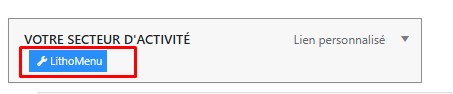
Previously, in “Appearance” > “Main Menu”, I had access to the “LithoMenu” option when hovering over my menu items in order to create my mega menu design like here: https://philea-patrimoine.fr/wp-content/uploads/2025/07/lithomenu_option.jpgNow, this “LithoMenu” option is no longer visible or accessible. What should I do to see the “LithoMenu” option again?
Thank you for your precious help.
Best regards,
Hi Philea-Patrimoine,
We have checked Litho theme and we can see LithoMenu option fine, so there may be some conflict in your WP setup with any plugins or customization.
As this is not a support plateform and meant for pre-sale queries, so please create a support ticket here: https://www.themezaa.com/support/ with your further queries and WP admin access, so our support team can check it and guide you as needed.
Thanks,
ThemeZaa
Thanks in advance!
Hi vexelpro,
None of your Litho license from username – vexelpro is activated on this domain – https://wheat-caterpillar-943800.hostingersite.com/
As this is not a support plateform and meant for pre-sale queries, so please create a support ticket here: https://www.themezaa.com/support/ with your further queries, so our support team can check it and guide you as needed.
Thanks,
ThemeZaa
I really like home-architecture with the dark theme, however its not consistent across other pages, do you know if this is possible to enable dark mode on all pages?
Hi Yush1,
You can add other pages or use existing pages with some changes like use same header and footer as architecture home page demo, add body background dark color from Elementor site settings and then add sections / widgets in the new pages as per your need.
Thanks,
ThemeZaa
I am trying to deactivate the theme from an old domain no longer used and which I no longer have access to, but there is no admin function to do this in the themeza admin. Nor can I raise a support ticket as my support period is over. So how can assign the theme to a new domain?
Note that the domain on which its active is not live, the domain lapsed a couple of years ago.
Hi ekajatik,
We have deactivated license manually for you.
Thanks,
ThemeZaa