8329 comments found.

there is the possibility of related posts as well as related projects?
Hi criativofortaleza,
We don’t support this option, but maybe we will do this on the future updates 
Kind Regards,
—Ylli
Hi Kalium Team
sorry, its me again. But I found a bug or problem in firefox, with portfolio items, which is not nice and I need help.
1. Inside the portfolio items the thumbnails show in firefox very strange way. in chrome or in safari they are ok. here a screenshot in the case it doesn’t happen to you also: http://paintedbynature.ch/bug-in-firefox/
here the link to the same portfolio item, but it happens in all of my portfolio items: http://paintedbynature.ch/portfolio/myanmar/
my portfolio is here: http://paintedbynature.ch/augenblicke/
2. another bug is when changing the order of portfolio items: portfolio settings / custom query/ order by: RANDOM – here it duplicates some of of the portfolio items, some don’t show up. see same link second screenshot: http://paintedbynature.ch/bug-in-firefox/ but it applies not just firefox, also safari. Also “items per page” doesn’t work properly: when leaving empty, it shows 8 items. When changing to 9 or 10 it doesn’t change anything. when changing to 11, it shows 9….
Thanks for help again. konrad
Hi Kalium Team
I seem to have an ability to find bugs and limitations. Hopefully I don’t bother to much. In these two bugs I found also the exact setting wich causes the problem:
1. In portfolio settings when selecting for Image Reveal Effect “slide and fade” Firefox seems to have problems with it (at least when having a lot of thumbnails like here: http://paintedbynature.ch/portfolio/myanmar/) and a link to a screenshot in firefox: http://paintedbynature.ch/bug-in-firefox/
It seems that this bug is since the update to 1.3 or 1.3.1 I just tested in Kalium 1.2 on localhost and is fine there, after upgrading to 1.3.1 the problem comes up. I hope this helps for fixing the problem.
Thanks for all the support and the best Theme
konrad
one more bug with portfolio sorting, sorry:
when checking “show categories below titles” in Masonry Portfolio settings, then the categories on the info boxes appear as links. these links seem to sort by category, but actually they don’t. It just selects this category, but doesn’t sort. (the permalink is different: e.g.: http://paintedbynature.ch/augenblicke/?portfolio-category=event vs: http://paintedbynature.ch/augenblicke/?portfolio-category=event#cat:event
Hi Konrad
It seems that it was a firefox issue, today when I was testing it, it was working fine, see the video demonstration:
http://drops.laborator.co/1eD6kSo I am not sure what to do here, I guess that it was browser related issue.
As per your second bug report, it is weird, can you please send me the WP + FTP credentials so I will find what is the bug there. This would be a huge fix! Thanks for reporting it
Arlind
Hi Arlind, I just sent you the credentials. The firefox issue still persist, but I changed all portfolio items to “fade” since my website is online already. See email. please answer as soon as you are done, so I can change the settings back to work. Thanks, konrad
Hi Konrad,
This question is related to theme developer and I am unable to give you any solution about this because I am not backend developer.
Our theme developer Arlind and Art can help you with this, but they took the vacation and will be back on 18 June.
When they comes back, just reply to this thread and you will make sure Arlind and Art will see your comment.
Hope for your understanding
Kind Regards,
—Ylli
Hi Arlind.
hope you had a wonderful holliday
just want to give you feedback on the bugs I reported.
No1. still there. And I found the problem also in your Demo: http://demo.kaliumtheme.com/main/portfolio/afteroom-chair/ it happens in firefox when hovering with the mouse over the thumbnails….and you can switch the Image Reveal Effect from “slide and fade” to “fade” then its fine. In Kalium 1.2 it was also ok.
No2 also still there but I switched to “list” – it happens just when selecting “random”
No3. The category Links on the hover info-boxes on the portfolio items don’t sort. It appears as it would sort, but doesn’t. Or in strange way. http://demo.kaliumtheme.com/main/portfolio-4-col/ try to sort by clicking on “print” on the first thumbnail “Cloud Inc” – the first are sorted, but in the forth row there ist “digital art”. And when clicking in “All” nothing happens… For me the links on the thumbnails don’t make sense. It would be easiest to remove the links on them. It’s ok to sort with the category links above the thumbs.
Thanks and regards, konrad
Hi konrad
Thanks for your kind words, and sorry for late reply, I wasn’t able to provide support during these days as I was busy with the new update of Kalium.
I guess you have already updated to 1.4.1 and may some of issues have been fixed.
Here are my answers:
1. This issue happens in some cases, but not every time I click refresh in that page. So strange, it is the issue of firefox only, I’ve tried it on Safari but worked fine. I am not sure what I can do here 
2. Can you please screenshot the settings you apply so I will try it on my own copy of Kalium I must verify if this, or maybe send me your wp+ftp credentials in the email so I will try to see how is that happening. Also include the url of the page with the repeated items.
3. This is a bug, I haven’t noticed it, so now added to the todo list and will fix in the next update.
Best regards and sorry for the long wait
Arlind
Hi, I purchased the Kalium theme and it is not displaying the demo content correctly.
At first it displayed pretty much a white screen, except for the K logo at the top. then I deleted my wordpress to reinstall it again after I requested the php memory to be increased by Bluehost. I installed everything fresh (child theme, main theme, plugins, and agency demo.
It seems to be working, except that it is not the demo content. not sure where to go from here. Any help is appreciated.
My site is allenayler.com
Curious thing is, is that it says “Blog,” and is not the Agency demo. However I know I installed the correct demo. Regardless, the blog is not displaying correct, either.
I re-installed the Agency demo, yet it still does not display, and I have just verified that these values are set: max_execution_time 180 memory_limit 128M post_max_size 32M upload_max_filesize 32M
Also, do I need a purchase coded to update LayerSlider WP and WPBakery Visual Composer, because it is saying I do. Doesn’t that come with the theme?
Bluehost support has said:
I do see one error generated:
[09-Jul-2015 19:04:24 UTC] PHP Warning: array_shift() expects parameter 1 to be array, null given in /home1/allenayl/public_html/wp-content/themes/kalium/tpls/post-single-author.php on line 16
So I have talked to 3 tech support agents and they all say that it is likely an issue in the theme. Not sure why everyone else isn’t having this problem. I cannot get the Agency demo to work…
The last theme I had—Avada—worked just fine, so I don’t think it’s an issue with Wordpress.
I did just notice that when I click ‘Live Preview’ on other themes they do not display correctly, either…
Ok sorry for all the comments, but one more thing….
Upon trying to update Kalium, it has an update for Avada’s, my old theme. What? I thought deleting Wordpress altogether would delete all data associated with my site? Yet it still knows I was using Avada. This makes me question if there is a code leftover, and if it is conflicting. Can two themes conflict, even though I is not even installed? I only have Kalium installed.
Hello? I would appreciate any help on your theme that I purchased.
Hello everyone, i’m using portfolio columned on one of my page, i’d like to unable the click on the pictures, could you provide me a css code?
Hi there,
Can you please write us your site exact URL here on comments first? We need to investigate your site and then get back to you with possible solution
So do you want to disable clicking there?
Kind Regards,
—Ylli
Hi! Love the theme! Thanks! I have aquestion about portfolio theme with category filter. It works fine on Safari and Chrome, but with Firefox the animation when switching from one category to another is weird. Items jump back and forth and it does not look smooth. Is there a easy fix or can you adjust the animation? Is this a common problem?
It seems actually like the filtering thing is not working at all. Some items are blank and not appear when selecting category.
HI maijuko,
Can you please write us your site URL here on comments first? We need to investigate your site and then get back to you with possible solution
Kind Regards,
—Ylli
Hi! Here it is: www.maijukolisoja.com. Thanks!
Hi maijuko,
I just checked your site on Firefox i didn’t see any weird animation, but i will check that on older versions when i have time, if there is any *bug in animation, we will fix that on next updates
Kind Regards,
—Ylli
did you get it already? www.maijukolisoja.com
I saw your demo is doing the same thing with firefox.
Hi maijuko,
Can you please record that problem and send us video URL, we will then check what is happening.
Kind Regards,
—Ylli
Ok! Great. I had 38.0.1 version and updated it to the latest but the problem still remains. When I click categories back and forth some of the items appear, but then slides outside the window and comes back again. This happens also with your demo theme. Hopefully you can find the bug
Hi maijuko,
Now i see what are you talking, we haven’t noticed this and i think that you are the only customer that is seeing this weird animation.
The truth is that this is very complex *bug, and the firefox handles it this way, we will try to ding some more and fix this, but we don’t guarantee you nothing.
Kind Regards,
—Ylli
Hi!
Good that you saw it now… It does not make the site unusable but annoys a bit. There is still quite many that use firefox and would be nice to look good for them too.
Hopefully you can fix it, but I understand if it is difficult. Keep me informed
Thanks!
Maiju
Hi Maiju,
We are currently preparing for a new update to Kalium and we are trying to tick as much as we can our to-do list items.
We have written this *bug also, but it has low priority, so it may come on the next update if we find any solution about this
Kind Regards,
—Ylli
Hi team, Very good theme and very serious development. I need to install breadcrumb, any idea to do it ! Thanks in advance Franck
Hi Franck,
We currently dont support Breadcrumbs, but maybe you can try if this plugin can help you Breadcrumb NavXT.
Kind Regards,
—Ylli
Hi,
Great theme…I think I must be dense but I can’t seem to get the revolution slider to full screen on my home page as you do on the architecture demo. http://www.zoepdx.com/Designer/. The header is creating a space and the slider is being added below it… I already set a lot of my theme so it would be great to avoid importing the demo content. If there’s an easy way to tell me what I’m doing wrong that would be awesome. Thank you sooo much!
Hi there,
In the page you have put the slider scroll down to the Page options, and set the header to “Absolute”, see screenshot for more:
http://drops.laborator.co/7j3XKind Regards,
Art
fantastic! Thank you. : )
Hi Art,
Thanks for the responses so far. Could you please try to help me out with the issue regarding the portfolio-items? For us it is essential that the portfolio categories are separated. I’ve separated them by categorizing them, but I can’t control the single portfolio slider. It is navigating through ALL of the portfolio categories and the 4 blocks are redirecting to a page that doesn’t excist (I don’t have a …/portfolio page). Could you please make it possible to change this? This is the url of one of the portfolio pages: http://arte-d-ardito.nl/wordpress/zakelijk/?preview=true&preview_id=3778&preview_nonce=9d5b386c79
Or do you happen to know another template that does provide multiple portfolio page with their own sliders?
Thanks in advance again.
Kind regards,
Koen
Hi Koen,
The first action that you need to take is update the theme, you’re currently using an outdated version and I see we have added this option to Next-Prev only in current category in the newer versions.
Go to Laborator > Theme Options > Portfolio Settings and make sure you’ve ticked this:
http://drops.laborator.co/dwODKind Regards,
Art
Thanks a million!!!! That solved one of the issues! You would make my life complete by solving one more issue.. Would it be possible to make the ‘four little blocks’ navigate to the ‘parent page’ instead of the portfolio page? I don’t have a portfolio page.
Thanks in advance once more.
Kind regards,
Koen
Hi Koen
Great to heat that!
The URL for parent page can be set in Theme Options
http://drops.laborator.co/1gkVL
Arlind
Yes, I’ ve seen that link, but we have got three parent pages (particulier/zakelijk/publicaties). Would it be possibe to fill in some sort of ‘general link’ that redirects back to the page of that specific category?
Cheers,
Koen
Hi Koen,
Unfortunately not, the best way would be to link them directly to the homepage or somehow just get them back to the last page.
Kind Regards,
Art
Ok, but would it be possible to remove the ‘four blocks’ completely and just leave the arrows? Don’t you agree that it’s useless if you’ve got more than one portfolio categories? Thanks in advance
Ok, but would it be possible to delete the ‘four squares’ then? Now it’s linking to a page that doesn’t exist in my case.
Thanks in advance again.
Koen
Hi Koen,
In your case it is kinda confusing because of the multiple categories you have, if you want to hide it just paste this in the Custom CSS
.single-portfolio-holder .portfolio-navigation .back-to-portfolio {
display: none !important;
}
Kind Regards,
Art
Thanks again. Problem solved for now. Could you please inform me when you changed your mind about changing the link of the ‘four blocks’ to the parent page? That would be the ideal solution for us..
One more question: How do I change the color of the arrows (on hover) of the navigation between the portfolio-items?
url: http://arte-d-ardito.nl/wordpress/portfolio/6-grundels/
Thanks in advance.
Kind regards,
Koen
Hi Koen,
Add this to change the color of the arrow when hovering over it:
.single-portfolio-holder .portfolio-navigation a:hover i {
color: red;
}
Kind Regards,
Art
Hi.. I am interested in this theme. Would like to use this as my personal portfolio. I am new to wordpress. My doubts are.. 1. If I purchase Kalium, would I be able to use all features of kalium or only the features listed in freelancer? 2. Social media buttons can be included in freelancer theme?
Hi there,
All the advertised features and demos can be used, the social media and the freelancer demo.
Kind Regards,
Art
Hi there
There seem to be something wrong with full hover effect on portfolio items. It is clunky sometimes. i.e when hovered over portfolio items, the hover background covers half of the thumbnail image and then after about half a second it covers the rest of the image :/
What’s causing the problem?
Cheers, Sahar
Hi Sahar,
Can you please write us your site URL here on comments first? We need to investigate your site and then get back to you with possible solution
Kind Regards,
—Ylli
I am using the Thumbnails with Titles Inside + Masonry portfolio template. I have selected 4 column for “Columns count for the current view type” but still displays as 3 columns. Any idea how to get this to work?
Hi aartay,
Are you using our latest update 1.3.1? I just tested it on my localhost and it worked perfect http://drops.laborator.co/1eB3H
Kind Regards,
—Ylli
I was on 1.3 and updated to 1.3.1. Still have the same issue. As I built a couple of days ago, I started with the 3 columns. The portfolio had some of the default projects from the demo. As I switched to 4 columns, the first 12 projects or so stayed in 3 column format, while the rest below formatted to a 4 column. I changed the date of my projects to an earlier date, dropping them to the bottom of the portfolio and thus putting them into a 4 column format. I thought then if I trashed all of the demo projects, then my projects would stay in the 4 column—but they have reverted back to 3 columns. Again, i have 4 columns selected in the ”Columns count for the current view type”. testsite.aarontaylorcreative.com
Hi
I’ve checked your site and was unable to view the issue. Please make sure that if you have created Portfolio Page you must set portfolio columns in this area:
http://drops.laborator.co/1erWsBecause I have tried in all variants and everything worked fine in our latest version 1.3.1
Arlind
I saw the Photography demo you guys are working on, not what I was expecting :/
Can something like the following site be done with Kalium: http://jeremycowart.com/portfolio/featured/
I’m looking for something full width, single images on click, masonry, unlimited scroll, with a filter that works like the site above.
Thanks!
Hi there,
Somehow this is the type of gallery we want to use for the photography demo, it’s just that we’re working still on it and the main function is missing to open the images directly on it.
You will see when it come online, it will be a great demo.
Kind Regards,
Art
Hello!
I bought your theme and I am working with the site miamiheatcreative.com
I can’t get the blog index page to look like my portfolio site. I want it to be masonry style where the thumbnails aren’t cut off. I also don’t want the titles to show in the thumbnails either (for the blog).
thanks in advance!
Hi there,
Use this to hide the titles, simply paste it in the Custom CSS:
.blog-holder .isotope-item .box-holder .post-info {
display: none;
}
Kind Regards,
Art
great thank you! but the issue is that all my thumbnails are cut off! I want the images to show with all their different lengths, Pinterest style! Each thumbnail gets cut off
www.miamiheatcreative.com
Hi wprobus,
Please apply the code that Art gave you on Custom CSS, i just saw your site blog and it is looking as you want, just need to add more blog posts with different image sizes
Kind Regards,
—Ylli
Hi Ylli,
So the full thumbnail size only works for the .gif’s but the image we have with the hotdog guy is cut off as well as a few other photos. I have tried everything and I don’t know what to do!
Also I tried adding an image to the actual blog post, and while it shows up in the dashboard, the only thing that shows up is the title. I know I don’t have an image in there now but even when I add it, it still doesnt show up.
Please help me! (I also added the code you gave me)
Hi
To manage thumbnail sizes for social networks you must install this plugin:
https://wordpress.org/plugins/wordpress-seo/This will help you to manage thumbnail and text for social networks.
For blog posts, if you want to set the main image, simply upload the image from Featured Image, thats the way to display image for blog posts.
I hope this will help you
Arlind
Hello! Just a quick question – on the blog section of my website, the header is not showing up. I tried to fidget with the settings in appearances > theme options but nothing seems to work. Do you have any solutions?
This is the page in question: http://www.studiojonah.com/wp2/news/
Hi there,
Just checked your site and it seems that the header is showing fine but only the title is missing, are you talking about the page title or what?
Kind Regards,
Art
Yes, I do mean the page title – is there a solution for this?
Are you sure you have set these options?
http://drops.laborator.co/16mOVIf yes then check in the page if you have disabled the crawling option from the settings.
Kind Regards,
Art
Hi Art, I have set those options, and the crawling option is currently disabled in my settings. Is there anything else I should do?
Hi
Please go to Pages and edit News page, then set the page title here:
http://drops.laborator.co/15s9NIt should work, because the same setting is applied in our demo site as well.
Arlind
Hi, Laborator Team i have been purchase your theme Kalium it awesome but i have some problem about porfolio page please look at this http://www.medesign-group.com/our-work/
problem is 1.Porfolio page it always show 2 item per row even though i set 4 item/row in portfolio setting it still show 2 item.
2.In backend all item of portfolio have 17 items but in Category all it show only 12 item,
3.Same as no.2 if i choose category 1.Architect it have 6 item but total of this category have 9 but if i click at name of category under detail(http://www.medesign-group.com/portfolio_category/architect-exterior/) it will show like i prefer
how can i fix it ?
Kind Regards, Wit
Hi Wit,
You are using old version of Kalium ( 1.1.5 ). The latest version for the moment is 1.3.1.
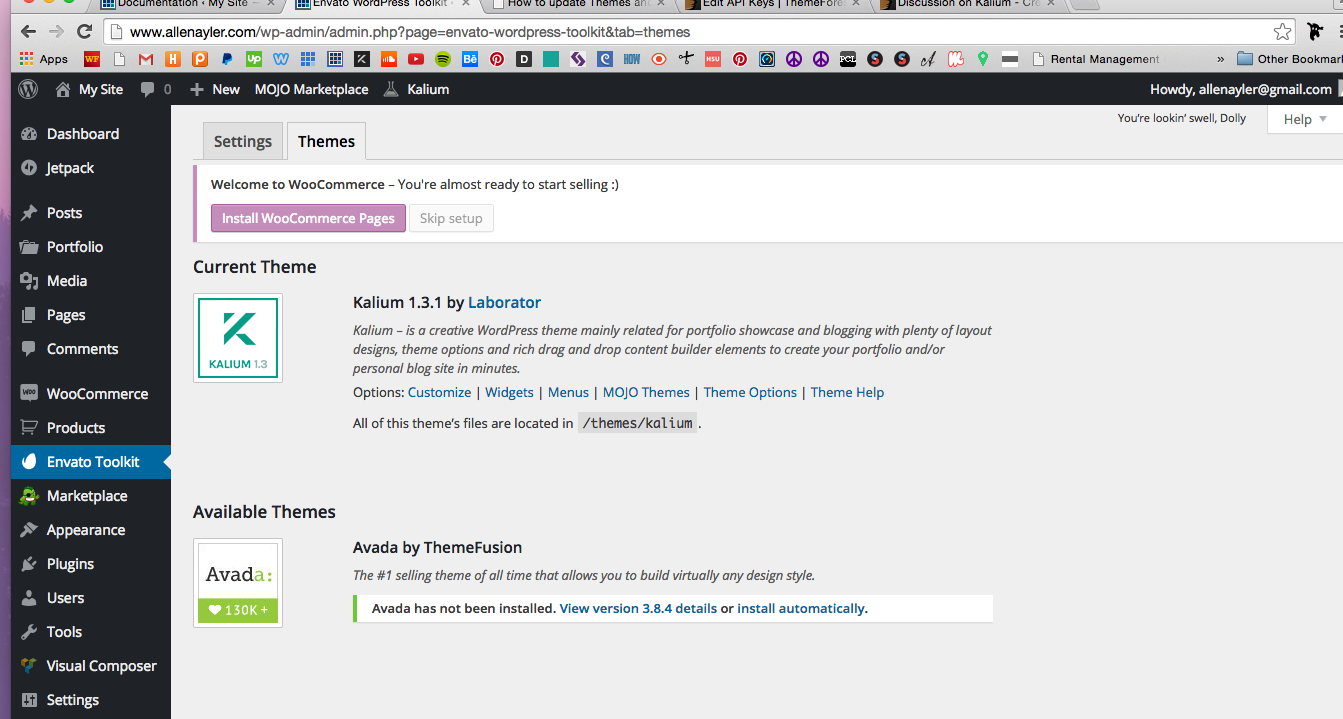
The easiest way to update our themes is if you use Envato Toolkit. On this link How to update Themes and Plugins
you can learn this easy step-by-step procedure
After the update go to WP Dashboard > Appearance > Install Plugins, to update all the premium plugins to the latest version.
Then if you have still one of those problems just write us again
Cheers!
—Ylli
Hi Ylli i already upgrade to version 1.3.1 but it still have problem.
http://www.medesign-group.com/our-work/Kind Regards, Wit
Ohh! i found the problem and solution for url of page our-work i think i change from /portfolio to /our-work but when i change back to portfolio it ok.
Thank you guys Cheers!
Hi there,
Thank you for sharing the fix here so the other users that may have the same issue will find it helpful
Kind Regards,
Art
Hi, we are very happy with the team, thanks:)
Quick question, We are trying to edir the portfolio page but nothing seems to change there. we can’t see our text, instead we see only the default one that comes with the theme : “our everyday work is presented here, we do what we love”...
how can we fix it?
Thanks
T
Hi there,
To change that text you need to go to Laborator > Theme Options > Portfolio Settings, scroll down and you will find your textarea.
Kind Regards,
Art
Hi, Yesterday my website was ok but today some things moved without touching anything. For example the potfolio is in two rows instead of 3 without touching nothing and some buttons added with visual composer are moving.
Maybe it´s because I didn´t yet the update to 1.3.1? Where I find the Kalium 1.3.1 folder to update it? I have to do it trough envato toolkit right?
Sorry about my inexperience it´s the first update I have to do.
Thanks.
Hi stablografiko,
Theme can’t change itself, please check if you have installed any plugin that is causing changes.
The easiest way to update our themes is if you use Envato Toolkit. On this link How to update Themes and Plugins
you can learn this easy step-by-step procedure
Kind Regards,
—Ylli
Ok maybe because I clicked update some plugins before updating the theme version.
I am doing it now but before doing it it tells this:
“Updating this theme will lose any customizations you have made. ‘Cancel’ to stop, ‘OK’ to update.”
It means only php customizations right? Or I have to customize the whole website again?
Hi stablografiko,
You are right, you are free to update
Kind Regards,
—Ylli
OK thanks! Lets go!
Hi again,
Everything ok in Chrome and Firefox but in Safari portfolio is displaying wrong…2 rows instead of 3. I tried to make it bigger and smaller the visualization to see if it was something about responsive and also deleted the cache. If you can have a look I would appreciate it. You have my credentials.
Thanks a lot!
Hi stablografiko,
Can you please write us your site URL here on comments first? We need to investigate your site and then get back to you with possible solution
Kind Regards,
—Ylli
Now it´s working maybe the update took some time to work in safari. Everything ok now.
Thank you very much for everything. Nice support.
One suggestion: If you could make the layer slider to work on the footer it will be awesome for the next update.
Cheers!
Hi again sorry but sometimes it´s displays well and sometimes not… It´s really strange… Have a look please. www.stablografiko.com
Portfolio/trabajos displayed in 2 rows sometimes…in safari only
Hi stablografiko,
I just checked your site and every time i refresh “trabajos” i see 3 rows. I don’t know that is the problem to your browser.
I’m using Safari 8.0.7 if that helps.
P.S: Nice projects
Kind Regards,
—Ylli
Hi, I have problems with the standard menu and search bar.
On specific page, I need to have the standard menu already open and no close want I open web page. Just only on home for example, the standard will be close want the web page is open. And I can open it after. And, in the standard menu, my search bar doesn’t work. I can’t click for search someone. Can you have solutions? Thank you
Sébastien
Hi Sébastien,
First of all, the first question is not a problem but it’s a request by you, fortunately we can give you help about that, but first we need your site URL.
2-nd question: Make sure that you have ticked all the boxes on WP Dashboard > Theme Options > Other Settings
Kind Regards,
—Ylli
Hi fablabscl
I’ve realized what is causing this error in your homepage. So please follow these steps to fix it:
1. Go to Revolution Slider page in admin panel
2. Click settings for Homepage slider: http://drops.laborator.co/1h52A
3. On Custom CSS / JavaScript tab, delete all text inside Custom JavaScript Code field: http://drops.laborator.co/1bZka
This should work for you.
Cheers
Arlind
Hi there,
I have found a couple of issues with the theme, that makes it unusable for me. Maybe you could provide some help?
1) Parallax Backgrounds for Rows not working. When I select “Parallax: Simple” for a Row in Visual Composer and set an image, it just won’t get displayed.
2) Google Fonts are always loaded via HTTP, regardless of the connection type the blog uses. This results in Browsers displaying a notice inside the status bar, because of mixed sources (secure+insecure).
Hi twostairs
1. The parallax thing is developed by Visual composer theme, and thus they might have issues in their implementation. However, recently they have published new version that might help you with that. Please email me so I can forward you the latest version of Visual Composer.
2. Here is quickfix for this issue, please download this file: http://drops.laborator.co/1bmQV and replace in kalium/inc/ folder. It will make http requests relative to the current page protocol.
Arlind

This item was featured on ThemeForest

Power Elite Author
Contact the Envato Market Help Team