8337 comments found.

I want to use the theme with a full hd video in the home page. Problem 1: Can I play the video automatically? Or because I have a vimeo account should I always press intro key? 2: When I adjust the values of logo and menu, these appear above any subsequent image of any of the works of the portfolio. How can I change the logo to a leftmost position and make it responsive?
Hi wachita9,
Can you please write us your site URL here on comments first? We need to investigate your site and then get back to you with possible solution
Kind Regards,
—Ylli
Hello,
I have purchased Kalium, I find it is a very good theme and I have a question about blog options: For a better desktop experience, I tried visual composer to have the text in the middle, 1/3 of the screen width. The problem is that by doing that, a horisontal scrool appears. Is this due to the author/date/category tags which appear top left? Is there a way to overcome this issue? Or is there a way to control content width (text column width) in a normal blog post? Thank you
Hi drppagosdordea,
Can you please write us your site URL here on comments first?
Kind Regards,
—Ylli
Hello,
the adress is www.dordea.ro, but the site is not yet online. Yesterday I have tried to find a solution and I have unchecked all the fields that can relate o single page options in theme options/blog settings. By unchecking those fields the page shows normally, without being shifted to the right to form horisontal scrool.
Hi there,
Can you please e-mail us your login details so we can login and check what we can do about it.
You can send us email from Profile on themeforest, on the right side you will see “Email Laborator” box, please don’t forget to explain the problem again.
Kind Regards,
Art
Hi, great theme !
I have some trouble with theme options : “save all changes” doesn’t work (error message). I tried to import options from my local site, import ok but save another change crashes. I tried to reset all options but error message too.
Please help, urgence !
Hi plus4,
Please check if you have Minimum PHP Configuration Limits
A few users had this problem and they solved by increasing their PHP limits on their server 
Kind Regards,
—Ylli
Yes, I checked, no limit problem, thanks for the answer. I think I know where the issue is: I renamed the kalium child theme for better client experience, so I think the link with theme options doesn’t work (I renamed the fonctions.php wp_enqueue_style too, perhaps I don’t have to do that ?). Works with normal ‘kalium-child’.
Regards
Too fast answer… : theme styling can’t be saved (error message), even with normal kalium child theme.
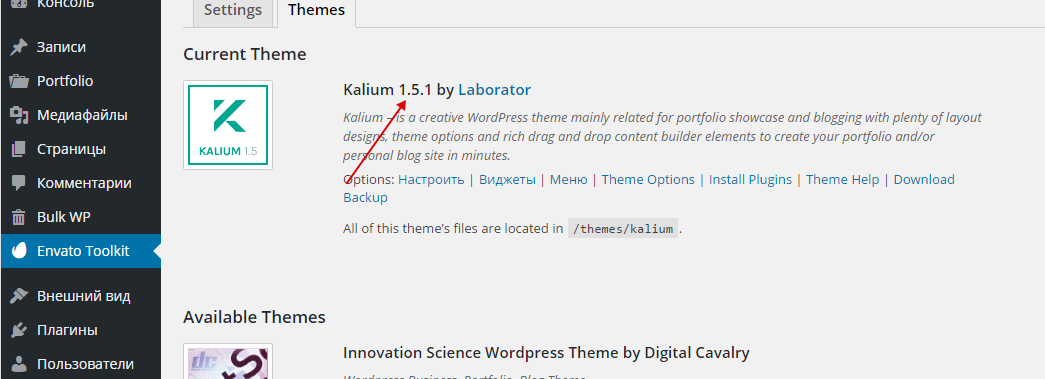
I tried to update Kalium theme (v 1.5.3 annoucement in plugin install page : “Your theme requires an update! Required version is: 1.5.3 Your version: 1.5.2”), but no update available in Envato Toolkit.
Thank you for your help, I can’t custom the website !
I got it ! I found an explanation in another post of your comments (thanks for help in comments), the php version was too old. It seems to work fine now !
Hi plus4,
Glad to hear that the problem is solved now, enjoy Kalium
Kind Regards,
—Ylli
I just purchased your theme. I have a question regarding the shop theme. How do i make the main image wide and parralex, so when you scroll down it gives the feeling the page is going over the main page.
Hi sayeed11,
Are you talking about the slider please? We use Revolution Slider there.
The best way to learn that is if you read author documentation site
Specially this section Parallax
Kind Regards,
—Ylli
Hello,
Great job on the theme, really appreciate it.
I just wanna let you know that I am waiting for adding RTL support to buy.
Keep up the good work.
Hi youakeem,
Thank you very much for your your interest on our theme
Unfortunately we don’t think that Kalium will support RTL sometime soon, if we add that feature we will inform you
Kind Regards,
—Ylli
Hello Hello Laborator,
Kalium is nice template, so why I bought your theme on my website.
However I have a problem: the LayerSlider Responsive WordPress Slider Plugin I can’t use it? It have a message: “You need to authorize this site in order to get upgrades or support for this plugin. Purchase a license or enter an existing purchase code.”
Is your template not include this support??? How can I do?
My WebSite : http://www.hoiyeedesign.com/
Thank you. Best regards.
Hi hoiyeeella,
Layer Slider don’t allow us to give customers our license number, so on each premium plugin such as Visual Composer, Revolution Slider and Layer Slider update we release a new update to our theme with the latest version of that plugin included, and customers don’t need to worry about that,
You never need to buy any premium plugins that comes with our theme
So to update your Layer Slider to the latest version you must first update our theme to the version 1.5.2.
The easiest way to update our themes is if you use Envato Toolkit. On this link How to update Themes and Plugins
you can learn this easy step-by-step procedure
Then don’t forget to go to Appearance > Install Plugins to update all your premium plugins to the latest version that we support.
Kind Regards,
—Ylli
Thanks Yill, But I have more question, How I set my website/ wordpress looks like yours Kalium simple menu by Home page? (The Big image / video & portfolio put in one page together) I don’t have any idea how I set…
Hi hoiyeeella,
You can achieve that by Visual Composer elements, from this image below you can see how we organized this.
Kind Regards,
—Ylli
Thanks Ylli, I have some trouble with the portfolio content.
How I set the sentence showing in after image between image?
I can’t move this sentence after portfolio gallery….:(
Hi hoiyeeella,
I’m afraid that i can’t understand your question, can you please be more specific and tell us what you want to achieve?
Kind Regards,
—Ylli
Here sample to let you see, it’s picture only
https://www.dropbox.com/s/galvrp77l5admgt/Screen%20Shot%202015-09-09%20at%2016.08.35%20copy.png?dl=0How I set it the text between image and image? Please help, thanks!
I understand now, many other users have requested this feature in Kalium, we have added it in the fix list and I hope it will be available in the next update
Kind Regards,
Art
Hi I’ve finish my website already, but I found some problem:
1) For my portfolio page, why they had hide two items on page while I saw. Need to click the button “show more”..:( http://www.hoiyeedesign.com/?post_type=portfolio2) Then click each projects independent introduction, total 12 projects. We can click “previous / next project” for review. Unfortunately I found two projects was hide that not showing…. what happen for them?
please see this picture, let you understand easily. http://www.hoiyeedesign.com/?portfolio=dermacept https://www.dropbox.com/s/ylvgjd2yu0r7gng/pic.jpg?dl=0How I set all items/projects show completely?
Thank you. Best regards.
Hi there,
To make this work just make sure you un-tick this option:
http://drops.laborator.co/3mV3It is located in Laborator > Portfolio Settings
Kind Regards,
Art
Hi Art, I’ve set it before your comment reply. But it’s not work. I found your Kalium version is 1.6, that my version is 1.5.2…..But I don’t receive any update version remind yet….
https://www.dropbox.com/s/z1qc9zsmqc3tso0/Screen%20Shot%202015-09-21%20at%2010.01.42.png?dl=0Kind regards, Ella
Hi Ella,
The Kalium 1.6 is still not ready for release, we have accidentally pushed it online and it says that a new version is available.
Can you please send us your WP credentials on email? We need to investigate your problem and then get back to you with possible solution.
To send us email use this link and please write us your request again, because we receive a lot of emails on daily basis and we unfortunately can’t remember all customers requests.
P.S: Please note that we usually do not respond to emails that request support, because here is our primary support forum. We use contact form just for sending sensitive information. Also emails response time can be up to 7 business days.
Kind Regards,
Art
Hi Art, I’ve sent email. Look forward to hearing from you soon. Thanks so much!
We’ve got your e-mail, I have replied your e-mail there and we can continue our conversation in e-mail.
Kind Regards,
Art
Hi there,
I’m rebuilding my site using your theme but I have a couple of issues:
http://www.justalittlemilk.com/portfolio/1. I have the sticky menu activated but it’s not working as expected — sometimes the page content, whether the portfolio page, another page, or a portfolio page, appears under the logo and menu (the header-spacer has a value of 121px) (Example: http://www.justalittlemilk.com/wp-content/uploads/2015/09/Screen-Shot-2015-09-03-at-09.34.46.png). Refreshing the page usually fixes this (the header-spacer has a correct value of 315px). I cannot figure out why this is happening, or if it is a problem with another plugin, some custom CSS, or a theme issue, or why refreshing the page seems to fix it. Any ideas?
2. I bought the theme because I wanted to build my portfolio pages using VC — I have a wildly varied selection of content and VC will allow me to build unique layouts for each project. As I won’t be using any of the pre-defined Portfolio Item Types it would be nice if there was a “Custom” item type option, for those of us who want to use VC alone. As it is I’ve had to choose the Columnised item type and create the VC content above it, using CSS to hide the DIV content. A blank “Custom” type would be very useful.
3. I want to replicate the list of Portfolio categories at the top of each Portfolio item page, with the list just like it is on the masonry page roll-overs. I’ve tried a number of ways to do it but cannot work it out, any ideas how I can get the list on there (preferably using the Raw HTML VC option)?
Many thanks,
Martin
Hi Martin,
1— That is happening because logo height is too big. Try adding a small logo (maybe remove the email and telephone number from the logo) For that is Contact page i think.
2— We will check this option for the future updates, we think that there are a lot of portfolio Item Types, and 99% of the users think that they will fulfill all of they portfolio needs.
3— We’re sorry but this is not possible.
Kind Regards,
—Ylli
Hi Ylli,
Thanks for the reply.
1. What is the maximum height for the logo? I want to set it for retina, what would be the maximum dimensions?
2. No problem, I have a workaround anyway, just would be handy and mean less intrusive CSS.
3. Okay, that’s a shame — I’ll try and “cheat” it with ACF, it won’t be automatically generated but the final effect should be the same.
Many thanks for your help.
Martin
Hi nautipuss,
1— Logo must be wide or square in order to work fine with sticky menu
2—3 Nice
Kind Regards,
—Ylli
Hey guys
I’m currently working on this: I have portfolio layout type “thumbnails with titles inside (masonry)” and chose “2 items per row”. Nevertheless my website always shows 3 items. Bug?
And then I also wanted to replace the lightbox’s arrows with smaller ones. I tried to do that by changing the according icons in “assets/images/icons”-folder. But whatever I do, the standard arrows remain.
Thanks for advices
Andi
Hi Andi,
1. Can you please write us your site URL here on comments first? We need to investigate your site and then get back to you with possible solution
2. You don’t need to change the images, we can decrease their size with Custom CSS, we just need to send us that page URL
Kind Regards,
—Ylli
Hi Andi,
1— Can you please send us your WP credentials on email? We need to investigate your problem and then get back to you with possible solution.
To send us email use this link and please write us your request again, because we receive a lot of emails on daily basis and we unfortunately can’t remember all customers requests.
P.S: Please note that we usually do not respond to emails that request support, because here is our primary support forum. We use contact form just for sending sensitive information. Also emails response time can be up to 7 business days.
2— Can you please add the code below to Custom CSS
.nivo-lightbox-theme-default .nivo-lightbox-next::after, .nivo-lightbox-theme-default .nivo-lightbox-prev::after {
    font-size: 55px !important;
}
Kind Regards,
—Ylli
Email is sent, thank you!
Andi
Glad to hear that Andi
Kind Regards,
—Ylli
Any updates yet on the comparison image bug? I’m having the same issues that the swiping is not working on mobile devices.
Hi TheWhiteHoward,
The plugin author has this bug, we have contacted him for a solution, if there is not any solution we will change this comparison plugin and do it from the scratch for the next updates
Kind Regards,
—Ylli
Great, thanks for the feedback!
You’re welcome
Hi there,
We have found a fix for this issue
Please download this file and then unzip it.
You fill find there two .js files, copy those files and go to *kalium / assets / js and replace those two files there.
Please hard refresh your browser after you finish this procedure and check if it’s working.
If this fix works for you, we will include this fix on the next update too, so please notify us
Kind Regards,
—Ylli
Hello, I downloaded and replaced both files but without any success here. I’m testing on a Android device however… The device is a OnePlus
Hi TheWhiteHoward,
I have send this fix to another 3 users and they reported that the fix has solved their problem, so can you please hard refresh your mobile browser, or open your site on private mode?
P.S: Test it on Google Chrome for Android please.
Kind Regards,
—Ylli
It’s working now, great fix you guys! Awesome work!!
Hi there,
Huhhh glad to hear that, i was afraid that it didn’t work on Android because we didn’t tested it
This fix will be included on the next version of Kalium
P.S: It would help us a lot if you could rate Kalium on themeforest from your Downloads tab, ( if you don’t know how, just open this link )
Kind Regards,
—Ylli
Hi,
I’d like to do the same change on the portfolio page that @martin666 explained you.
When I click on some image item inside the portfolio page I don’t want to go to single-portfolio, instead of I’d like it shown in a lightbox gallery.
In addiction when the lightbox is open I’ll need arrows showing the other images of the portfolio page.
It would be awesome if you tell me how to do it.
Thanks a million
Hi alvarorubioc,
This question is related to theme developer Arlind and I am unable to give you any solution about this because I am not backend developer.
Arlind will come to the office on Friday. When he comes back, just reply to this thread and you will make sure Arlind will see your comment.
Hope for your understanding
Kind Regards,
—Ylli
Hi, no problem. Many thanks!
Hi Again!
I’d like to do the same change on the portfolio page that @martin666 explained you.
When I click on some image item inside the portfolio page I don’t want to go to single-portfolio, instead of I’d like it shown in a lightbox gallery.
In addiction when the lightbox is open I’ll need arrows showing the other images of the portfolio page.
It would be awesome if you tell me how to do it.
Thanks a million
Hi alvarorubioc
Sure I can do this for you. I need your FTP + FP details because there is some code I need to edit.
To send us email use this link. Please note that we usually do not respond to emails that request support, because here is our primary support forum. We use contact form just for sending sensitive information.
Please do not forget to include details of issue you are encountering, because we receive a lot of emails and I cannot remember each of them.
Arlind
so i’ve answered one of my questions, but still have the following questions:
how to disable lightbox … i unchecked this feature, but it still appears and i really, really don’t want it.
woocommerce status claims wp memory limit is only 40MB and i should increase to 64mb. but i go to the php.ini and it claims memory_limit = 128M so i don’t understand, if i’m in the wrong place, or …
thanks
Hi studioftb,
1— Where do want to remove the lightbox? Can you please send us that page URL?
2— Have you checked if you have Recommended PHP Configuration Limits article ?
Kind Regards,
—Ylli
Hi,
I updated Kalium to 1.5.2 today. The home page has a full screen revolution slider with an alternative logo and light menu option.
This worked fine before the update but doesn’t now with the default logo and menu options. I’ve cleared caches and rebuilt the page with the same result.
On the portfolio pages with full screen images I have the same setting with alternative logo and light menu option and that setting still works fine.
Could you advise anything I could try to rectify the problem?
Many Thanks, Marc
Hi Marc,
Can you please open laborator_actions.php go to line 1206 and replace the function name “is_single” to “is_singular”, it will fix this issue.
Cheers!
—Ylli
Hi,
I updated the theme, according to the video tutorial, but now all the site is a blank page with only the site title on it. The pages and everything are still inside the dashboard, but nothing on the site. To mention that my site is not launched yet.
What is the problem and how can I solve it? Thanks!
Hi Lorellay,
Please don’t forget to go to Appearance > Install Plugins to update all your premium plugins to the latest version that we support.
Specially Visual Composer plugin
Kind Regards,
—Ylli
Hi, Thanks, it worked. Now the site is back, but the header size is weird, the logo overrides the header. What might be the issues here? I haven’t changed anything.
Thanks.
Hi Lorellay,
Great Can you please write us your site URL here on comments first? We need to investigate your site and then get back to you with possible solution
Kind Regards,
—Ylli
www.loredanarusu.com, but it’s still in the coming soon mood. I’ll email you my credentials so you can log in and see how the frontpage looks like right now.
Hi Lorellay,
Hmm nice
Kind Regards,
—Ylli
Hi,
I bought your theme, but it is not working on safari and Firefox on some computers. Please check that javascript error in images bellow. It is causing problems also for other scripts.
http://sk.wpbaltic.com/ http://s23.postimg.org/jx0o1wwuj/paste.png http://s23.postimg.org/9yfpffnez/paste_1.pngThank you
Best regards, Adrian
Hi Adrian,
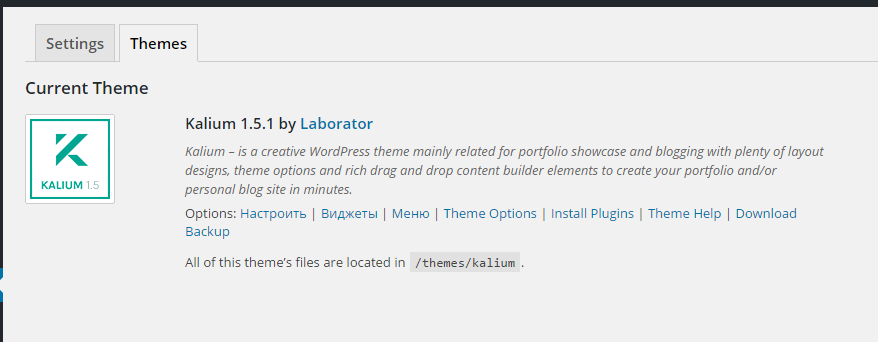
You are using an old version of our theme (1.5.1) and the latest version for the moment is (1.5.2), please update theme first.
The easiest way to update our themes is if you use Envato Toolkit. On this link How to update Themes and Plugins
you can learn this easy step-by-step procedure
Then don’t forget to go to Appearance > Install Plugins to update all your premium plugins to the latest version that we support.
P.S: If the problem is still present, just reply to us again
Kind Regards,
—Ylli
As you see it is also in demo page not only on my page http://sk.wpbaltic.com/
Hi there,
Maybe you haven’t seen the previous comment from Ylli, where he has mentioned to update the premium plugins also, as I see you are not using the latest Visual Composer plugin.
Kind Regards,
Art
Hi,
Site: http://www.tobinarchitecture.com/
On the projects page, I have projects listed on the left hand column (with links) and thumbnails on the right hand side. I attempted to add a text link to the left column and when I do this, all the thumbnails no longer load up visually. I don’t know why it’s doing this? Thanks.
Hi there,
Can you e-mail us your login credentials so we can check what’s wrong with it, right now you’re not using the links on the sidebar right?
Kind Regards,
Art
Hi,
site: http://youngday.tbm2-f8wn.accessdomain.com/welldesign/?page_id=3893
When I click on the red block on mobile. it unable link. I want it click on the red block that can link on mobile. what can I do?
TKS~
Hi there,
You have to click in the title in order to open the portfolio item.
Kind Regards,
Art
but in your demo site. when I click on the block that can link on mobile. why?
Hi youngday,
We will reply to your other ticket that has the same question.
Kind Regards,
—Ylli
Hi, I want to update my kalium theme to the new version, but the automatically update in envato toolkit does not work, nothing happens. I tried it in different browsers (mac).
Can you check it or send me a documentation to update manually? Thanks a lot!
Patrick
Hi there,
We just tested this in some demo sites and the update via Envato Toolkit went good, can you try again and tell us where the problem is where is the process stuck.
Also if you can’t do it please e-mail us your login credentials so we can update it manually because the process is a bit complicated.
Kind Regards,
Art
Sorry, doesn’t work. Stuck after a few seconds..downloading API…then nothing happens anymore. I give you my login data: http://wordpress.apfelgrafik.de/wp-admin/
Pleas send me your Mailadress
And THANKS in advance.
To send us email use this link and please write us your request again, because we receive a lot of emails on daily basis and we unfortunately can’t remember all customers requests.
P.S: Please note that we usually do not respond to emails that request support, because here is our primary support forum. We use contact form just for sending sensitive information.
send already 1 week ago. Please contact me or just solve my problem. You got PW and all you need…. thanks! Patrick
Hi Patrick,
We just checked our email for any message from “apfelgrafik” or “Patrick” but we didn’t find any email there.
To send us email use this link
And please reply us and tell from what email address are you writing.
P.S: Please note that we usually do not respond to emails that request support, because here is our primary support forum. We use contact form just for sending sensitive information. Also emails response time can be up to 7 business days.
Thank you for your understanding.
Kind Regards,
—Ylli
Hi Ylli. Maybe I wrote to Art from p.hardt@apfel-z.eu. However. Can I write you in Facebook? You need my login for help (I send it to Art already).
Hi there,
There isn’t any record from your e-mail, are you sure you have mailed us to info(at)laborator.co not .com
Kind Regards,
Art
I wrote to Art via Contact Form ( http://artramadani.com/?page_id=2310 )...however, I send you a message via Facebook now. My Name there is Paddy Hardt. OK?
To send us email use this link and please write us your request again, because we receive a lot of emails on daily basis and we unfortunately can’t remember all customers requests.
P.S: Please note that we usually do not respond to emails that request support, because here is our primary support forum. We use contact form just for sending sensitive information. Also emails response time can be up to 7 business days.
Kind Regards,
Art
Sorry, I alway wrote to this link! Now I tty it with info @ la…. again. :-/
ok mail is on the way  Hope you get it.
Dear Kalium team,
I’ve added the clients section in the homepage by copying the code in the classic mode because I couldn’t do it with other method, so when I edit the clients page and update it, it doesn’t update in the home. I have to copy and paste the code everytime. I’d also like it to be before the map, but If I move it with the frontend editor, once I add a logo for example, it doesn’t update and I can’t find the code with the classic mode. Could you please, help?
Thanks!!!
my website is www.gingin.com.ar
Hi there,
The clients shortcode is different from any page like i.e. Clients page, you will need to add them separately to and always copy the code.
I don’t know if I understood your question right but as far as I could you want to get the clients from another page to the homepage.
Kind Regards,
Art
Hi Art,
Thanks! I think you understood correctly.
For example, I have the portfolio page in the homepage, and every time I edit the portfolio, it updates also in the homepage. But that doesn’t happen with the clients page. If I understood correctly, the only solution is to copy the code?
Thanks.
Hi there,
Yes you’re right, because we only have the Portfolio template and for other shortcodes you have to manually add them each time, they’re independent from other pages.
Kind Regards,
Art
Thank you!
You’re welcome!
Hello, how to set Revolution slider on the top of the homepage like in your demo version? I tried to set it threw appearance – customize – widgets – footer widgets, but it shows pictures only on the bottom of the page. Do I need to set it in another way? Thank you very much for youe response.
http://www.renovacijos.lt/Hi pauliuslatakas,
On those 3 pictures you can see how we made possible Homepage of our main theme demo.
Hope that you can achieve that layout easily
Cheers!
—Ylli
Hello, I did like you say, but the pictures are still at the bottom of the page. How to set them on the top of the page?Thank you!
Hi pauliuslatakas,
You are using an old version of our theme (1.5.1) and the latest version for the moment is (1.5.2), please update theme first.
The easiest way to update our themes is if you use Envato Toolkit. On this link How to update Themes and Plugins
you can learn this easy step-by-step procedure
Then don’t forget to go to Appearance > Install Plugins to update all your premium plugins to the latest version that we support.
Then if you sill have this problem can you please send us your WP credentials on email? We need to investigate your problem and then get back to you with possible solution.
To send us email use this link and please write us your request again, because we receive a lot of emails on daily basis and we unfortunately can’t remember all customers requests.
P.S: Please note that we usually do not respond to emails that request support, because here is our primary support forum. We use contact form just for sending sensitive information. Also emails response time can be up to 7 business days.
Kind Regards,
—Ylli
Hi, it seems to me Envato still has not update your theme to 1.5.2 http://c2n.me/3mWrFNI.png Anyway I can not see option for update it.
Hi alexschneider,
This is really strange, i tested it and it works as it should, can you please try it again?
Kind Regards,
—Ylli
The situation has not changed http://c2n.me/3mYKmmQ.png Really this is minor problem and I totally can update the theme manually. If you want to check it yourself I can give you access to control panel.
Hi alexschneider,
This is really really strange, we would like to see this problem closely if we could
Can you please send us your WP credentials on email?
To send us email use this link and please write us your request again, because we receive a lot of emails on daily basis and we unfortunately can’t remember all customers requests.
P.S: Please note that we usually do not respond to emails that request support, because here is our primary support forum. We use contact form just for sending sensitive information. Also emails response time can be up to 7 business days.
Kind Regards,
—Ylli
I sent account data by email (we already have communicated by mail).
Hi alexschneider,
We will check that in a couple of minutes
Kind Regards,
—Ylli

This item was featured on ThemeForest

Power Elite Author
Contact the Envato Market Help Team





.)