8337 comments found.

Hi,
In your Kalium design you can navigate via menu to other pages like services. On this page you used the zigzag ‘item portfolio type’. Unfortunately when I add an extra page I am not able to choose any ‘item portfolio type’ its is just a page without a layout. When I add a portfolio page I am able to choose between serveral ‘item portfolio types’. How can I add this ‘item portfolio type’ to my other page? Thanks!
Hi Annemarie1984,
Can you please post with the account you bought the theme, this way we can verify that you’re a real customer as we do not offer support to users who doesn’t have “Purchased” badge.
Kind Regards,
—Ylli
Hello Ylli,
The couple fresh questions:
Thanks in advance.
Regards, Roman.
Hi Roman,
Can you please write us your site URL here on comments first? We need to investigate your site and then get back to you with possible solution
Kind Regards,
—Ylli
Sure, www.romanbordo.com I disabled maintenance mode temporally.
Hi Bordo,
1— That is based on table layout, we can’t give you the fix for the moment because it’s a bit difficult, but we will try to fix this on the next updates. I’m going to put this on the to-do list.
2— Can you please add the code below to Custom CSS
.product-filter ul li.active a:after {
    bottom: -10px !Important;
}
Kind Regards,
—Ylli
Ok, thanks for reply.
1 – I’m looking forward.
2 – Yes, It’s works properly and could you say also how to change this when mouse is over items.
Regards, Roman
Hi Bordo,
2— This sill be fixed when the Kalium 1.6 is out 
When the update it’s ready you will receive an email if you have enabled “Get notified by email if this item is updated” from your Downloads tab.
Kind Regards,
—Ylli
I got it, thanks. But how about this question 2 – Yes, It’s works properly and could you say also how to change this when mouse is over items.
Hi Bordo,
Can you please add the code below to Custom CSS
.product-filter ul li a:after {
      bottom: -10px !Important;
}
Kind Regards,
—Ylli
Great! Thanks.
Hi Bordo,
Glad to hear that
Enjoying our theme? Head over to your Downloads tab and give it 5 stars. We will love you forever 
Kind Regards,
—Ylli
Done
Thank you Bordo
Cheers!
—Ylli
Hi.
Is possible to change icons to my own icons?. thanks
Hi Lafac,
I think that this is not possible.
Kind Regards,
—Ylli
Hi would like to know how can I have last version 1.5? Thanks
Hi fabriziocantoni,
The easiest way to update our themes is if you use Envato Toolkit. On this link How to update Themes and Plugins
you can learn this easy step-by-step procedure
Then don’t forget to go to Appearance > Install Plugins to update all your premium plugins to the latest version that we support.
Kind Regards,
—Ylli
Hello, I can’t figure out a problem. When I’m on back office in a page, in page options, custom CSS works but not Logo & Menu custom settings. Any idea?
Hi Marcusal,
I think that i can’t understand your question, can you please try to explain this problem more? Thanks
Kind Regards,
—Ylli
Logo & Menu custom settings doesn’t work. any idea about this bug?
On a specific page, if logo is black and i want a custom one in white, i upload it in “Use custom logo for this page only”, i save it but logo is still by default. Same thing for menu color
Hi Marcusal,
Now i understand it
Can you please open laborator_actions.php file, go to line 1216: replace is_single with is_singular
Your problem will be fixed, when the next update is out this problem will be fixed
Kind Regards,
—Ylli
Thanks a lot, it works! (it was not on line 1216 but 1206). Regards.
Hello, thank you a lot for your great work! It’s amazing. The only little problem I have at the moment is the WPBakery Visual Composer. It is not working as it should and I coudn’t update it. Can you please realease a new version of Kalium, in wich the new version of the WP visual Composer is containt? That would be great.
with best regards,
Viola
Hi Viola,
If you are using our latest version of Kalium (version 1.2 for the moment is the latest one), just go to to go to Appearance > Install Plugins to update all your premium plugins to the latest version that we support.
Kind Regards,
—Ylli
Hi, the agency theme doesn’t seem to work in saffari 8.06, there seems to be a problem with the font colour…
HI, thanks for coming back to me, thats odd, I see text text at all, im not sure how I attach a screenshot?
Hi bree,
Can you please upload your image on this site Cubeupload, then paste us your image here.
P.S: Do you have any extensions or something else installed on your Safari browser?
Kind Regards,
—Ylli
here’s a link to a screenshot: https://www.dropbox.com/s/xmf585641q0812d/Screen%20Shot%202015-09-09%20at%2010.34.36.png?dl=0
Hi bree,
Can you please read the comment above?
P.S: Can you please press X on the top banner before previewing our demos, that banner causes problems sometime.
Kind Regards,
—Ylli
Hi bree,
Can you please read the comment above agin please?
Kind Regards,
—Ylli
Hi, that worked. Is this something that is being looked at? it kind of makes the theme unusable as it is…
Hi bree,
That is not a problem, that top-bar just appear when you want to buy our theme, it will not appear on your theme
Kind Regards,
—Ylli
Hi, Sorry, i’m not talking about the theme bar, I’m looking at my own site – theorhodes.co.uk – the text doesn’t appear until you hit the X in the address bar in Safari, if you then hit refresh it disappears again. I’ve just replicated the problem with your theme demo page…
Hi bree,
I’m sorry but i can’t replicate your problem, you can see on the video link below that your site is working very well from my end.
http://drops.laborator.co/182C6Kind Regards,
—Ylli
Hi, That is really odd, I’ll try it on some other machines and networks and hopefully won’t be able to to replicate it either! Thanks for taking the time to have a look at it for me.
Hi bree,
Nice, don’t worry for that
Kind Regards,
—Ylli
Hi, Im trying to update ( LayerSlider WP! from 5.5.0. The latest version is 5.6.2. )
Asking for purchase key. Is this part of the package or is seperate purchase required
Hi CarryMark,
Layer Slider don’t allow us to give customers our license number, so on each premium plugin such as Visual Composer, Revolution Slider and Layer Slider update we release a new update to our theme with the latest version of that plugin included, and customers don’t need to worry about that,
You never need to buy any premium plugins that comes with our theme
If you are using kalium 1.5.2 just go to Appearance > Install Plugins to update all your premium plugins to the latest version that we support. Specially Layer Slider 5.5.1.
We will release a new update to Kalium on the next 2 weeks with the latest version of Layer Slider included
Kind Regards,
—Ylli
Hello there,
Great looking theme. I have slowly been working on it. So far, I have compiled a short list of queries which I hope you can help with. I have tried looking through css files to try to sort out some of these myself, but the kalium.css is in a single line and it’s really difficult for me to figure out what’s going on. Anyhow, here are my queries so far:
1. How can I prevent Captions from showing over the images when the mouse hovers over them? (you can see this on the top image on the left in the following screen cast: https://www.dropbox.com/s/o3qykh2af8tfdzb/Side-Portoflio-Sticky-Issue.mov?dl=0). I know I can remove the captions from the images themselves, but that would be a huge task since all of the images were uploaded with the captions in relevant fields and other meta data.
2. How can I change the size and type of font in the “Checklist” of the Side Portfolio template? I know I can do this by <p style="“font-size”"></p> tag within the box, but becomes a tedious task if I’d have to do this for every paragraph. Using <div style="“”"> </div> instead appears to break things.
3. The title of the widgets seems to repeat. e.g. if I specify a title for an “Archives” widget, then the title would appear twice on the page. Equally, if I do not specify a title, the default title would appear twice (here’s a screen shot: https://www.dropbox.com/s/gdpervn497x8y63/Doubling-of-Widget-Titles.png?dl=0). How can this be fixed? Some of the other widgets seem to be ok (e.g. Site Links, Search)
4. How can I change the font size of the title and content text for the widgets on the footer / top menu / side menu?
5. There seems to be an issue with “sticky” descriptions on Side Portfolio page. When the page is being scrolled down slowly, there comes a point when the description text suddenly jumps up and does not follow the smooth scroll animation of the rest of the content on the page. This only happens if the page description is made “sticky”. It doesn’t happen otherwise (see screen cast here: https://www.dropbox.com/s/o3qykh2af8tfdzb/Side-Portoflio-Sticky-Issue.mov?dl=0). How can this be resolved?
6. Also, in the Side Portfolio, when the “Stick Photos to Top” is enabled, when the top menu is revealed, when you start scrolling the page down, the images and the text start to move before the page background and consequently the images start overlapping the menu area. (this and item before can be seen in the above screen cast). Although this issue does not bother me as much as the “sticky descriptions jump”.
7. On the footer, is there a way to make the Social Network links circular, rather than have them as plain links?
Many thanks, and again congrats on the great theme!
Atif
Hi Atif,
1— Can you please add the code below to WP Dashboard >Custom CSS
body.single-portfolio .caption {
    display: none;
}
2— Just add the code below to Custom CSS
.single-portfolio-holder .details .services ul li {
    font-size: 12px !Important;
}
3 — 4 — 5— 6 . We need your site URL and please send us specific URL-s for each question where those problems are happening. Because we need to investigate your site and then get back to you with possible solution.
7— You must go to Laborator > Theme Options > Footer > Footer Bottom Style and click second image.
Kind Regards,
—Ylli
Hi Ylli,
Thank you for the super lighting fast response! I’m pretty amazed!
Thanks for sorting out the queries 1,2 and 7. Those work great now!
I understand that posting a link to relevant pages of the website would help you in helping me. However, I am currently running things off of a local server (through MAMP) on my laptop – so not sure how I would share these with you.
In the interim:
Item 3: I’ve so far only encountered this problem with the Archives widget. Considering that I cannot send you actual links to the website I suppose I can just get read of this widget from the footer / side bar – I am not sure how useful it is anyhow. Nonetheless, I think this issue would be easy to replicate just by including an Archives widget in any of the areas (footer / sidebar).
Item 4: I was hoping this could be sorted out by adding a few CSS lines?
Item 5: I have noticed the same issue described in Item 5 above, on the live preview of the Kalium theme: Agency Demo, on 90s Packaging page – although the same page works ok on the Main Demo (well, on the same page of the Main demo the jump is a bit smaller and therefore not as noticeable; Multi Colour page on the Main Demo seems to work flawlessly though, whilst The Manual page on the Main Demo is severely affected).
Item 6: I couldn’t find the Archive widget on any of the Live Demo pages so cannot point you to a live link.
Any ideas?
Many thanks! Your help is much appreciated!
Best,
Atif
Hi Atif,
When you move your site from the localhost to Web, can you please reply this thread and we will check your questions again?
You can set the Coming Soon mode on, and people can’t see inside your site
Kind Regards,
—Ylli
Hello!
Great. Thank you for your response. I think Item 5 happens when the width of description text is set to 1/4, rather than the default value of 1/3. In any case, I can live with that. If I still struggle with this I will post a link once I upload the site.
I do have another question though. I have noticed that on the main portfolio page, as well as on the portfolio items page, the alt tags (alt=”“) for images are replaced by img-0000 (where 0000 is a number of the post or image or something). Is there a way for the Alternative Text field (which is part of the meta data within the images themselves) be preserved instead? This would be much better from the SEO standpoint.
Many thanks.
Atif
Hi Atif,
We will investigate this, and on the next updates we will try to implement this feature so when you go to Edit any image and put the Alt Text there, it will appear on that image.
I just wrote this on our to-do list
Kind Regards,
—Ylli
Thank you. That would be great.
With out it, switching over to Kalium from my existing website would be damaging to my SEO efforts.
I look forward to the update. In the meantime, I will keep the Kalium website on my local server.
It’s still a great looking theme, with an amazing support from you guys!
Many thanks!
Atif
Hi Atif,
Nice, and thank you for your kind words
We are trying to add more and more nice features to Kalium theme, and we will not stop because we have nice clients
Kind Regards,
—Ylli
Hi, I just purchased this theme, and none of the psd files are in the dropbox link, and no index.html files preiview the design, so far I can’t use it, and its $100 for me in australia.
Is there anyway that you could fix this please?
Hi mrcdesigns,
1. We have simplified the procedure to download PSD files of our theme, just visit this link Laborator PSD-s
2. I’m afraid that i can’t understand this question, Kalium is Wordpress theme not HTML theme.
For more information to help you getting started with our theme here is the Kalium Documentation link.
Kind Regards,
—Ylli
Hi,
I have Kalium 1.5.2 installend and was about to setup my page. When I want to add a video (youtube) backgrund in visual compuser to a row, nothing happens. I tried everything, the background stays white. Change of color or a background image works. If I change to another Theme, the video background works. So that tells me, it has to do with the Kalium Theme.
Can you please check, if its a bug? Or did I miss a switch in Kalium somewhere? (Like I said, works flawless when I switch to other themes…)
Thank you very much in advance! Thomas
Hi Thomas,
Can you please tell us where are planing to put that video, on which page exactly? Can you send us the URL of that page? Thanks
Kind Regards,
—Ylli
Hi!
I know it’s possible to use an embed code from Vimeo that will autoplay a video when a page loads; however, the way the kalium theme is set up, the only way i can display a vimeo video with the theme is using the video url and not an embed code.
Is there any workaround for this to autoplay videos, either self hosted or using Vimeo?
Thanks! John
Hi John,
If you’re using the latest version of the theme which has the latest Rev. Slider plugin then you can easily add Vimeo videos to the slides by simply clicking on the Add Slider Template and then select from the templates Vimeo Hero, what you need to do is just edit it and replace with your video.
Kind Regards,
Art
I’m using this beautiful theme for my web site. Now, I have a question. When I load blog posts on homepage, more button is behind of the list of posts. Do you have any way to fix this problem?
http://mumble-mumble.comI’m waiting your reply…
Hi there,
Have you managed to fix your issue cause as I see it doesn’t appear on my browser.
Kind Regards,
Art
Thank you. I’ve managed the issue by myself.
Glad to hear that you’ve managed to fix it by yourself
Kind Regards,
Art
Something strange happens on my site http://praxisklinik.wpengine.com/ . After the latest update of Kalium there is strange markup right after the opening tag. It says “0”.
Is there something in the templates that causes this? I have searched through templates and source code but found nothing. I am not sure if this is something Kalium-related or not. Do you happen to know what causes this?
Thank you in advance!
Hi WPthemes2013,
We have faced this problem before on another theme, and the user founded the fix by disabling one third party plugin that was causing this.
Can you please disable all the third party plugins one-by-one until that “0” is gone?
Kind Regards,
—Ylli
Hi Ylli, I deactivated all third-party plugins. The problem still occurs. Any ideas?
Hi WPthemes2013,
I don’t see that ‘0’ now, have you fixed your problem?
Kind Regards,
—Ylli
No, I didn’t. I have set up a workaround: I set the font-size of the body to zero. Look at the body element, you still see the “0” in the markup!
Hi WPthemes2013,
Hmm, can you please remove that font-size: 0px; from the body and can you please send us your WP credentials on email? We need to investigate your problem and then get back to you with possible solution.
To send us email use this link and please write us your request again, because we receive a lot of emails on daily basis and we unfortunately can’t remember all customers requests.
P.S: Please note that we usually do not respond to emails that request support, because here is our primary support forum. We use contact form just for sending sensitive information. Also emails response time can be up to 7 business days.
Kind Regards,
—Ylli
Hi, I put a comment down yesterday about the Coming Soon Mode not reverting after selecting it. We’ve tried all different combinations of enable/disable for both the Coming Soon and Maintenance modes, to see whether it would change, but the only way we can change it is to revert it back to a backup we have a few days ago, which means we lose any content we may have created since the backup.
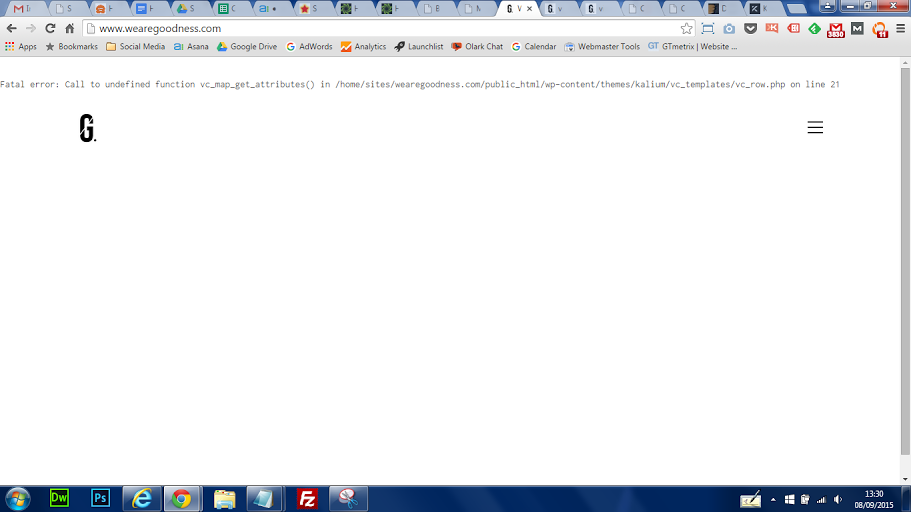
Also, we’re trying to update the theme but it seems to break the website in terms of design. We have tried to update it through downloading the theme again from themeforest and uploading it through ftp, and also just to update it through the Envato toolkit. We have entered our API code and it does bring up the correct theme but it still causes the problem. Both attempts seem to change the homepage so that it loses the menu and the background, so we just have the menu button and the logo, and the rest of the page is white. Essentially, we are just left with an empty website, with no content and just a logo and menu button, which doesn’t show a menu when clicked on. We are trying to update the theme because at the moment the website is very slow, and we’ve checked the plugins and hosting and those don’t seem to be the cause. So once we update the theme we’ll be able to test whether the website is faster. We haven’t changed any of the CSS and it is just customiser changes. Our website is http://www.wearegoodness.com/. Currently the theme is 1.3.1 and we’re trying to update it to the latest version.
Do you have any ideas on how to fix this? Best, Ryan
Hi Ryan
The maintenance mode and coming soon mode once they are activated they will only show for guest users, and if you are logged in as administrator you will continue seeing the site normally.
About the site update, please install Envato Toolkit 1.7.3 (latest version):
https://github.com/envato/envato-wordpress-toolkit/releasesThen try to update the theme, because most of the users are able to update the theme with this tool, you should not get any issue when updating, but if you get, then please let us know and we will help you fixing it.
If you just see a blank white page, then you need to activate WP_DEBUG to understand the real issue, copy/screenshot those errors and I can figure out what fix to give to you.
Here are the directions how to activate WP_DEBUG:
To enable WP Debug Mode because I am not able to exactly know what kind of issue is this.To turn on WP Debug Mode, follow these steps:
1. Open wp-config.php
2. Find WP_DEBUG constant (written as
define('WP_DEBUG', false);)3. Set value to true (
define('WP_DEBUG', true);) and save file.4. Go to the same page, refresh it and you will see a PHP warning or fatal error being display. Copy the error or better send me the screenshot so I will be able to understand what kind of issue is that and will give you proper fix to it.
P.S. If you want to know if our theme is running slow, check execution time in the end of page code (view source) and you will see something like this:
<!-- Execution time: 1.7090530395508s -->
This was the time needed to display homepage, but if you use caching plugins it will not work.
FYI, WP Total Cache plugiin is not supported for this theme, only W3 Super Cache.
Arlind
Hi Arlind,
We have updated the theme again (Envato Toolkit was already up to date) and it still produces this problem, is there any way we can send this printscreen? We have replaced the caching plugin with one that works, but I presume this isn’t the cause.
Ryan
Hi Ryan,
You can upload screenshot on this site and then send us the URL of the screenshot.
Kind Regards,
—Ylli
Hi Ylli,
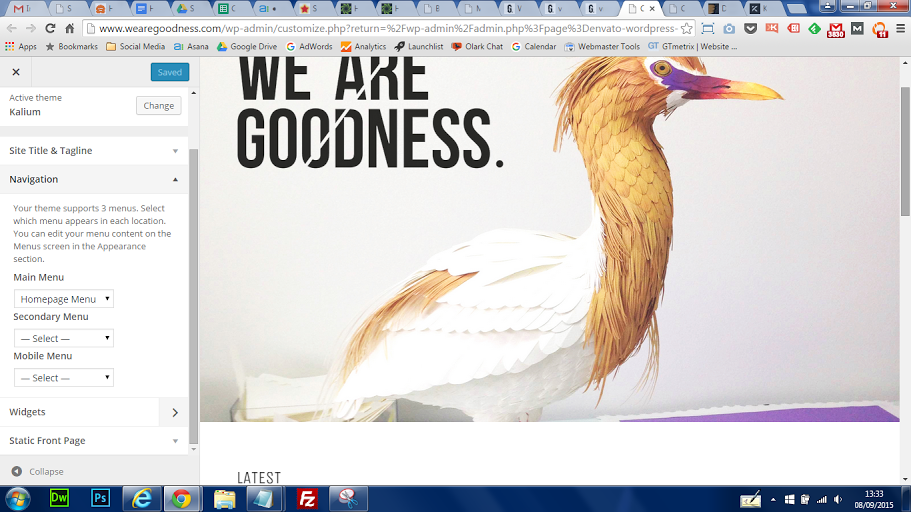
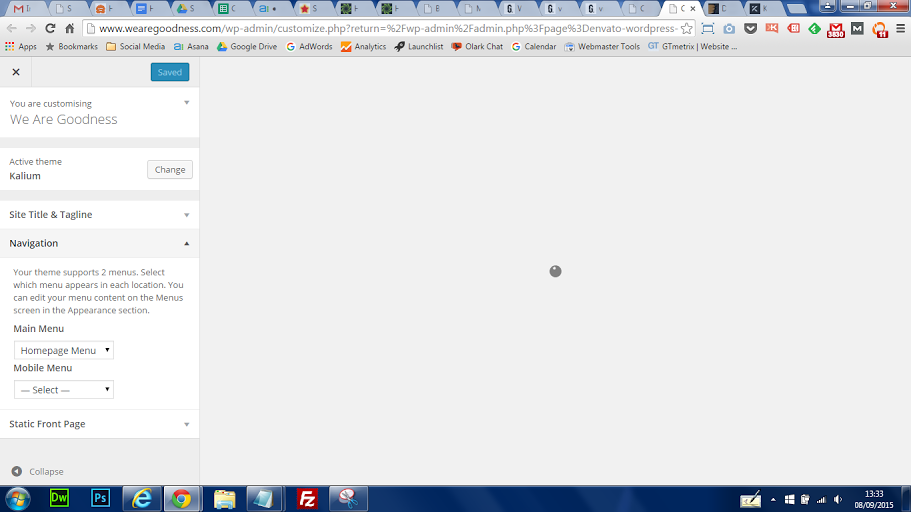
I had activated debug mode and did find an error: http://u.cubeupload.com/Bowlerhat/WAGprintscreen2.png I’m not sure whether it is causing the site to lose its content, but it does look like a theme error. Also, I have taken printscreens of the customisation page before and after I updated the theme. Before, you can see the full page, there is a secondary menu and you can change the widgets on the customisation page: http://u.cubeupload.com/Bowlerhat/WAGprintscreen.png After, the secondary menu is gone, the widgets tab is missing and the page always tries to load the page: http://u.cubeupload.com/Bowlerhat/WAGprintscreen1.pngBest Regards, Ryan
Hi Ryan,
That error is coming because you haven’t updated your Visual Composer plugin to the latest version.
Please follow this procedure:
Go to Appearance > Install Plugins to update all your premium plugins to the latest version that we support.
Your problem should be gone, if you still have any problem just reply us again and we will check it again
Kind Regards,
—Ylli
Success! Thank you very much Ylli!
Hi!
I really like this template and I want to buy it. But first I have some questions about the agency template>
1) Is it possible to have a regular meny (horizontal on the top)? 2) Remove the heart effect on the portfolio site? 3) Customize the font? 4) Post videos. 5) Change the background color on some pages.
Kinds, Ada Weel Olsen
Hi Ada Weel Olsen,
1— Yep, you can choose which menu you want to use from the Theme Options.
2— You just need to disable “Show like button for portfolio items” from the Theme Options.
3— On our theme there are 600+ Google fonts included, we support Typekit font too
4— You can post videos too
5— That is not included on the theme options but we can help you to do that with Custom CSS
Kind Regards,
—Ylli
Sounds good! Thanks for the fast and good feedback
Hi adaols,
Glad to hear that
Kind Regards,
—Ylli
I want to have the blog menu on every page. How do I set that up?
Hi there,
I don’t know what do you mean with the “blog menu”.
If you are talking about sidebar, you can add a sidebar in any page that is made with Visual Composer by adding the Widgetized Sidebar from the elements section.
Kind Regards,
Art
I think breadcrumb is required for mobile user. Is it possible to add breadcrumb on Kalium Shop Demo?
Thanks a lot.
Hi there,
Unfortunately not, we will try to add these in the upcoming updates.
Kind Regards,
Art
Hi, I’m having trouble with the Portfolio´s menu. It does not work well when buttons are activated. This is the link: http://casa-hoffmann.com/portfolio-category/transfiguracion/ I will be aware of any response. Thanks for your help. Andres Moreno
Hi Andres Moreno,
You are using an old version of our theme (1.5.1) and the latest version for the moment is (1.5.2), please update theme first.
The easiest way to update our themes is if you use Envato Toolkit. On this link How to update Themes and Plugins
you can learn this easy step-by-step procedure
Then don’t forget to go to Appearance > Install Plugins to update all your premium plugins to the latest version that we support.
Your problem should be fixed after the update
Kind Regards,
—Ylli
Hello,
I’m trying to figure out the error: : Invalid argument supplied for each() in on line
It shows up on this page:
http://www.unclefarkus.com/general/farkus-takes-the-pacific-northwest/As far as I know, I haven’t modified anything major or activated any plugins that might do it. Help is appreciated!
Hi unclfarkus
Sorry about this issue, this is theme related and was a bug we didn’t saw. So here is the quickfix for you:
1. Download this file: http://drops.laborator.co/1kSX7+
2. Replace it in this directory of the theme:
wp-content/themes/kalium/tpls/post-format-content.php
I hope it will help you.
Regards
Arlind

This item was featured on ThemeForest

Power Elite Author
Contact the Envato Market Help Team