38442 comments found.

Our page seems to be broken as well with the latest update. One moment its fine, the next, elements of the web page are all over the place: https://gyazo.com/a5b3bd6e17ee7535a4e70b1d6109bd12
Our website: http://www.pokerhuds.com/
Thanks
Hey – I can see all your stylesheets are coming through as server side cached versions, kindly contact your hosting company and ask for them to clear that or turn off the pagespeed caching all together to test
Thank you! That solved it.
Cheers 
Hi there,
is there a way that german letters like “ö,ä,ü” will be displayed as regular letters? Right now they don’t seem to fit the text quite well: http://fs2.directupload.net/images/150914/nypvsrvq.png
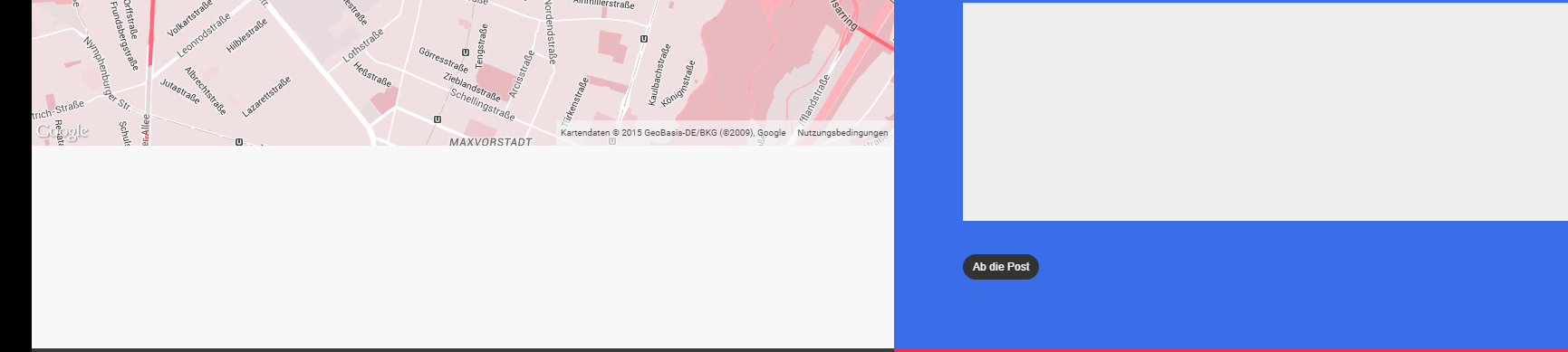
Also, can you tell me how to make the google maps-section adaptive to the full height of a container? http://fs2.directupload.net/images/150914/i7n7hg33.png
As you see there’s a whitespace which should be filled in by the google maps. The px shouldn’t be the solution, because they just make the whole page longer/shorter. Can you tell me how to fix this into a responsive solution?
Thanks! Andi
Hey,
1. Are you on the current release of the theme?
2. Please share the actual page URL so I can take a look
Cheers
1. Yup – i just purchased it a couple of days ago 2. the URL is beta.1nvolve.de – I’ve DM’d you the login-data.
Thanks for your help!
Best
Hey! Currently I’m seeing the ext latin chars displaying correctly on Chrome, which browser are you referring to? Also for the map, the only way to make it bigger would to set a taller height on your VC element, if you then needed to control is specifically on smaller displays css could be used
Hi! Thanks for your reply! I’m using Chrome as well. On my iPhone they’re displayed in a Latin serif and fat printed as well. Same on the MacBook. Maybe there’s sth wrong in my stylesheet? Okay so there is no function to make to Map “fit the screen” or “fit the container”?
Hey again,
1. Is it only on your iPhone or on your laptop/desktop as well?
2. Not for a map element in the setup you have
Cheers
Hey,
1. Nope – it’s on all these devices for me.
2. Okay so basically – how did you do this in your agency demo because it seems to work fine there? http://themenectar.com/demo/salient-agency/contact/
Thanks!
Best
Is there a way to have the subnavigation drop down go over the menu items instead of beneath menu items? My menus is wrapping around into two and I have two lines of menu items. But the drop down doesn’t go over the menu items, it shows below. Thanks!
Hey,
Add this into the custom css box in the Salient options panel:
.sf-menu ul {
    margin-top: -20px!important;
}
Cheers
Hi guys. All my pages were ok until this morning when none of them are displaying their content correctly! im presuming it could be the theme update! Ive raised a ticket in support but heard nothing so thought i’d try here, i know it hasnt been long but im desperate.
i have now installed the salient 6.1.3 version and its working again! 6.1.5 doesnt work.
Hey,
Did you try resaving your theme options after upgrading? Please let me know your ticket ID either way
Cheers
HI ticket was #528158 but its all ok now but only at 6.1.3, when i tried to install 6.1.5 the options wouldnt save and i had to re-do them all from scratch! The pages just werent displaying properly – eg. the home page wasnt displaying at all, the other pages didnt show the page title in the header and a few other probs.
Hey – i’ll take a look at your ticket shortly
2 Question.
1. Smooth Scrolling http://ablelab.net/1.jpgi want deactivate Smooth Scrolling. So i did this dashboard – Salient – General Setting – Styled Scrollbar / Smooth Scrolling – OFF
after this. i had a problem with my full-width background like Screenshot, background image became bigger than i want
in short. i want display my background full width without smooth scrolling
how can i fix this?
2. square icon http://ablelab.net/2.pngall icon in my website looks square.
how can i fix this?
Hey,
1. A different parallax method is used when the styled scrollbar is off, are your backgrounds using indeed using the parallax option?
2. Have you ensured that no plugins are causing the conflict?
CHeers
Dose this snippet still work? I tried but didn’t work.
@media only screen and (min-width : 1px) and (max-width : 1000px) { }
body header#top #logo img {
    height: 54px!important;
}
header-outer {
height: 80px!important; }
Hey – please share your URL so I can see why it’s not taking
Cheers
Thank you. The URL is botaniss.com
Add this:
@media only screen and (max-width: 1000px) and (min-width: 1px) {
html body header#top #logo img, #header-outer[data-permanent-transparent="false"] #logo .dark-version {
    height: 50px!important;
}
body header#top, body #header-outer:not([data-permanent-transparent="1"]) {
    height: 84px!important;
}
}
Thank you. you guys are beautiful!
Cheers
Hey Salient- I seem to be having a problem with the image linking. I’ll add a link on the about page (www.homepage.com/about) with the link reading “www.homepage.com”. But when I click the image link it takes me to “www.homepage.com/about/www.homepage.com”.
Is it not possible to link to specific pages on the site or other sites?
Hey – you need to use http:// in your link i.e. http://www.homepage.com
Wow. Thank you for that.
No problem
How do I make the nectar slider I just made go on the page I want it to go into? I want a nectar slider on all of my portfolio pages, but I want them playing different video. Right now, they only seem to be playing the same video from the first nectar slider.
You need to use slider locations to separate the instances – have you checked out the tutorial in regards https://www.youtube.com/watch?v=FLU9Pxo_RD8
Yes, thank you! I got it to work.
New question though… How do I add a “Learn more” button like you have on your first portfolio item in your demo that scrolls the page down to the section of the page that says “35 thousand theme users”? I’m talking about the first block in your portfolio on the main page that says “Custom Content How’s This For Exciting”
Thank you.
Hey,
In every project edit screen there’s an option to turn that project into a “Custom Content Grid Item” – toggling that option on will show a new editor
Awesome! Thank you.
Back to the previous question though. So I set up button on the front page, but how do I get it to link further down the page to the “35 Thousand Theme Users” portion of the front page? Right now it’s just automatically linking to my home page.
Thanks again for all your help!
That tells me how to put a menu item at the top of the screen to scroll down to a certain area of the front page. I need to know how to make the “Learn More” button on the red block in the portfolio on the front page link to a certain part of the page without a new menu item appearing in my top nav bar. Again, I want the “Learn More” button on the portfolio section of the front page to scroll down to the section that says “35 Thousand Theme Users.” Just like you have it in the demo. How to I do that specifically?
Thanks for your assistance.
The technique is the same – As long as you have the animated anchor option on you have use anchor links anywhere. i.e. in a nectar button just make the url something like ”#section” assuming you had a row with the ID of section
Cheers
Okay, so what is the “animated anchor” and how do you turn that “option on?” Pretend I’m an idiot (because I am.) Just walk me through how you do as you I explained above.
I want the “Learn More” button on the portfolio section of the front page to scroll down to the section that says “35 Thousand Theme Users.” Just like you have it in the demo. How to I do that specifically?
Walk me through that please. Specifically.
Thank you.
The animated anchor option exists in the general settings tab of the Salient options panel – all it does is animated the scroll of regular anchor links. The technique is described in the tutorial video I listed above expect instead of using menu links you can simply use an anchor link anywhere in your page content. Here’s a basic tutorial on what anchor links are in general if you’ve never used them before http://www.wendycholbi.com/anchor-links-jump-links/
Sorry. Like I said, I’m an idiot, and none of this has helped me. I just deleted the button and gave up. I can get the jump from a top menu item to work, but I just can’t figure out how to get the red block button to link further down the page exactly as you have it in the demo. I would think perhaps you could just give me the exact content/code to do that since you have that in the demo, but I guess it’s more difficult than that.
Thanks for all your previous help. This one is just not working though.
Hi, just about to purchase your lovely theme I’ve noticed that it could be not possible in the home slider to put a link to video from YT/vimeo instead of uploading vid to my server. So is there an option to add a youtube or vimeo URL to the nectar slider instead of uploading a video? Cheers!
Hey,
Not if you want it as a background but video embeds form youtube/vimeo can be placed within a slider itself next to the caption
Cheers
Trying to upgrade, installed latest update and it still says 5.5.5? Anyone else have the same issue. Should read 6.0.4
Hey, the current version is 6.1.4 and I have confirmed that’s the version available on TF – kindly try downloading it again or updating through the Envato toolkit plugin http://premium.wpmudev.org/blog/how-to-update-themeforest-themes-with-the-envato-wordpress-toolkit/
Hi there,
Have an issue with Chrome (on Safari or Explorer it is ok): the letters with an accent don’t appear correctly (they are in bold or in italic). What do I have to check/change?
When I installed and used your theme it didn’t have this issue, but it is present for almost 3 months now… here is my website if you want to check: www.ico-gem.com
Many thanks!
Hey, which version of Chrome are you using? I currently can’t see it on my end – are you also using the current release of the theme?
Cheers
Hello, i would like for the search the same height like the header (exactly like this website http://www.anotherlovestory.ie). Which solution could you bring me ? Thanks a lot for your help and sorry for my english Adrien
Hey drichon,
You need to change your skin from ascend to the original in the general settings tab of the options panel
Cheers
I was wondering how I can link a background image? We were using the Revolution Slider, but it stopped working so we replaced the sliders with background images, but can’t figure out how to add a link? You can see the homepage image here: www.glidecycle.com That main homepage image needs to link to the shop page….
Thanks!
Hey,
There’s the option to link a column, so you could put one in there with the column set to full width content and place a lot of padding on the column to make it large
Cheers
Aw – thanks. I had that linked but only had the /shop/ in there, it seems I needed to put the entire URL in there. Muchas Gracias.
Glad you sorted it
Hi,
Is there a way to make the slider image to fully appear on mobile phone? Right now half of it is missing.
Cheers
Hey, please share your URL in regards so I can see the setup
Hey – enable the flexible slider height option and adjust the slider height until it fits to what you desire
I have done that it dosent solve that, slider looks really bad on mobile phone and larger screens
Please open a ticket in regards with your admin credentials so I can check your setup
Can you tell me why the page is showing the code when it loads? It’s not loading properly: http://befitphoto.com/development/home-particles/
I’ve tried installing it three times.
Thanks!
Hey,
You need to install and activate the Salient visual composer plugin in your appearance > install plugins tab
Cheers
Masonry Blog w/sidebar stopped working. I reverted to yesterday’s last save and it still does not appear where it is supposed to appear. I double checked with a save from four days ago and it’s not there either. Any ideas? www.climatediscovery.com/#knowledgebase. The blog should be on the left, sidebar on the right.
Hey – did you have custom css that was hiding it?
Hi there,
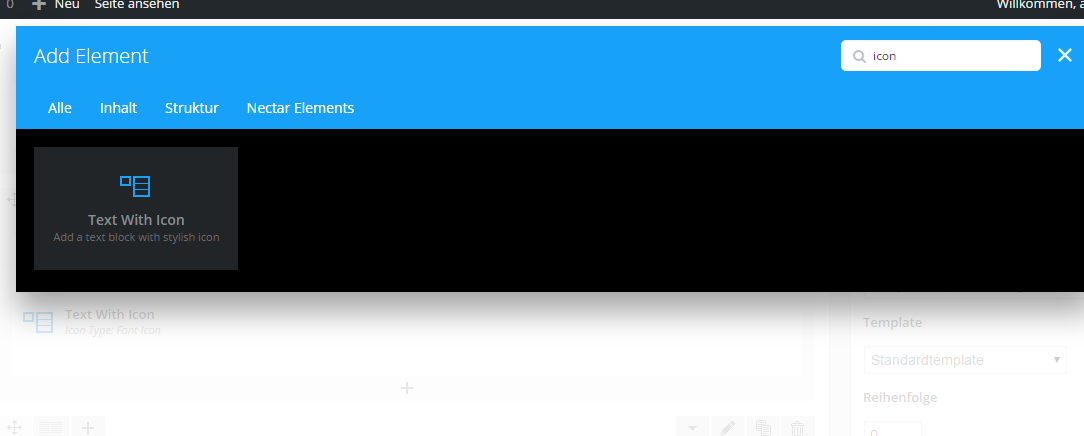
I just wanted to create some animated icons like in your agency demo, but somehow I cannot find “icons” in the Salient Page Builder: http://fs2.directupload.net/images/150912/lfu8hj3x.pngCan you tell me how to add them?
Thanks!
Hey,
The icon shortcode is located in the nectar shortcode generator which you can add inside of a text element from VC
Cheers
Hi there, just a question.
I´m having problems with my wp installation, and I i would like to recover my custom css, added at salient theme, in general section (or similar, dont remember the name of the page). It is not a child theme, only a custom css.
Is it possible to get this css from anywhere? Ftp or MyPHPadmin table?
Thanks in advance
Hey,
Did it get deleted? If not, it should be in the data in the database which you can export from the import/export tab in the Salient options panel
Cheers
Hello! Can you please help me change the font color for the list options in ContactForm7? It looks to be priority set to the accent color, and I can’t get any custom CSS to override it.
Ex. Want to change the red menu options to default black color: http://katingalls.com/ui-design-intro/
Hey,
Add this into the custom css box in the Salient options panel:
body label span, body .wpcf7-form p span {
  color: #000!important;
}
Cheers
Two questions…
1. Probably a really stupid question, but how do I change the main headline text on the portfolio and blog pages? Both say “Full Width Masonry” but when I go in to edit those pages, there’s no text box for those headlines.
2. How do I change the url information for my pages. Right now my portfolio page says… http://donnerpartyfilmfeast.com/portfolio-masonry-fullwidth/ But I want the end portion of the url to read /coming-soon/ The same goes with the blog page which as of right now reads… http://donnerpartyfilmfeast.com/blog-masonry-fullwidth/ But I want the end portion of the url to read something else such as simply, “blog.”
Your help is appreciated. Thanks.
Hey!
1. You should be able to edit the page titles as any other page, if yours are not editable please create a ticket in regards with your admin credentials so I can take a look https://themenectar.ticksy.com
2. Under the page title there’s a text preview of the page URL titled “Permalink” with an edit button to the right of it
Cheers