675 comments found.
Hi Lubos!
I need to set these value for the menu header: width:100% padding: 0 3%
I’m having a serious hard time to achieve that because the main container is part of the header.
I’ve tried multiple possibilities and can’t get it to work so I wanna know if you have a clue.
I’ve tried to give the container the values of 100% and 0 3% padding but when it comes to other sections of the page like the services, the padding is not right.
If I’m right, the Fullwidth of your theme is 1170px and not 100% right?
The row settings seems messy because I’m trying to have a row full width (100%) with a padding of 0 3% and there’s always a left:15px that makes thins not centered.
Any clue on how to achieve a fullwidth design with bluecollar?
Thanks Lubos
Hummm! I think I’ve figured it out! Changed the container class in header.php and gave values of 100% 0 3% padding. Placed the modified header.php inside child theme folder. Seems good!
Need to figure out now the parallax and services page to get same properties.
Hi,
please sketch some screenshot or something because I have no idea what are you trying to achieve.
Lubos

Is woocommerce integrated with this theme ?
Hi,
it is not.
Lubos
Thanks for prompt reply.. Is there anyway I can integrate payment gateway with this site ?
I mean you can integrate a WooCommerce plugin, but it will require a bit of coding. There are tutorials for that. But there is no special styling or anything like that.
The Services feature of the theme is (not) compatible with WPBakery Visual Composer. Why is that? When I upload images they are not responsive. Is there something I need to do or can you update the theme to make the Services Feature section compatible with WPBakery Visual Composer?
Never mind. I found what I was looking for. [1] Go to WP Admin [2] on the left side of the admin, look for Visual Composer [3] Click on General Settings under VC [4] Check the areas of the site you want the VC to apply and hit save.
Hi,
glad you sorted it out, did you also sorted your issue with responsiveness of images?
Lubos
Well, I think the Visual Composer makes all the images responsive as long as you use the VC to create the content or upload the images, but correct me if I am wrong.
Correct, but I will make sure to fix responsiveness even for images added without VC in the next update.
How do I do that?
Try to add this to Custom CSS:
img { height: auto; }
Thank you sir.
do have an html version for the same template?
I saw the comment that we are not able to edit the services page. This is a real issue. I made a new page and called it ‘our-services’ and had the main menu link to that and then left the sub-menu items under service, but that is very in-elegant. Would really much rather be able to edit the service page. Or allow the new page I made have the slug of service. Thanks.
Hi,
there is a default Service list page which, as you’ve said, cannot be edited. But you can go to Theme Options / Services and change its slug from “services” to anything else. Then you will be able to create a new page with “services” slug and use Services element in Visual Composer to add services list and edit the rest of the page as you like.
Lubos
Despite having VC set to work in Posts for some reason our site will not provide the VC button to allow us to switch between Classic or Backend editing on blog posts.
Any idea if this has any relation to the template? Personally I cant see why it would being in the admin section, but thought it was worth asking… TIA.
Hi,
I’ve just checked it myself and when I enable VC for posts, backend/classic button is there. Try to switch to a different theme (e.g. TwentyFifteen) to see if it change anything.
Lubos
I just tried with another theme and it worked fine in posts.
I switched back to Bluecollar and the button in posts is gone again, so I guess it is theme related. : /
Yes, it seems so, but again, it works fine for me so it is kinda tricky. Can you try disable all plugins except those which came with the theme? Feel free to share your credentials via PM and I can take a look at it.
It seems Yoast SEO is the culprit plugin. But only when in conjunction with bluecollar theme, I’ve never had it with any other theme before. I’ll leave it disabled for now…
There seems to be a couple of instances of problems with compatibility going back to August 2015: https://github.com/Yoast/wordpress-seo
Good to know, I will take a look at it soon
Hello, i have updated the theme to the last version, gives me the following error: WP Visual Composer Installed version: 4.6 Available version: 4.7.2
In your update log says: v1.2.1 Updated Visual Composer to 4.7.2 Various small fixes
Please help me, thanks
Hi,
try to deactivate and remove the current version of Visual Composer. Then you should be prompted to install it again and the latest version will be installed.
Lubos
Works! Thanks Lubos
Any plans to support WooCommerce with this theme yet? We’ve installed it to see how it fits right now, and its not great. Page formatting is quite poor, and obviously the styles dont work. If you have no plans I guess we will have to work on it ourselves, but it would be nice to find out before we put time into it… TIA
Hi,
there are no plans for that but it should work with little bit of coding. Follow this tutorial. When you make that copy of page.php, remove lines 26 and 3 and replace “the_content()” with “woocommerce_content()”.
Lubos
How can you change the order of the services on homepage? (plumbing, painting, ......)
Hi,
you can do that by changing publish date for each service (in right sidebar when you editing a service). Most recent comes first. But it will work only if you switch off Alphabetical Sorting under Theme Options / Services
Lubos
On the homepage you have different services (eg heating, plumbing, painting…) and an icon (which can be turned off in back-office), but how can you make sure that the title on the images disapears?
Or is it possible that the title is shown in bottom of the picture with a boxed background color ?
Friendly regards,
Title like in this example: http://online-bakker.be/ow.jpg
So the position can be fixed if I change the .png or .jpg, so that’s solved…;), But now I have to hide the title…
Which custom css do i need?
Thx
Again, I need to know which services do you mean, please read my previous message.
services in content
Use this Custom CSS:
#page-content .c-service .service-title { display: none; }
ok… what I did is adding this line:
page-content .c-service .service-title { background-color: #00a8e5;}
How can I make sure that the blue color (#00a8e5) is on the bottom of the image instead of in the middle?
Thx
Sorry, but I don’t understand.
On the homepage you have different services (eg heating, plumbing, painting…) and an icon (which can be turned off in back-office), but I want the title on the bottom on the image with a background color. So I added this line in CSS:
”#page-content .c-service .service-title { background-color: #00a8e5;}”
example like this: http://online-bakker.be/ow.jpg is what I want, but with the custom CSS above the title is in the middle, but I want it in the bottom of the image (like on the like ow.jpg)
Hope you understand what I mean?
Friendly regards,
Try this:
.c-service .service-title { background-color: #00a8e5; }
yes, but I want the title and bg color on the bottom of the image, now it’s in the middle like this example: online-bakker.be/services-info.jpg
How can I do that?
Thx
Try this:
.c-service .service-header > div > div > div { vertical-align: bottom; }
service settings appear blank, cant interact
On the individual services posts
Please try to raise your memory limit to 128mb. Let me know if it helped.
just tried that, no success
Try to disable all plugins except Redux Framework and LSVR Toolkit just to see if there will still be a blank space
services is not working with Visual Composer. LSVR Toolkit causing intermittent errors about connecting to wp .org as well
resolved by also selected post in VC, thanks to other user in comments
Hi,
if you want to use VC in services, go to Visual Composer / General Settings and check lsvrservice under Content types.
Error with wp.org can be cause by low memory.
Lubos
Hello, is their a way I can change the colour of the H1,H2 etc headings please…...
Hi,
yes, via some Custom CSS:
h1 { color: #444444; }
h1:after { background-color: #ffb617; }
h2 { color: #444444; }
h2:after { background-color: #ffb617; }
h3 { color: #444444; }
h3:after { background-color: #ffb617; }
You can get your color codes here.
Lubos
Hi sorry, also could we change the font to Google Font Ex0 2 too…? Thanks
Hi, is their a way you can remove the small underline that comes under the H2 heading
Thanks for the reply on the colours too
Ad font: please see Theme Options / Typography
Ad underline: use this Custom CSS:
h2:after { display: none; }
In the footer it’s possible to make 4 columns, but if I want 6 columns, what do I have to do? If you put 6 widgets in footer bottom panel, 2 columsn are under the other 4, but I want 6 next to another.
Hi,
you can try to open includes/redux/options-config.php file, go to line 671 and change 4 to 6. Now you will be able to set the number of columns to 6 in Theme Options. But I can’t guarantee you that it won’t break your layout, especially on smaller screens.
Lubos
great, thx
great, thx
I keep getting this error when uploading demo “Failed to import “Pricing”: Invalid post type tablepress_table”
Hi,
that’s ok. It means that you don’t have TablePress plugin installed, (there are some tables in demo created with it) but that’s optional. Everything else was imported correctly.
Lubos
Hi, i just got your theme, i got some issues when i installed you demo content. can you help with the installation??
my first goal is to have the install the complete demo website and i will customize it for there.
Please help.
Hello I have purchase this theme, which is great, but I would like to change the footer background from black to another colour? Please could you help Thanks Jen
Hi,
use this custom CSS:
.footer-inner {
    background-color: #000000;
}
Just replace #000000 with hex code of your desired color.
Lubos
Great theme, great value for money ! I have a question about services on the frontpage, how can i change the order of the tiles ?
No tips ? maybe my question isn’t clear i’ve made the website, but i would like the service tiles to be in a different order, how do i do this ?
never mind, just found the solution on another website…
Hello,
I am really sorry but I’ve somehow missed your first comment. So do you still need help with it?
Lubos
Dear Sirs,
We have tried to create a Slider same as on the Home 3 of http://themeforest.net/item/blue-collar-handyman-wordpress-theme/full_screen_preview/10406508 but, unfortunately, we don’t know how to make this.
Could you please help us find the solution?
We have find something but cannot do it properly, for example how to get all the fonts and texts as seen on your Slider (Demo Template). What we have done so far, could be seen at http://www.zaf.hr
Thank you very much in advance for any help you can provide.
Kindest regards
Hi,
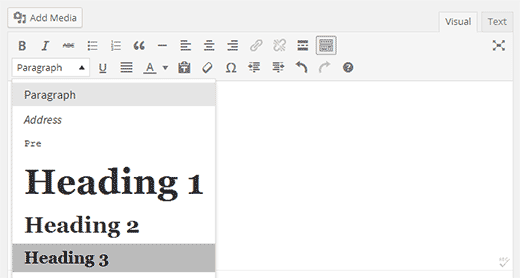
you need to use Headings in your sliders. You may also want to enable Visual Composer for slides under Visual Composer / General Settings / Content types – check “lsvrslide”.
Or you can switch to HTML (Text) mode and paste the following code. Then switch back to visual and edit:
<div class="row ">
<div class="col-md-6">
<h1>Plumbing. Painting.
<strong>Anything!</strong></h1>
</div>
<div class="col-md-6">
<h3>Over<strong> 25 Years of Experience</strong> in Home Maintenance Business with Hundreds of Happy Customers</h3>
The copy warned the Little Blind Text, that where it came from it would have been rewritten a thousand times and everything that was left from its origin would be.
<hr class="c-separator m-transparent m-size-default">
<p><a class="c-button m-size-large m-color-1" href="#">Let's Get the Job Done!</a></p>
</div>
</div>
BTW the fastest way to make demo look is to import demo data, but since you’ve already added your content I wouldn’t recommend it in this situation.
Lubos
Dear Sirs,
I have tried to create a Slider same as on the Home 3 of http://themeforest.net/item/blue-collar-handyman-wordpress-theme/full_screen_preview/10406508 but, unfortunately, I don’t know how to make this.Could you please help me find the solution?
I have find something but cannot do it properly, for example how to get all the fonts and texts as seen on your Slider.
Thank you very much in advance for any help you can provide.
Kindest regards, Andrea
Hi,
you will have to contact me via account with which you have purchased the theme.
Lubos