8336 comments found.

Hi again: is it possible to change top menu order so that the menu would on right? As I have the menu hamburger on right that would make the menu close to the hamburger and no need to drive mouse from right to left.
Hi HannuT,
You can do that only with Custom CSS, if you want to do this just write us on this comment your site URL.
Kind Regards,
—Ylli
fokuso.fi
Hi HannuT,
I’m sorry but i thought that you are using Fullscreen menu, because this is not possible.
Hope for your understanding.
Kind Regards,
—Ylli
Hi, Author. I have an issue with Autoplay Vimeo and youtube. Even turned on the autoplay, auto loop option, but it doesn’t work at all. Updated 1.8.2 how can i solve it?
Hi 10pixel,
Can you please write URL of this exact page here on comments first? We need to investigate your site and then get back to you if we have possible solution.
Kind Regards,
—Ylli
Hi. When I downloaded the demo content of this theme a couple of weeks ago, the main page had custom js that allowed the logo to change- get smaller as well as change to white (just another image file), and the hamburger menu also changed to white as the video began. Is it possible to have that code so I can install it? I really liked this effect, and it’s no longer available.
Hi there,
Go to the Slider Settings and in the Custom JavaScript, paste the script below: http://pastebin.com/v8UGQXzH
P.S. Make sure you replace the revapi and the image sources too.
Kind Regards,
Art
Hello, i would like to ask for some help. I have 2 issues: the first one is that send email button freezes so that contact form does not work. The second one is that when i share an item to facebook.. the image does not showing up..
thanks.
Hi thodorisk,
Can you please write us your site URL here on comments first? We need to investigate your site and then get back to you if we have possible solution 
Kind Regards,
—Ylli
I managed to send an email … but i could not see any success message or something.
thanks
Hi thodorisk,
Regarding your contact form please make sure you SMTP server is working fine – you can ask the hosting company where you’re hosted and check if the mail servers work.
A good alternative to see if its working is this plugin https://wordpress.org/plugins/wp-mail-smtp
P.S: You are using an old version of our theme (1.7.2) and the latest version for the moment is (1.8.2), please update theme first.
The easiest way to update our themes is if you use Envato Toolkit. On this link How to update Themes and Plugins
you can learn this easy step-by-step procedure
Then don’t forget to go to Appearance > Install Plugins to update all your premium plugins to the latest version that we support.
Kind Regards,
—Ylli
Hello,
I have updated to 1.8.2 through envato kit.
The problem with the contact form is solved.
The second issue persists. “Share” button does not show the image. Any ideas?
Also… with the latest update.. i could not see the subcategory filtering… i have checked the box but nothing changes..
Before doing the update through envato kit (i had tried to update manually)... i was able to see subcategory filtering but with wrong items loading.
false alarm.. ! Ignore my last message.
The only problem that i have is “no image after clicking share button”
Hi there,
It’s weird because the Facebook sharing sometimes can be buggy, some other users also had this issue and we referred them to this plugin which fixed their issue.
Kind Regards,
Art
I will try this . Also i noticed a scrolling problem when i view my site using chrome mobile. For example my about page freezes during scrolling..
Hi again,
Are you using any plugin or script in your about page? Have you checked if the same issue is happening in our demo sites cause we haven’t noticed it yet.
Kind Regards,
Art
No i dont use any other plugin or script. I installed chrome on iphone and i had no problem but on android devices i see that freezing issue. I will do the test with your demo.
Okay, then let us know about it
Hello, i managed to see that the problem is that the scrollbox is not scrollable for some reason. When you touch the heading “??????? ?? ????” and you are trying to scroll down, the scrolling is ok. But when you touch inside the scrollbox, then you cannot scroll down, or maybe sometimes you can..! Same thing in your demo.
I noticed that only in android devices using chrome..
Hi thodorisk,
This question is related to theme developer and I am unable to give you any solution about this because I am not backend developer.
Our theme developer Arlind or Art can help you with this, but they took the holiday vacation and they will be back on 04 January.
When they come back, just reply to this thread and you will make sure Arlind or Art will see your comment.
Hope for your understanding
Kind Regards,
—Ylli
Did you manage to see it?
OK! I will contact you in two weeks. thanks.
Hi thodorisk,
I don’t have an android device for the moment, but we will buy one this new year for debugging purposes
Thanks for your understanding and happy Holidays:)
Kind Regards,
—Ylli
Hello! Happy new year! Any news referred to my problem?
Hi thodorisk,
Can you please record this problem from your device and upload that video somewhere, and then send us the URL to watch?
Kind Regards,
—Ylli
Hi Laborator,
If i switch on the Advanced Custom Fields plugin, i get this error when i see a prewiev in any category (page, portfolio, etc.): “Fatal error: Allowed memory size of 268435456 bytes exhausted (tried to allocate 130968 bytes)”. I’dont believe it’s just a php limit problem, if 256MB is not enough for the site.
Hi there,
Can you please send us your WP credentials on email? We need to investigate your problem and then get back to you with possible solution.
To send us email use this link and please write us your request again, because we receive a lot of emails on daily basis and we unfortunately can’t remember all customers requests.
P.S: Please note that we usually do not respond to emails that request support, because here is our primary support forum. We use contact form just for sending sensitive information. Also emails response time can be up to 7 business days.
Kind Regards,
Art
Hello Laborator! I have a question about your wonderful Kalium theme. I would like to make my portfolio website “retina-ready”, and I want to do this in the most efficient way. Could you give me any advice about the best ways to do this? Maybe the best sizes of image files to upload, or any other tips? Do I need to add any extra code to make this happen (eg., the WordPress plugin “WP Retina 2x”, or the “retina.js” script)? Any advice you can give, or point me to, would be very much appreciated. Thank you!
Hi gmartingould,
We have Retina screens too, and we care for the resolution sizes and speed of this site too.
The truth is that if you want to do your images ultra crisp, you need to sacrifice your site speed.
And if you want to make your site very fast you need to make images more compressed and smaller.
So if you want to make your images 30% more crisp, please download those 2 files
functions.php and replace it on the kalium folder
also paste this new file there too.
Then you need to regenerate thumbnails by following these steps:
1. Go to Plugins > Add New
2. Search for “Regenerate Thumbnails” (created by Alex Mills)
3. Install and activate that plugin.
4. Go to Tools > Regen. Thumbnails
5. Click “Regenerate All Thumbnails” button and let the process to finish till it reaches 100 percent.
Hurray, now your images appear crisper
Kind Regards,
—Ylli
Hi guys,
Great theme – thanks for the hard work. However, there’s a slight issue with the portfolio slider, inside a portfolio item’s page. Photos can be taller than the view port and they don’t scale down to fit, making the slider virtually unusable.
http://silvianistor.ro/portfolio/apartament-colentina/I can’t just resize the photos, because the problem would just show up again on a screen with a different resolution.
Any ideas on how to work around this? Any setting I’m missing in the admin?
Thanks!
Hi mateipavel,
Thank you very much for your kind words
Can you please add the code below to Custom CSS
.slick-initialized .slick-slide {
  max-height: 500px !important;
}

.single-portfolio-holder .gallery .portfolio-images-slider.is-finished img {
  width: auto;
  max-height: 500px !important;
  left: 50%;
  transform: translate(-50%, 0);
}

.single-portfolio-holder.portfolio-type-3 .gallery-slider .gallery-item {
  max-height: 500px !important;
}

.image-placeholder img {
  width: auto !important;
  max-height: 500px !important;
  left: 50%;
  transform: translate(-50%, 0);
}
Kind Regards,
—Ylli
Hello,
I updated the theme but I still have a problem with the photos and videos.When scrolling, they stay on top and aren’t covered by the menu. Example here:
http://graduation.fr/private/portfolio/new-york/Thank you
Hi there,
It seems to be working for me and my other colleagues, we tested it in different devices, all the photos are shown normally.
Kind Regards,
Art
Hi there, I’ve been looking through the discussions here to solve to small things I would like to change on the side.
1) I’m using the burger menue which pops out as a single line. Is it possible to push the burger menue and the typ down a little bit? I’d like to align it with my logo font.
2) I like how you created a little padding in the overlay of the team elements in your agency demo. also the overlay seems a bit more transparent. Is it possible to change just the color of the element too?
Thank you! Flo
Hi Flo,
1— Can you please add the code below to Custom CSS
a.menu-bar {
    margin-top: 80px;
}
2— Can you please try to be very specific about the question and explain it more to us, in this way we can easily understand you and give you the proper answer
Kind Regards,
—Ylli
Hi! Thanks for the input. I should try to get my head into CSS more
1– Thanks for the input. I should try to get my head into CSS more unfortunately the code didn’t work for some reasone, the menue stayed exactly where it was. So, this is actually what I’m trying to do:http://www.kr8bureau.at/screens/menue.jpg
1.1– Additional question: Is it possible to change the font weight and color of single menu items (e.g. here “DE” and “EN”)
2– So, about the team elements. I’m refering to this page: http://demo.kaliumtheme.com/agency/team/
The mouse-over-overlay has a little padding on the side so it doesn’t go over the whole image and it’s more transparent than in the actual version. I would love to do that as well and also change the color for this element seperately. Maybe you could provide me with the code, that would be awesome.
Many thanks in advance and cheers from Vienna.
Hi roentgen81,
1— Can you please tell us your username and password to see your site, because i can’t enter on your site www.kr8bureau.at
2— Just follow this screenshots instructions, and you will find it easy.
b) Can you please add the code below to Custom CSS
.member .hover-state {
    background-color: rgba(255,255,255,0.7) !important;
}
this is the original code, and you can change the rgba color there by replacing 255,255,255,0.7.
Kind Regards,
—Ylli
Many thanks, Ylli
1– I created a test account for you: login: tester / pwd: tester12345 … i tried to use the code as
a.menu-bar { margin-top: 80px; }
and
.menu-bar { margin-top: 80px; }
with different px-numbers. To also change the color and weight of DE and EN would be awesome.
2– Thanks! Totally didn’t see this option. Problem resolved YAY.
Hi there,
I just added !important rule there, and now the CSS is applying.
Kind Regards,
—Ylli
Hi there, good hint, thanks. Though something seems to be a little off now: So, the “burger menu”-icon now has slipped down. If the menue drops out it still is on the old height though. Can we get the menue at the same height as the burger icon somehow? Thank you
Hi roentgen81,
Can you please add the code below to Custom CSS
.main-header.menu-type-standard-menu .standard-menu-container.menu-bar-root-items-hidden.reveal-from-right.items-visible div.menu>ul>li, .main-header.menu-type-standard-menu .standard-menu-container.menu-bar-root-items-hidden.reveal-from-right.items-visible ul.menu>li {
    top: 45px !important;
}
You are using an old version of our theme (1.8) and the latest version for the moment is (1.8.2), please update theme first.
The easiest way to update our themes is if you use Envato Toolkit. On this link How to update Themes and Plugins
you can learn this easy step-by-step procedure
Then don’t forget to go to Appearance > Install Plugins to update all your premium plugins to the latest version that we support.
Kind Regards,
—Ylli
This has been very helpful. Thank you so much have a nice day! ./resolved
Hi roentgen81,
Glad to hear that, enjoy Kalium
P.S: It would help us a lot if you could rate our item on themeforest from your Downloads tab.
Thanks
Kind Regards,
—Ylli
Hi Ylli, cerntainly will do.
1– Unfortunately the problem has been popped back up again. For some reason the menu has jumped back to it’s old position.
But I also noticed earlier that the animation (out of the burger) is fine, though when you close it, it sorta glitches back in it’s old position. Anyway, now it seems back to the top, though I didn’t fiddle with the code  Maybe you have any helpful suggestions? I just tried to copy your code in again, but that didn’t work.
also:
2– The sticky menue has a little glitch when you start scrolling down. It actually doesn’t stay to the top, but has a little gap on top.
Thank you!
Hi roentgen81,
1— I just did that for you
2— This is happening because you have activated Page borders and this looks right when you are logged in from the WP Dashboards, if you want to remove that spacing can you please add the code below to Custom CSS
.main-header.is-sticky.sticky-active {
    top: 0px !Important;
}
Kind Regards,
—Ylli
Hi! I just purchased the ‘Kalium’ theme and want to load it on a test Wordpress site just to play around with it, and learn how it works, before I load it onto the final site. Is this possible or can i only load it onto one (final) site, without testing it before?
Hi there,
For testing purposes you can use the theme in different sites before launching it, but using one license for two sites is not allowed. You can continue and work on your test site without any problem
Kind Regards,
Art
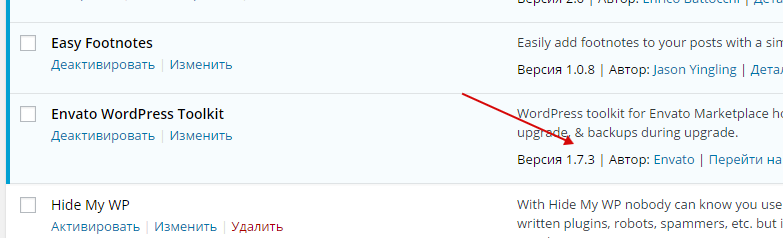
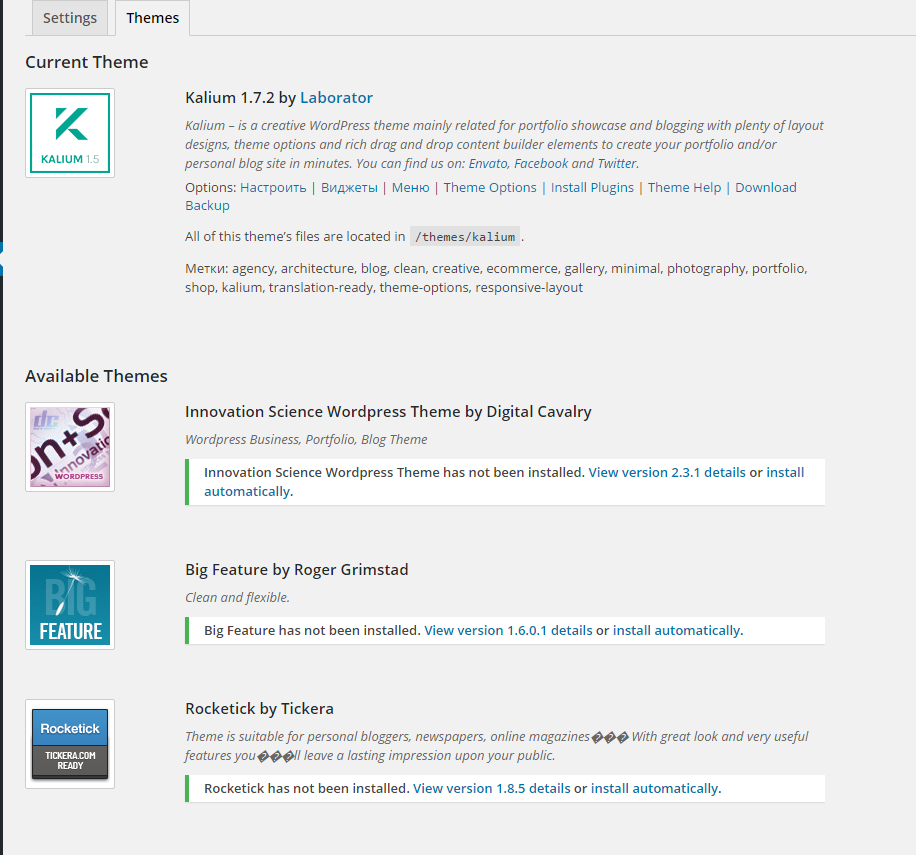
Hi guys, I cannot update Kalium theme through Envato Toolkit plugin. I have the latest version of plugin ( http://c2n.me/3rEFQCt.png ) and all my credentials are correct because all other my bought themes show correct versions and options to update ( http://c2n.me/3rEFGyS.png ) Please help me to solve this problem so I would have not to laboriuosly update theme manually every time. Thanks, Alex.
Hi Alex,
Hmm this is very strange.
Can you please send us your WP credentials on email also your Themeforest API codes? We need to investigate your problem and then get back to you with possible solution.
To send us email use this link and please write us your request again, because we receive a lot of emails on daily basis and we unfortunately can’t remember all customers requests.
P.S: Please note that we usually do not respond to emails that request support, because here is our primary support forum. We use contact form just for sending sensitive information. Also emails response time can be up to 7 business days.
Kind Regards,
—Ylli
Info is sended through contact form.
Hi alexschneider,
We will reply to your email soon
Kind Regards,
—Ylli
Hello-
I purchased the Kalium them today and I’m having some trouble getting it up and running. I have installed the theme and have applied the “demo content” however all of the images that I add turn gray. I assumed that when i add my own content it should display correctly. Any advice on where to start/tutorials that I can read just to get my site up?
the site is philwindyk.com
2f0ac17e-fde9-4fcb-99da-8433e12c6a6c – 13 Dec 2015 REGULAR LICENSE
With other themes, I just activated the theme and then started swapping photos and content. Is there a reason why I am not able to do that with this theme? Any advice at a beginners level to help me get started would be appreciated!
Hi philwindyk,
You can find documentation on this site Kalium Documentation.
Specially Getting Started section
If you need further help, just reply to this comment again
Kind Regards,
—Ylli
Thanks Ylli! How do I remove the gray images?
Hi philwindyk,
Those are not images, your site has some problems because it is not getting all the scripts, and for that it is not showing images.
Can you please send us your WP credentials on email? We need to investigate your problem and then get back to you with possible solution.
To send us email use this link and please write us your request again, because we receive a lot of emails on daily basis and we unfortunately can’t remember all customers requests.
P.S: Please note that we usually do not respond to emails that request support, because here is our primary support forum. We use contact form just for sending sensitive information. Also emails response time can be up to 7 business days.
Kind Regards,
—Ylli
Thank you so much! I was soooo frustrated and you totally saved me from many more hours of pain! Thanks again for being very responsive.
Hi philwindyk,
Glad to hear that, and we are happy that your problem is solved now
We understand that troubleshooting such issues can be frustrating at times. Try to stay calm, and if you need help you can always write us a question here on this thread.
P.S: It would help us a lot if you could rate Kalium on themeforest from your Downloads tab, (if you don’t know how, just open this link)
Happy Holidays
—Ylli
Why does my logo switch out after a few seconds to the Kalium… how do I stop that from happening.
Hi DanCastello,
That logo it’s on Revolution Slider settings, you can learn how to remove that by seeing those images:
Click your slider Settings icon:
(view large version)
Then remove this code from the “Custom JavaScript” area:
(view large version)
Kind Regards,
—Ylli
I have to admit, for $59 and almost 4,000 sales, I was expecting alot more from this theme than what I got. There is no way of adding a sidebar to single blog pages (seriously?). No way of adjusting font sizes without code. Very disappointed.
Hi there,
Kalium is a theme that we’re working on every day to make it better and better, until now we have added a lot of features that were not possible in the beginning and that’s thanks to our users who were suggesting new features for our theme, we’re thankful to all of them.
The features you are talking about are not possible yet, they are in the to-do list but we had more priorities for the portfolio than the Blog because most of the users are portfolio oriented, it will be added soon in the upcoming updates together with many other features.
We have not advertised something inexistent in our theme, every theme has it’s own pros and cons, so Kalium is better in some features the other themes are not and vice versa, also for 59$ you can get also any default ordinary theme with the same price and without the support we offer, these 4000 clients that helped us build this theme together can’t be so wrong.
Kind Regards,
Art
Can you please tell me how I can add a shortcake or link to TEAM into a portfolio post?
Thanks.
Hi polishpawel,
Can you please try to be very specific about the question and explain it more to us, in this way we can easily understand you and give you the proper answer
Kind Regards,
—Ylli
Hey there Laborator, I’m having problems with links that contain videos. They are not whole or fails.
EXAMPLE in blog: http://www.javierbalvin.com/2015/11/14/premios-graffica-zaragoza/I hope you can help me. Thank you
Hi there,
Can you please send us your FTP credentials on email? We need to investigate your problem and then get back to you with possible solution.
To send us email use this link and please write us your request again, because we receive a lot of emails on daily basis and we unfortunately can’t remember all customers requests.
P.S: Please note that we usually do not respond to emails that request support, because here is our primary support forum. We use contact form just for sending sensitive information. Also emails response time can be up to 7 business days.
Cheers,
Art
Hello, how can I set a link to the woo commerce shop in the menu? I installed everything but can’t find a way to add it. thanks
Hi cu3edesign,
Can you please send us your WP credentials on email? We will do that for you
To send us email use this link and please write us your request again, because we receive a lot of emails on daily basis and we unfortunately can’t remember all customers requests.
P.S: Please note that we usually do not respond to emails that request support, because here is our primary support forum. We use contact form just for sending sensitive information. Also emails response time can be up to 7 business days.
Kind Regards,
—Ylli
Hi there,
I’m having an issue with playing video that is within a Portfolio single item ON MOBILE. It works fine on Desktop, but on iOS 9.2 Safari, it’s not working. I press the “play” icon over top of the video, and nothing happens.
http://thewowsound.com/our-work/the-woodshed-orchestra-guest-book/I’ve even changed the video player to “default YouTube player”, but it still doesn’t work on iOS 9.2.
Any thoughts? Thanks
Hi yummyrec
We have updated VideoJS player, which should fix this issue (with YouTube default video player) but VideoJS skin is not working see this example:
http://demo.kaliumtheme.com/main/portfolio/random-people-quotes/This will be added in v1.8.5
Arlind
You have updated the VideoJS player? Do I need to download it? I have the latest version of Kalium, and it’s still not working for me.
Hi there,
It looks strange, we haven’t had any issue with this until now, it would be good to update all the plugins together with the theme cause I see some of them are outdated.
We will release a new theme update these two days and the VideoJS will be checked again.
Kind Regards,
Art
How do I update all the plugins? Do I have to do it by hand? I’m not being notified that they need updating….
Sorry, I figured it out. I’ve updated VC and Layer Slider… and the vids are working now. Thanks for the help.
Hi yummyrec,
When a new theme update of Kalium is released it will contain the latest version of VideoJS.
The easiest way to update our themes is if you use Envato Toolkit. On this link How to update Themes and Plugins
you can learn this easy step-by-step procedure
When the update it’s ready you will receive an email if you have enabled “Get notified by email if this item is updated” from your Downloads tab.
Then you can update your theme through Envato Toolkit Plugin (learn how)
Kind Regards,
—Ylli
Hi there. Thanks for all your help. I just updated to v1.8.5, and I’m getting this error after saving / updating an edited PAGE / POST:
=====
Warning: Cannot modify header information – headers already sent by (output started at /home1/joe/public_html/thewowsound.com/wp-content/themes/kalium/inc/lib/laborator/laborator-acf-grouped-metaboxes/laborator-acf-grouped-metaboxes.php:169) in /home1/joe/public_html/thewowsound.com/wp-admin/post.php on line 197
Warning: Cannot modify header information – headers already sent by (output started at /home1/joe/public_html/thewowsound.com/wp-content/themes/kalium/inc/lib/laborator/laborator-acf-grouped-metaboxes/laborator-acf-grouped-metaboxes.php:169) in /home1/joe/public_html/thewowsound.com/wp-includes/pluggable.php on line 1228
==========
Any thoughts?
Hi Lafac
Can you please download this file:
http://drops.laborator.co/thRj+And replace it here:
wp-content/themes/kalium/inc/lib/laborator/laborator-acf-grouped-metaboxes
And tell us if that fixes your issue?
Kind Regards,
—Ylli
Yes, that fixed it! I tested on a PAGE and PORTFOLIO POST. Thanks!
Hi yummyrec,
Glad to hear that
Happy Holidays
—Ylli
Hello. I have a pretty simple question. I want to edit the page demo.kaliumtheme.com/architecture/our-work but it doesn’t exist in the demo installation. How can make it by myself?, using the visual composer? specifically about adding the “categories” on the upper right side and the image of each project for said categories?
Hi there,
The theme isn’t built with Visual Composer, we have simply set the Page Template to Portfolio and then set up the Portfolio settings in the Theme Options
Kind Regards,
Art
Hi Heferkimbo,
Can you please send us your site URL and WP credentials on email? We need to investigate your problem and then get back to you with possible solution.
To send us email use this link and please write us your request again, because we receive a lot of emails on daily basis and we unfortunately can’t remember all customers requests.
P.S: Please note that we usually do not respond to emails that request support, because here is our primary support forum. We use contact form just for sending sensitive information. Also emails response time can be up to 7 business days.
Kind regards,
—Ylli
Hi there, I was wondering if you could help me out with the following – Kalium – woocommerce – related issue. I enabled the Woocommerce plugin, all works except 1 issue with ticking the ” I’ve read terms and conditions” box in Chrome + Safari.
I have enabled in the Woocommerce settings > checkout > terms + conditions > Checkout. This provides a thick box in latest version of Mozilla, however in Chrome and Safari nothing is shown. This is a rather huge problem since customers can not complet their order, since they are forced to accept.
At the moment I disabled it, but I would like to activate it as soon as possible. Wordpress version: 4.4 Woocommerce version: 2.4.12 Kalium version 1.6.1
Thanks in advance,
Best, Lian
Hi Lian,
You are using an old version of our theme (1.6.1) and the latest version for the moment is (1.8.2), please update theme first.
The easiest way to update our themes is if you use Envato Toolkit. On this link How to update Themes and Plugins
you can learn this easy step-by-step procedure
Then don’t forget to go to Appearance > Install Plugins to update all your premium plugins to the latest version that we support.
Kind Regards,
—Ylli
Thank you Jill,
How can I make sure I don’t loose all my custom settings? I’ve done an update before and then again I have to re-customize all my settings (fonts, colors etc.) I’m a bit scared updating it right now…
Hi Jill,
This should not happen if you upgrade the theme through the Envato Toolkit plugin as i mentioned, Theme Options, Custom CSS, and your page options will not loose
Kind Regards,
—Ylli

This item was featured on ThemeForest

Power Elite Author
Contact the Envato Market Help Team