26935 comments found.

Hello, it seems to counter Facebook’s “social counter” does not work well, as I enter all fields correctly but it still says I have 0 fans.
My page is www.nastic.cat, I could help?
Hi,
I have checked your site and it seems that Social Counter started to work – http://screencast.com/t/KVoH81CeyJq I guess you have updated the theme and the plugin, so it should work properly now.
If you have other questions/issues related to the theme please open anew topic on our forum – http://forum.tagdiv.com/ and our support team will gladly help you.
Thanks! Alin V.
i want to know after purchasing this theme on how many websites i can use this theme. can i use this theme on 2 websites or have to purchase two times
Hi,
Each theme license can be used on one end product ( finished live site) and on multiple test sites. These terms are set set by Envato, you can find them here: http://themeforest.net/licenses/standard – http://themeforest.net/licenses/faq So, to use the theme on your second live site/domain you would need to purchase a license for it.
We don’t manage sales so, if you have other questions related to the license, please contact envato, they can provide all necessary details.
Thanks! Alin V.
Thank you very much! Nice Theme – http://www.tricksclues.com/
Hi,
We are glad you like it! If you have questions or issues related to the theme please open anew topic on our forum – http://forum.tagdiv.com/ and our support team will gladly assist you.
Thanks! Alin V.
I have a problem with social icons top menu bar, it turns to Chinese icons sometimes for no reason. My theme is updated by the way.
Hi,
Please check this topic and if you have a similar issue try that solution – http://forum.tagdiv.com/topic/strange-chinese-symbols-replaced-icons-and-arrows/
Let us know how it goes via email at contact@tagdiv.com and also provide your site url so we can inspect this. Also paste a link to this ticket.
Thanks! Alin V.
Hello,
The best selling theme is lacking a number of key features, no new feature on the gallery part, no subscription form, social media functionality is outdated and no new feature on the list part and no news of front end user publishing or editing so far even after 20+ sales.
what’s your plan for version 7 ? just to optimize the theme and fix the bugs ? if you don’t mind will you please share your roadmap so we can decide it’ worth spending $60 on your theme or we should settle with some other options as we need these core features.
Cheers.
Best Regards
Hi,
Unfortunately I cannot provide you a date when Newspaper 7 will be released, for the moment we are at 6.7.2 version. From what I know the developers don’t plan to add the features you have mentioned above, at least in the near future, sorry!
Thanks! Alin V.
Hi I want to make some modification and I want you to help me if possible. to change where the load more arrows appear (as shown in the picture)
here is were they are and where I want to put them. Thank you https://www.dropbox.com/s/aceqplccfg31yyn/flecha.png?dl=0
Hi,
You can try this custom css in Theme Panel > Custom Css – http://screencast.com/t/motCqhTbG but please note that I did not tested on all blocks or devices so I suggest to make some tests before, as you may need additional customization.
.td_block_wrap .td-next-prev-wrap {
position: absolute;
top: -2px;
right: 0;
}
Thanks! Alin V.
Hi can you please tell me how to automatically add news to your ultimate theme.
Hi,
The theme doesn’t include such a function, you will have to use a plugin. Unfortunately we didn’t tested any plugins with this functionality, so i cannot recommend you one and also guarantee that it will work with the theme, sorry!
Thanks! Alin V.
Hi – I totally agree with what someone else said about the width being too narrow. The theme seems to have everything else i might want…except a larger or custom width. When presenting so much info at once (as you do VERY well), you want to take advantage of the full width of the screen.
Please make the full width at least 1280px or screen responsive. Thank you!
Hi,
Thanks for your suggestion/opinion we are open to all suggestions and this is already added on our list and we will consider it, but in near future we don’t plan to change the grid, sorry!
Alin V. tagDiv
Hi the social counter plugin doesn’t count fb likes. Is there a solution?
Hi,
Please make sure you use the latest theme version 6.7.2 and you update also the plugins that come with the theme(Visual Composer, Social Counter) from the plugins folder – http://forum.tagdiv.com/how-to-update-the-theme-2/ – http://forum.tagdiv.com/whats-included/
The latest version of Social Counter 3.2 should work properly so please update it and make sure you configure it right – http://forum.tagdiv.com/tagdiv-social-counter-tutorial-2/
If the issue persist please send an email at contact@tagdiv.com and provide wp-admin access and we will take a look as soon as possible. Also paste a link to this ticket.
Thanks! Alin V.
Hi Tried all of that and i still get the 0 likes from FB. This is the link to the dev site and i have just updated the theme and the plugin. The problem is also on the live site but i will give you access to the dev and if we fix it there i try and follow your steps and do the live site at a more appropriate time. The site address is: http://saltdevelopment.co.uk/
Hi Just made you a user so you should have received email with access details. Thanks
Hi,
I have checked your site and it works properly now – http://screencast.com/t/7zi8LOFKSd If you have an unique numeric id, add only that part – http://screencast.com/t/iyIuQC3GuAp
For future if you provide wp-admin access please also send an email and paste also a link to the conversation from dashboard or forum so we can know who you are and what your issue is as we get many emails.
Thanks! Alin V.
Hi, I’ve added this code in CUSTOM CSS:
.category-noads .td-g-rec-id-header { display: none; }
But it doesn’t work. The header ads is still visible. How can I solve? Thanks
Hi,
Please send an email at contact@tagdiv.com and provide your site url so we can inspect this and provide an accurate solution.
Do you use adsense code? If you do, I guess that hiding the header ad using css code will not help, you should block it from the code, as reference check this topic – http://forum.tagdiv.com/topic/how-to-hide-banners-in-selected-categories/
If you do not use adsense, you can try this code – http://screencast.com/t/UjAoWL67
.category .td-header-sp-recs {
display: none;
}
Let us know how it goes via email and also paste a link to this ticket.
Thanks! Alin V.
I’ve discovered a problem with my site. Whenever I’m having my site indexed for a site map, I get errors saying 404 not found. When I see what it’s looking for, it gives me :
How to resolve this issue’s.. please give me your valuable answer..
Cannot find URL : http://www.knowledgetpoint.com/knowledgetpoint.html
Thanks for your Assistance..
Amit Thapa
Hi,
Please send an email at contact@tagdiv.com and provide your site url(where you use Newspaper theme) and also the item purchase code – http://forum.tagdiv.com/how-to-find-your-envato-purchase-code/ Also paste a link to this ticket and our support team will provide an answer as soon as possible. The envato dashboard is more for presale questions, for technical support please open a topic on our forum or contact us via email.
Thanks! Alin V.
I purchased the theme “Newspaper” But I can not save the code adsense at theme panel, when the menu “save setting” I click status is always loading continues.
Hi,
Please disable all your plugins except Visual Composer, clear all the caches and check again if the issue is still there. If the problem persist please check the browser console when you save settings, it’s possible that this issue with saving settings appears because the server security module blocks the access to admin-ajax.php file or the file it’s not found(403/404 error). If you have a similar error please contact your server administrator and explain the situation, as it’s requested many times during the a save the file it’s treated as threat so it’s banned.
Let us know how it goes via email at contact@tagdiv.com and provide also wp-admin access so we can take a closer look. Also paste a link to this ticket.
Thanks! Alin V.
OK….thanks… Work.
Hi,
I would like to know if I will have a lot of work if I switch my actual theme “The 7 theme”, which possesses also the visual composer to Newspaper?
Thank you!
Hi,
I’m not aware about “The 7 theme” functionality or settings, but also Newspaper theme comes with Visual Composer plugin bundled, you don’t have to buy it or register – http://forum.tagdiv.com/whats-included/ Probably you will need to re-build your homepage as if your current theme has it own elements(like tagdiv blocks) will not work using our theme.
Thanks for your interest! Alin V.
Thank you for the reply:) Then I will have a big mess with the codes?
Hi,
I guess if you change the theme, to any theme, you will need to take your time and re-design your site. If you use Visual Composer elements, they will be rendered by the theme without any issues, but like in our case the tagdiv blocks will not be rendered by any theme without custom modifications. It is normal that any theme functionality and settings to differ. So please check our live demo(check Features menu item to see more theme features) – http://demo.tagdiv.com/newspaper/ and also the theme documentation to make an idea about the theme settings and more features that were not presented on the live demo – http://forum.tagdiv.com/wordpress-information/
Thanks! Alin V.
Thank you very much!
Check out how our customers feel about using Newspaper 6!
@marinhomr you need to download the whole package again from themeforest. the theme package. uninstall the VC plugin. and then re install the VC from the package. it will be updated to latest 4.11 thanks
Hi. My Visual Composer 4.8 stoped work with the update 4.5 + . I would like to know what happened and what I have to do for back to use Visual Composer and finish my site.
The VC came together with the NEWS6PAPER theme that I bought. I uninstall the VC plugin and when I tried install again I didn’t found the plugin in page “plugin install” at WordPress… I googled about this and I didn’t found one clear answer. Because I bought the theme and the VC came together, will I need to buy the VC with the verson 4.11 separately?
Hi,
No, you don’t need to buy the Visual Composer plugin. The Visual Composer plugin that comes with the theme is licensed to the theme, the license specifies that only we can provide the updates and you don’t have to buy it or register it.
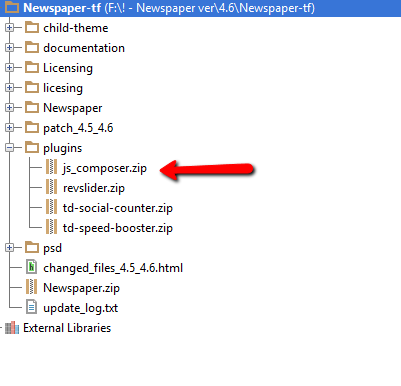
We provide updates on a regular basis, after we test the plugin for theme compatibility the plugin is included in the latest theme update, inside the Plugins folder: http://forum.tagdiv.com/wp-content/uploads/2015/01/visualc_newspaper.pngSo please connect to your envato/themeforest account, download and update the theme to the latest version 6.7.2, use this guide – http://forum.tagdiv.com/how-to-update-the-theme-2/ and also update the Visual Composer to the version provided with the theme 4.11.2 – http://forum.tagdiv.com/how-to-update-visual-composer-plugin/
Let us know if you still have issues with it via email at contact@tagdiv.com and provide wp-admin access so we can take a closer look. We will provide an answer tomorrow during the working hours. Also paste a link to this ticket.
Thanks! Alin V.
Hello. before buy newspaper thesi want to know if it is possible to put defferent background for each post, page, category. thanks
Hi,
There are different background images you can implement in our theme. There is a main background that can apply to all elements and there are category archive backgrounds that will apply to category pages and posts belonging to that particular category. There are even post styles that grab the featured images of posts and set them as featured. There is no option to select the background for each post or page though. All pages will grab the main background, categories have their own backgrounds if they are set and posts can grab the category background or the featured image background is the style is used. I hope this helps. Thank you for your message.
Bogdan B.
Hello! Great theme and beautiful design, one of the best on Themeforest! And just one reason why I still haven’t bought this theme – it doesn’t have custom width  I have read some comments and see it is difficult to make another width for this theme and require difficult customization. But now it is too narrow, just 1070px… Hope in future you will add this option to make theme with custom width and you will get a lot of new customers who is looking for this opiton. Again thanks and good luck!
Hello,
Unfortunately this is the situation at the moment. The themes were not designed with customizatble with in mind. However, we are planing to improve the themes in every way possible so there could be an option for this in the future. Unfortunately it’s too early to speculate.
Thank you for your message,
Bogdan B.
Hi. The BIGGEST issue i think with this good theme is the functionality to add videos. Once you use this theme there is absolutely no scope of going anywhere, change the theme. I can understand this. But at the very least then theme should be compatible with Wp Touch plugin. Yes its supported i know but again the videos issue arise. Is there any workaround for this? I do not plan to use the responsive nature of the website for my visitors as its way too heavy. Kindly solve this MAJOR issue. And please for God’s sake don’t give the general response of the developers ‘We do not plan to add this feature OR No this is not available’ Like me there will be many more people too requesting and frustrated by the same issue. Thanks.
Hello,
I assume you are talking about the fact that our theme only supports youtube, videmo and dailymotion videos as featured. Unfortunately this is how the theme was designed and adding a new video format from a different platform will not be as easy to do especially for facebook. We already have this request on our list and we are constantly trying to improve our theme. However I cannot provide a quick solution for this as there is none. It has to be carefully planed and coded as a development project, not a support request. We cannot rush through it and provide a solution that proves to be faulty. As for the plugin, we also have plans on improving our mobile version of the theme in the near future but at the moment the plugin is not tested. These are not major issues you are suggesting but theme facts that are covered by the documentation. If you require further support or have theme related problems please contact us on our support forum or via email at contact@tagdiv.com
Thank you for your message,
Bogdan B.Hello Bogdan. No i am NOT talking about adding more video sources. I think you haven’t read the query properly. Anyways. There is one MOST popular wordpress plugin which creates a proper light weight version of a wordpress site. Its name is wptouch www.wptouch.com It is being used by thousands of websites. What i was saying is that newspaper theme works fine with it, its just the video posts do not work. reason being that videos are added to the posts through the Featured Video section of the post page as provided by newspaper theme. If we have had put that in the editor itself then it would have been ok. But since it is not like that so the wptouch plugin is absolutely useless.
The newspaper theme responsiveness is fine but its very heavy on mobile sites. That is the reason i requested you to please test this plugin WPTOUCH so that people like me can use that for our websites. wptouch is absolutely quick and very light weight.
Is there no workaround? I mean all posts added though Featured Video section just doesn’t shows any youtube video at all. same thing goes if the theme is changed (which i don’t want to do, was just testing and saw that the videos don’t appear at all on desktop too if a theme is changed).
Kindly help as this is very crucial.
Thanks.
Hi,
I will add it on our list to further tests or we will try to find a solution for mobiles. Unfortunately I cannot provide you an accurate answer regarding it right now, as it is not tested with the theme and the time doesn’t allow me to make any test as we work hard to provide technical support for theme related issues.
If you have other questions related to the theme please contact us via email at contact@tagdiv.com and the support team will gladly answer. This section is more intended for presales questions.
Thanks for understanding! Alin V.
Hi! I want to update the theme to the latest version but I’ve done lot of changes to the present one. how should i update it without losing the changes. pls help.can u guys help me in updating the theme
also i would like to change the thumbnail image for block 4 to 600×900 in the homepage.. how should i do that. pls help
Regards, janani
Hi,
Unfortunately, if you have made change to theme’s files you’ll have to note your modifications then redo them after you update the theme because they will get overwritten. To somehow avoid this in the future you could setup and use a child theme: http://forum.tagdiv.com/child-theme-support/ This will let you change theme’s files without having to redo your changes every time you update it. Unfortunately, this is also some sword limited as you’ll not be able to make changes to all theme’s files trough child theme so you’ll still need to redo your changes in some situations which involve those theme’s files which are non-editable using the child theme.
Unfortunately we cannot do this for you as we do not provide this sword of services so you’ll have to do this on your own or get help from a freelancer.
The thumbnail customization process is not an easy task, we can point you to the files you need to alter in this regard however if you do not have the right skill in this regard you will have to get in touch with a freelancer so, in order to change the sizes for theme’s block 4 you’ll have to alter module 2 file template here: http://screencast.com/t/0u09ZT9O – this will change the thumbs for all module 2 files so you’ll need further customization to set this just for your homepage, load a bigger thumbnail then use scrotum css to have it large just on your homepage.
This is not an easy task so we advice you to get in touch with a freelancer if you do not have coding experience.
Hope you’ll find this useful!
For further support matters please address us via email at contact@tagdiv.com or post on theme’s forum: http://forum.tagdiv.com/forum/newspaper/ My colleagues will assist you in the shortest time.
Thank you! Lucian C. tagDiv