19077 comments found.

Hey, I bought this theme a long time ago. I performed all the updates as soon as they appear.
Now I wanted to redo the page and after the upgrade to the latest version appears blank page …
Page is working properly when the Be theme is off
Please help
Hi,
Wordpress, since version 4.5, requires minimum PHP 5.6. If you open your blank site in Firefox html mode (CTRL+U) you will see some errors related with Wordpress functions for sure. It means your current PHP version is older than 5.6 and doesn’t support necessary Wordpress functions. We recommend you to contact with your admin/hosting provider because your PHP version requires update.
P.S. As you can see, your Themeforest’s support has expired so we would be grateful if you can extend it’s period before future questions.
Thanks!
Thank you very much for help. 
You are welcome! 
toggle styles are not working – nothing would change when selecting any of the style options for the toggle element in VC – no cache, just updated the theme… any idea?
Hi,
as you can see, your Themeforest’s support has expired so we would be grateful if you can extend it’s period before we would be able to help you.
P.S. This issue is completely unrelated to theme. You can switch to any default WP theme and you see that you will have exactly the same issue.
Thanks!
Hi guys
do you know why my map is displayed like this ? http://hpics.li/9198d17
Hey,
could you explain what is wrong in your mind exactly? Because for us it looks good except black box which is empty. There should be some details about your company address. But except that all is fine.
Thanks!
The problem is that the map is not displayed on the whole width of the page. I have looking every option.
Did you set FULL WIDTH style for the section where the map is?
Also, Please let me know how do I activate slider, it is asking for activation code.
Hi,
purchase codes (license keys) are not included for plugins which are bundled into theme. It’s because of Themeforest license & agreements. This applies to all themes of course. However, there is no need to use this code because the plugins are fully functional without it. If you want, you can read more details about this on Envato forum:
http://themeforest.net/forums/thread/dont-work-my-purchase-code-stardust-w-revolution-slider/186285Thanks!
Hi, I was looking at your documentation at 08 mins, i could not find the folder sliders, to be imported into the theme, so that I can add a slider to my theme.
Hi,
all pre-defined sliders are located under slider-revolution-demo folder. For more details about slider import, we recommend to have a look on support forum.
Thanks for choosing Be!
Hi, may I know how to change the “Betheme Options” name in the dashboard please? I’m trying to find a solution but still haven’t succeed
Hi,
what you ask for, requires files customisation and it not possible unfortunately.
Thanks!
Hi, I am planning to buy 5+ licences of BeTheme for companies in our business group. However I was checking capability of your theme in different company which already purchased and recommended your product and did not find simple and basic behaviour which is even in any theme made by Wordpress itself (Twenty Eleven,...). The issue is following – I need to be sure that we can add sidebar exactly the same as you have in your Blog Classic demo page, but not on page (as you have), but on HOMEPAGE with post list (like it is in Twenty Eleven ie.). We were trying to achieve that in BeTheme option but there is no option like “add sidebar on homepage” for that. There is only option to add sidebar on page which is obviously your demo page and also something else. I am sure we are doing something wrong as I dont believe that this basic feature defined by WP team was forgotten in such powerful theme as is BeTheme. Therefore please guide me how to do that in Theme option so I can try it and prove to our management. I must be sure this is working before we will purchase anything. Kind regards, Pavel
Hi Pavel,
it is possible of course what you ask for. On screenshots below we explained in steps what needs to be set to set sidebar for posts on homepage:
http://pasteboard.co/3kNjKPAY7.png http://pasteboard.co/3kOKCLyTp.png http://pasteboard.co/3kNG1a4Kq.pngThanks for your interest in Be!
Hi, how can i create a icon instead of a text menu? I want to put a language icon in the bar menu so users can switch language, and icons to have a Link which will redirect them to the site in that language. Regards, Klajdi Toci
Hey,
to set up icons instead of text inside menu, please look at support forum where we described how to do it.
Thanks
Hi… I’m using Visual Composer with VC Addons Extension and Extesions All In One. But the element “Post Grid” don’t show more than 24 posts. I’m trying to show all posts with the command “-1”, but doesn’t work. Is loading forever. The function PrettyPhoto has something to do with it?
Hey,
to be sure where the problem is, please switch to any default WP theme first and check if it works the same way on default theme.
Thanks
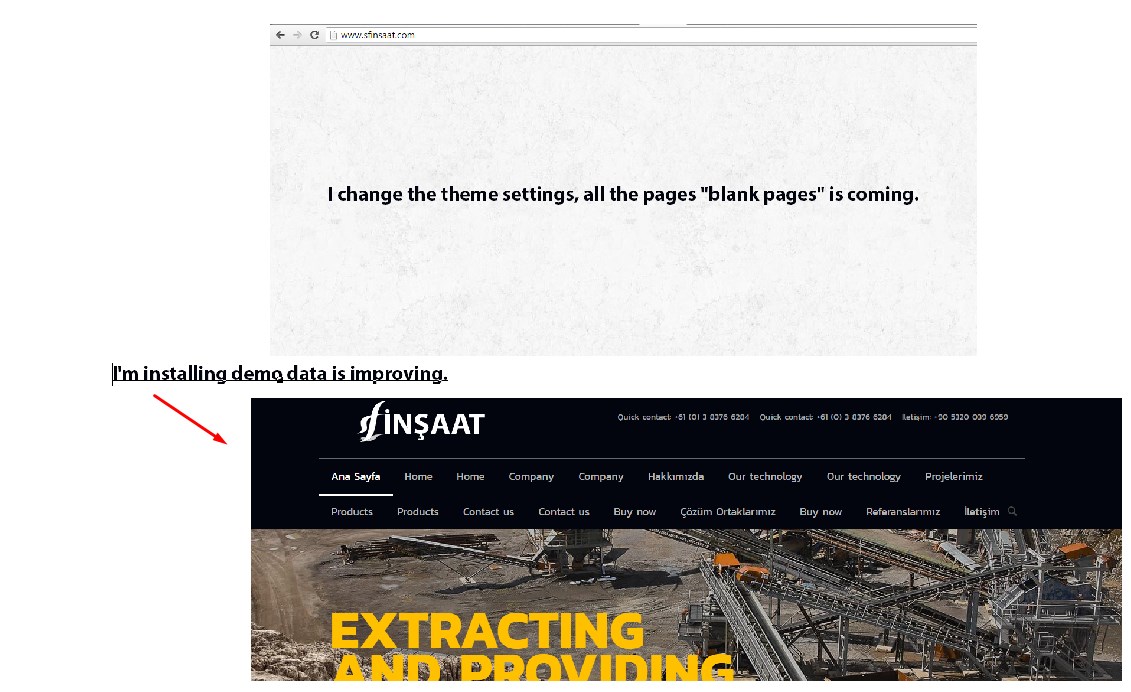
I change the theme settings, all the pages “blank pages” is coming. I’m installing demo data is improving. what is the problem?
http://sfinsaat.com/Screenshot_222.jpgHey,
please send us link to page where you saved settings and page is blank so we can have a look on it first to be sure.
Thanks!
When I am in the dashboard and click on BE Theme options and I am in the muffin options. I am unable to click into any of the specific options ie Global, Header and sub header, Menu and action bar. When I hover over that sections, I get a javascriptvoid(0); Any idea how to fix this? I have updated the theme to the newest one. Please help!!
Hey,
what’s your current PHP version? If you are not sure, check under Appearance > Install plugins section.
Thanks!
hi
https://devwww.watchairtv.com/?page_id=239The text in ‘Footer #4’ is invisible. How can I solve it?
Hi,
you set up 1/3 footer layout and that’s why the content of ‘Footer #4’ does not display. You need to set 1/4 layout instead.
Thanks!
How to change the size of the text on the site ? I do not know how to do HTML. How to change the appearance of text in wordpress How to space text embarking on, no option is available for that The map is not showing, I’v entered everything correctly but it shows up an error When I put some pictures on the website they are always fuzzy. Even the original photos that come with the template are fuzzy.
Thank you
Hi,
1. Font size and space can be changed under Theme options > Fonts > Size & Style section.
2. The map is not showing probably because you didn’t set API key for the map. More details about it you can find on support forum.
3. Images might be fuzzy if you didn’t set the right sizes. More details about it you can read on support forum as well.
Thanks!
But I want this theme to be ONLY the front page.
Like this one: http://themes.muffingroup.com/be/service/So when you click on any menu button it redirect you to a spot below but still on the same page (See the service theme for example. When you click on any menu button it redirect you below)
Can you please explain to me how to do this for the theme electric? Thanks you very much.
2. I find NO h1 tag on the electric template. I changed the BE ELECTRIC LOGO on the top menu for some text and its still not H1. How do I create an H1 tag ?
Same for the H2 no h2 at all how do I create one?
Hi,
1. It’s called One Page. All details about this feature you can read on http://themes.muffingroup.com/betheme/documentation/#menu
2. If you want logo to be H1, you can do this under Theme options > Global > Logo section where the right option is.
Thanks!
Hi – Where can I find the option to change the color of the line between the logo and the menu on the Mining demo? Thx!
Hey,
you can change it’s color with an extra css:
.header-stack #Top_bar .logo { border-color: #E2E2E2 !important; }
Thanks!
If above css does not work, please try the following instead:
.header-stack #Top_bar .logo { border: 1px solid #000 !important; }
Thanks, but that put a box around the whole thing. http://335.073.myftpupload.com/ Was trying to get the same effect as the Mining demo.
Sorry, we meant border-bottom instead:
.header-stack #Top_bar .logo { border-bottom: 1px solid #000 !important; }
Thanks! Worked perfectly.
You are welcome!
I’m trying to buy betheme but when I enter the data of the credit card tells me “payment unsuccessful – there was a problem processing your credit card” and everything is fine with the card. What I can do?
No Support to buy
Hi,
as theme author, we do not have any impact on payments unfortunately so if something goes wrong with your payment, you need to contact with Envato team and they would be able to help you for sure.
Thanks for your interest in Be
Hello,
1-) I want to have a fullscreen overlay with big icons as my menu. Is it possible with your theme? If not, can you recommend me a plugin for that?
2-) I cannot change the header with theme options. Is it because I imported demo data and it is irreversible?
Thank you.
Hey,
1. Yes, it is possible. It’s called Overlay menu and you can set it up under Theme options > Header & Subheader > Header section.
2. No, it’s not the reason for sure because you should be able to change header type any time you want. Maybe it’s due to your cache or one of your extra plugins?
Thanks!
thank you for the help you guys simply rock! love your quick support and help! my theme is great to go….
You are very welcome!
My best purchased theme  thank you sir.
We are very glad to hear that Thanks!
hi, I liked this theme and bought it as well now the issue is coming with the Revolution Slider I am trying to upload the default homepage revolution slider zipped file as provided within the package but after uploading 57% it starts giving me proxy error… same happened via different internet speed connection… Please help me how to proceed.
Hey,
please send us dashboard access privately thru contact form which is on the right side at http://themeforest.net/user/muffingroup#contact and we will check what might be the reason. Please don’t forget to let us know what for this access is.
Thanks