995 comments found.

Hi
I need your help, i try run my first Adsense campaign but the ads is not Display in the site.
Can you helpme?
Regards
Hi,
Sure. Let me know URL of your website and I will take a look.
Make sure you use one solution (ST widget, shortcode or original AdSense code) for whole website.
Please take a look these manuals:
- http://strictthemes.com/manuals/how-to-add-responsive-adsense-to-wordpress-site-based-on-theme-created-by-strictthemes/
- http://strictthemes.com/documentation/shortcodes/adsense/
Regards, Nat
With the information you have sent me I have already solved
Thanks and regards
Great. You are welcome.
Hello,
Thanks for theme which is very useful. I have two problems;
1) I could not change http://prntscr.com/cowrqo I ve done http://prntscr.com/cowsc4 and http://prntscr.com/cowsvq
2) About google map: I know google use the api method, any update for theme?
Have nice days.
Hi again, this is another problem; my site use the ssl connection and when i use chrome browser there is warning about insecure connection; please revise your EMAIL-SUBSCRIPTION widget, use httpS instead of http (I have spent over two hours to find and edit the related widget .php)
Please check the links. Truemag is everywhere, http://prntscr.com/coyx7p
Hi,
Thank you for your feedback.
1 – This is about Yoast SEO metabox on the Frontpage – http://dl2.joxi.net/drive/2016/05/11/0012/0377/807289/89/d7d7134ac2.jpg
You also need to change a Site name from within Theme Panel > General > Logo (text mode) – http://dl2.joxi.net/drive/2016/08/18/0012/0377/807289/89/ca7c5a9152.jpg
2 – Google just made a change to their map API and now require API keys. Basically, if you weren’t already using the Maps API on your domain before June 22nd, 2016, you need to get an API key to get rid of the error.
So you need to use up-to-date plugin and also get API key. I’ve checked WordPress Google Maps WD – https://wordpress.org/plugins/wd-google-maps/ and it works fine. But for making it works you need to create and paste API key there – http://dl1.joxi.net/drive/2016/07/26/0012/0377/807289/89/be1ebdff37.jpg
3 – Thank you. It will be change in the next version of the ST Kit
Regards, Nat
Thanks a lot for your kindly and fast support, now everything is fine and works well.
Thanks again.
You are welcome. Your feedback is highly appreciated.
We need to have it supporting RTL, then I will buy it.
Hi,
Thank you for your interest. Got it. I’ll let you know in case it’ll be RTL ready.
Regards, Nat
Thank you! you made great themes..
All the best, Azzam
Hi there is no demo folder please provide us full files. thanks
Hi,
The Truemag_package.zip file comes with four folders: Documentation, Licensing, PSD, WordPress. Open the Documentation folder and follow instructions.
The dummy content located in Truemag folder.
Truemag theme comes with One Click Installation functionality, there is video manual – https://www.youtube.com/watch?v=-Nj_DRmTYxM
Regards, Nat
yo are providing version 1
prejudice I would be interested in buying the template, but I would have a couple of questions: 1 and compatible with the plugin W3TC 2 colors are editable comletamente wanted to take him as black, green and white, and can smoothly
Hi,
Thank you for your interest.
1 – The theme uses the original WP core as mush a possible, also the theme was created in accordance with WP standards, so it works with W3 Total Cache plugin. But keep in mind that W3TC is a very complicated plugin for advanced admins only. We recommend to use WP Fastest Cache or Hyper Cache plugins as better alternatives for 99% users.
2 – The color scheme based on two colors. You can pick any alternative color with few clicks and it will be applied to all related elements – http://c2n.me/3C9Xrgj.jpg – thus no need to care about every single element. Easy.
Regards, Nat
ok thanks for the reply , as I had anticipated I was interested , in fact I bought the theme . in the case of some advice I can turn to flights or she
Hi,
You are welcome. Thank you for purchasing. Let me know if you need assistance.
Regards, Nat
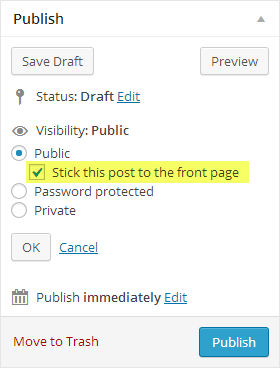
definitely a good thema , an amazing intuitiveness , just something like the sticky post on the head as in the demo presentation ?
Yes there are sticky posts.
If you need to enable Sticky posts from within Theme Panel > Blogroll – http://dl2.joxi.net/drive/0012/0377/807289/150908/7eae4713f7.jpg And then mark some posts as Sticky – http://strictthemes.com/wp-content/uploads/2013/12/doc_featured_posts.png
And also make sure you set the Frontpage in the proper way – http://strictthemes.com/documentation/getting-started/setting-up-the-frontpage/
Regards, Nat
Truemag theme comes with One Click Installation functionality, there is video manual – https://www.youtube.com/watch?v=-Nj_DRmTYxM
I ‘ve seen that there aitomatica the installation , but there’s so fun is all too easy , I want to know the template I purchased to customize it always better www.nuovouniverso.it
Ok  Looks nice.
In case you need you can change number of posts for Blogroll from within Settings > Reading – http://dl2.joxi.net/drive/2016/08/19/0012/0377/807289/89/99d704e7e1.jpg
Regards, Nat
Hi
I try to setup the theme but when i click in Go to plugin button i get the follow error: Sorry , you do not have permission to access this page .
Can you helpme?
Thanks and regards
Hi,
Sometimes it can be due a host settings or other reasons. Thus, you have to follow alternative way – http://strictthemes.com/manuals/how-to-install-st-kit-plugin-by-yourself/
Regards, Nat
Hi,
Drop this line on Theme Panel > Style > Custom CS:
.sidebar textarea { width: calc( 100% - 22px ); }
Regards, Nat
Works perfectly!
hye, i am unable to change the site’s name through dashboard
http://prntscr.com/cfm9zxi had already changed the site name here
http://prntscr.com/cfmdp8Hi,
Change a Site name from within Theme Panel > General > Logo (text mode) – http://dl2.joxi.net/drive/2016/08/18/0012/0377/807289/89/ca7c5a9152.jpg
And also change SEO title at Yoast SEO metabox by editing the Frontpage – http://dl1.joxi.net/drive/2016/08/18/0012/0377/807289/89/20b10ea5ce.jpg
Regards, Nat
Post format: video. Additional OGV format… Can I link to .OGG files from here? Can’t convert MP4 to .OGV with anything…
Not sure, but you can try. Usually mp4 might be enough.
Regards, Nat
I have a 1280×800 macbook pro. When I open the page full screen, the window is not open at fullest size, yet it’s not micro version for the mobiles. Still I think the full version would perfectly fit my screen. I understand there is a media limit in css, which one should I narrow a bit to make it fullest version on my full screen?
The responsive version for laptops applies for screens less than 1320px.
You can set less limit in ../assets/css/responsive.css file – http://c2n.me/3BVewfz.png
Regards, Nat
Is there a way to set manually the amount of posts per page?
Hi,
Sure. You can change number of posts from within Settings > Reading page – http://dl2.joxi.net/drive/2016/08/19/0012/0377/807289/89/99d704e7e1.jpg
Regards, Nat
Best support ever!
Thank you for your feedback
Hi, i can’t delete previous version od theme? Any ideas?
Hi,
You can manually open the directory ../wp-content/themes/ via any FTP-client and delete the ‘Truemag’ folder.
Regards, Nat
Hello! I just logged into my site to update the twitter account and I can’t see any of the information within the Theme Panel. Only the tabs appear with a large blank space beneath. I have the most recent update for the STKit installed as well. The website is http://industrialprintmagazine.com/
Any assistance is appreciated. Thanks!
Hi,
It’s Theme Panel > Layout > Header – http://dl2.joxi.net/drive/2016/09/02/0012/0377/807289/89/fd7b357eec.jpg
If you don’t see it, probably it’s about JSThe concept of the theme JS-conflict from third party. Disable plugins one after another to find which one is causing conflict.
Regards, Nat
Hi, installed the template and all seems ok just one thing missing that I’m not able to figure out. The articles subtites not show anywhere. Looking on your demo the article have a subtitle, and I see the field in my article editor page, but even if I write something in blog page and article page I not see it. Suggestion?
Hi,
You need to fill Subtitle field at the Format options metabox for a post – http://dl2.joxi.net/drive/2016/08/30/0012/0377/807289/89/450c26f7e9.jpg – and Post Options metabox for a page – http://dl2.joxi.net/drive/2016/08/30/0012/0377/807289/89/6c4ca9c1b9.jpg
In case you don’t have these metaboxes, enable it on screen options –- http://dl2.joxi.net/drive/2016/08/30/0012/0377/807289/89/a2914ddbd2.jpg
- http://dl2.joxi.net/drive/2016/08/30/0012/0377/807289/89/e3e9bb9608.jpg
Regards, Nat
Hi Nat, thank you for your fast reply. I have the two metaboxes and I have filled the field on Format options but I see the subtitle only inside the long post page and not in the homepage/blog page
Maybe I’m looking for the wrong thing
I mean on your demo I see this http://www.screencast.com/t/JLXmEyeW4i the second part of text under post title. I tryed with usual normal text and it not come out, with the readmore shortcode nothing, subtitle again nothing. .. How can I have same result ? I thinked it was the usual WP intro text function but seems not work on my installation.
This is about excerpt.
You need to enable excerpt metabox – http://dl1.joxi.net/drive/0012/0377/807289/151109/e5f98f665c.jpg
and drop some text there – http://dl2.joxi.net/drive/0012/0377/807289/151109/6279217313.jpg
Regards, Nat
i’m getting an error trying to download the theme update
https://www.dropbox.com/s/zk54rmp1o42ntqk/Screenshot%202016-08-29%2013.11.45.png?dl=0Hi,
It might happen sometimes on the marketplace side. You should try it later or download it directly – https://themeforest.net/downloads
Regards, Nat
Social plugin on your demo works incorrect. Sharing via google, facebook, twitter works but after reloading of a page it will not display correct count. The same on a my site.
Hi,
Thank you for your report. This will be improved in the next update.
Regards, Nat
I purchased the truemag theme the other day and loaded it per the instructions to thefitdadproject.com. After the theme loaded and was functioning, I activated the plug-ins per instruction. All activated except there was an error message for #7 the site then crashed and I no longer have access to any administrative dashboard. Is there anything I can do short of completely deleting WP from the C-panel and doing a fresh install?
Hi,
Thank you for purchasing.
It’s about widget from BuddyPress plugin. If you have access to ../wp-content/plugins/ directory then delete ‘buddypress’ folder.
Regards, Nat
Hi Nat,
I received information that True Mag is offering another update. I am slightly lost on how to do this update on my website. Each time I try to upload the updated zip file it says the file already exists. However, I just got the update in the last two days. How do I go about getting this update running smoothly?Thank you for your help!
Hi,
If you’ve installed Envato Market plugin, then you can update with one click. Otherwise you have to delete old version of theme and install the new one as usual.
Regards, Nat
Hello there. It seems to me that Responsive adsense works buggy, banners are bigger or smaller than they should be. Have a look: http://mideastinvestors.club What do you think?
And how do I set the column 120×240 on the left here? http://mideastinvestors.club/egypt/sawari-ventures/
Hello,
1 – You use original AdSence codes with fixed sizes. You need to use original responsive ad units – http://dl2.joxi.net/drive/2016/08/26/0012/0377/807289/89/5d833a0a56.jpg – or ST solution for AdSense – http://strictthemes.com/manuals/how-to-add-responsive-adsense-to-wordpress-site-based-on-theme-created-by-strictthemes/
2 – This is Post bar. You need to enable meta from within Theme Panel > Post tab – http://dl2.joxi.net/drive/2016/08/26/0012/0377/807289/89/1a213407a2.jpg
and add some widgets there – http://dl2.joxi.net/drive/2016/08/26/0012/0377/807289/89/e4f4488c11.jpg
Regards, Nat
Hello,
After the update the ST Posts widget don’t let me select MOST VIEWED anymore. The option is there, I can see it, but I can’t select it. Just Random, Newest and Most Commented are selectable…
Hello,
You need to enable Post views from within Theme Panel > Post > Meta – http://c2n.me/3BBjGsR.png
Regards, Nat
Uhuw!!! It’s all right again now! Thanks a lot Nat!
Great. You are welcome.
Regards, Nat