59215 comments found.

Hello sizam, after the Rething update, the permalinks are no more showing. Tried to find the single.php but I couldn’t find it. Please help how to enable it. I am using Yoast SEO.
Sizam, please respond. 
What do you mean by permalinks?
Sorry Sizam, It’s Breadcrumbs. Misspelled it. Breadcrumbs on single posts. Or you simply say, where is the single.php where i can add codes.
But it was no breadcrumbs in Rething early.
You can add them in inc/post-layout/single-meta-center.php of parent theme. You can copy this file to child theme in the same folder
Ok Thanks sizam.
content egg plugin : There is no option for sanpdeal, shopclues, jobong, paytm in Content Egg Settings like amazonand ebay, can you please guide me how can I active the module.
Paytm is available in Content Egg. Other are only in Affiliate Egg. You can register in OptimiseMedia (supported in Content Egg) and find there all Indian market’s shops, no need for separate modules in this case
Hello!
We have a problem after the update!
In the navigation the icons are not more show  !
Only the homepage still works! Http://powerpreis.de
-> here but not more http://powerpreis.de/produkte-kategorie/produkte/computer-zubehoer/page/8/
!
Only the homepage still works! Http://powerpreis.de
-> here but not more http://powerpreis.de/produkte-kategorie/produkte/computer-zubehoer/page/8/
All pages have icons. Problem is in one of your custom plugin. it loads fontawesome from wrong place
http://powerpreis.de/wp-content/uploads/fonts/fontawesome-webfont.woff2?v=4.6.3Maybe you added some customization. Also I se many custom plugins for woocommerce. Theme already has 5 woocommerce post modules, no need in additional
Also, I don’t understand why you use so many custom modules which look not good if theme has the same modules with better styles. For example, http://screencast.com/t/UfKrzcFk
Theme has category box
Row settings for video is wrong, if you need to use full width page, you need to make it as full width and disable background https://youtu.be/Ycv7SfNOyhI?t=9m23s
If you want, I can help to build better page, but without other custom modules for woocommerce
I am using the recash theme. Excellent work! However, I have to questions: http://bit.ly/2e5nXnn. This pictures shows the post in /category/. How do I remove the heart and the Thums there when I use the default posting type (and not the compact recash type). And how do I remove the grey frame around the featured image?
.featured_newscom_left figure{border:none} .newscom_detail .hotmeter_wrap{display:none}
you can place this in theme options – general options – custom css
Is there a way to add a small affiliate disclosure at at bottom of posts generated with content egg?
Why do not add it as simple text in editor?
Hi, I tried to install a demo clone with the plug-in, but now I get the ‘Too many redirects error’. Now I can’t access wordpress. I tried adding your code to the wp-config.php file
define(‘WP_HOME’,’http://yoursite.com'); define(‘WP_SITEURL’,’http://yoursite.com');
But i can’t fix it. Can you help please
did you add code as http://yoursite.com? Or you added your real domain?
I added my domain
please, enable debug in wp-config to check error code on site
It says:
Parse error: syntax error, unexpected ’:’ in /home/content/p3nexnas05_data01/27/3581027/html/wp-config.php on line 25
The code is:
define(‘WP_HOME’,’http://www.tinyhousehugeideas.com'); define(‘WP_SITEURL’,’http://www.tinyhousehugeideas.com');
I don’t know anything about coding. Can I send you my details to fix?
send me whole wp-config.php file on email Please, get in touch through the contact form
Hi there, I’m using recash theme after update the theme this option is not working => http://prntscr.com/cuvngi
checked, but works for me. Where do you check this? Maybe you didn’t update permalinks after changing of permalinks slug for blog categories
slug is working. but blog layout is not . Select whatver layout it’s showing like this => http://prntscr.com/cv931f
You must have update for theme parent and child theme also
Yes, even just now I reinstalled update parent and child(RECASH) theme but layout is not changed http://prnt.sc/cv931f
Send me admin access
Please, give me a your email id
Please, use contact form
email sent please check .
Can you reply to my emails? Posted an issue on the 8th and still has not been addressed.
Hi. Your last unresolved email was 15 october, I will check it today and will answer
Checked. But your login details are not working. Shows me “ERROR: Invalid email address.”
I posted issue here on the 8th. You replied on the 11th to send details. I did on the same day. I emailed 12th to ask if there is progress. No reply. I emailed on the 15th. No reply. I wrote you here 16th. Got a reply. Please.
I am not sure why you get error. I will send you my cpanel credentials.
checked. problem was in that your images have too different format. Some are too wide, some too tall. I added code to make them equal height with resize, looks like working. Also I disabled tons of unused plugins, site is much faster now. Also, I disabled W3 Total cache, I found that site works much faster without it. Sometimes this plugin reduce speed of site instead of improving. Try other plugins or change settings
Hi the issue with this is some of the items look squashed and really bizarre making the site look amateuristic. Is there another way?
And I am afraid the same items keep appearing 2 and 3 times as you scroll down. This is a major problem for me as it affects the credibility of my site. Is there a way around it?
I don’t see any issues with images after my fix. All images are the same size. There is no better way. You can disable infinite scroll and enable simple pagination. Also I can’t reproduce double post now.
Could you please resent me the CSS you used as it was deleted in error? I have some screeen shots for the distorted images, I can send them to you. As for the replication of images, trust me it is still there. I can send you any number of videos if you like. But please lets try to sort this out. It has been long enough already and I need a solution. The issue is there.
Added code again. About double products. Try next. Create simple page with the same module but with simple pagination (no infinite scroll) and check your products. Do you have double?
Hi
After updating to v6.4 – 14 Oct 2016 – the Stores’ list in the Stores Page have disappeared. The page is accessible, but no stores are listed in it. Could you please let me know how to get it back.
It’s not even shown on your demo: http://recash.wpsoul.net/dealstore/
I have also noticed that the store’s logo have gone from the each deal page, i.e if the deal from eBay, you no longer see the eBay logo on the page.
Thanks
I had to revert the update and use an older version, because the Deal Store option under the Posts menu has completely disappeared.
Also the “1 Days Left” message under BUY THIS ITEM before the deal expires has disappeared from the home page.
Could you please check your updates are bugs free.
Thanks
You should check changelogs before update. Store taxonomy is optional now, you can enable them in theme option – affiliate. All created stores are safe, just enable option
http://recash.wpsoul.net/dealstore is not page for archive of store and it never didn’t work early. Store taxonomy is working on demo as expected http://recash.wpsoul.net/dealstore/gogreen-com/This page of yours is only shown one store (http://recash.wpsoul.net/dealstore/gogreen-com/), not all stores under one page, when you try to access the list of all stores, you get 404 error http://recash.wpsoul.net/dealstore
So technically speaking, it’s not working, at least on your demo.
One more time, http://recash.wpsoul.net/dealstore is not a link where you can get store archive. It have never worked early and will not work in future. To make store archive – read docs http://rehub.wpsoul.com/documentation/docs.html#brandpage
Hi,
I have some doubts about adding products:
I would like to remove the External, Virtual and Downloadable part and leave only the option to add more images to the ad.
Appart of this, I would like to add to the product form, the brand, color, size and condition but I don´t know how can I do that and I don´t find the shortcode.
How can I do that?
Thank you very much
What product form do you mean?
I mean the add product form, in rehub vendor, when someone adds a new product to his store, the Woocommerce atributes or woocommerce custom fields
With the RH Frontend Publishing Pro
No need in any shortcode. Plugin autodetect all your additional attributes and you can enable them in form http://screencast.com/t/PwjHmFDgjtDj
I added the color attribute in woocommerce but it doesn´t appear automatically in the form to enable it, should I do anything else?
It must be automatic
Hi I’ve problems with content egg & Bing images, I’ve checked account key two times and is OK, when I search images I get this error
Error: HTTP request status fails: 403 – Forbidden. Server replay: <!DOCTYPE html PUBLIC ”-//W3C//DTD XHTML 1.0 Strict//EN” “http://www.w3.org/TR/xhtml1/DTD/xhtml1-strict.dtd”> <html xmlns=”http://www.w3.org/1999/xhtml”> <head> <meta http-equiv=”Content-Type” content=”text/html; charset=iso-8859-1”/> <title>403 – Forbidden: Access is denied.</title> <style type=”text/css”> <!— body{margin:0;font-size:.7em;font-family:Verdana, Arial, Helvetica, sans-serif;background:#EEEEEE;} fieldset{padding:0 15px 10px 15px;} h1{font-size:2.4em;margin:0;color:#FFF;} h2{font-size:1.7em;margin:0;color:#CC0000;} h3{font-size:1.2em;margin:10px 0 0 0;color:#000000;} #header{width:96%;margin:0 0 0 0;padding:6px 2% 6px 2%;font-family:”trebuchet MS”, Verdana, sans-serif;color:#FFF; background-color:#555555;} #content{margin:0 0 0 2%;position:relative;} .content-container{background:#FFF;width:96%;margin-top:8px;padding:10px;position:relative;} —> </style> </head>
Server Error
<fieldset>403 – Forbidden: Access is denied.
You do not have permission to view this directory or page using the credentials that you supplied.
</fieldset>Could you please hellp me?
Thank you
maybe you reach the limit for access. Check it https://datamarket.azure.com/account/datasets
and did you use keys like described in http://www.keywordrush.com/manuals/content_egg_manual.en.pdf
It is solved Thank you
Where was a problem?
I didn’t do the second step, I only create account key in bing but I do not registry and contract free bing access in azure.
BR Ignacio
Hello,
We had purchased this theme and had someone complete the theme setup on our wordpress site. He completed 95% of the job and then requested our godaddy login credentials which we don’t feel comfortable sharing. He said that he can’t complete the remaining 5% of the setup without the godaddy login info. The 5% remaining is making the theme, the theme of choice which is the Child theme you offer.
The person that installed it, told us to get in touch with you to help us/guide us to complete setting up the child theme. Can you please help. Thank you!
Yes, but what help do you need? To enable child theme you just need to activate it. Here some help http://rehub.wpsoul.com/documentation/docs.html#childthemes
HI sir..I have emailed you before 2days..No reply till now.. By..Meenakshinathan
answered
i HAVE RECENTLY UPDATED TO VERSION REHUB THEME VERSION6.4.AFTER THAT I TRIED TO CREATE A PAGE USING SHORTCODE [wpsm_categorizator col=”4”] .BUT THIS IS NOT WORKING. PAGE IS SHOWING EMPTY.
ALSO I WANT TO CHANGE THE WIDGET COLOR IN SIDEBAR AREA HOW CAN I DO THAT
ALSO I AM FACING PROBLEMS FOR SOME PAGES CREATED USING VISUAL COMPOSER.KINDLY HELP
do you have posts and categories on site?
What widget?
What problems?
Thank you for replying Yes I have many posts and categories on my site Please visit http://mahadeals.net Regarding widget it is the one appearing on the top right corner.widget name rehub tabs.i want to change the black color of category list tab Regarding pages please visit http://mahadeals.net/indian-online-stores/ The images are scattered in some places.the images were responsive before.image shadows were appearing on mouse hover.
to change tabs color of widget, example:
.widget.tabs>ul>li{background: blue}
you can place this in theme options – general options – custom css
2. Issue with blocks on not own line will be fixed in update
3. To add shadow on hover
.tax-item:hover{box-shadow: 0 0 8px #ccc}
Thank you.Regarding [wpsm_categorizator col=”4”] shortcode that is not working will be fixed in update
?
Also please how can i change the default black color which will appear as background color of tags,categories text on post page
Hello is it possible to integrate default login popup form of the theme for buddypress so that email options from buddypress like activation email etc can be used for user registration from theme’s default login popup
You can place separate color for each category in Posts – Category – Edit
For tags – I don’t know, because tags are white in theme
2. http://screencast.com/t/PyCiW8zx This setting is in theme option – header option
hello thank you.really appreciate for your support just have one more question how can I customize theme’s ajax login popup so that “Sign Up” link on it will redirect to buddypress registration page when a user click on this link
Some people ask me this, so, I will add this to options in next update
Hello I have updated to version 6.4 and now I updated to version 6.4.1 but after updating also categorizer [wpsm_categorizator col=”4”] short code is not working.but all other short codes are working properly on the page.this short code is not working.can you help?Also did you notice that in theme documentation page when we click on “how to add categorizator to page” under “how to” section no navigation to details take place.seems to be coincidental.
Also where can I see version 6.4.1 update details.I mean what is included in this update? also the update regarding “sign up” link redirection to buddypress register page is included in version 6.4.1 or not? (reference to previous query)
“sign up” link redirection to buddypress register page is included in version 6.4.1 – yes, included. Changelog is on page of theme and in theme bundle.
Categorizator is working, I can’t find problems. How do you add it to page? Switch to text view mode of editor and check shortcode code
Hi Igor I’m using Repick, in main page into the loop when expansible ads is loaded the ads is cut due is bigger than box (see example) http://www.directupload.net/file/d/4509/vryarlx8_png.htm, when this type of ads in loaded in sidebar it is OK, before I change it, could you please confirm if ads of loop into main page is not compatible with expansible ads? Thanks
it must be responsive ads code
Ads is already responsive (adsense)
send me link on page Please, get in touch through the contact form
I just deleted rehub_user_rate custom field (accidently) now all the customer reviews are gone from the post. How do I reassign all the reviews and the score back to that post?
create rehub_user_rate again in post and set value as any numeric number
that didn’t work
I think i’ve managed to sort it… I’ll get back in touch if I get any other problems
Hello, I emailed you the information as requested but have not received a reply… please help
Hi, as your email is not a part of support and is customization request, we will make it after other support requests will be resolved. ETA is near 24 hours
please tell me how to hide main menu on mobile only? Thanks!
.responsive_nav_wrap{display:none !important} you can place this in theme options – general options – custom css
Presales question: 1. I will be developing this theme on a local computer then migrate it to a live server. How do I manage the license of this theme then? 2. Also, what are the steps to clone then migrate to live server?
1. Theme will work on local server without registration. Register it only on live site
2. You can use wp clone, wp all in one migration or any backup plugin
Hello
ReportContent creates an error. If the plugin is so adjusted:
Add the report form: Automatic Add the Form: Above the Content
But only on Tablets and Smartphone Theme
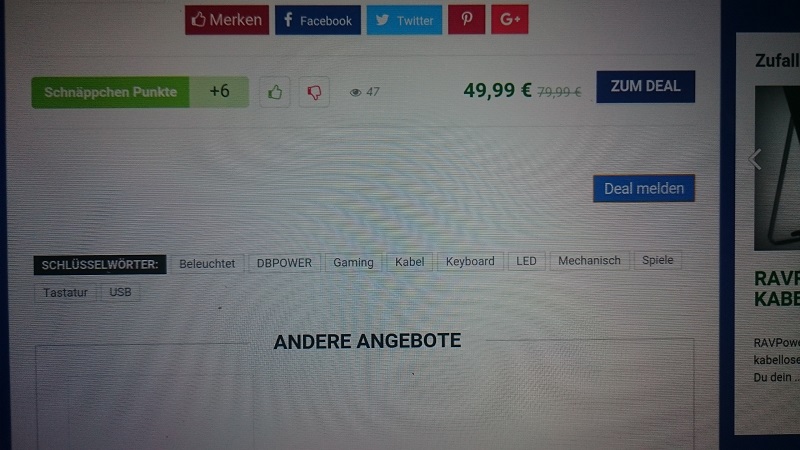
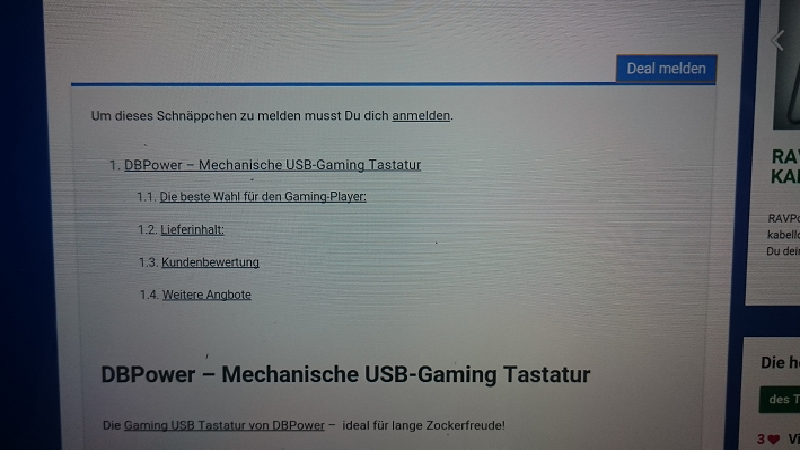
The whole text is then in the reporting area, here a screen:
http://fs5.directupload.net/images/161015/8av34a4h.jpgand this
http://fs5.directupload.net/images/161015/4fxyrhwa.pngWhen I disable it everything is normal…
Please help…
send me link on this page
try to disable autocontent shortcode on one of page and check
Does not help unfortunately, it is still so
is problem exist if you set button below content?
No then it goes, but it is a pity that it only there works
Is it possible to place the report button next to the social media icons?
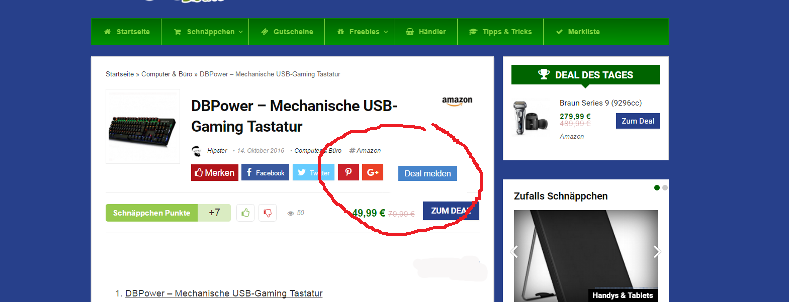
See screen: http://fs5.directupload.net/images/161016/7veuq95i.png
Yes, but you need to customize core file
inc/parts/post_share.php
Could they help me? This is the code: <? Php wprc_report_submission_form (); ?>
The code of the file:
<? Php echo rehub_social_inimage ( ‘row’, 1);?>When I enter it it looks like this:
<? Php echo rehub_social_inimage ( ‘row’, 1);?> <? Php wprc_report_submission_form (); ?>How do i have to adjust the style.css so the button is in a row?Could they help me? This is the code: <? Php wprc_report_submission_form (); ?>
The code of the file:
<? Php echo rehub_social_inimage ( ‘row’, 1);?>When I enter it it looks like this:
<? Php echo rehub_social_inimage ( ‘row’, 1);?> <? Php wprc_report_submission_form (); ?>How do i have to adjust the style.css so the button is in a row?
send me page what you have after changes
Thist ist the post_share.php: https://codeshare.io/76IwJ
And the style.css: https://codeshare.io/hU7jn
But I do not know what I must change so it looks like on the picture above in the first contribution
At the moment it looks like this: https://hipster-deals.de/playmobil-riesen-kampfdrache-5482
The “Melde” Button
I see one problem. Your html code is not the same as in last version. Maybe you need update cache in Wp super cache. Do it
I do not understand what you mean…
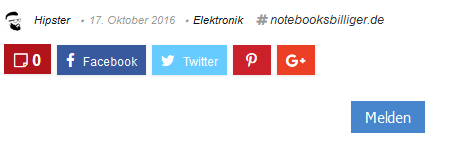
When I insert this code from the report plugin, It looks like this: http://fs5.directupload.net/images/161017/8o956l2g.png But I would like it like this: http://fs5.directupload.net/images/161017/543xgpvw.pngCould they help me, what I have to change? I think in the style.css I need to change something, but what …
I mean, that I compared code of your site and my site on latest version and code is different, means that you have cached version of site. You need to update cache in wp super cache. Without this, all customization doesn’t have any sense
Okay I hope I have done it right now
Hello sizam! Could you help me now with the code which I must paste so that everything is in a row?
And another question How do I make it with the Recash Theme that I can use a larger logo without which everything moves…
strange, but I still see old code. Send me ftp and admin access
What did I just wrong … wrote to you by email
theme was not updated properly. I just reupload it and it’s ok. Adding button to social row is imposible, because it will be buggy http://screencast.com/t/s1BF0Nocd
I added before content and also created shortcode. You can find it in theme option – ads option. I placed it before content
Many thanks great service from you
This is the article: https://hipster-deals.de/el-fuego-zuerich-elektrokamin