39363 comments found.

How do i get theme layout like version 7? Whats the name of the demo version? I cannot find it in the demo theme options that are provided. thanks!
Hello!
Do you mean Home Page 7?
If so, you can import the Avada Classic demo, to get the full thing which includes all the home pages,
Or go to Fusion Builder > Library > Demos and choose Avada Classic Demo then Home 7 layout and import it onto the page.
Check out this help file fr importing full demos: http://theme-fusion.com/avada-doc/demo-content-info/import-xml-file/
Check out this one for importing just single pages: https://theme-fusion.com/fb-doc/fusion-builder-library/import-demo-pages-fusion-builder/
If you have further questions or need assistance with anything, signup at our support center and submit a new ticket. Our support team will gladly help! 
Click Here To Create An Account & Get Avada Support
Thank you!
For next demos, can you create some like a Magazine?
Hello!
Yes we do have a Magazine demo already partially worked up however we cannot promise when it will be released as we base them off some new features that might also be added with it
But it’s coming soon!
hello, I want to make the theme like version 7 in the demo. is there a tutorial video of some sort? or which demo should i activate that will get me version 7? thanks.
Hello!
Do you mean Home Page 7?
If so, you can import the Avada Classic demo, to get the full thing which includes all the home pages,
Or go to Fusion Builder > Library > Demos and choose Avada Classic Demo then Home 7 layout and import it onto the page.
Check out this help file fr importing full demos: http://theme-fusion.com/avada-doc/demo-content-info/import-xml-file/
Check out this one for importing just single pages: https://theme-fusion.com/fb-doc/fusion-builder-library/import-demo-pages-fusion-builder/
If you have further questions or need assistance with anything, signup at our support center and submit a new ticket. Our support team will gladly help!
Click Here To Create An Account & Get Avada Support
Thank you!
Thank you. I was able to set the correct homepage. One problem, how do i get the Rev slider to work? currently here is what it says – Revolution Slider Error: Slider with alias Avada_Full_Width not found. some demo content is not showing as well.
Hello!
That means the slider that was assigned to that page, is not in your install. So I assume you imported a demo but did not have rev slider active?
Check out this help file, it talks about that error and what you can do: https://theme-fusion.com/avada-doc/sliders/how-to-get-our-demo-sliders/
If you have further questions or need assistance with anything, signup at our support center and submit a new ticket. Our support team will gladly help!
Click Here To Create An Account & Get Avada Support
Thank you!
Hello!
That means the slider from the demo page you imported isn’t on your site. This is assigned to your page through the Fusion Page options.
If you imported through the single page demo import in the builder, the slider won’t import and neither will images. That import method is only intended to give you the “wire frame” layout so you can see how it’s done / what settings were used to get the layout.
If you have further questions or need assistance with that, please signup at our support center and submit a new ticket. Include all the details about the issue, your site URL and version of Avada. For faster service, please include your WP login info when creating the ticket. Our support team will check it out and let you know.
Click Here To Create An Account & Get Support
Thank you, we look forward to helping you!
Sorry we had a duplicate reply here!
Hello. I have top update my theme from version 1.1.2 to 5.0.4. I have the Envato Market plugin installed.
Can I simply update via that plugin OR is there anything I have to watch out for before doing that update. Thank you.
Hello!
V1 to v5 is a huge jump, make sure to make a full backup of your database. We do not use the envato market plugin, you will need to download the theme from your downloads page and then update.
I’d suggest opening a ticket at our support center so you can work directly with one of our support experts, who can answer any questions you have.
Signup at our support center and submit a new ticket. Our support team will gladly help!
Click Here To Create An Account & Get Avada Support
Also, even though your support says expired here, it is not. If you are on v1, then you have bought Avada before September 1st 2015, which means we (ThemeFusion) will Grandfather you in for free support Just go to our site and submit a ticket and it should go through. Read more about it here: https://theme-fusion.com/avada-doc/getting-started/grandfathered-support/
Thank you!
If I try to override the theme via ftp will that work? Should I try that or is there anything else I will have to do/look out for?
Updating can be done via WP or via FTP, we have video tutorials for both here: https://theme-fusion.com/support/video-tutorials/avada-videos/
The main thing is, v1 to v5 is a big jump, so you need to make a full backup before you do as that is always recommended and best practice.
And if you have further questions, submit a ticket here after signing up: https://theme-fusion.com/support/ ... our team can help answer them
Hello! There seems to be a conflict between Fusion Builder and Yoast SEO. When I open a WooCommerce Category the description field’s Visual Editor is broken but the Text Editor works. I’ve confirmed this on multiple sites we have that is using Fusion Builder. Avada and all plugins are current. Please see the following screen captures; http://tinyurl.com/hdetjs3 & http://tinyurl.com/jaheg78.
Hello!
Are you on Avada 5.0,4, Fusion Core 3.0,4 and Fusion Builder 1.0.4?
We’ve not come across this issue so have to assume you are on an older version as we have many users who use Yoast SEO.
If the issue persists, please signup at our support center and submit a new ticket. Include all the details about the issue, your site URL and version of Avada. For faster service, please include your WP and FTP login info when creating the ticket. Our support team will check it out and let you know.
Click Here To Create An Account & Get Avada Support
If you have bought Avada before September 1st 2015, then we (ThemeFusion) will Grandfather you in for free support Just go to our site and submit a ticket and it should go through. Read more about it here: https://theme-fusion.com/avada-doc/getting-started/grandfathered-support/
Thank you, we look forward to helping you!
Hey Avada Team! We have currently the issues that your theme displays the following issues: “Avada Theme Es fehlt ein Stylesheet.” Which translates to: There is a missing stylesheet. Since we already worked out most of the page we would not like to reinstall everything. Is there a way to fix it?
Another issue is the super slow admin panel, more precisely the pages / edit page sometimes it takes about 2 minutes to open one page. Everything else is really fast – maybe those issues are connected?
It was not always that way started like 1 week ago.
Regards Jana
Hello jana!
Hope you are well
That is a common error in fact, they have it here on Envato and we made a help file pointing to it, check it out here: https://theme-fusion.com/knowledgebase/common-issues-broken-theme-stylesheet-missing-errors/
Yes those 2 issues are most likely connected. You need to delete what you have installed, and reinstall again.
Also we have install videos you can watch here: https://theme-fusion.com/support/video-tutorials/avada-videos/
If you have any further questions or these issues persists, our team will gladly help
Signup at our support center and submit a new ticket. Our support team will gladly help!
Click Here To Create An Account & Get Avada Support
Thank you!
okay, thank you very much!!
do I have to rebuild everything again after reinstalling? or can I just continue working on the design I have now afterwards?
Hello @Janabanana1710
Not at all, A theme installation does not remove your content or theme options and you should be good to go with any settings you had in there
If you need any further assistance, please fill in a ticket with above link and we will gladly help
Cheers.
Ammar
phew ok thanks a lot!! have a great day! Jana
You as well!
I’m have a seriouse probleme with Avada 5 it kill my resources abnormally. I submit a ticket to support but nothing solved yet. Please I need a solution quickly my client don’t stop calling me…
Hello!
We have been working with you in your ticket, and our last reply has been given about an hour ago and we are waiting for your response: http://d.pr/i/k19l
This could be your PHP version which needs to be updated, but we need more information to help diagnose the situation.
Please follow up in the ticket via email for fastest service so we can help you.
Thanks!
The more I’ve used 5.0 the more little goodies I discover…. Avada 5.x has the ability to save Containers to the Library – This will speed up my design time ten-fold!! I am so loving this new Fusion Builder, ya’ll have a real Winner! Thank you again!!
Thank you for the comments!
Yes we are in love with Avada 5.0+, the new Fusion Builder https://avada.theme-fusion.com/fusion-builder-2/ ... opens up a new world of possibilities and really changes your workflow and saves lots of time.
Thanks again!
I am trying to upgrade to 5 but our license is tied to the email of a now-retired employee. Because of this I am unable to register our product or access your support system. Can someone please help? I can provide the license code and purchase date—I just need to associate our registration with a new email address and can’t find a way to do so through your front end. Many thanks!
Hello!
Yes, please email that information to support@theme-fusion.co and explain what you said above, our support manager will check into it for you and take care of it.
Thanks!
Presale Question: I read about a $3000 developer edition to use this theme with a membership site but couldn’t find anything about it on your website, is that still a requirement? Have you had anyone use Restrict Content Pro with this theme? Thanks so much!
Hello!
You do not need to purchase a $3000 extended license for a membership site, wherever you heard that is false information. You only need to buy the $60 license.
And yes we have many users user restrict content pro
Thanks!
Hi, Just Curious on the quote below under your FAQ, I don’t want my site to be deleted if I don’t get the extended license.
Which license do I need for an end product that is only accessible to paying users?
If the end users need to pay to see the end product, you need an Extended License. There can be more than one end user as long as there is only one end product.
Hello!
Honestly the best thing to do is talk to the creators of the licenses, which is Envato They can be confusing at times and we don’t want to give you any wrong answers.
You can submit a ticket here and ask them about your specific situation: https://help.market.envato.com/hc/en-us/requests/new
Thanks!
Hello,
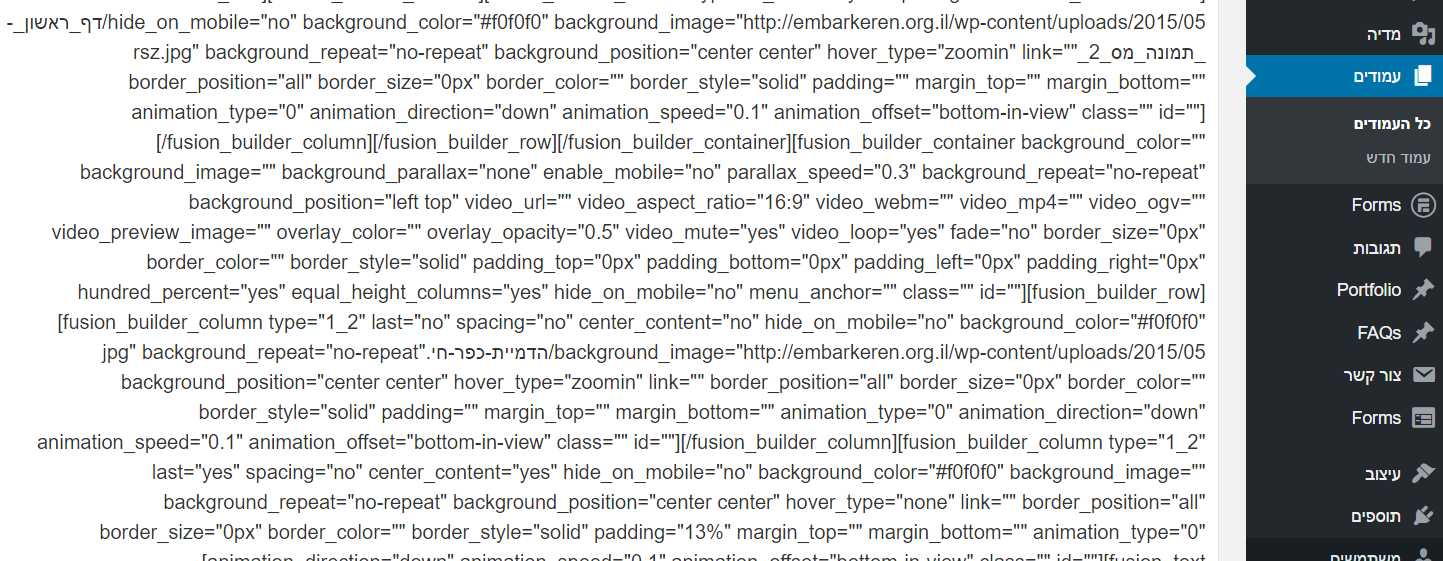
I have a question about the new Avada theme version 5.0.4 update. I have done this and followed every step but now the website is not visible as how it should be anymore. The new shortcodes/theme doesn’t work at all! And sure the support period has just expired…. Now only the header and slider are visible as they should but the rest of the page is now set as “[fusion_builder_container background_color=......” and so on. I have now set the backup back so the website works again, but someday I have to update this theme. Does anyone have a solution for this problem?
Regards.
Hello There.
This shouldn’t happen at all. Please make sure that your Fusion Core and Fusion Builder are on latest version that should be 3.0.4 and 1.0.4. Also make sure none of your 3rd party plugin is creating a conflict here by disabling them 1 by 1 please.
The syntax looks like its from our new Fusion builder so if the builder is active it should render it just fine. Make sure your Fusion builder is active please by going to Avada > Plugins tab.
If you still see same issue, we will need to take a look into this for you and will require you to submit a ticket please.
Click Here To Create An Account & Get Avada Support
Thanks
Ammar
Nightmare trying to update 7 months after purchase!!! Grrr. Invalid download location says to “refresh the download session”, which we do repeatedly. Next error says we downloaded it too much! We didn’t even download it once. No help. Nightmare flaws in version 4xxx, can’t upgrade to version 5, can’t get site live. can’t get help from envato. Awful!
Hello @duffyoung.
That is actually an ENVATO related issue and nothing to do with us at all, we have no control over your themeforest account and it appears there was a limit set somehow. However if you please send us your purchase code and username along with the complete details of issue to support@theme-fusion.com we will be able to provide you with the updated version of theme.
Thanks
Ammar.
Hi
Just updated to 5.0.4, fusion core 3.0.4 and fusion builder 1.0.4. I think there might be an error with the button shortcode. I get a ‘Content Error – your page could not be converted…’ when I switch from default editor to use fusion builder on a page or post. Narrowed it down to the custom color part that seems to fail. Have tried adding a single custom coloured button but can’t get this to display in fusion builder once you’ve switched between the editors. The code itself seems to work i.e. the custom colours are coming through on the web page, but it won’t display in the fusion builder, and therefore any page alterations then need to be down in the default editor with all the shortcodes displayed.
Thanks, Mark
Hello Mark.
This issue was already fixed in our older versions and should not happen on 5.0.4 at all, Can you please make sure that you do not have a cache plugin in action for this or if somehow the update didn’t go thru with old files being used.
Please try and install a fresh copy of theme using FTP method by completely deleting the older one.
More info about this can be read here : https://theme-fusion.com/avada-doc/install-update/ftp-installation/
However if the issue persist, we will require you to open a new ticket please so we can check this in details.
Click Here To Create An Account & Get Avada Support
Thanks
Ammar
Hi Ammar
The complete FTP refresh didn’t work, but applied patch #415022 and it now works great! This is a brilliant theme and the new fusion builder is fantastic – the library and the new way to build saves significant time and is very intuitive – great work on such a massive change.
Mark
Hey Mark.
That is awesome to hear, Our developers work day and night to fix any occurring issues and we does release patches in cases too
Glad to hear that you liked our services and product.
Thanks
Ammar
I’ve updated from version 3x I believe, to version 5. Updated all required plugins. Updated WP. Now when editing, instead of seeing a graphical interface I only see HTML code: https://i.gyazo.com/88eaa32655bcfb176d1dd7cc1c5ac31f.png
I created new pages and added elements using FusionBuilder but the problem still there.
I would greatly, greatly appreciate your help!
Hello @shloogy
That looks like that either your Fusion Builder is not Installed / Activated. If its activated please go to Fusion Builder > Settings and make sure its enable from there for each of the custom post types.
More info about this can be read here : https://theme-fusion.com/fb-doc/technical/fusion-builder-settings/
However if you are still unable to activate this please do open a ticket with us and we will look into this as soon as possible.
Click Here To Create An Account & Get Avada Support
Thanks
Ammar
That has solved the issue, thank you SO MUCH Ammar, thank you.
You are most welcome, thank you
SERIOUS ISSUE
I just updated to 5.04. After making changes to a page and hitting “update” the page reloads, everything is now greyed out – the fusion builder seems to hang up the system. I have to reload the backend and quickly click somewhere else to avoid the hanging. I mad a backup of the page beforehand, and it doesn’t have the problem. The change i made, IS however reflected on the website. But I cant make any more changes due to the fusion builder crash. I have tried both Safari and Google Chrome. This is a serious problem – someone else have posted a note on the Avada support forum – so I’m not the only one.
All plugins are updated.
Any suggestions on how to fix this?
Thanks.
Hello @feinschmecker.
This should not happen at all for you, please make sure that none of your 3rd party plugin is causing this issue by disabling them one by one also please make sure your system status limits are all good as per this doc post : https://theme-fusion.com/avada-doc/special-features/system-status/
However if the issue persist, please do open a ticket and we will look into this as soon as possible.
Click Here To Create An Account & Get Avada Support
Awaiting to serve you.
Thanks
Ammar
Limits are okay. Tried disabling plugins. No effect. Strange thing is, that it’s only this one page that causes the problems. Before I edit my home-page (one-page setup) i make a backup/copy of this page. The backed-up page seems to work just fine in the editor. It has the EXACT same content. But as soon as i hit “update” it all goes mad. I have converted all short codes using the Avada System Status-thing .
Have submitted a ticket.
WOW, just WOW. Got an email from your support saying that you’ve made a patch to fix this. And it works! Thanks a lot!
Yes it was a confirmed bug and now is fixed, thank you or your patience
Hey Avada,
http://montessori.underarbeid.no/info/When you click one of the boxes and more text shows up, the scrolling to the right is not activated, and you cannot even move down with the arrow buttons. Why?
Hey @Brandingbox.
Yes, i can see the issue for sure, I will need to take a closer look at it however to see where its coming from, i see you have a valid support extension so please do open a new ticket and our team will get back to you as soon as possible.
Click Here To Create An Account & Get Avada Support
Looking forward to assist you
Thanks
Ammar
Pre purchase question. Does this have mailchimp sign up integration? I.e – so I can have an email sigh up on the homepage
Hello @t1lf5
Yes, a lot of our users do use mailchimp sign up form with our theme without any issues and you should be good go to
We will be delighted to welcome you in this Amazing community
Cheers.
Ammar
Hi,
Thank you for the great theme.
I have a question for blog grid. I want to align every three items. Now only firsts three item is vertical is align. Second three items is not on one line.
Example: http://www.zdravjivot.org/
Best Regards,
Hello @Borosara.
You are most welcome.
That is the default behaviour of how Grid layout works, this will happen if you have inconsistent length for the blog titles and that is exactly the case here for your 2nd post item causing the 5th one below it to go down.
Because the Themeforest comments section is meant only for pre-sale questions and generalities, we are not able to provide support here. Please create a support ticket using the link below and out support team will gladly assist and guide you.
Click Here To Create An Account & Get Avada Support
Thanks
Ammar
Hi there, I have an important pre sales question. Your theme is my absolute favorite. But I need my team members to have a video on their own page. Would that be feasible using the Portfolio page instead? Each of my Project would be a Staff Member..if so, only problem would be I would need to replace the “Copyright” and “Project URL” strings to something different, can I do that? (I’m not a developer)
Hello @Claueiko1
Of course that is possible, we have a default fusion option field for embedded video where you can embed either YouTube or Vimeo video as well as have shortcode elements for both that you can use to put a video anywhere on any page.
Also, those hard coded strings you mentioned can be easily changed to something else by following the translation technique, A lot our users change such strings depending on their requirements.
We will be delighted to welcome you in this Amazing Community.
Thanks
Ammar
Is it possible to have only the mobile menu “fly out”? I like the classic menu but not while mobile. I’d like the mobile menu to open on the side. Is this possible?
Hello @Jaeb0922
That is not a possibility right now and will require customization to our theme files, you can contact to our customization partners for this here : http://bit.ly/1YBlnoP
If you need any further assistance please do open a new ticket and we will love to assist you with any issues you have.
Click Here To Create An Account & Get Avada Support
Thanks
Ammar