638 comments found.

Unfortunately, my podcast team and I looking at switching from Podcaster to another WordPress theme. But, before we decide to make a switch, I want to make sure that all of our podcast episodes will be available and untouched. We’re hoping to switch to a theme called Divi.
My concern and question, the page where our podcasts are currently being archived and posted didn’t show up when I did a live preview of the Divi theme on our website. Is the podcast option on Podcaster going to go away when if we switch? If so, will all of our episodes and RSS feed be deleted?
Hi there, sorry to see you go. One question, what plugin are you using to manage your podcast?
You should be able to keep the functionality that come with the plugin, such as your episodes and the RSS feed. All the theme options and page templates provided through Podcaster however (such as the “Front Page” or “Podcast Archive”) will go away.
Hello,
We ran into issues changing the theme, so we’ll going to stay with Podcaster for a bit longer.
I do have a question, which could be a part of why we’re running into issues. We haven’t updated WordPress in over two years because when we have, we have received this message:
Fatal error: Call to undefined function get_plugin_data() in /homepages/22/d576746140/htdocs/clickandbuilds/Humanature5370/wp-content/plugins/thst-feed/admin/options-init.php on line 29
Right now WordPress is on update 4.8, and we haven’t updated. I will not update until I know that the Podcaster theme and website won’t crash as it has twice after I updated WP.
The issue we had with activating a new theme brought on new issues, and we think that because we haven’t updated WP is causing the issues.
Is the Podcaster theme able to handle the new update?
Thank you.
Thanks for your reply. I’d say update both, TS Podcasting plugin and Podcaster before updating WordPress to 4.8. I don’t know what version of either you are running, but there have been a couple of updates in the last couple of months that have resolved the issue you mentioned. Now, if you still run into any issues while doing the update, I’d be happy to assist. Just get in touch via support@themestation.net
I have a navigation button problem. There is a button called “front page” and I would rather it say “home”. Also on my contact page to the right is a message about adding widgets and to click it to take me to widgets, how do I get rid of that? Awesome template, so glad I bought it. I’ll be giving high ratings.
I’m happy to hear you’re enjoying the theme! As for the navigation, you should be able to change the text for the link on the menu page. Go to Appearances > Menus and then click on the down-arrow of the item you would like to edit. You should be able to change the text that way.
Thank you, that fixed the nav button issue. So the last problem I have is the “widgets” statement showing on the About Us and Contact page. Have a look, www.reel9.com. I’d like to know how to get that off there.
Hey there, if you don’t want to use the widgets, simply select the “Full Width” templates for both the About Us and Contact page. That will get rid of the sidebar area.
Thank you for the quick reply, that worked perfectly. I appreciate the help.
Very beautiful This theme
Thank you!
I figured out the problem with getting my site to look like the demo, I hadn’t set up the static page…my bad.
Hey, happy to hear you managed to figure it out. If you run into anything else feel free to drop a comment or write a message, I’ll see how I can help.
The only problem I have right now is in the navigation. I have a button called front page and would rather it say home. Awesome template, so glad I bought it. I’ll be giving high ratings.
I’m happy to hear you’re enjoying the theme! As for the navigation, you should be able to change the text for the link on the menu page. Go to Appearances > Menus and then click on the down-arrow of the item you would like to edit. You should be able to change the text that way.
Hello, I’ve seen this asked previously but I haven’t seen how to accomplish it. I have podcaster for WP and I want my site to look the demo site (http://preview.themeforest.net/item/podcaster-multimedia-wordpress-theme/full_screen_preview/6804946?_ga=2.193975661.1992385888.1496343858-1463665303.1464129294). In addition I can’t seem to change the image. I’m very new to WP so while I’m sure its a simple fix it may be difficult for me.
Marking this as solved.
Hello, For some reason, only 5/6 episodes are showing up on my “Episodes” page. I believe this is also keeping me from publishing all 6 episodes to Stitcher. I can’t seem to find anywhere in my settings or elsewhere that I would have chosen to only display 5/6 episodes. Please help? The website it unconditionalpodcast.com
Hey there, just so I am able to give a better answer. What kind of plugin are you using to manage your podcast? Also, is there a particular reason you are not using the “Front Page” page template for your static landing page?
As for amount of posts to display, there are several places to edit that. For one under Settings > Reading. You can also change the amount to display on the Front Page template by going to Theme Options > Front Page > Amount of Posts. I hope this answers your question.
I am using the Seriously Simple Podcasting plugin, and have a Blubrry account for the free basic statistics. I didn’t use the Front Page template for my home page because I wanted specific photos to be used in conjunction with each episode on the home page, and I didn’t want to use those images as the “Featured Image” on the landing page for that episode (the Featured Images that I chose for each episode were images that would work as the header of the page). I ended up creating both a “Podcast Page” and a “Post” for each episode. The “Post” pages were necessary to have the episodes appear in my RSS feed and to put the show on iTunes, etc., but I wasn’t a fan of the layout of those pages and preferred the look of the “Podcast Page”. The “Post” pages are not linked anywhere on the website and so are basically not accessible. I tried changing both of those things, and each are set to show 10 posts, so I’m not sure what the problem is.
Thanks for your reply. Just a heads up that this is currently being looked into. I’ll get back to you. The conflict could have come up because two podcasting plugins are active at the same time. Podcaster is laid out to only cater to one such plugin at a time, to avoid conflict.
Since you have both plugins active, which one is the one giving you the RSS functionality? That could be the key to this issue.
Could you create a dummy account for me using the email address support@themestation.net? I could take a closer look at the settings, then.
Things (author name in single post) floating and custom widgets
Hi there, do you have a URL so I can take a closer look at what you are seeing on your end? Thanks!
Hi there, Pre-sale question. Planning to start a podcast. Is there a particular audio host you’d recommend using? I was planning to use libsyn, but was curious to know how simply your theme worked with it, as there’s no mention of it in your documentation? Ideally I’d like to publish posts to the website from libsyn.
Hi there, sorry for the late reply. I see that you have already purchased Podcaster. You should be able to publish from Libsyn, do let me know if you run into any issues.
I can’t figure out why the media player and links are showing up twice on the single post page and also on the archive page. I’m using the PowerPress plugin. Any idea on how to fix? One the post, I’ve chosen the format “audio”. Thanks for the help!
Single Post Example – https://keepingitrealpod.com/podcast/episode-1-joan-edelberg/
Podcast Archive page example – https://keepingitrealpod.com/podcast-episodes/
Hello there, it looks like you’re using the Blubrry PowerPress plugin. You can turn off the other audio players by going to PowerPress > Settings > Website and selecting “Disable” found under “Display Media & Links”. This should do it 
That removed both audio players from the page – now there’s no audio player on the single post page or the archive page. How do I make it so that the player just shows up once on each (and not twice)?
Screenshot of single post – http://nimb.ws/YAQEeZ Screenshot of archive page – http://nimb.ws/CQA2J9
Sorry about, could you send me a screenshot of the “Blog Posts and Pages” within the settings section, just so I can see what options you’ve activated.
Here you go! http://nimb.ws/F0WBTV (this is the live page where the player displays twice https://keepingitrealpod.com/podcast/episode-1-joan-edelberg/)
Does only changing the setting under “Display Media & Links” to “Disable” hide all players? Even when you leave the checkbox for “Media Player” checked? Could you send me a message to support@themestation.net if this still doesn’t work for you. Thank you.
Hello, I have installed the podcaster theme and demo xml file but I can’t get it to look like your live preview. The image isn’t as large as your live preview, and I can’t figure out how to get the transparent grey menu bar, or how to get the podcasts to show with the featured image on them like in your live preview.
Hey there, sorry to hear about that. Have you by any chance set up the static front page already? You can find out how to do that by following the instructions within the documentation. Under “Getting Started”. After following those steps, you should be able to get it to look like the demo. http://themestation.co/documentation/podcaster/#getting-started
yes i followed those instructions, and I tried all the presets and none match the live demo. our website is 4mompreneurs.com
Thanks for your reply. Which demo exactly were you trying to re-produce. I can tell you how to go about it from where you are.
got it figured out, thanks!!
I’m having the same issue as iandawsonmackay after updating the other day. Whenever I try to save a change to the settings I get the error “There was a problem with your action. Please try again or reload the page.”
Hi there, I’m sorry about this and the delay in getting back to you. I’m currently looking into this and have some questions: are you only getting this message when trying to make changes to the theme options? Or when editing posts/pages or other settings as well? Thanks:)
Thanks, it is happening only with changes to theme options. Changing anything else on the site (pages/posts/other site settings/etc) has been working just fine.
Just a heads up that this is being looked into.
Hi, I keep getting an error message when I try to change quite a few of the settings, it says I need to try again or come back later. Is this an issue with the theme?
My site is http://www.nextlevelguy.com
Can I have the post featured image show in the home page, so you see the guests image and the title along with the post on the home page?
Also, I am struggling to get a banner to show underneath my main meu on the homepage, how do I get this to show? I have tried what the guide says and it won’t work.
Thanks, Ian
Hi Ian, sorry for the late reply. I’m currently looking into what might be causing this as others. Does the message only appear within the theme options or in other situations as well, such as saving posts/pages or other settings?
As for the homepage, it looks like you are not using the static front page. If you want the set up like it looks within the demos, you will have to do that. You can find the instructions within the documentation under “Getting Started > Static Front Page & Blog Page” http://themestation.co/documentation/podcaster/#getting-started
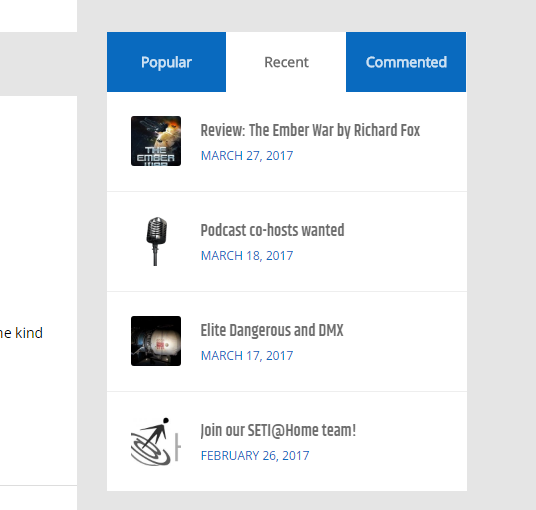
Hi, another query please. I’m using the podcaster recent posts widget that comes with the theme.
I’ve noticed on some pages it shows featured image crops and on others it doesn’t. I was hoping you’d take a look in case it’s something my end.
Here’s where it does appear correctly: https://www.starfleetcomms.com/blog-2/
Here’s one where it is without images: https://www.starfleetcomms.com/review-ember-war-richard-fox/
Hey there, I just took a look at both links and the images look the same each time. The widget is the same so it shouldn’t look any different on either page. Could you maybe send me a screenshot of what you are seeing on your end? Thanks!
Certainly and sorry for the delay. The first link https://www.starfleetcomms.com/blog-2/ – shows this: https://snag.gy/yeVCIf.jpg with the icons. The second link at page level: https://www.starfleetcomms.com/review-ember-war-richard-fox/ – shows this: https://snag.gy/k5dXSi.jpg without the icons.
Hi there, sorry to the delay in replying. Looks to me like the image is being hidden by a file called custom.css. Might want to check it, maybe you made some changes to the theme? Check for this: ”.single-post .wp-post-image” in the CSS file.
Again, I can’t thank you enough. Thanks!
Sure, you’re welcome
Hi, there!
I’m starting a channel that will feature several different podcasts on many subjects and I want a theme where I can group them on the same spot.
I would have individual pages for each podcast and a homepage featuring all or a set of them.
Can I do that with this theme? That is, host multiple podcasts?
Hi there, thanks for your question! As it stands, Podcaster is meant to feature just one podcast at the time. Currently, works are under way to at start supporting the PowerPress custom channel feature, but there is only room for one podcast archive page at the moment. I’m working on fully supporting more than one podcast at a time, but it won’t be out for some time.
If you let me know what podcasting plugin you are planning to use, I can give a more exact answer.
I’m at the very start of this project, so I’m still doing research to find out what’s the best solution for me. I’m open to any possibility right now and will check back into your theme before making a decision.
Thx!
Okay, feel free to drop a comment then
Hi – on the front page of my site four blog posts have excerpts and imagery. Usually the images are all the same size and it looks neat. The most recent post seems to have a much larger image for some reason making it look odd. Site is https://www.starfleetcomms.com/
Hi there, the square images are cropped 400 * 400 px, it seems like the image you used for your blog was on the smaller side (only 318 in width) so it made up for that by making it larger. Just make sure the thumbnail you use it 400 * 400 px or larger and that won’t happen.
Great, thanks!
Hi! I’m looking to buy your theme and have some questions! I’ve been burned by podcast themes before and want to be sure this will work!
1) It looks like the podcasts are put up by regular posts, and then the main page selects a specific category to display. Is this correct?
2) We use PowerPress for our podcasts, and we have multiple RSS feeds for different shows. Can all be displayed on the main page of the site? They each have to be labeled with a specific category for PowerPress to work, can they still show up on the main page if we add an overall category or tag for them? Will they be playable like the demo?
3) Can images be assigned by tag?
Thanks! Really excited and hope this will work for us!
Hi there, thanks for showing interest in Podcaster! I’ll get right to your questions:
1) Yes, this is exactly how the theme works.
2) Do you mean you’d create two sub categories for each feed, but then use a parent category to display them both on the landing page? As in Parent category “Shows” and then child categories “Show 1” and “Show 2”? Just asking so I’m on the same page as you? Podcaster is meant to display only one show per site, but if you don’t mind both shows being on the front page at once, it could work for you. Just let me know if that is what you mean.
3) Do you mean assigning a header image to a tag page or category page? This isn’t possible unfortunately.
I hope this answers your questions.
Thanks for getting back to me. Based on your answer above, I went ahead and bought the theme. We seem to be running into the same problem we have had on other themes though. One Podcast has play bars that show up, the other show’s posts show up, but with no play bars on them.
Sorry to have so many questions! My site can be viewed here: http://www.happyjacks.org/
I can’t seem to get it to look like the demo. I imported the demo and that helped, but it still looks really different.
Big goals: - Media player and image in the header - Thinner posts on the main page that look like your demo (play bars in these? This would be nice but isn’t a must)
Just a heads up, that this is being looked into. You should be able to display players for both feeds, though. I’ll get back to you when I have all the answers.
Replied to your email
Hi there, I’ve added to the header nav so that there is a submenu with 7 or 8 items in the menu. Whenever I mouseover the area on the page where that menu WOULD dropdown to if it was expanded, the menu appears. It’s covering up any content underneath it.
How can I fix this? Unfortunately removing the submenu is not an option as this was promised in a design to a client.
Hey there, sorry to hear about that. Could you send me a URL to your site so I can take a closer look the menu? Seeing it live would really help. You can also send it to support@themestation.net if you don’t wish to post it here. If it is not yet live, a screenshot would do as well. Thanks.
Hi there, sorry for the late reply. You can see it in this video here: http://tinypic.com/r/2h58903/9
Hi there, thanks for the reply and the video. One question: does this also happen if you wait a little longer before hovering over the drop-down menu again? The menu is set to fade out over 0.5s, so if you hover it during that time frame, it will appear again. If you wait a little longer (2-3sec), it won’t do that anymore. Could you also tell me what version of Podcaster you’re currently running? Thanks!
It happens when I mouseover the area BELOW the menu, the first time, when I have not previously actually tried to expand the menu from the nav bar.
And, version 1.6
Hey there, thanks for the info. I have tried to re-create this bug and so far I am unable to do so on my end. As useful as the video was, it would be better if I tried in on your site directly, so I can see what is happening or what might be causing this behaviour. You can send your URL to support@themestation.net if you don’t wish to publish it here. Thanks!
Happy to publish it now, the site went live yesterday. Site is: planetbcasting.com
Additionally, when uploading a retina scale logo for mobile view, the logo now appears to be displaying at 50% size on mobile. Can this be fixed also?
Thanks for the URL looking into it right now!
The newest version of Podcaster is 1.6.5, but you’re currently running 1.6. Both issues should be resolved by updating, since there have been updates to both the logo and navigation since then.
If you have made changes to the theme code directly, keep in mind that these would be overwritten during an update. To save your changes, I recommend making a copy of them and pasting them into a child theme instead. If you have any questions about this, feel free to ask.
Hi there, I updated to the latest version but the menu issue has not been fixed. The retina logo has though, which is great!
Hey there, just a heads up that I’m looking into what could be causing the menu issue. Did you by any chance make any CSS customizations to the theme (even if it wasn’t to the menu directly)
Hi,
I’m using your theme along with the plugin Seriously Simple Podcasting to post my podcast. As of now, I only have one podcast posted, and I’d like to display it in the header, as a featured item (it works), and I’d ALSO like it to be displayed below in a “normal” post like in the demo, like this :
https://image.noelshack.com/fichiers/2017/10/1489185961-screenshot966.png
As I’m using Seriously Simple Podcasting, I don’t have to create “Article” to publish a podcast, I created a “Podcast”, that I put in a “Serie”, and set this Serie as the Category in the settings :
https://image.noelshack.com/fichiers/2017/10/1489186058-screenshot967.png
How can I make the podcast appear below the header like in the first image ? (Please don’t tell me that I have to create a Category and an Article, I don’t want to have to create a Podcast AND an Article for each post).
Thanks !
Hey there, the Seriously Simple Podcasting “podcast posts” should appear below the featured post like they do in the demo. Could you send me a URL to your site so I can take a closer look? You can send it to support@themestation.net if you don’t want to post it here. Thanks!
Here is the url : http://www.timefortales.be
Have you only posted one post so far? If yes, then everything looks fine. The posts below will fill up as you post more. If you post episode 2, episode 1 will be displayed below and so on.
Yes I only have one post.
As I said : ” I only have one podcast posted, and I’d like to display it in the header, as a featured item (it works), and I’d ALSO like it to be displayed below in a “normal” post like in the demo”
But perhaps is it impossible ?
Hey there, sorry about that, I now get what you mean. You can achieve that by selecting “Featured” instead of “Newest” in the Front Page Header section of the theme options. Then depending on whether you have selected the “Static Posts” or “Slideshow” mode make sure you also tick the “Feature Post” in each individual post. That should do it
Hi Folks! What’s the best way to do some adjustments on the proportions and sizes of things like the headers, footer and list for previous podcast episodes? Also is it possible to remove the corner rounding and specify if thumbnail images are scaled to fit? Cheers!
Hi there, this really depends on what exactly you want to change. In some cases it’s padding, in others exact widths. Are you using a developer tool such as Firebug to determine what you wish to change? If you give me something more exact, I’d be happy to give you some pointers.
As for the rounded corners, you can use the following CSS:
.list-of-episodes article.list { border-radius:0; } .list-of-episodes article.list .featured-image { border-radius:0; }
This in your child theme should get the job done.
Much appreciated! I completely forgot about the child theme, it’s not included in theme forest’s download of the theme only so I must do a quick reinstall! Thanks for the help.
You’re welcome. Yeah, the child theme is a theme of own and needs to be downloaded separately.
Hello! congratulatios for the site!! is really beautiful!!
I want to buy this item and I already have my own podcast in a old template, can i hire you to install this new template with the information I already have?
the site is http://www.estacionlocura.cl/home/
Hi there, happy to hear you like it! Sure, get in touch with me through support@themestation.net and we can arrange something.