59155 comments found.

Sorry for my disturb,i can’t do as what you told to me.
There have only Footer 1 Footer 2 Footer 3,there have only 3 columns
what i need is Footer 1 Footer 2 Footer 3 Footer 4 Footer 5 Footer 6,i need 6 columns but not only 3
Thanks,
Please, send admin access in the contact form. Provide also in message: your issues and link on current comment (you can know it if you press on time in your comment)
Hi, How to add a username with local language? I can add the username with English just fine.
if you mean login name, it can be only in Latin. User name can have any language
Hi,
In Rewise theme, how to add review criterias when a registered user new post?
Can’t see them: (only in admin posts -> http://prntscr.com/fxi93i)
Screenshot -> http://prntscr.com/fxia21
Thanks in advance
Hello! So we love this Theme and we are 99.99% done and almost ready to launch, but even after updating to the latest rehub version today we are still seeing this ONE weird issue on the homepage! We’d really appreciate your help 
On the homepage, the “WIDGETISED SIDEBAR” is overlapped by the products on the right. (screenshot: http://imgur.com/a/ZqOVB)
Please let me know if you need my login and how to send it to you privately. Thanks in advance for your help!
check this https://youtu.be/Ycv7SfNOyhI?t=2m42s
Hi,
I’m currently using the child theme “Rewise”. It is posible to use a menu like the one in the “Re:Thing” child?
I would like to have the highlight that indicates were are you now (active menu highlight).
Thank you Regards
nav.top_menu > ul > li > a:hover, nav.top_menu > ul > li.current-menu-item a, .search-header-contents { border-top-color: red !important; }
you can place this in theme options – general options – custom css
Working. Thank you very much.
When i import the exported theme option data to utility import, my site keep buffering for quite long time.
what theme option do you mean and where you found it?
When we go under utility section of theme option you will see import and export. recently my site crashed and i tried to import my previous settings but when i did import my site keep buffering for quite long time. then i reset and did it manually.
so, do you have problems with importing previous options?
I manually change to the previous setting but for future if again i got my site crashed or i want to transfer i can not rely on it. Just for the next update i would appreciate if you look deep into it.
How did you change it manually?
looking at the previous code i exported and do it one by one manually with out code.
what do you mean “manually”?
I want to add ratings or review box (round rating type) next to product images. How can I do this? I have multiple images in a post and reviews included. Not just a comparison table. I send you mail with link.
you can enable shortcode inserting option in settings of review box.https://www.screencast.com/t/brsCCRvCv
But this is only for one post (one product). I have multiple in one page.
you can insert [review] shortcode in one of code zones in theme option – ads option, but anyway, you will need to enable this option for each post. otherwise, you need to customize output template
Can you explain more clearly?
place shortcode [review] in theme option – ads option – GLOBAL CODE FOR SINGLE PAGE. this will insert shortcode for all posts.
It seems a misunderstanding. I have 10 products in a page with descriptions and need a review box next to each image.
you can use review box shortcode from shortcode generator
That worked but I can’t place it next to the image. Only below or above.
combine image with column shortcode. set image in one column, review in another.
this can be done only with Visual composer?
no, shortcode generator also has this
Can you give more details?
click on button S near Media button and you will see all available shortcodes
I have done this already.
and what is your questions?
How to “combine image with column shortcode. set image in one column, review in another.” ?
and I already answered. Use column shortcode from shortcode generator, place image in first one/half column, review in another
how to place image or review inside column?
No option for image insertion
what option do you mean? Insert image as you do this always in visual editor
Hi,
How can I change the customizable header to: Login + Add Deal + 728×90.
I don’t need the Members, Groups and Activity menu.
All other header styles don’t have the Add Deal button which I want to keep.
Could you please let me know how can I do this.
Thanks
add html of button to code zone
<a href="http://recash.wpsoul.net/add-deal/" class="wpsm-button orange medium addsomebtn mobileinmenu mr5 ml5 floatright act-rehub-login-popup"><i class="fa fa-plus" />Submit a deal</a>
where is the code zone, screenshot on how can it be done please. thanks
theme option – ads option
Your code has messed up the layout of everything, could you please test it and let me know how exactly add it. Thanks
You should add it in your next update.. Please let me know once you have a fix. Thanks
Thanks
It is the same code, it breaks the site. Please test and see for yourself
it can’t break anything and it’s correct code. show screenshot how you inserted
check again gist code and use it
same issue
provide link
Hi, in Redokan, in the header just before the menu i want to translate “Create Stroe” and “Register/Login” and popup too in French thanks
Hi will a content editor like Beaver Builder work with this theme?
yes, but without custom modules
what Editor would you recommend to use with your themes? Thanks
visual composer is bundled with theme
I’m looking for assistance with the Re:Thing theme. I was being assisted in the Re: Hub theme by the install team and initially the install had circa 78 pages which I began working on (in particular a landing page with an ajax search function). Subsequently the install team re-installed the child theme but now I have only 37 pages of the demo stack which do not include the specific page I need. Is there anything you can suggest to install the other pages?
what specific page do you need?
I can’t remember the title of the page but it was from the child theme Re:thing was title something like “Landing Page – with ajax search” and had a large image with a search bar in the centre of the image. Apologies but I cant remember the exact title.
maybe you mean this page? http://rehub.wpsoul.com/home-page-4/
Thats ideal. I presume that is available as part of the standard theme pages?
you can try to use ready template https://youtu.be/Ycv7SfNOyhI?t=16m7s
how to use moip or another intermediated payment method?
Hi,
I would like to change the colour (underline) when floating over a sub menu item. How do I do this?
Thanks
this place uses your main color settings in theme option – appearance
This does not change anything for me. See example from this website for when hovering over menu item: http://www.gnc.com/
i guess it’s not correct link, because i see not site on theme
All i want to do is underline the menu item when hovering over it. I have set all the color settings in theme option – appearance but this doesn’t change anything
what child theme do you use?
Redirect
redirect has this option. you can set color of border in theme option – appearance – main color
There is no main color option. My options are custom color schema, custom secondary color, custom color for links inside posts. I have set all these to my selected color and this does not change colour when hovering over menu item. I have cleared my cache too
send link
whatsups.co.uk
nav.top_menu > ul:not(.off-canvas) > li > a:hover, nav.top_menu > ul:not(.off-canvas) > li.current-menu-item a, .search-header-contents {
    border-bottom-color: #77b21d;
}
nav.top_menu > ul > li > a {
    border-top: 0;
    border-bottom: 4px solid transparent;
    padding: 12px 16px 8px 16px;
}
thanks but this code makes main menu item underlined. I want submenu item to be underlined when hovering over. For example: Sports nutrition—> Whey protein to be underlined when hovered over (whatsups.co.uk)
nav.top_menu > ul:not(.off-canvas) li:not(.rh-megamenu) ul.sub-menu li:not(.menu-item-has-children) a {
    border-bottom: 2px solid transparent !important;
}
nav.top_menu > ul:not(.off-canvas) li:not(.rh-megamenu) ul.sub-menu li:not(.menu-item-has-children) a:hover {
    box-shadow: none !important;
    border-bottom-color: #77b21d !important;
}
Great thank you for your help
It#s possible to filter in VC only Deals they expire from Date “YYYY-MM-DD” to Date “YYYY-MM-DD”?
no, but will be possible to sort by expiration date in one of update
I want create an List with expired cashback Deals with Month. See: goo.gl/TPX8PP
currently, it’s impossible to show only by month, will be possible to sort by expiration date from update
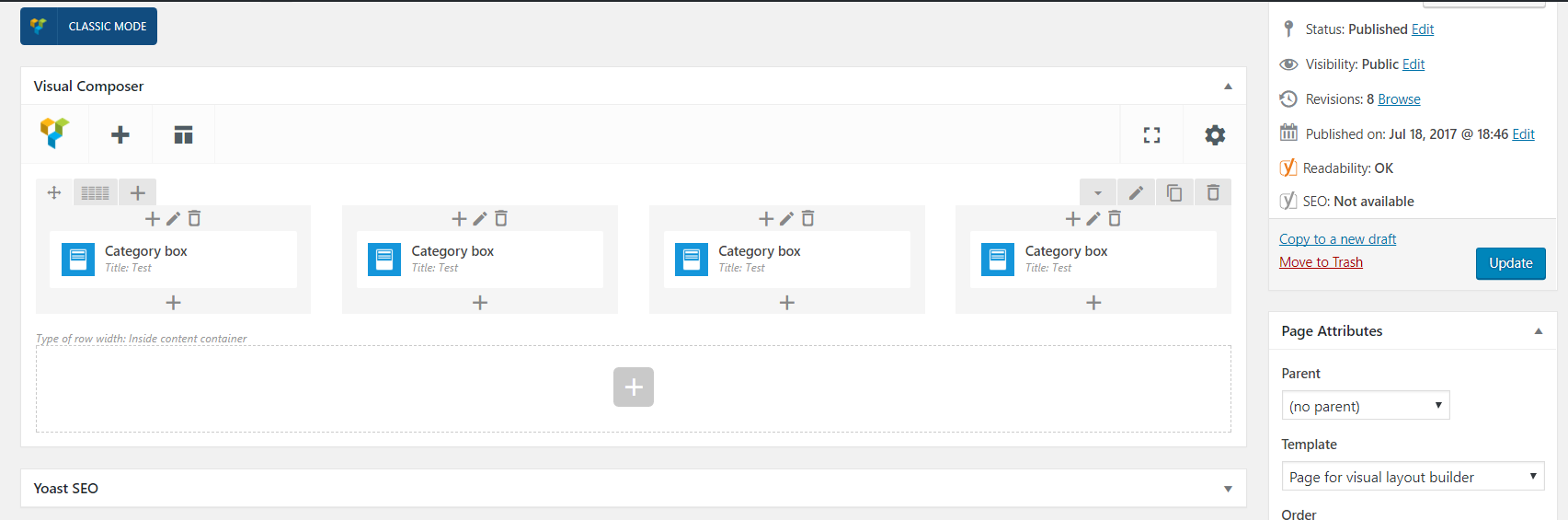
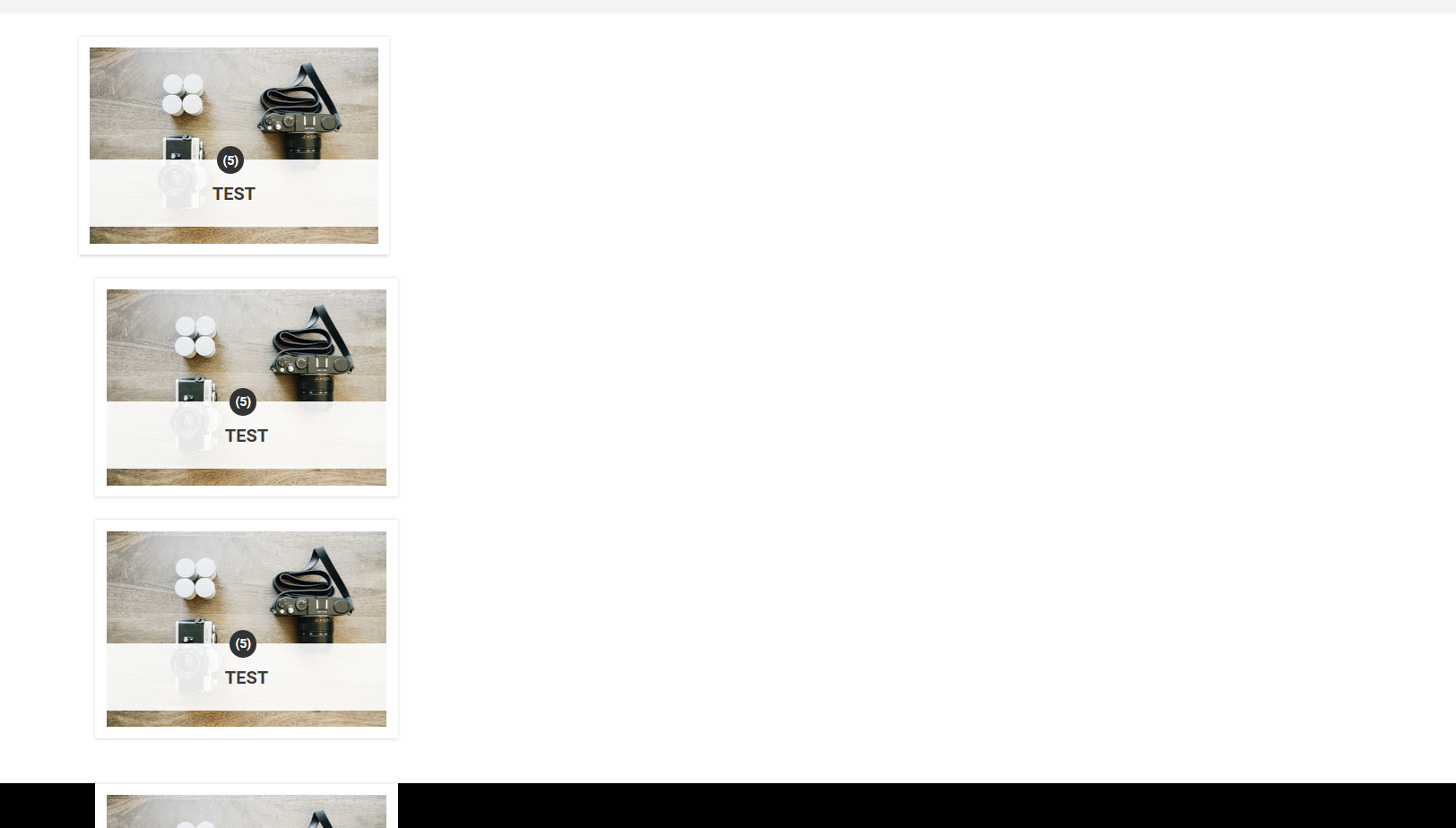
Sorry, one more thing: after the last update, all Category Box elements from VC, instead of going horizontally in the columns, goes vertically. I created a new page to test: https://i.gyazo.com/2b73a16d28e0fbf41365dc53f2c4f9aa.png frontend: https://i.gyazo.com/031aa81b6fd2d12f13fdf47807ea4e26.png do you think it’s just on my site? or is it bug in the update?
i need direct link
I’ve searched the comments and docs and can’t find how to do this..
I would like to replace the wordpress search which displays in moble mode with the CE affiliate front end search, how would I do this? There doesn’t seem to be an option in the theme settings to do this. Many thanks, wonderful theme!
you need to customize searchform.php file of theme
replace all code there with code
<?php echo rh_ce_search_form(array('placeholder' => __('Search Products...', 'rehub_framework') ));?>
Thanks that works great. I have a another question if you don’t mind.
1. Is it possable to display results based on relevence rather than lowest price for the [content-egg-block template=custom/all_offers_grid] shortcode?
all common shortcodes are sorted by price, you can try to use default shortcodes of plugin
Hi,
I think there is a problem with the rh-grandchild-plugin and the header.php file.
If I edit the file header.php on the rehub folder I see the changes on the website. On the other hand, If I create the file header.php inside the folder rh-grandchild-plugin and I edit it, I don’t see the changes.
Is there some type of limitations?
Thank you. Regards
because wordpress doesn’t allow to do this from grand child. possible only from child theme
ok, thx
Hello, I purchased a rehub theme for wordpress and I can’t figure out how to update the 2 woocommerce pages that are out of date…
rehub/woocommerce/single-product/product-image.php version 3.0.2 is out of date. The core version is 3.1.0, rehub/woocommerce/single-product/product-thumbnails.php version 3.0.2 is out of date. The core version is 3.1.0,
i want to know how to use latest text widget ? is that a plugin?how to update it?
just add it from appearance – widgets
Hi again, for BP follow plugin, it automatically sends out an email when someone follows someone but when they click a link in the email, it directs them to WP login page, not your theme login page. And, I definitely don’t want our users to direct to the nasty WP login page. Is there any way to avoid it? thansk man..
I didn’t check, but I guess they must be editable from this place https://codex.buddypress.org/emails/
what do you think about the below code?
add_filter(‘login_url’, ‘custom_login_url’, 10, 3);
function custom_login_url($login_url, $redirect, $force_reauth) { return home_url(’/login/?redirect_to=’ . $redirect); }
don’t know why you need this. It’s useless for your site and will change default login url on site which is already not visible on site
Like I previoulsy said, BP follows sends out a link when someone follows someone else. And when they click the link, it leads them to the wp default login page.
and I want the link to lead them to homepage, not wp default login.
in this case better to redirect on page of woocommerce register/login page.
I didn’t fully understand. how do I do that?
instead return home_url(’/login/?redirect_to=’ . $redirect);
use
return 'your link';