26984 comments found.

Hello,
How to leave a margin on the left in the contact form?
https://www.bellezaactual.com/Thanks.
Hello,
In order to add more spacing to the form, you can add a css margin. Please add this code in the theme panel-> custom css box.
div.wpcf7{
margin:25px;
}
If you have any further questions please open a new topic on our official support forum at http://forum.tagdiv.com/forum/newspaper/ The comments section here is destined for presale questions.
Thank you! Bogdan B
I updated the theme and there was such an error. Please look at this – > https://prntscr.com/hro1sj
Hello,
The bottom container you see is the theme ad spot for that header style. It needs an ad placed in the header. If no ad is used, the container can be disabled by adding this code in the theme panel-> custom css box:
.td-header-style-12 .td-header-sp-recs{
display:none;
}
This will hide the ad spot so if you need a header ad in the future, please remove the code.
If you have any further questions please open a new topic on our official support forum at http://forum.tagdiv.com/forum/newspaper/ The comments section here is destined for presale questions.
Thank you! Bogdan B
Hi! Installed demo theme all looks good but I do not see “mega menu” option in the wordpress menu system. Mega menu is working well in demo install but cannot find any way to adjust mega menu. I see no mega menu settings or options.
Happy holidays!
Hello,
If the option does not appear in the designated area, try it without plugins, as we have encountered plugins that can interfere with the option before. These are untested plugins though. The tested and recommended ones do not cause issues with the theme.
If you have any further questions please open a new topic on our official support forum at http://forum.tagdiv.com/forum/newspaper/ The comments section here is destined for presale questions.
Thank you! Bogdan B
Hello
I am very happy to use the theme. But I have a few wishes and wishes, I think you will help me
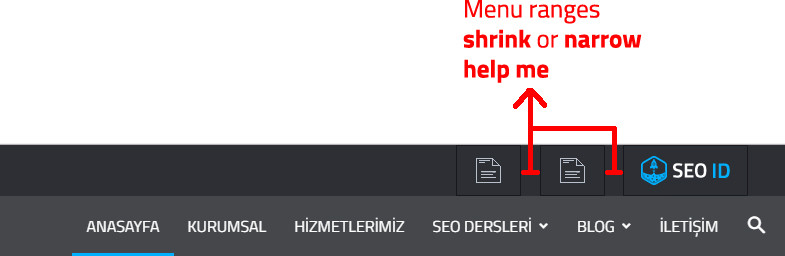
I added pictures to the top menus, but among them there are gaps. I want to delete these gaps.
Examples: https://i.hizliresim.com/yz7Y2j.jpg
Please Help me
Hello,
The top menu items have a margin right of 16 px set from the theme side. If you want to remove this margin, you can use this css code in the theme panel under custom code:
.top-header-menu li a{
margin-right:0!important;
}
If you have any further questions please open a new topic on our official support forum at http://forum.tagdiv.com/forum/newspaper/ The comments section here is destined for presale questions.
Thank you! Bogdan B
Hi, Please Answer my question before you take holiday,
I want to change the logo width to 500px,
so I made some modifications
.td-header-sp-logo {
width: 500px ;
}
.td-header-sp-recs {
width: 512px ;
}
But, every time I inserted the image, it’s width still 284px.
Then I tried this
.header-logo-wrap img {
width: auto;
}
But still not worked,
This is my site -> http://bukamata.co/
Please help,
Thank You
Nevermind, The problem has been solved.
Hello,
On this site : www.lja.fr , i have a problem of compatibility between tagdiv mobile theme and firefox … Can say me why ?
Kind regards.
Hello,
I have checked your site but could not see any issues with the mobile theme on Firefox. It could have been a caching issue that got fixed in the meantime.
If you have any further questions please open a new topic on our official support forum at http://forum.tagdiv.com/forum/newspaper/ The comments section here is destined for presale questions.
Thank you! Bogdan B
I just purchased theme, and I can not use theme panel when using the Child theme and having the TD Multi Use plugin activated. I JUST bought this, I see other comments saying this was fixed in latest version, but I am assuming it has not been fixed since it doesn’t work for me. Let me know what I need to do to fix this.
Thanks!
Hello,
Please update your theme. There was a glitch in the version you have installed that was fixed in the current version. Please update your theme by using this guide: https://forum.tagdiv.com/how-to-update-the-theme-2/) and please also disable and delete the multi-purpose plugin you currently have. Then install it again from the theme plugins section but only after you update the theme.
If you have any further questions please open a new topic on our official support forum at http://forum.tagdiv.com/forum/newspaper/ The comments section here is destined for presale questions.
Thank you! Bogdan B
I have already tried that and I am already running 8.5.1, I just submitted a support ticket to the contact email address.
Ok,
We will look into this matter and come back via email.
Thanks. Bogdan B
Hi there, I would like to register but I get the error: Envato API is down, please try again later or use the manual registration.. IDK how to do the manual registration since the first method is not working any help is appreciated. Also when I am setting up my page on the theme panel, I can’t seem to find a save button for any of my new settings.
Ok this is how I fixed it: The way to manually register it is a link that is found on the bottom of the page where you register, it says manual registration (which worked for me! so im good to go!)
Then to solve the no save button issue, I reinstalled the theme using ftp, it seems to have solved the issue somehow. I found these solutions on their forum, and so I made sure to register and get an account there. Can’t wait to play around with all the options today and have a great looking website.
Hello,
Glad you solved the issues you were facing.
If you have any further questions please open a new topic on our official support forum at http://forum.tagdiv.com/forum/newspaper/ The comments section here is destined for presale questions.
Thank you! Bogdan B
Hi I want to know is there a feature button next and back
Helklo hamzaejj,
Unfortunately, I do not exactly understand what you mean, sorry! Please open a new topic at our support forum here -> https://forum.tagdiv.com/forum/newspaper/ and provide there more information about this case, so I will be able to provide a more accurate response.
Thanks for your understanding!
Catalin L.
thanks and see for understand me https://f.top4top.net/p_722vbtuz1.png
Hello,
If you mean next and previous post buttons, then yes our theme features a next post and previous post option like so: https://www.screencast.com/t/iyWJ85iY1k https://demo.tagdiv.com/newspaper/wordpress-news-magazine-charts-the-most-fashionable-new-york-couples-in-2016/If you have any further questions please open a new topic on our official support forum at http://forum.tagdiv.com/forum/newspaper/ The comments section here is destined for presale questions.
Thank you! Bogdan B
how to change the mobile logo to text according to the size we want by ourselves? or change the mobile logo into a big size if it is displayed on the phone?Thanks
Hello,
The text logo is only displayed on header styles 9, 10 or 11. The font size can be changed with css by using this code:
.td-logo-text-container .td-logo-text{
font-size:80px;
}
and for the sub-menu:
.td-logo-text-container .td-tagline-text{
font-size:20px;
}
Thank you! You can change these values and set them in the advanced css in your theme panel to target the mobile fonts separately.
If you have any further questions please open a new topic on our official support forum at http://forum.tagdiv.com/forum/newspaper/ The comments section here is destined for presale questions.
Thank you! Bogdan B
thanks for the help, i will try it ..
Check out what our customers feel about using Newspaper!
Hello. Put the topic. The updated site looks bad. Everything is crooked. http://timoshenkoblog.ru/
Hello,
Please check again. You most likely did not clear your cache. Your site does not look crooked now.
If you have any further questions please open a new topic on our official support forum at http://forum.tagdiv.com/forum/newspaper/ The comments section here is destined for presale questions.
Thank you! Bogdan B
Thanks for clearing the cache helped. But there was still a problem. Back background does not work. I change all the settings but only the top part is poured as it is now.
Thanks understood. The magic of chat. Wrote and immediately found how to do it.
Hello,
Your account needs to be set to public, not private. https://www.screencast.com/t/roIn0XJdcJx
The Instagram widget cannot login as it does not have an account  It needs public access in order to grab the images.
If you have any further questions please open a new topic on our official support forum at http://forum.tagdiv.com/forum/newspaper/ The comments section here is destined for presale questions.
Thank you! Bogdan B
Oh, sorry. Thank you so much! I understand this and do it.
I am using the WP-PostViews plugin in the previous theme. Where can I get the counter code for the Newspaper theme?
I want to change the codes.
Hello,
Unfortunately the plugin is not tested with our theme so I cannot say for sure why this happens. Our theme already has a post view counter. I’m not sure what counter code you need, but we have no knowledge of the plugin you mention.
If you have any further questions please open a new topic on our official support forum at http://forum.tagdiv.com/forum/newspaper/ The comments section here is destined for presale questions.
Thank you! Bogdan B
I am getting error while uploading images.
i am getting http error while uploading images.
Also why i am able to see images even after permanently deleting it from the media and my file manage. Is this some malware?
Images that gets repeated: https://imgur.com/KQmHUj3
Hello,
Please use this guide to fix the http error when uploading images: http://www.wpbeginner.com/wp-tutorials/how-to-fix-image-upload-issue-in-wordpress/
As for the images still available in your media library, you might have a strong cache affect images. Pleas only use wp super cache and these settings: https://forum.tagdiv.com/cache-plugin-install-and-configure/ There is no malware in our theme.
If you have any further questions please open a new topic on our official support forum at http://forum.tagdiv.com/forum/newspaper/ The comments section here is destined for presale questions.
Thank you! Bogdan B
PFB Screenshot link of the http error.
https://imgur.com/R9OhNYHThe above video is not solving the issue….
Please contact us on our email address at contact@tagdiv.com and provide a link to your site and wp-admin (login information and admin rights) so we can login and investigate. Please also include a link to this conversation.
Thank you! Bogdan B
Hi Team,
I really loved your theme & was struggling to setup the business theme on my blog. but when done it imports all the content.
I am not that technical in hence need your help on setting up the theme. Can you guys help me to setup the theme for my blog?
Regards,
Hello,
Thank you for choosing our theme. We can provide theme support by answering any questions you might have and overcoming any problems you might face along the way, but we cannot provide install services or customization services unfortunately. Our theme documentation can help you better understand the whats and how’s of our theme: https://forum.tagdiv.com/newspaper-theme-documentation/ Please also access our forums as we have many questions answered there and there is a big chance your questions were already answered in other topics. Link to foum: https://forum.tagdiv.com/forum/newspaper/
Thank you! Bogdan B
Thnx.. had figured out the way..
Hi,
I’m a plugin author and several customers of mine use your theme. It’s an awesome theme but it has a bug that has not been fixed for several updates, which causes WP’s CRON jobs not work properly. Could you please fix this in your next update?
Basically, the bug is caused by _schedule_modify_add_three_days function in includes/wp_booster/td_js.php. It misses a parameter which should be called $schedules. Here is the buggy version:
    function _schedule_modify_add_three_days() {
        $schedules['three_days'] = array(
            'interval' => 259200, // 3 days in seconds
            'display' => 'three_days'
        );
        return $schedules;
    }
As you can see, there is no $schedules. After this function is called, registered CRON jobs get erased.
Hello,
Thank you for your suggestion. I will pass this information on to our development team and we will look into this.
Bogdan B
Hi, all my posts content overlap the sidebar. blog.djborhan.com is url
Hello,
Please do not use both visual composer and the tagdiv composer at the same time. Also it is not recommended to use visual composer on posts. Please read this guide: https://forum.tagdiv.com/how-to-use-visual-composer/ Visual composer was never tested for posts.
Thank you! Bogdan B
Hi, I deleted Visual Composer, but same issue
Hello,
Please try to create your posts without the page builder. The visual composer plugin was never tested on posts so certain elements can create such issues as the ones you face. Try to re-create your post without the use of visual composer. If the issue is still there, please contact us via email at contact@tagdiv.com and provide wp-admin so we can login and investigate. Please also provide a link to this conversation.
Thank you! Bogdan B
Hi, the Category header style’s 6 & 8 show that they support images, however, the theme doesn’t seem to support image upload, even when utilizing a category image plugin, and placing the code in the theme files… how is one supposed to add images to the category header styles 6 & 8?? Thanks!
Hello,
The category styles you mention require a background image set. Please use this field: https://www.screencast.com/t/yUYaUMN2m
If you have any further questions please open a new topic on our official support forum at http://forum.tagdiv.com/forum/newspaper/ The comments section here is destined for presale questions.
Thank you! Bogdan B
Haha, how did I miss that?! Thanks!
how i change Travel Guides demo under header menu block background image?
Hello,
Please check this forum topic for a solution: https://forum.tagdiv.com/topic/travel-guide-demo/
If you have any further questions please open a new topic on our official support forum at http://forum.tagdiv.com/forum/newspaper/ The comments section here is destined for presale questions.
Thank you! Bogdan B
Have a few pre-sale questions. 1. I see a lot of questions related to header height. I have the same. I see different answers from you on this. So is there one CSS code or is it based on the header style chosen. And is there a plan to have this in the theme options,as this is one of the biggest things every user tries to do. 2. I saw that buttons cannot be added to the header area to redirect elsewhere. But can code be added to the ad section to make it look like a button instead of placing an ad? 3. Is it compatible with Visual Composer? I read that is is but both visual composer and your page builder cannot be used simultaneaously on the same page. But my question is what if I use visual composer in one page and your builder on another. Is that possible? Is there a conflict with plugin like Ultimate Tweaker, Ithemes security, or Hide my WordPress?
Bruno
Hello,
1. The header height depends on the header style that you use and it depends on the line height you set to your main menu from the theme panel fonts section
2. Yes you can add code to the ad section and make it look like a button if you need such an implementation. Our theme can support non adsense ads when using this method: https://forum.tagdiv.com/using-other-ads-non-adsense-ads/
3. Unfortunately this is not possible as it is only recommended to use a single page builder on your site. Keeping both page builders active will create layout issues as they conflict with one another. As for other plugins, the only tested and recommended plugins to use with our theme are these ones:
WP Super Cache- caching plugin Contact form 7- used to make contact forms bbPress- forum plugin BuddyPress- social network plugin Font Awesome 4 Menus- icon pack, supported in the theme menus Jetpack- plugin with lots of features *it may slow down your site WooCommerce- eCommerce solution WordPress (Yoast) SEO- SEO plugin Wp User Avatar- Change users avatars WPML – multilingual plugin
Anything beyond this list is not tested and I cannot say for sure if it will work or not.
Thanks. Bogdan B