38439 comments found.

When I try to click on the general styling I get an “Error 503. Service Unavailable” Can someone please help with the issue. Thanks.
Hey daisymunoz, have you reached out to your hosting company in regards to see if they can shed light? Something might also be getting documented in your server error log that could help pinpoint what’ss causing that for you.
yah i got in touch with my hosting, and they seemed to have fixed the issue. thanks for the tip!
That’s great to hear daisymunoz 
Ho do I achieve transparent header on mobile?
Hey syncnd,
The only way to achieve this would be to use the “Header Permanent Transparent” option in the Salient options panel > header navigation > transparency tab
Cheers
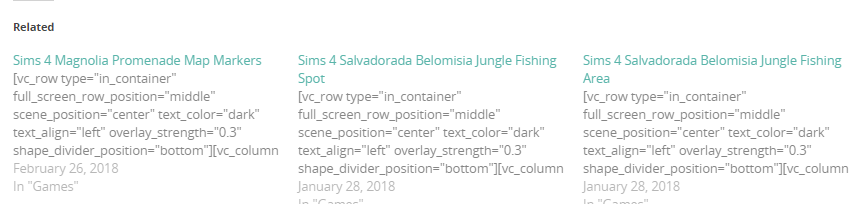
Hey guys! Was just wondering how I can stop the code being shown, when the related posts are shown. https://i.gyazo.com/78b6f52f6388c3b39ebc71c31f0859b8.png
Hey Shillianth! The related posts functionality offered in Salient via the Salient options panel > blog tab already removes shortcodes – are you using a third party plugin to generate those?
Hey, When I’m using Facy Box parallax hover, it displays correctly on firefox, but on chrome it gets huge, like a fullscreen section. How can I fix it?
Nevermind! I solved it reading another comment.
Hey yacoalioi, I’m glad to hear you’ve sorted it
Cheers
I’ve noticed that on the Recent posts short-code the “nectar-recent-posts-single_featured parallax_section” display has a slight parallax effect on it. Is there a way to disable this?
Hey tmanschap,
add this into the custom css box in your Salient options panel:
.nectar-recent-posts-single_featured .nectar-recent-post-slide .row-bg.translate {
   transform: none!important;
}
Cheers
Perfect! Thanks!!
You’re welcome
Hi there,
Pre sale question.
Is it possible to do a top-header above the main menu? Here’s my design: https://d.pr/i/CXwlcV
Thanks
Hey IronTemplates,
In the Salient options panel > header navigation > layout related tab there’s a field for “Header Secondary Nav” that can provide something similar
Cheers
Thanks in advance, Hernan B.
Hey WeboCreativo,
add this into the custom css box in your Salient options panel:
.nectar-recent-posts-single_featured .nectar-recent-post-slide .row-bg.translate {
   transform: none!important;
}
Cheers
how do you update salient visual composer, the downloads from themeforest are giving me 5.2.4 – thx
Hey steveok, that is the current version provided by Salient – we’ve added in the fixes from the later release wpbakery has put out, and a big update to the page builder is coming shortly (where the version will be bumped)
Hi guys,
For WooCommerce “on sale” products. Is there a div that goes around the entire product that I could style (rather than just the .onsale sticker?).
I am wanting to get a setup like this – https://www.woolworths.com.au/shop/browse/meat-seafood-deli/lunch-box with a red box around the whole product in the archives. I can style the onsale sticker, but no way to target the whole product if it’s onsale?
Hey Sean
add this into the custom css box in your Salient options panel:
.woocommerce ul.products li.product.sale {
    border: 2px solid red;
}
Cheers
Hello any idea why my website is all mess-up? http://damianchlanda.com/
Hey Fixedman, can you kindly explain what you mean specifically? I’m not noticing anything off about that page – if you’ve recently updated, have you tried to clear your browser cache?
Cheers
Hi!
I have two problems with the display of my portfolio. It’s in a 4 column layout, style ‘Meta below thumb w/ links on hover’. Both problems are regarding the titles of the projects below the thumbnails.
1. The line height is too narrow, and always the same, whatever the value I define in heading 4. Changing the font size works fine.
2. Titles are broken of in a strange fashion. A title like Uitleganimatie ‘Zuivere Koffie’ appears below the thumbnail as follows:
Uitleganimatie ‘Zuivere
Koffie’
However, there is plenty of space right from ‘Zuivere’, so it looks weird breaking this line of.
Any insights would be appreciated.
Jochem
Hey Jochem!
Could you please share the URL where I can observe these two issues so I can assist?
Cheers
Hi ThemeNectar, thanks for your reply. I’m developing my site local, but I will put it live tomorrow, and mention it here when I’ve done so. Jochem
Thanks for the update
ok, site is live now, and portfolio is at http://www.tweebeeld.nl/werk/ thanks, Jochem
Hey jochemvanderheide,
add this into the custom css box in your Salient options panel:
body .portfolio-items .work-meta {
    width: 100%!important;
}

html body .portfolio-items .col.span_3 .work-meta h4 {
    line-height: 22px!important;
}
Cheers
that’s great! THANKS so much ThemeNectar!
Glad to hear jochemvanderheide
Using the page header image, if I don’t fill the Page Header Title I can’t display the title. Thanks
Hey trexya,
This is the default functionality, as some people just use the BG area for an image – Are you trying to auto insert the title into that area?
Cheers
Yes
Hey trexya,
You’d need to copy the “nectar_page_header” function from the functions.php into a child theme functions.php file and then alter the line:
$title = get_post_meta($postid, '_nectar_header_title', true);to be $title = get_the_title();
Cheers
quick question: I’ve this row which is nice on desktop, but on mobile it’s getting in front of my nectar slider. I added this custom css: @media only screen and (max-width: 690px) { .page-id-10 .col.span_12.left { margin-top:80px !important; } }
But now there is a grey row on top (above my slider). Any idea how to fix this?
Thanks in advance!
Hey Abbenhues!
Try switching to the “material” skin in the Salient options panel > general settings tab
Cheers
Hi there, thanks. Unfortunately it made no difference. Can we do anything else?
Hey Abbenhues, i’m still seeing the ascend skin active – could you kindly switch it back to material so I can see why it’s not correcting it for you?
Thanks
Hi there, I changed it to Material now:) thanks!
Hey, i’m no longer seeing a gap on mobile – have you tried to clear your browser cache when checking on your phone?
Cheers
Hi, I tested on Safari and Chrome and there is still al big gap on mobile. I cleared cache as you asked.
Hey Abbenhues, please ensure that you’ve removed any custom css from adding additional margin – i’m seeing this being output:
@media only screen and (max-width: 690px) {
.page-id-10 .col.span_12.left {
    margin-top: 80px !important;
}
}
Hi! Thanks, I removed the CSS but my problem is, is that on mobile my row is getting in front of my nectar slider. You can see it now. Otherwise I can send you screenshot. Thanks
Hey Abbenhues,
You have -140px margin set on that row, which won’t work responsively – to fix it, change the value to something percent based e.g. -10%
Cheers
Hey ShinyPixel, please share your URL in regards so I can take a look to assist
Thanks
Hi, I’m seeing this on my wordpress dashboard header:
Your theme (Salient) contains outdated copies of some WooCommerce template files. These files may need updating to ensure they are compatible with the current version of WooCommerce. You can see which files are affected from the system status page. If in doubt, check with the author of the theme.
What does this mean?
Hey doriansuarez, WooCommerce recently released an update and this wanring started showing – the file that Salient provides that’s a version behind the WooCommerce one won’t cause any negative effects on the setup, but we’re releasing an update this weekend to clear the warning
Hi guys! Awesome theme… I’m working on a site and am confused why the text is spilling over into the columns beside it (it’s not dropping down, but instead spilling over into the next column – leaving a messy line of text over text over text)...
Thanks ryan_seale!
Could you please share the URL in regards where this is occuring so I can see why that might be happening?
Cheers
Hi, I would like to use some of the new features in the latest theme but I keep getting this error when I try to update: “Update Failed: Update package not available.”
I am currently on version 8.0.2
Hey MG-Skylar,
Are you trying to update via the Envato Market plugin? It’s possible their API was temp down when you tried – have you tried to directly download and upload as covered in the “Downloading/Reuploading” section here: http://themenectar.com/docs/salient/updating-salient Cheers
I was able to do the re-upload option but it completely broke my website. I am now getting the error:
“This page isn’t working themarketinggarage.ca is currently unable to handle this request. HTTP ERROR 500”
This is much worse, please help me fix ASAP.
Please open a private ticket in regards with your FTP credentials as something might have been moved to the wrong location as the /wp-admin section also is showing the same error (internal server error) and that should not be possible from simply swapping/updating themes https://themenectar.ticksy.com – please let me know here once you’ve opened it
Thanks
How do I change the Mega Menu Font size? Specifically for the column heading. I want Montserrat with it being bold and a larger font than the menu items below it. thanks!
Hey cjcombs,
You can use the “Sidebar, Carousel & Nectar Button Header Font” field in the Salient options panel > typography > Nectar Specific elements tab
Cheers
I have tried that and it doesn’t seem to work. See screenshot here: https://www.eleviamedia.com/images/titleMegaMenu.png
Hey cjcombs, could you kindly share your URL in regards so I can take a look?
www.eleviamedia.com
Hey cjcombs,
I’m seeing the following being set from the options panel typography for that field:
font-family: Roboto;
text-transform: capitalize!important;
letter-spacing: 0;
font-size: 15px;
font-weight: 400;
What values do you have set on your end?
Cheers
my web page does not load and it is done with its template and I want to remove it (A site-wide Call to Action Section! Have you fallen in love yet? BUY THIS THEME!) that appears on the main page of each topic
Hey amadorsi,
1. Please share your URL in regards so I can take a look
2. In the Salient options panel > Call to action tab you can remove that CTA text
Hey amadorsi,
Is there a specific browser that it’s not loading for you on? https://imgur.com/a/vhHtN
Cheers
Hi—can you point me in the right direction as to how I can get numerical pagination at the bottom of my blog section versus left and right arrows?
https://thefictionstoryroom.com/watch-fiction-stories/What setting needs to be done?
Hey JayCarver,
In the Salient options panel > blog > functionality tab see the “Display Pagination Numbers” option
Cheers