26687 comments found.
Hi everyone, I need help to make “Autoplay Horizontal Timeline” , please anyone can help with maybe ideas what to custom css ? thank you so much 
Hi,
There is no such functionality. You could try to edit JavaScript function for this element on your own, but please, note it cannot be done with custom css.
Qode
Hi there, a lot of people already asked you to change the way the alt-tag for the logo-image is hardcoded… any news when you will solve this problem?
Hello,
Logo image is using ”Logo” alt tag by default, and this cannot be changed at this time from theme options so only way to change it is to make change in theme files, and our support can point you in right direction. Please contact them regarding this by submitting a ticket at https://qode.ticksy.com/
Qode

Hi, I am having problems with logo, it is not showing. I have latest wordpress version and latest theme version.
Hello,
Please, send us here your site URL. Thanks
Qode
I’ve try everything,but it is not working, it is little frustrating. I also try to change header type and logo only show when it is sticky header when you scroll…
Hello,
Yes, we cannot access site because of maintenance mode. Please, check in Qode Options > logo if you added your images in all Logo fields.
Qode
yes I added all images in all logo fields. also when I try to add some animation to column, then everything in that column disaper and showing only blank space.
can you please tell me what should I do, this is big problem…
Hello,
Please, submit a ticket at https://qode.ticksy.com and include your site URL with wp-admin access and our agent will investigate.
Best, Qode
Hello, I cant submit ticket becaue my support has experied. Sorry but I will not extendede it becuase I alreday purchesed bridge theme 2 times and havent used them for a time, and now when I want to use it again I am having problems with such a basic thing as logo. This is not my default it is some bug or something like that.
Hello,
Ok, please, send us email here support@qodeinteractive.com and we will check if it is related to our theme. Thanks
Qode
Hello, I need to change to PHP 7.1 (instead of PHP 5.6), but it seems the Bridge theme isn’t running on PHP 7.1 (it gives me an error). Anything I can do?
Hello,
Actually, Bridge is working fine on PHP 7.1 or greater. So, please, if you are facing any issue, submit a ticket at https://qode.ticksy.com/ and include your site URL with wp-admin access and our agent will gladly assist you to setup your site within our theme.
Best, Qode
Ok, thanks. Will do.
You’re welcome! We located your ticket and it is assigned to our agent who is working on it.
Qode
Hello.
I currently have Left menu activated. Set to transparent at both Options and Page level. However, when I scroll slightly. the background of the left menu changes. I have not set it to a colour but it turns white. I have gone through past comments but nothing works. I dont even want the homepage to scroll.
Hello
Please, check this screenshot https://www.screencast.com/t/epU4nYtak1B So, you should type transparent in Left Menu Area Background Color field, and for Enable transparent left menu area set Yes.Best, Qode
Hello,
I’ve choosed to start my site using your “Crossfit” theme but I would like to change the menu section for the one you use in the “Child Care” theme, is it possible?
Thank you!
Hello,
Thank you for choosing Bridge. Please, reach our support team at https://qode.ticksy.com and include your site URL with wp-admin access and they will gladly help you to setup your site within our theme.
Best, Qode
how is there some kind of pop up, sticker , banner pop up in BRIDGE greetings snowbird
Hello,
We do not have pop-up forms included, but you could use any plugin for this purpose.
Greetings, Qode
Hello,
The contact page on your demo site http://bridge9.qodeinteractive.com/contact-us doesn’t work correctly:
After submitting the form (clicking the button “send”) there is a page reload and a strange URL (appendix to the URL) appears too. This happens for valid form submissions (“green”) and for wrong form submissions (“yellow”):
1 – valid submission (green) > https://www.screencast.com/t/b1HVfNTLNNR
2 – wrong submission (yellow) > https://www.screencast.com/t/QTBe4fdzM
Actually, the page “Contact” shouldn’t be reloaded upon form submission and the URL of the page shouldn’t be changed neither.
Please note, that other contact pages – for example http://bridge129.qodeinteractive.com/contact-us – work normally. This page “Contact” has neither a page reload nor an appendix to the URL after the form submission.
So what is the difference here and how to solve this issue please?
Thank you!
Hello there,
We have tested CF on above-mentioned installation and everything is working as expected, we have just made one video so you could check it https://www.screencast.com/t/jrHcFQdNsSmq If you are facing any issue on your side, please, submit a ticket at https://qode.ticksy.com and include your site URL with wp-admin access and our agent will gladly investigate and try to help you there.Best, Qode
Thanks for your reply.
We don’t use the Flash Player anymore and we don’t have Flash installed in our browsers. Therefore, unfortunately, we can’t see your video.
However, please open any other page of this demo site at first (e.g. homepage) and only afterwards go to the “Contact” page. Then submit the form. Thus you can reproduce the issue.
This issue can also appear, if you submit the contact form more than once (several times).
Hello,
Please, note you are able to to allow Flash Player on browser in order to view video we recorder where we are doing exactly what you are stated in first comment. But we are not able to reproduce the same on our side. If you are still facing this on your side, feel free to reach our support team at https://qode.ticksy.com and include your site URL with wp-admin access so we could take a closer look. Thanks
Best, Qode
Hello Qode Team,
We’re sorry to write you again.
So we did and created a video with your demo # 9 too ==> see link below
Here you can see the following situation: After submitting the contact form there is a page reload and a strange URL (appendix) appears.
This happens not only in our installation, but on your demo site too.
Moreover, it happens in various devices and browsers.
What is the reason and how to solve it?
Thank you
Hello,
Thank you for this explanation. We need to ask you to open a ticket at https://qode.ticksy.com and include your site URL with wp-admin access so we could check this closer. Thanks
Qode
The support period has been expired for this license and a ticket can’t be created anymore (ticket is rejected).
But it’s registered via the Envato Market Plugin to prove a valid license.
What do you advise in this case please?
Hello,
Feel free to reach us here support@qodeinteractive.com and provide us with purchase code in your email message.
Qode
Hi, My website in on GoDaddy Business Hosting. They have just updated the hosting from Easy Apache 3 to Easy Apache 4.
Wp Bakery Page Builder stopped working due to this update. When I enable a different theme, WP Bakery Page Builder works. But When I re-enable Bridge, it stops working.
Please help!
Hello,
Try to follow instructions from this article: https://qode.ticksy.com/article/11730 If the issue persist, please, open a ticket at https://qode.ticksy.com/ and include your site URL with wp-admin access and our agent will gladly investigate and help you there.Best, Qode
Hello,
I have a problem with Google Maps: the map is showing Australia. The API Key is correctly inserted and our website inserted among the referral.
I read many comments of users having the same issue, our theme is updated and everything’s fine.
I would like to know if I need to buy support only for this, because it looks like to be a problem not depending from us.
Please let me know because every time I have this problem with Bridge. Thanks!
I solved it by myself, thanks anyway 
Glad to hear this has been sorted out. Thank you for the update!
This theme is so good and effective BUT some things are just missing…I dont know why those things are deactivated because with the same plug-in its works with other themes…let me do a few lilts that I can remember 1. I cant edit on front end, only classic mode is available and yet this theme uses WPBakery Page Builder 2. I can’t hide a row!!! 3. Lots of things missing in row settings 4. no “Custom Heading”
those are the few I can remember…can you please allow us to use the full functions of WPBakery on this theme? it will make it lots better.
Thank you anyway
Hello,
Glad to hear you like Bridge. Please, reach our support team at https://qode.ticksy.com/ and include your site URL with wp-admin access for any question like this https://qode.ticksy.com/ Our support team will explain you how we integrate WPBakery page builder in our theme and what could be done. Thanksbest, Qode
Hello, I wanted to ask if you can make the TAG clickable to bring the user to view all the portfolios with the same tag?
See screenshots https://www.dropbox.com/s/pv61ict1i5ouzz5/tag.jpg?dl=0
I would like to make both tags and categories clickable
Hello,
It could be done, but it requires modification of our code. If you want you could do that on your own, since something like that is out of our support scope.
best, Qode
When I click EDIT PAGE from wp-admin, I get white screen of death with error “This page isn’t working xx.xxx.xx.xxx didn’t send any data. ERR_EMPTY_RESPONSE.” As soon as I disable Visual Composer – I’m able to edit pages. I tried the solution suggested below but it’s not working.
https://qode.ticksy.com/article/11730Hello,
This is most probably server related issue, and if the solution from article is not working well, then please, contact our support team at https://qode.ticksy.com/ and include your site URL with wp-admin access so we could investigate. Or you could try to contact your hosting provider to investigate. Thanks,
Qode
My support has expired
This problem is on all my websites that is using visual composer. Visual composer on other themes work. SO the problem is with visual composer and your theme
Hello,
Please, reach us here support@qodeinteractive.com and include your site URL with wp-admin access so our agent could investigate.
Qode
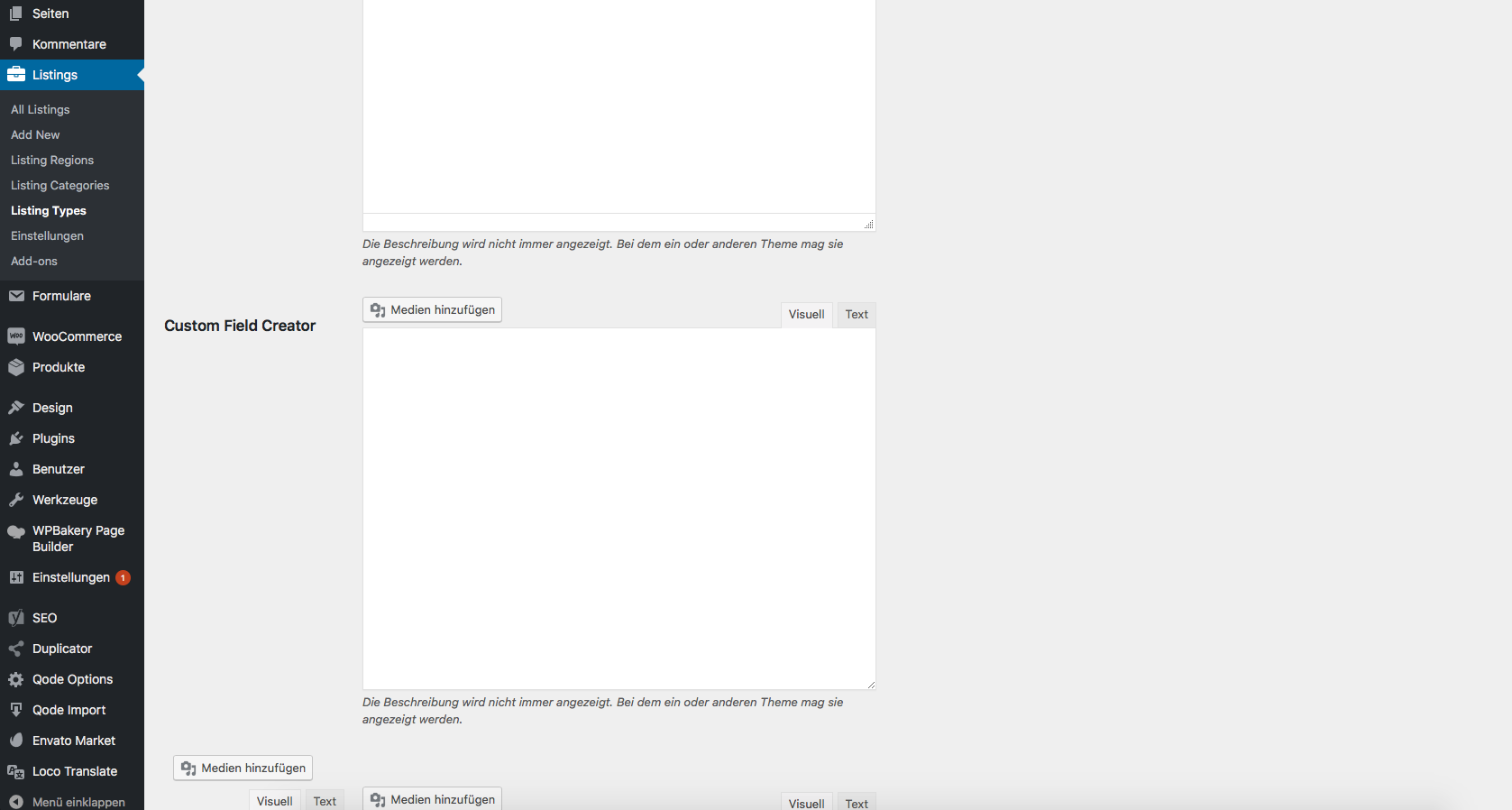
Hello there I think there is a mistake in the listing. I can no longer select icons in “types”, is that possible? Many thanks
Hello,
In listing type you are able to set Icon for each Amenity https://www.screencast.com/t/ZDBZhJXEr4
Best, Qode
Hello,
And after this custom field creator you’ll see amenities part. If you need further help, please, reach our support team at https://qode.ticksy.com/ and include your site URL with wp-admin access.
best, Qode
hi, I have a question regarding the header, how can I have the logo left aligned with the menu below. I’d ideally want to keep the 2 widget areas but would need the left one to become the center one. is this possible? thanks.
Hi,
You could choose Fixed Advanced header type in order to achieve that kind of layout https://www.screencast.com/t/yOxkvJK9X4os
Best, Qode
Hi I’m using sticky as i dont like the sticky menu having to hover over before you see the menu. is there any way to do this with the sticky header type.
Hi,
In that case try with Sticky Expanded type of header.
Best, Qode
Hi, I tried sticky expanded but even then there is no option to set the logo location, this is what i mean if this makes it easier to understand https://www.dropbox.com/s/oqcmw6ilnb75pst/layout.jpg thanks.
Hello,
Maybe you could achieve that with this type of header. There will be rendered Header Bottom Right widget area, so maybe you could add whole content inside this area and using custom css to customize it a bit to have central and right part.
Best, Qode
yes that could work, my only question is how can i keep the logo to the left with the menu below. the menu only sits below if the logo is centered. thank you.
Logo will be on the left if you set No for Center Logo https://www.screencast.com/t/yiZgE9mD2506
Best, Qode
Hey Already asked but can’t remember … how to make header menu full width ? I have a problem of some menu item who are on two lines on smalls screen. Thanks!
Hello,
In Qode Options > Header for Header in Grid choose No like here https://www.screencast.com/t/iahxFIGMo5
Best, Qode
Hey, thanks! But i’m already on NO. I added some css but as you can see, menu is on two lines : https://snag.gy/2NwKOT.jpg
css
@media only screen and (min-width: 1200px) and (max-width: 1800px){
    nav.main_menu>ul>li>a {
        padding: 0 11px;

    }
}
@media only screen and (min-width: 900px) and (max-width: 1200px){
    nav.main_menu>ul>li>a {
        padding: 0 8px;
        font-size: 10px;
    }
}
@media only screen and (min-width: 700px) and (max-width: 900px){
    nav.main_menu>ul>li>a {
        padding: 0 8px;
        font-size: 10px;
        letter-spacing:0;
    }
}
And this is my header setup : https://snag.gy/PYWZ1k.jpg
Thank you!
Hi,
Please, provide us with your site URL and we will try to help you.
Best, Qode
You must be logged in to acces the website. May i send you credencials? Which mail plz?
Hello,
Please, submit a ticket at https://qode.ticksy.com/ and include your site URL with wp-admin access and our agent will gladly check this closer.
Qode
Hi I uploaded music magazin demo as main demo. then I uploaded all the plugins I need for city listing demo. How can I upload now the city listing content (whitout loosingmusic magazin demo), so that I can make a webiste with the elements of music magazin and city listing? thanks for hepl snowbird
Hello,
Please, reach our support team at https://qode.ticksy.com and our agent will gladly assist you there.
Best, Qode
Hello, I’m waiting already 2 days for a reply on a simple question in the customer support. When can I expect and answer? Thanks!
Hello,
Sorry for waiting a bit longer.
Your ticket is assigned to our agent who is working on it right now.
Best, Qode
When using the left menu, the logo doesn’t link back to the home page like all the other menu options. Is there something we can do to make this link properly?
Hello,
There is link also around logo image in Vertical Header area, so please, submit a ticket at https://qode.ticksy.com and include your site URL with wp-admin access and our agent will gladly investigate.
Best, Qode
Helou!!
i have a problem with this template, I cant edit any page!!!! when i get to home page and click to edit page, the following message appears:
This page isn’t working didn’t send any data “ERR_EMPTY_REPONSE”
I have tried install and uninstall the theme and deactivating all plugins, and actived one by one, and the the plugin “WPBakery Page Builder” is the one that causes the error. if i not activate, allows me to enter page edit mode. what can i do here????
i download the last update of bridge, and i have the wordpress version 4.9.7, and the plugin of WPBakery Page Builder is the 5.5 version.
help please 
Hello,
Please, just follow this article in order to solve this issue that is related to low resources on your server:
https://qode.ticksy.com/article/11730Everything should be working well then.
Best regards, Qode