23251 comments found.
Hello.. I have noticed something wierd with the infinite scroll on mobile. It does not start loading more items unless you stop scrolling just at the end of product loop, then it loads the loader icons in just a few ms.
So if i scroll up and down and do not stop with the latest loaded product it will not load new items. It has been no problem if the loader icons did appear as then visitors will understand that something there to wait for.
Hi,
Can you please send us the screenshot or any video of the issue for better understanding so I will forward it to the development team to solve this issue in new theme update.
Thanks.
Hello… Sorry for the late respons. I do not have an option to make a video and a screenshot will actually not show what is happening so i will try to explain a little better.
In my mobile (Iphone) when i scroll down in any archive page the infinite loader icons does not appear unless i stop the scroll exactly over the area where it is supposed to appear. At the moment i stop scrolling the icons appear and new products starts loading immediately.
But if i do not stop my scroll in that area and continue to the footer area and even up to top again the loading of new products does not start.
You can best see it here: https://www.arctic-fritid.no/produktkategori/friluftsliv/ Then scroll down til you see the text, “PRODUKTER DU HAR SETT PÅ”
Use your mobile and scroll upp and down in that area, you will then see that as long you scroll(move the sreen upp/down a little) the loader icons will not appear and new products will not be loaded, but as soon as you stop it starts loading in just a few ms.
Also tested this in my staging site on a new clean install, all plugins deactivated but the issue is the same.
Thanks Rune
Hi,
Yes, you are right, this is because on the mobile until you should not leave the screen untouched the next JS code or next query will not fire and not loading the products, suddenly when you pick the finger up from the mobile screen the new JS query or code fire and the icon is loading the products. So, this is not the error or issue. When you will check this with the default any other theme which have infinite scroll you will see the same behavior.
This is the infinite scroll default functionality or behavior not the theme related.
Thanks.
Ok, but sounds a little wierd as my own ajax call for populare products, related products and recently viewed products fires and loads the products no matter what you do. You can scroll, hold your fingers on the screen or whatever, it loads anyway. Anyway, its no big problem. Thanks

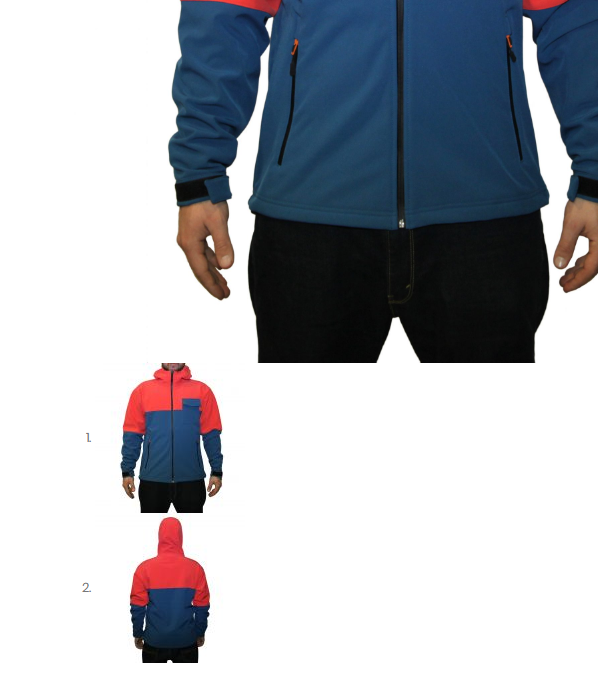
1 How can i fix the image gallery with CSS code?
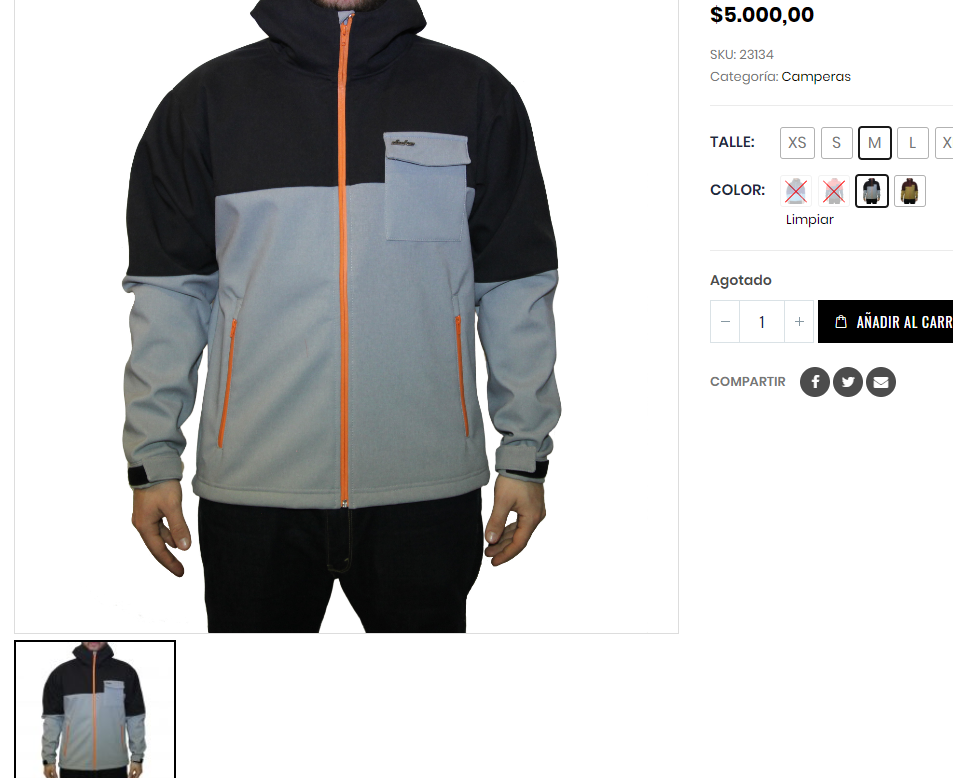
https://i.gyazo.com/15b57911af4856ebd3d3885501cff162.png2. Is there a way to show product variations in the shop page?
Hi,
Actually the screenshot you are referring is the single product page image thumbnails screenshot, and those are not aligned horizontally because of the third party plugin conflicting issue so please try once after deactivating all the third party plugins and check your site after removing the server, site and browser cache hope you will not find an issue and you can also set it with the help of Custom CSS if you want but it will not look perfect because it is the slider which includes JavaScript and, JQuery as well so you have to do Customization for making it works with the third-party plugins.
And sorry to say that there is no option in the theme for showing product variations in the shop page.
Thanks.
hi sir, i submit ticket now solve that issue . theme as been installed on my wordpress. But now i am doing changing in your demo theme. some time my changing effecting on theme . one time i logout and again refresh , then color has changed , but again a logut panel . color has gone. i think there is some caching problem. and also i clean my browser , please tell me exact solution
Hi,
Now please be patience as Our business hours are Monday to Saturday – from 12:00 AM to 08:00 AM EST so once your ticket will resolved you will get the reply of your ticket until that please be patience.
And yes the issue you are facing is because of the cache and the best practice is to always deactivate the cache while you are in the development process. So please ask your hosting provide to remove and deactivate the server cache from your site and then you also have to remove the site and browser cache hope you will not find an issue.
Thanks for your understanding.
sir its not fully Customization , i bought, , because your right in description its fully customization , i can’t find lot of function i want to change. like color . most important for me . and header also . and sticky header .
Hi,
The theme is fully Customizable and you can easily change the color from Appearance >> Theme Options >> Skin as per your requirements and also you can change the elements color as per your requirements by editing those elements as well, please read the theme documentation here: http://www.portotheme.com/wordpress/porto/documentation/
Thanks.
i have disable the product ratings and it still appear in product page. i go to woocommerce > settings > products > untick the enable product reviews. any part that i missing?
Hi,
It is surely the cache issue at your end so please check your site after removing the server, site and browser cache hope you will not find an issue.
OR
You can also use the Custom Css for hiding/removing stars as given below:
Please copy and paste the below given CSS code to Appearance >> Theme Options >> Skin >> Custom Css.
.single-product .woocommerce-product-rating .star-rating span::before, .star-rating span:before { display: none !important; }
Otherwise please contact us through our support system with your site Admin Login details so we will check and solve the issue for you.
Thanks.
okay, already create new ticket, thanks.
Hi,
Now please be patience as Our business hours are Monday to Saturday – from 12:00 AM to 08:00 AM EST so once your ticket will resolved you will get the reply of your ticket until that please be patience.
Thanks for your understanding.
Just writing this in case anybody else has the same problem. I had PCLZIP_ERR_BAD_FORMAT (-10): Unable to find End of Central Dir Record signature problem while updating plugins and fixed it by applying the license again.
Hi,
Sound’s Great!
That you have managed to solve your issue by yourself.
And sharing the solution with other customers 
Thanks.
Hello,
http://prntscr.com/kpdf3d http://prntscr.com/kpdf84How can i change these triangle’ s colours?
Thanks
Hi,
Please copy and paste the below given CSS code to Appearance >> Theme Options >> Skin >> Custom CSS and change the color value as per your requirements.
.section-custom-construction .container:before {
    background: green none repeat scroll 0 0 !important;
}
.section-custom-construction .container:after {
    background: yellow none repeat scroll 0 0 !important;
}
@media (min-width: 992px){
.section-custom-construction-2:after {
    background: blue none repeat scroll 0 0 !important;
}
}
Thanks.
hi sir , i just buy now . this theme and i install , when i go to active button i am getting this error on page. please check . Parse error: syntax error, unexpected ’.’, expecting ‘)’ in /home2/caronicc/public_html/shoaib/wp-content/themes/porto/inc/plugins/plugins.php on line 24
Hi,
The issue you are facing is because of the PHP version, Your site is using the PHP version below 5.6 which is not compatible with the theme so you have to change the PHP version of your site to minimum 5.6 and also please make sure that your server requirements must meet the latest theme minimum requirements as given in the theme documentation here: http://www.portotheme.com/wordpress/porto/documentation/
And please try to upload the theme via Cpanel again as showing in the Complete Video Installation Guide of WordPress here: https://www.youtube.com/watch?v=U6mqyuDF4GY&feature=youtu.be
Hope you will not find an issue if yes then please contact us through our support system with your site WP and Cpanel Login details so we will solve it for you.
Thanks.
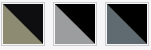
I want to create color product variations with combined colors, for example: Black & Red, if i want to create this with an image, not just the tag, what i have to do?
Example: https://i.gyazo.com/9eb96fde1f2b48804ae1d92e5e0d2f13.png
Hi,
As you know that we have used the WooCommerce plugin in our theme and by default WooCommerce has not any option for color or image swatches so you have to use any third party plugin. I have searched and found some which will helpful for you in your case.
1. https://wordpress.org/plugins/variation-swatches-for-woocommerce/
2. https://wordpress.org/plugins/color-or-image-variation-swatches-for-woocommerce/
3. https://wordpress.org/plugins/woo-variation-swatches/
4. https://docs.woocommerce.com/document/woocommerce-color-and-image-swatches/
Thanks.
Thank you for the answer.
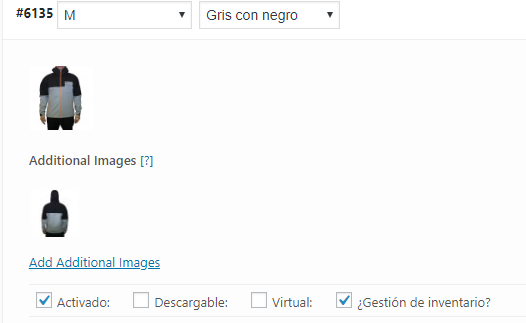
Another issue: The plugin Additional Images for WooCommerce doesnt work, the images not displaying with Porto, can you help me?
https://i.gyazo.com/e3fd4e7d7fcfe87762cac23c4c0faf06.png https://i.gyazo.com/6bf8adfd900be5b7f04e5e467adae19c.pngHi,
Sorry to say that but this is the third party plugin issue so it’s better to contact plugin author and ask him to make compatible the plugin with the theme and solve the issue for you.
Thanks.
I’ve done a new Slider, and when I’ve tweaked it, it does not modify, what’s the problem.
THNAK YOU << EDIT NOW
Sound’s Great!
That you have managed to solve your issue by yourself
Hi! How can I change or replace Social share for my own? For example, I want to add this button (URL) http://connect.ok.ru/dk?st.cmd=WidgetSharePreview&st.shareUrl=%post_full_url%
Hi,
You can find all the possible social share icons/options into Appearance >> Theme Options >> Social Share >> Enable the share which you want to.
If you want to add your own social share then this requires Customization there is no option in the theme for that.
Thanks for your understanding.
I know that.. And how to create your own button? I need to add this link here https://ok.ru
Hi,
Can you please tell me where you want to add the button? In header, footer or anywhere else? Please send me the screenshot of the position then I will give you the file name where you want to make changes.
Thanks.
need a button under the product. how do you send screenshots?
Hi,
Sorry to say that you can not show the social share button under the products. There is no option in the theme to do that.
For paid customization, please contact our customization support team through email here: nicework125@gmail.com
Thanks for contacting us.
Have a nice day
Hello, I use header 13 on your theme ( http://tezen.eu/ ) and would like to use an Icon for the minicart instead of the text. Is it possible? I tried allready this code: #mini-cart .minicart-icon:before { content: ”\f217”; font-family: “FontAwesome” !important; } But it has no effect.
Thank you
Hi,
Please copy and paste the below given CSS code to Appearance >> Theme Options >> Skin >> Custom CSS and check your site after removing the browser cache.
@media (min-width: 992px){
#mini-cart .minicart-icon {
    display: inline-block !important;
}
}

.cart-subtotal>.woocommerce-Price-amount{
    visibility: visible !important;
}

.cart-subtotal{
  visibility: hidden;
}
Thanks.
Hi, that worked. Thanks for the great and fast support. Any Idea how I can also include the icon with the number of items in the cart? thx
Hi,
Please copy and paste the below-given CSS code to Appearance >> Theme Options >> Skin >> Custom CSS and check your site after removing the browser cache.
@media (min-width: 992px){
#mini-cart .cart-items {
    display: block !important;
}
}
Thanks.
worked. great support. Thank you
Most Welcome
Hello, I’ve installed the theme but I don’t have the menu “import demo” on the “options theme” part…
Hi,
Please go to Porto >> Setup Wizard >> Install Demo. You will find the Demo Import section there, please see the complete video Installation Guide of Porto WordPress here: https://www.youtube.com/watch?v=U6mqyuDF4GY&feature=youtu.be
Thanks.
Thanks but now the demo doesn’t want to unzip. We follow the instruction for server and choose the alternative import.
Hi,
Please make sure that your server PHP has zip option enables, if no then please ask your hosting provider to enable it on your site, this is your server issue, and also please ask your hosting provider to remove all sorts of restriction from your account in order to communicate your server with our internal server.
Hope it will help you in solving your issue otherwise please contact us through our support system with your site WP Admin and CPanel Login details so we will check it for you.
Thanks.
Ok looks like I can’t create the child them trough the set up wizard. If I dupplicate the original theme through FTP and name it after porto.child , it would work ?
Hi,
No it will not work because child theme is the name of the single function file, Child theme only Includes in it function.php file and if you wants you will modify the child theme as per your requirements.
Can you please contact us through our support system with your site WP Admin Login details so we will check and solve the issue for you.
Thanks.
Hi, I can’t connect to the support system… I asked a new password but never received the mail…
Hi,
Please provide us your product purchase code via our email: newsmartwave@gmail.com so we will verify and create a support account for you.
Thanks.
hi there. how to delete size guide in product description? do i need custom css code for that or where to find in theme options?
Hi,
For Removing Size Guide Tab: The Size Guide Table comes from Appearance >> Theme Options >> Woocommerce >> Single Product Page: https://prnt.sc/iog8ke and you can see in the screenshot clearly that Block is being used to create that tab so go to Blocks find the particular Block: https://prnt.sc/iog8kv and just edit and change as per your requirement and as you said that you want to disable/remove the Size guide tab from Single Product Page so just remove the Block Slug name from Appearance >> Theme Options >> Woocommerce >> Single Product Page: https://prnt.sc/iog8ke and check your site after removing the browser cache.
Thanks.
okay the details has been deleted but the title of “size guide” is still there. i already delete in theme options and blocks but the title is still there.
and also how can edit the other title text such as “additional information” to “information” only.
Hi,
If you removes the title from theme options then it will not show on the product page, now it is the cache issue on your site so please check your site after removing the server, site and browser cache.
For Removing/Changing Name/Order of Default Woocommerce Single Product Tabs Please read and follow the instructions written in this doc: https://docs.woocommerce.com/document/editing-product-data-tabs/
Thanks.
i keep clearing cache and refresh the page, but it doesnt work
i also have disable the product ratings and it appear in product page. i go to woocommerce > settings > products > untick the enable product reviews
Hi,
Can you please send us your site login details of your site so I will check and solve the issue.
Thanks.
i already open order ticket #34023 clearing cache issue, pls check, thanks.
Hi,
Now please be patience as Our business hours are Monday to Saturday – from 12:00 AM to 08:00 AM EST so once your ticket will resolved you will get the reply of your ticket until that please be patience.
Thanks for your understanding.
I have error in my install.
Parse error: syntax error, unexpected ’.’, expecting ‘)’ in /public_html/wp-content/themes/porto/inc/plugins/plugins.php on line 24
Even though I am meeting the current minimum system requirements….
Wordpress Version: 4.9.8 PHP Version: 5.6 Porto Version: 4.6.2
Submitted Ticket: #33992 Error After Activating
Hi,
This is surely the server incompatibility issue, and I have just talked with the Technical Support Department and they told me that they replied your ticket and they need your site WP Admin and CPanel Login details in order to fix your issue so please reply your ticket with the required information.
Thanks.
Hi would you consider adding visual composer support to the category pages? Thanks.
Hi,
Thanks for sharing the suggestion/feature request with us, I am forwarding this to our development department for considering to add it in the theme, but I am not giving you the guarantee for that because please note that a theme cannot satisfy all requirements as it may occur theme heaviness. Sometimes it may require your own customization. So if the development department finds it fit with the theme environment then surely they will look through it.
Thanks for your understanding.
Hi,
You can change the color from Appearance >> Theme Options >> Skin >> Header and Main Menu. Please read the theme documentation here: http://www.portotheme.com/wordpress/porto/documentation/
Thanks.
working now thankx
Sound’s Great!
Hi,
After installing https://wordpress.org/plugins/api-key-for-google-maps/ and setting “AIzaSyC4F2jctubCCH4IYNALGczTFXHnTGo2ggU”as API key (as you recommend) to fix the issue with “This page can’t load Google Maps correctly.” text on google maps, the error text is still appeared at my footer where I use a porto block to show a small google map on the first column. You can check my client’s website here: http://melissa-samos.com/. Even if the google map is appeared correctly at contact page, the error text is still appeared at the footer of all the other pages.
Waiting for your advice on the issue!
Hi,
Can you please make sure that you are using the Ultimate Addon for visual composer plugin on your site and in footet widget you are using the particular plugin element so that is why it is giving an error on your site, for solving this issue you also have to paste the same API key for Google Maps into Ultimate Addon for Visual Composer Plugin setting and then save changes hope your issue will solve if not then please contact us through our support system with your site WP Admin Login details so we will check and solve the issue for you.
Thanks.
Could you please inform me where exactly can I find the API key field into Ultimate Addon for Visual Composer plugin settings please?
Hi,
Please go to Admin Panel >> Ultimate >> Google Map >> Insert the API key. But this option is available only in the latest version of Ultimate Addons for VC.
Thanks
i have updated the latest plugin but its showing The following plugin needs to be updated to its latest version to ensure maximum compatibility with this theme: Porto Functionality.
Hi,
Yes you have to update the theme required/recommended plugins after the theme update and you can update the plugins from Porto >> Setup Wizard >> Plugins.
Thanks.
Why does updating this theme always reset widgets? I update via cPanel and every time I have to fix them, it is such a waste of time.
Hi,
Sorry to say that but I have tested the theme update at my end and do not find the issue, This might be a plugin conflict issue at your end, always deactivate all the third party plugins on your site before an update hope you will not find an issue.
Thanks.