8686 comments found.

Hello, I would like to buy this theme but I have a question before, I need to know if the Portfolio Carousel page can be the home page that redirects to other pages. (2 shops , different products, and one with as an portofolio ). I really want them to be under the same brand. Thanks!
Hi PirlogR and thank you for interest! 
Yes you can create the same layout using pages, this mean that in the homepage you can have thumbnails (carousel) of pages that contain then your final portfolio. I hope this make sense, let us know if you need more info!
I need to know if I can make the redirect page from the thumbnails. I only need this theme for the front page that redirects to others subdomains, not portofolios.
Hi PirlogR! Yes you can have this with Uncode. If you need support or techincal help is offered in our Help Center, there we have a completely dedicated support team, please submit a ticket so we can support the solution privately! Thank you!
https://support.undsgn.com/hc
Hello! Any chance we can get the option for a button to open up a media light box with multiple media photos in the next update? To my knowledge, as of now, a button can only link to another page or open up one media item. But that suggested feature would make me forever grateful!
Hi sblueitt! You can open also multiple images if you use the Albume method, please find more info here and check the video tutorials: https://support.undsgn.com/hc/articles/360000110049
Can’t believe I didn’t realize this has been an option for so long. Thank you! It works exactly as I need it to!
Hi sblueitt and thank you for confirm! 
Hi Im try ing to set up search and filter pro plugin to work with the theme to make the post achieve filterable by custom fields etc.
I need to know the filename of the custom template which renders the post archive and also the Ajax container id or class.
Im using isotope, masonry layout
Thanks!
Hi gwgibson! Without a check to your site it’s not possible since you can use different templates based on your settings.
Anyway if you need support is offered in our Help Center, there we have a completely dedicated support team, please submit a ticket so we can support the solution privately! Thank you!
https://support.undsgn.com/hc
I want to renew but when is the next update? What is coming? 2 months is a lot in Wordpress time
Hi NerdCommerce! Really not understand this comment, sorry. It’s a continuation of some previous comment?
When is the next theme update? The uncode theme has not updated since July.
Hi NerdCommerce! Unfortunately we cannot release public deadline for updates, anyway updates seems not a problem looking at our long list: https://support.undsgn.com/hc/articles/213454129
I was just curious where I could find the Activation Codes for LayerSlider and Slider Revolution.
Hi! When you buy a theme that is packed with premium plugins you can use these plugins but you don’t have your license code, please find more info here: https://support.undsgn.com/hc/articles/213454629
Note that this is the same both for Uncode both for any themes you buy on Envato, these are just the ThemeForest terms for premium plugins.
Anyway if you need support is offered in our Help Center, there we have a completely dedicated support team, please submit a ticket so we can support the solution privately! Thank you!
https://support.undsgn.com/hc
Hi there, great theme, amazing work!
What font icons are included in this theme, i can see in code Font Awesome but not sure which version?
Thanks
Hi inspiromedia and thank you for interest! Here you can find all the icons that are actually part of Uncode theme: http://www.undsgn.com/uncode-icons/
Hello, Great Theme! Looking to convert from another WP Theme. I wanted to verify before I purchase that I will be able to slightly overlay a text block over an image and center it to the image like in this url: http://miamidolphinsuniform.com. The example is where you see the words “addition by subtraction”. If so, is this feature part of the page builder? Secondly, do you have an option to center a text block in a column? Thank you very much!
Hi NikonEddie and thank you for interest!
Yes this website taken from our showcase is completely based on Uncode and you can create this layout too. If you have any problems recreate this (not part of demo contents) just open a ticket and our Support Team will help: https://support.undsgn.com/hc/en-us
Thank You! I will be purchasing the template. I am sorry, but I had also asked if I had a large image would I be able to center a text block next to it that is anchored so it will stay centered when view at different resolutions. Thank you for your awesome support!
Hi! Not sure to understand exactly what you need without an example but if a text is centred in desktop it will be also in devices. I hope this helps!
Hey there,
When I put a video in the background, it is not visible on mobile? (The video is well encoded, she plays if not in the background)
Can you help me ?
Thank you
Hi SchottJ! Please find more info here about video backgrounds on mobile but you can have a poster image instead: https://support.undsgn.com/hc/en-us/articles/115000721729
PS: Since now a few devices support videos as background from next update will introduce this option, then it will be the user to decide to use or not.
Hello guys… im still having issues with colors The colors are wisible in Palllete in Theme option but if im going to add the color to for example icon, the colors appear white… you can see ony screens below https://imgur.com/a/xlOZ1Bx
Hi Coupletalecz, your admin dynamic CSS are not writable, please apply correct permissions to this file (wp-content/themes/uncode/core/assets/css/admin-custom.css) then save Theme Options. Anyway, we remnind again, that if you need support is offered in our Help Center, there we have a completely dedicated support team, please submit a ticket so we can support the solution privately! Thank you!
https://support.undsgn.com/hc
Hello, i know you have support, but without paying i cant submit ticket…. What does it mean “apply corect permission to this file” Should i changed inside FTP something or where to apply permission. Thank you
Hello i just did it.. setted there 666 due to guide on internet and nothing has happened.. is there some hidden thing?
Hi Coupletalecz, as told if you have some odd bugs other users are not reporting we need to check your installation privately. When you buy a theme you have 6 months of support so probably you are now creating a new site based on Uncode right?
Hello guys, no i have still the same website i started to create… On uncode i have only coupletale.com website. We delayed it and had no time to work on in for few months and now i would like to finish it and launch it… I bought it approximately 15 months ago. Have no support and i dont want to pay such price with solving this problem. Would be nice if you could help me with this problem. It happened to me before and it worked out somehow now it simply does not work. Thank you for answer
Hi! From what we see the file is writable so it seems you need to clear your browser cache or test another browser: https://coupletale.com/wp-content/themes/uncode/core/assets/css/admin-custom.css
If you still see the problem we cannot help better here (we tried from days), so you need to renew your support (by the end these are the official Envato policies and rules for support any users respect) or live with this small glitch. Really we cannot help better without access your installation.
deleted Cache tested 3 more browsers, nothing has helped. At this point, 70% of my colors just disappeared and if I want to choose a color in Visual composer it offers me only one color which is not even in my pallet. I won’t renew the support to solve problems which are clearly on your side. If I want to pay for something it will change the theme, coz I’m starting to be tired of never-ending problems. If I trusted you and bought your theme you should be able to help me and not paying pretty much for a new theme just to solve one thing.
I think not working color palette is not “small glitch” or would you launch your web in random colors? don’t think so guys
Now after refreshing website, the font from menu is just reseted, the all colors are reseted too… every time i refresh my website its different doing some weird shit. The colors will apear even they are not visible in Color palet, then disappear again and even colors in pallet disappear again.
Hi Coupletalecz! If these problems are clear on our side every comments here should be about this issue, instead it is clear that these problems are only related to your installation. Please note that support expiration it’s not a rule from us but it’s part of the Envato terms you have accepted. We as author have also to abide by the terms of contract with Envato (ThemeForest) which is to the customer and marketplace own interests.
So just tell my if i deleted whole website from wordpress. I uploaded it from the backup of my host company, i reloaded whole database and everything was fine. And now, 3 days later the CSS is again missing, the fonts are again missing, there are not even default colors there which have been instaled with Uncode theme, font size and much more is missing. Everyday something just disappear. Have everything updated to the newest version. But i can see it in FTP server and everything is writtable. I had long call with my host company and they said they did everything they could but they cant do more coz its on your side.
So evanto can tell you when you can help people who bought your theme. Thats quite shady business from evanto. I think if this is a major issue you should be able to help with. Im not telling you to write me CSS for whole web, i just need to solve major problem which wont let me finish my work.
Hi Coupletalecz! Evidently something is wrong with this host or some extra stuff you have installed if you are suffering for this problem. Please note that this is not bad business from Envato, these are just the Support Terms you have accepted when you have bought the theme, in fact you had 6 months of support included that is really reasonable time to report all possible issue and get help from the authors, if you are now outside the support terms you cannot expect to have life time private support (this is not happen for any products you buy).
PS: We forgot to mention that you can always ask for refund but you cannot force the author to offer private support (otherwise the Envato Terms will be non-sense or any user with support expired should expect the same).
And where is your forum where i have all the tickets i wrote when i had paid support. So i can do the whole CSS for whole website again from my account history
Everything what i had i pretty much done, would you mind to help me with 1 CSS code? due to there is no Forum anymore i dont know how to make it for your theme.
I need to change size and hover color of each social media icon i have created in Theme Option is “Socials” (in menu and footer) PS: i did some code but it affect all icons on my web.
Hi Coupletalecz! Not a problem if is something we can help you here. Now your site is not accessible so I suppose the basic setting (if these code don’t work let us know when your site is accessible), use this for the menu social icons:
@media (min-width: 960px){
body[class*=hmenu] .menu-icons i:not(.fa-dropdown){
    font-size: 18px;
}
}
And this to target the footer social icons:footer .footer-last:not(.footer-center) .social-icon i {
font-size: 18px;
}
Hello, thank you for the codes, it works great. I made other web icons go back to the original site and affect only menu and footer icons! that’s great
Would you mind to share with me CSS how can I change hover color for each icon I have (FB, YT, IG, Pinterest, and contact)? I had it before but I don’t know, how to make them…
Currently, I’m having: .fa.fa-instagram:hover { color: #c32aa3; }
but this code keeps the “theme option” hover color and change the color only if I directly mouseover the icon. Last time I had hoves even when I moved the mouse the “Icon field” you can check it on www.coupletale.com/about. Try the mouseover there so you can see it
Hello, would you mind to help me? you might overlooked my questing. Thank you
Hi, ops sorry you right, we missed this notification. Anyway how you need these icons? I see now they are colored on hover, how do you need them?
I need them the same, but as i mentioned above. Its hovered only on direct mouse over on the icon. Before reset i had hoover on icon even if i mouseovered the field above or under icon if you understand me
No sorry we don’t understand, in your header you have only social icons, do you refer to some other elements? Below in the page you have some icons but this are static.
Its still about Social Icons… Its about hover on it.
NOW -> I have hover only on direct mouseover on icon
BEFORE RESET -> I had hover on icon even i mouseovered the field of icon as it is from the top to botom of menu column.
Easy to say is if you can send me CSS code for hover on social icon in menu
THank you
Ok but do you need a code for the menu icons or icons that are in the page? This is what we are trying to undrestand…
Hello guys, i need an code for Social icons in menu and footer.
Hi Coupletalecz! Ok now make a bit more sense, try to use this code (not tested):
.menu-container:hover .fa.fa-instagram, .site-footer:hover .fa.fa-instagram{
color: #c32aa3;
}
Better, but it gives hover whereever you go with mouse in menu.. can we isolate it only on the “Social icon field?
Hello, you might forget about me… Anyway having another question, after colors had disappeared i would like to know, if you can give me RBG or HEX code for the Monochrome blue color i had there as default color.
Hi this is the code: #006cff
Hello why my logo looks so little but in fact he is 1383 × 778 look here https://ibb.co/iAKR6p we just can see it very very little in the top
Hi supercolosse! You need to adjust the logo height in the Theme Options > Logo: https://support.undsgn.com/hc/en-us/articles/214001865
Anyway if you need support is offered in our Help Center, there we have a completely dedicated support team, please submit a ticket so we can support the solution privately! Thank you!
https://support.undsgn.com/hc
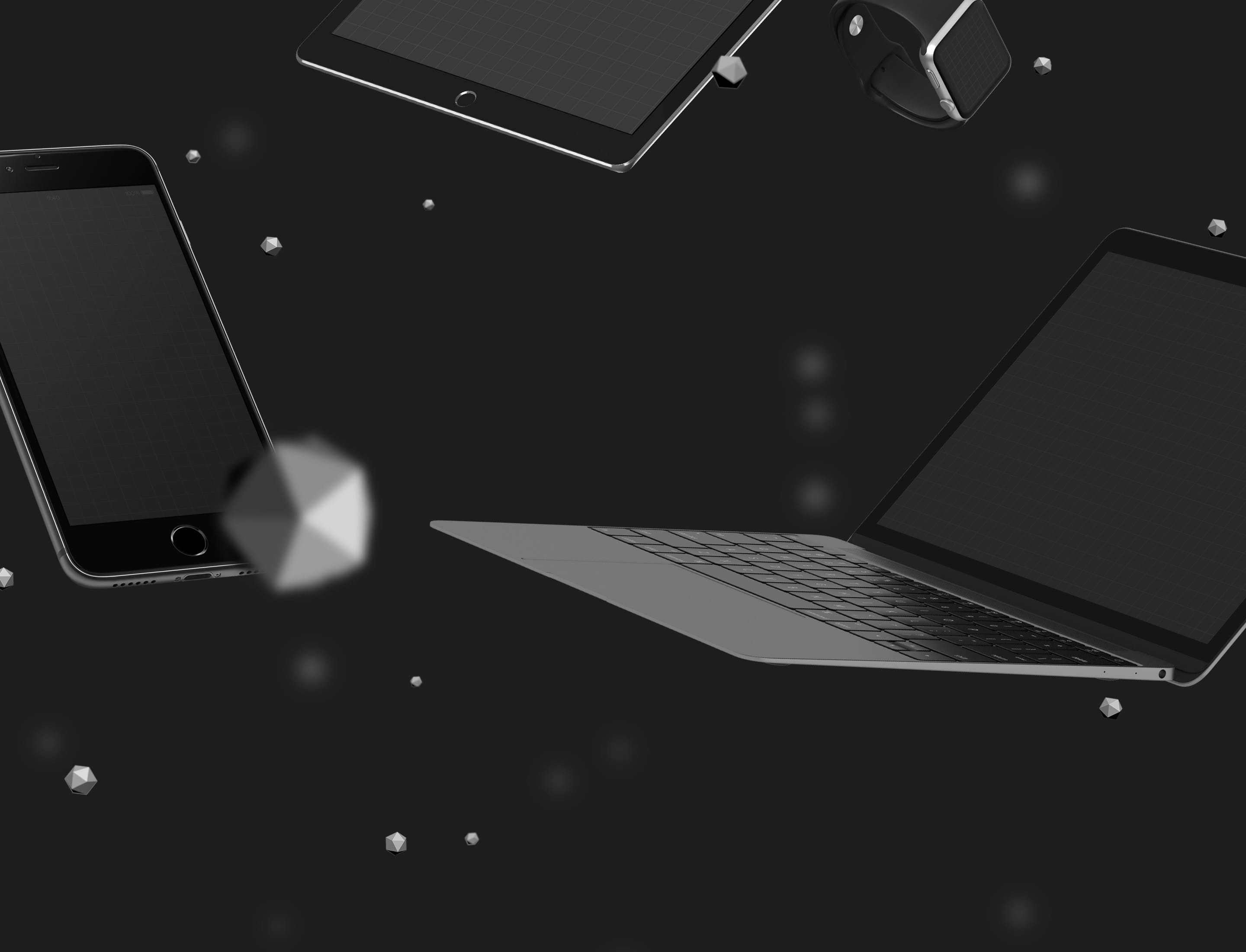
Hello , i want put the same image than you put on this https://preview.themeforest.net/item/uncode-creative-multiuse-wordpress-theme/full_screen_preview/13373220 on the top with iphone and pc but i dont arrive to have it i just have this https://ibb.co/hr8D2U Please help me
And how can i change the title too ?
Hi supercolosse! Please download the image from here: https://d3f86pfw66amx.cloudfront.net/uncode/wp-content/uploads/2017/05/zero-gravity-devices-comp-min.jpg
Not sure to understand what you mean with change title, please follow this if you refer how to modify the page header: https://support.undsgn.com/hc/en-us/articles/213459649
Anyway if you need support is offered in our Help Center, there we have a completely dedicated support team, please submit a ticket so we can support the solution privately! Thank you!
https://support.undsgn.com/hc
Great theme, thank you. I’m using “Shop Techie” for my site. How do I edit the top slider?
Hi WorldClassCreative! To modify a page header you can follow this: https://support.undsgn.com/hc/en-us/articles/213459649
Anyway if you need support is offered in our Help Center, there we have a completely dedicated support team, please submit a ticket so we can support the solution privately! Thank you!
https://support.undsgn.com/hc
I have tried this to turn off pagination in the content block setting for the the Masonry module, but the pagination still shows up even though all the posts are loaded…. what am I doing wrong?
Pagination on archive page is displayed by default. You can use a Content Block instead and assign it to “Theme Options -> Posts (plural form) -> Content”. In the Content Block you can define number of posts, layout, pagination etc.: https://support.undsgn.com/hc/en-us/articles/214002905-Content-Blocks
Hi leapzone! If you have more elements than the specified query pagination is showed automatically. Anyway if you can share the preview of your page is better to help (not sure to have understood the scenario). Otherwsie if you need support is offered in our Help Center, there we have a completely dedicated support team, please submit a ticket so we can support the solution privately! Thank you!
https://support.undsgn.com/hc
I am using “All” in the query for the Content block/Masonry and it is return all posts ~90, pagination is showing 1 to 8 pages and clicking on any of the pages just reloads all the ports again…. how would I share a preview?
FYI – This is a custom post type create, but following your docs and setting up the archive view in Theme Options using blocks.
Hi leapzone, please paste here your site preview or open a private ticket in our Help Center.
Hi leapzone! Not easy to understand without the possibility to access, from here we just see you are using an old version (1.8.2) but we don’t remind any users complaint something similar, anyway you can try to update to the latest 1.9.1, otherwise with this code you can hide the pagination here since you have all elements visible on first load:
.post-type-archive-leaptool .row-navigation {
    display: none;
}
I can not limit the width on a page, it is always full-width now. I edit that page, scroll down to the Page Option>Content>Content Width, select limit width for that page like 1600px, but it can not overwrite the full-width code. Everything is still full-width.
Hi traven! I think that in Theme Options > Layout you have selected 100%, if you do this your master limit will be 100%: https://undsgn.d.pr/z1ndLF
If this is not the case please share your page preview so we can understand the issue. Otherwise if you need support is offered in our Help Center, there we have a completely dedicated support team, please submit a ticket so we can support the solution privately! Thank you!
https://support.undsgn.com/hc
Hi, I have a problem with video backgrounds. They won’t load unless I do a Hard refresh (Ctrl + R) in Chrome. It actually shows a White Screen where the video should show, and below the video the webpage show 100% perfect. The video is muted. I’ve read in these comments here that this is a known issue can you please provide any update or fix?
Here’s my website where the video should show at the top: https://celebreak.eu/
Thanks
Hi WP-rockstar! Don’t worry. If you need support is offered in our Help Center, there we have a completely dedicated support team, please drop a few lines and we care to support the solution (or at least ask support with an account that bought Uncode)! Thank you!
https://support.undsgn.com/hc
Uncode looks very confortable and unique.
Added on favorites, gonna try that.
Hi Xemrind and thank you for appreciate!
Hi,
Some queries before purchase this theme. We want to convert our existing website to this theme, but the design would be the same. So I would like to know few more information:
- Is the theme can modify using both Back-end and Front-end Visual composer?
- Is it possible to add a gradient background / image only for the Header Main Menu?
- Can the page builder enable for both Posts and Pages?
- Which demo page is more compatible to make the Container width 880px with full width background image and container area for drag and drop content?
Hi shawholdings and thank you for interest! )
1. Uncode is actually backend based.
2. You can apply a CSS gradient color.
3. Yes, confirmed.
4. Really not easy to reply this one, maybe you can find some examples in our demo (ex: https://undsgn.com/uncode/top-deejay-headphones/ ps: width is adjustable).
Let us know if you need more info!
Thanks for the reply. Is the themes made based on Bootstrap?
Hi shawholdings! Uncode was far inspired by Bootstrap (if you know it you will find some similarities) but it’s based on a proprietary framework.
Hi, Quick pre purchase query, does your theme have testimonials and can they be categorised? thanking you
Hi warmar75! Yes you can have both testimonials both team members, ex: https://undsgn.com/uncode/features/quotes-carousel/ – https://undsgn.com/uncode/features/team-members/
Not sure how you would like to categorise them, let us know!
The package could not be installed. The theme is missing the style.css stylesheet.
Theme installation failed.
Hi WorldClassCreative! It seems you are trying to install the main download from ThemeForest (this is not the theme). The theme is inside and it named “uncode.zip”: https://support.undsgn.com/hc/articles/214000625
Anyway if you need support is offered in our Help Center, there we have a completely dedicated support team, please submit a ticket so we can support the solution privately! Thank you!
https://support.undsgn.com/hc
its so dificult theme,
Hi symmetriccc! We are sorry you find it difficult. If you need support is offered in our Help Center, there we have a completely dedicated support team, please submit a ticket so we can support the solution privately! Thank you!
https://support.undsgn.com/hc