19046 comments found.

Hello, Muffingroup, I have plan to buy betheme, but there are little bit issue about page load and grade performance in pingdom. why does page load for https://themes.muffingroup.com/betheme is more than 3 seconds? and the performance grade is D (70) https://pasteboard.co/HIPNZlu.png
does it can be fixed when I start to build my site with betheme? can betheme help me to make A score like him? https://pasteboard.co/84a2NToHl.png
thank you
Hey,
BeTheme is well coded and written in accordance to best seo practices. Not sure where you’ve been checking its speed but if you click on https://tools.pingdom.com/#59a04c2d6a000000 you will see that our theme loads in less than 1 second.
Regarding score feature, the tools that check page speed, does not favour sites with so many images and slider just like on our demo page.
There is many different factors that may has an impact on page speed like: heavy media (images, videos, etc.), poor hosting, internet connection between the place where your server is located and your current point, etc. So as you can see, there are many reasons which are independent of us. Please also notice that our servers are located in Europe.
Best regards,
Muffin Group team
Hello Muffingroup I want to change SKU name to custom name . how can i change it? i have found a PHP code but i dont know where is PHP editor for BE Theme! could you please help me? Thanks
Hey,
you can do this modification inside php files, just as you mentioned above. The files responsible for WooCommerce plugin that comes with the theme are located inside /woocommerce/ folder. More details about what you would like to do, you can find here.
Best regards,
Muffin Group team
Hi! The WP Bakery Page Builder plugin does not seem to with the Betheme . How can I edit the site without coding? Also, my buttons keep opening up to a new tab, when I would prefer it in the same tab. I changed the code from “_blank” to”_self”, but it is still opening in a new tab. Is there another code I should be using? Thanks!
Hi,
please send us WordPress dashboard access privately thru contact form which is on the right side at http://themeforest.net/user/muffingroup#contact so we can have a closer look. Please do not forget to let us know in a message, what for this access is.
Best regards,
Muffin Group team
Hi, quick pre-sale question if that’s OK! With the Upholsterer version of the Be theme, is it possible / simple to add multiple pages as I see by default it’s a one page theme. Many thanks
Hey,
sure you can. Pre-built websites (demos) are only examples of what could be accomplished with the BeTheme. So basically, you can do much more than you see on specific demo.
Best regards,
Muffin Group team
Hi support team,
I’m having trouble updating the theme itself and the bundled premium plugins.
I reached out to you via private message, and I got the following answer:
“for those who have problems with license registration/de-registration, we released tool to sort them. For this purpose, please visit http://api.muffingroup.com/licenses/ and sort licenses in your own way.
More details about this tool, you can find on http://forum.muffingroup.com/betheme/discussion/36219/cannot-register-deregister-your-license-key-use-this-tool"
Actually I already did it. I’m contacting you right because when I try to put my purchase code and themeforest username here http://api.muffingroup.com/licenses/ I just got the error “No registered licenses for this purchase code and username”.
How can I manage my license if I cannot even see on this webpage…
Please help me!
Thanks, Debora
Hi Debora,
we have replied on your private message where all necessary details are and where you sent exactly same question. We would be grateful if you can do not duplicate messages in the future because it’s pointless and does not change anything.
Best regards,
Muffin Group team
Hi, may i know is this theme got template import & export function? for example, i will create many different kind of template using this theme, then i will insert it into this template then if got other user need that particular theme then they just need to import and implement directly.
Hey,
yes, you can export complete layout and import onto another client’s website of course.
Best regards,
Muffin Group team
If like this case i need to install be theme on another client wwbsite.
In such case, you have to get theme’s license to build one website and only then you will be able to transfer it onto another client’s website. However, as you can see, you did not bought any license yet.
Hi, i want to know either i can do like this or not. Which mean i need to purchase the theme on one main website after that then i can build the website and export and import to other new website right?
In reference to Themeforest license and agreements, once purchased license can be used for one site/domain only. If you want to use this theme for few sites, then you must buy as many licenses as many sites you want to build. This applies to all themes on this marketplace and there is no other license available.
For more details about the license of all products on Themeforest, please navigate to https://themeforest.net/licenses/standard
i see..can this theme using the export & import the page that had been created?
Yes, it is possible of course.
I don’t see where to change my subheader BG color.
I checked all [Header & Subheader] options and all colors in the [Colors], but no color is showing up #000119.
Please check these 2 pages between your demo and mine:
https://themes.muffingroup.com/be/press/2/
http://bewithmoney.bardtn.com/2/
Is it a custom css or somewhere in theme option I shoud check?
Hi,
please send us WordPress dashboard access privately via contact form which is on the right side at http://themeforest.net/user/muffingroup#contact so we can have a closer look. Please do not forget to let us know in a message, what for this access is.
Best regards,
Muffin Group team
Blog color wrap content
?
Will you remove my license. The site is closed hayalekibi.net. I want to license ozonemedya.com site.
Hi,
for those who have problem with license registration/de-registration, we released tool to sort licenses. Therefore, please visit http://api.muffingroup.com/licenses/ and sort licenses yourself.
More details about this tool, you can find on http://forum.muffingroup.com/betheme/discussion/36219/cannot-register-deregister-your-license-key-use-this-tool
Best regards,
Muffin Group team
Hola estoy teniendo problemas en mi página de fumigación y control de plagas, esta es la dirección https://siscoplagas.com.mx en el menú me aparecen errores, nosé si es del tema o de algún plugin pero no me pasa en otra página.
Hi,
we do support in English language only so please use this language for any questions.
Best regards,
Muffin Group team
Hello, I purchased and uploaded your theme, I used one of the pre built themes and have been customizing it, but now all of a sudden I cant customize anymore, when i try to edit content it tells me I have a blank page! what is this all about? I need help with this please…
Hey,
please be so kind and send us WordPress dashboard access privately thru contact form which is on the right side at http://themeforest.net/user/muffingroup#contact so we can take a closer look. Please do not forget to let us know in a message, what for this access is.
Best regards,
Muffin Group team
Hello, Does this theme support multi level menu? if so, can it be applied to any of the 380+ pre built templates? can you please share links to some of this prebuilt templates where multi level menu is in use? thanks!
Hey,
yes, BeTheme supports multilevel menu and you can use it on any pre-built website you like. You can check such menu layout on https://themes.muffingroup.com/be/classic/
Best regards,
Muffin Group team
Thanks for reply! do you have any other example with different type of menu style/layout that shows multi level menu? is there standard transition for the menu or can we change it?
Hi,
Most of the pre-built websites have only 3-4 subpages, to limit download package size, so it is hard to show a multilevel menu.
Changing the effect for the menu will require the use of custom CSS in your child theme.
Best regards,
Muffin Group team
Hello,
I would like to ask if there is any way to make it fix the container of the title in portofolio.Here is the image of what i want to change : https://imgur.com/J640dfS .Here as you can see i want to have the same width and height as a fixed attribute , rather than to be ditermined from the length of the title. Any thoughts?
Hey,
please send us link to your own page where you would liked to make this container fixed height so we can have a closer look on it and check if this could be done.
Best regards,
Muffin Group team
Hello again,
The site is not live yet . I have previously emailed you with the hosts to be changed in order for you to get into the site . Please inform me if you want that email to be forwarded again to you .
Best regards, Stathis
Yes, please forward this e-mail with all necessary details in it.
Done
Thanks. However, we would be grateful if you can do not inform us about private messages in comments section because both places are completely different and the person who write here, often do not get/reply on private messages.
Tha’s something i didn’t know about . I was informed also via the employee that have sended me the email. Thank you and sorry if i caused any misunderstanding
No problem  Happy to know that all is clear now.
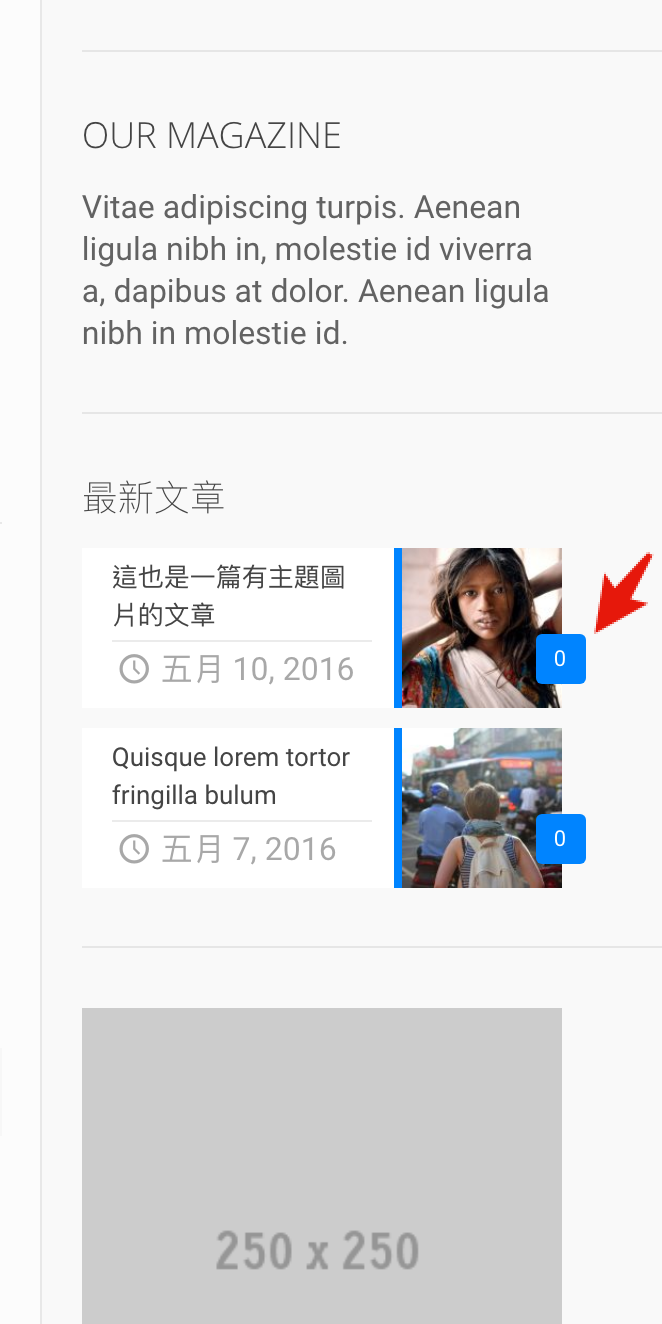
How I display now comment number in a blog list widget?
Have a look on this:
https://i.gyazo.com/a2182cf4bca9fae8f5ebbe79d251fd8a.png
This is different from your demo site, where can I make this number disable?
Hi,
to remove comments number from Blog List widget, you have to use the custom css below:
.Recent_posts ul li .photo .c {
    display: none;
}
Best regards,
Muffin Group team
Thanks 
You are welcome!
HI,
Can you tell how to make the same image size in the blog list section that will same as your demo site?
https://themes.muffingroup.com/be/press/
In your above demo site, the [Recent News] section, the listing article with featured images that are in different dimension scale with mine..
http://bewithmoney.bardtn.com/
And I found your dimension is much better!
After I check your image size, it is different from mine.
I didn’t find somewhere to change. Should I change it by using Settings>Media option, and use [regenerate thumbnails]?
Or In the Theme option>BLOG & PORTFOLIO>Featured Image?
BTW, awesome theme!
Hi,
to get the same dimension of images as on our demo, you have to change image height under BeTheme Options > Blog, Portfolio & Shop > Featured Image section to 640px and then use Force Regenerate Thumbnails plugin.
Best regards,
Muffin Group team
It works now, thanks!
You are welcome!
Hello, I have a Shop and I want to add an icon next to the search and chart icons. Is it possible? It’s very important for me. Please see screenshot. Thanks
https://www.rugeast.com/wp-content/uploads/2018/10/Icon.jpgAND I can not use ACTION BUTTON because i have a long menu. please see another screenshot.
https://www.rugeast.com/wp-content/uploads/2018/10/list2.jpgHey,
Right Top Bar section have possibility to add pre-defined elements and it is not possible to add custom icons.
However, for those who needs custom elements in header, we made Header Builder. This powerful tool that we have been working on for the past months, will certainly meet your expectations.
Best regards,
Muffin Group team
Are we expecting Version 21 anytime soon and just how big is the version likely to be?
Hey,
version 21 will be very close to current one. The main addition will be the Header Builder we have been working on for the last months.
Best regards,
Muffin Group team
Hi, does this come with a page builder or one has to buy a page builder separately?
Hey,
yes, BeTheme comes with page builder of course and you don’t have top buy it separately.
Best regards,
Muffin Group team
Thank you!!
You are welcome!
Hi I have a order problem with my sidebare. My pictures are hidden by my sidebar with the lightbox “LightGallery”. How can I correct this? https://eliasvetter.ch/12-meine-favoriten/ Many thanks for your help Elias
Hi,
please send us WordPress dashboard access privately via contact form which is on the right side at http://themeforest.net/user/muffingroup#contact so we can take a closer look. Please do not forget to let us know in a message, what for this access is.
Best regards,
Muffin Group team
Add to cart button is not displaying under cross sells and upsell product item.. I even have send you an email. Please can you quickly response.
Hi,
we have already replied on the same message you sent privately so please check your inbox. We would be grateful if you can do not duplicate messages while future questions because it will not change anything. All questions are checked in order from the oldest to the newest.
Thanks for understanding.
Best regards,
Muffin Group team