16516 comments found.

Hi there,
Can you urgently advise on the below, please?
We bought the template and installed it but there seems to be a problem with Jupiter Donut plunging. We installed it, activated but we got an error message saying: targeting switch is equivalent to “break”. Did you mean to use “continue 2”? in /home/te017000/www_root/wp-content/plugins/jupiter-donut/includes/helpers/minify/src/Minifier.php on line 227
We tried to deactivate the plugin, delete and install and active but there is still the error message.
I’ve created tickets 1654047, 1654048 and 1654049 and got only response to contact you privately (which I did) or on the board.
Thank you, can contact us as soon as possible, please?
Hi and thanks for reaching out to us 
What PHP version are you using? Is it 7.3 version? If so, please ask your hosting provider support to downgrade it to 7.1 or 7.2 version. It should fix the issue. Thank you.
Actually, we bought this theme and when we install that theme but does not import the plugin section. so we will have to known that alternative to install our import that section.
Hi and thanks for reaching out to us
I’m sorry, but your question is unclear. Aren’t you able to install a template from the control panel? Could you please create a ticket and provide WP Dashboard, FTP credenials for investigation? Specify the template you want to install. Thank you.
When I click Jupiter X > Customize I get the following error.
“The site is experiencing technical difficulties. Please check your site admin email inbox for instructions.”
Latest version of Jupiter X. Latest version of Wordpress. All plugins updated. Purchased the theme, 2 months support remaining.
I tried on 3 different php versions 5.X.X., 7., and 7.2 and problem persists.
Problem disappears when I deactivate Jupiter X theme and activate twenty nineteen theme.
Be great to know why your theme no longer works, and an ETA on getting this fixed. Trying to work on a website and cannot customize anything.
Hi and thanks for reaching out to us
define( 'WP_MEMORY_LIMIT', '256M' );
If the issue still persists, please create a ticket and provide FTP and WP Dashboard credentials for investigation. Thank you.
I raised a ticket before posting here, great to know this comment thread is actioned faster than the support channels for actual paying customers.
I have located and solved the issue.
(For anyone experiencing the same – just FYI):
DESPITE thinking Jupiter was up to date, (i.e. WordPress Updates telling me my theme is all up to date), I actually have to go to a second location, the UPDATES MENU inside the Jupiter X control panel to make these updates myself.
Doing this has solved the problem, but raises more concerns…
Namely…
1) Why are theme update notifications from Jupiter X not popping into the WordPress update channel like the 20+ other themes I use?
2) Second, why isn’t there even a notification message in YOUR OWN control panel updates are waiting to be made. Theme was activated, linked to my purchase and there’s no indication any updates are there… unless of course you click into that particular menu item and check.
This is a ridiculous piece of UX Artbees. How can you expect customers to keep themes up to date when they’re not even aware there’s an update to roll out…
We have to go in and check manually each day?
Hello,
I talked to the developers team and they confirmed that the update notification will be added in the Control Panel in the future version. Please take our apologies for inconveniences. Thank you for understanding.
Installing templates very slow and this has been a issue for a long time now.
the harpalyke theme and also the psd file link does not work
it ended up creating 485 pages and still not importing, you guys do not have a good import setup.
i need the json file
Hi and thanks for reaching out to us
Are you getting any error when trying to install a template? Please create a ticket and provide WP Dashboard/FTP credentials to investigate the issue. Attach screenshots of errors if you have some. Thank you.
Old customer here. The New Jupiter X is awesome but I don’t know why Adobe fonts don’t work on my site and I opened a ticket for this….... Hope you can give a little help on this. Ticket Number: #96850
Hi and thanks for reaching out to us
Your ticket will be replied soon. Let’s continue the conversation in the ticket.
Appreciated!!!!!Love u guys
Thank you so much! Have a great day!
Hi, how to translate the Contact Form in Jupiter 6.4.1 ?
Hi and thanks for reaching out to us
You need translate the form in Jupiter Donut plugin. If you use Loco Translate, you need select Jupiter Donut to translate WPBakery shortcodes.
Lot of issues with the header when Jupiter is active. Completly unabled to modify headers templates in Theme Builder. I can modify them only when I disable the theme, which is not really comfortable. Aside of this, none of the Jupiter templates are appearing through Elementor Library panel? I’m running last version of Jupiter X with Raven and other plugins + Elementor Pro, so I don’t understand all these problems. Why? I think I’m gonna try “Hello Theme” maybe…
Hi and thanks for reaching out to us
Make sure you activated Advanced Custom Fields plugin, it’s required to be able to modify the templates. To view Jupiter X header templates in the library, you need select “Jupiter X Header” category, not just “Header”. If you still have issues, please create a ticket and provide WP Dashboard credentials. Thank you.
Hello,
Im wondering what the the features/updates that we can expect on Jupiter 2.0 and what is the approx ETA for it?
Thanks
Hi and thanks for reaching out to us
Do you mean the new version of Jupiter X? There is no release date for it for now. You’ll be able to read about new features at this page https://themes.artbees.net/support/jupiterx/release-notes/ . We’ll add Quick View functionality for products and also quick cart popup in the header will have settings in the Customizer to style it, etc. Thank you.
Hi, is there an easy way to change the “Related Works” wording under the single portfolio item?
Hi and thanks for reaching out to us
It can be changed via custom JS code. What theme version are you using? Can you share the page URL of the single portfolio? Thank you.
Hi. I went to my site after a long time and found out I am no longer able to edit with visual editor in the back end. I mean I updated WP to latest version and WP Bakery says it!s outdated. Since there is a modified version, it can’t be update from regular license. How can I get back to using Visual COmposer with recent WP. Thank you
Hi and thanks for reaching out to us
What theme version are you using? You can update WPBakery via Jupiter > Control Panel > Required Plugins. To get new version of Jupiter – 6.4.1 – read this article: https://themes.artbees.net/docs/how-to-download-jupiter-v6-files/ . Thank you.
Hi there, I’m a freelance web support who is inheriting a church website from another agency. I’m struggling to get any support because I am not the registered buyer of the theme. I registered on the support site, but it says I need to register a purchase. The person who bought the theme originally is no longer at the church. My initial problem is that we need to clone the website onto a staging server to safely make theme updates etc, but we cannot do this as it requires a new API. If I revoke the API key on the live site and copy and paste it into the staging site, it still says the API is in use on another site. I’m properly stuck. Please can you help me one way or another? Thanks, Cheryl
Hi and thanks for reaching out to us
I’m sorry, but in this case you have to buy a new license if you don’t have current purchase code. Then you’ll be able to register your own purchase code and generate a new API key for a staging site. Or you have to contact the previous agency to get the purchase code from them and ask them to delete it from their Artbees account. Thank you for understanding.
But why won’t revoking the licence from the live site and placing it on the staging site work whilst we test these updates? Surely I should be able to use that. (It is not the agency who own that licence – it was bought by the church.) Perhaps you can help resolve that, then I don’t need to buy a second licence, when we have a legitimate one. I’ll look forward to your reply.
We are not allowed to revoke API key from other client’s account. At first you need to prove that you’re the owner. Can you provide the invoice of the purchase code? Can you contact the person who registered at Artbees Dashboard and ask to revoke the key from there?
Indeed, no I cannot. I’ve spoken to the client, and they have said it’s more effort to track this all down than it’s worth, so I will purchase the product again. Lesson learned I think!
Thank you for understanding. Let us know if you need further assistance.
I can’t unlock the plugin and my support is expired. If I buy the support then I can unlock the plugin and get jupiter pro x plugin or not ?
Hi and thanks for reaching out to us
What plugin do you mean? Do you mean you want to upgrade to Jupiter X Pro version? Are you using the free version of the theme now? Please read here how to upgrade to Pro theme: https://themes.artbees.net/docs/upgrading-to-pro/
Default font. In customizer I have set all the settings to my font I want to use. And removed all the fonts I dont want. Yet everythime using Elementor I have to select the font by hand. The pre-selected item is called “Default” but its not showing my font, only when I click on the dropdown it is showing my font up for selection. So where do I have to set the default font for good so it appears everywhere?
Hi and thanks for reaching out to us
Please refer to this article: https://themes.artbees.net/docs/fonts-wont-update-on-the-website-using-customizer-settings/ . If the problem still persists, create a ticket and provide WP Dashboard credentials for investigation. Thank you.
It looks like this did the trick. Thank you!
Great! You’re welcome
Hello, Themeforest version of Jupiter is still v6.4.0. When will the current version v6.4.1 be available for download from Themeforest? Thanks!
Hi and thanks for reaching out to us
The developers are working on this issue. They will resolve it soon. Meanwhile you can create a ticket and supporters will provide you with the theme archive. Thank you.
Yup, it got worked. I only enabled important plugin like raven, jupiterx core, Customfield pro, elementor and jet elements. Now it works fine. Thankyou.
Hi and thanks for reaching out to us
Glad to hear it. Thanks for informing.
Hello, I just bought this theme and tried to install it on my multisite website. Unfortunately all pages are missings it’s css in someway and makes layout issues. I tried to install templates on main site as well as subsite, but layouts are breaking. I guess most of the plugins comes with jupiterX are not compatible with wordpress multisite.
Hi and thanks for reaching out to us
Could you please create a ticket to investigate the issue? Provide FTP and WP Dashboard credentials. Thank you.
Hi,
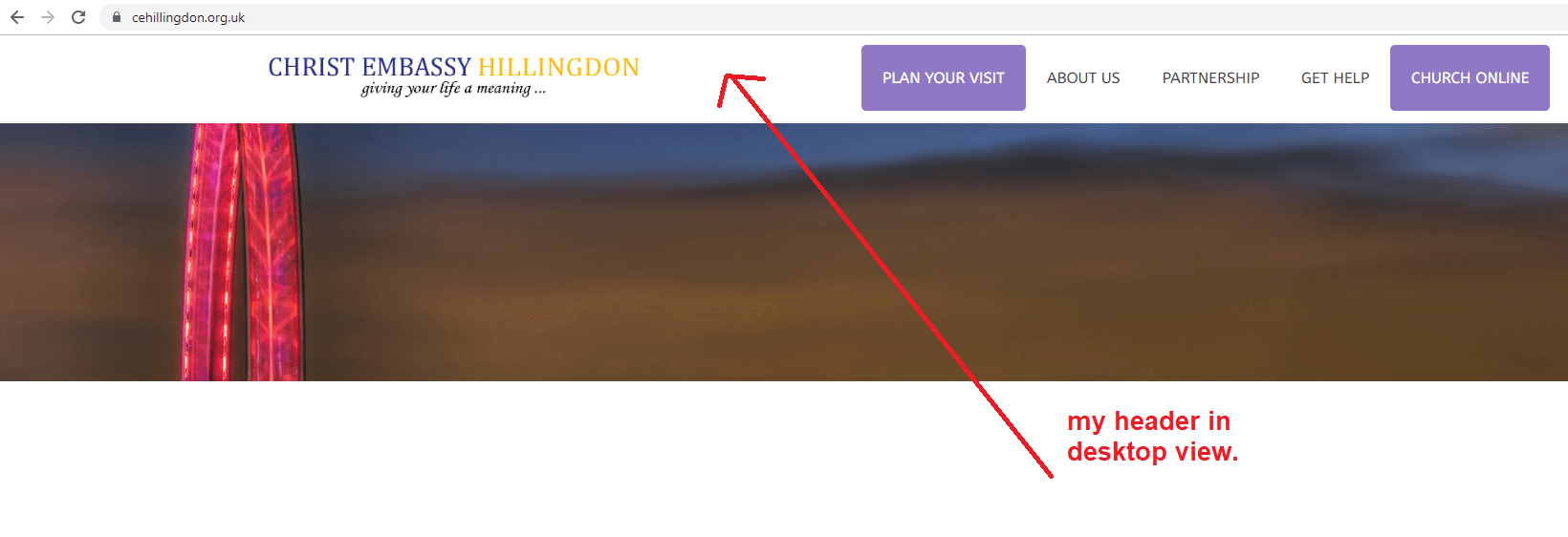
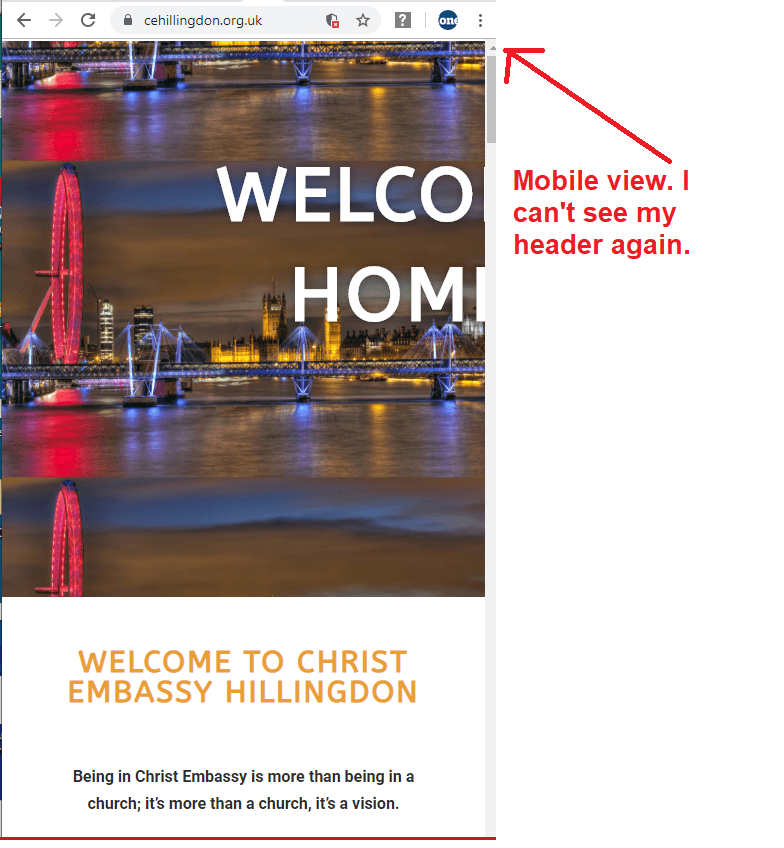
Awesome theme! I can’t see my header on mobile. How can it be fixed? Desktop view: https://www.cehillingdon.org.uk/wp-content/uploads/2019/09/desktop-view.png Mobile view: https://www.cehillingdon.org.uk/wp-content/uploads/2019/09/mobile-view.png
Best regards
Hi and thanks for reaching out to us
Please check your header template in Elementor editor if you hid the section or elements on mobile via Responsive settings in the Advanced tab. This may be the reason. If no, please create a ticket and provide WP Dashboard credentials. Thank you.
hi, can i have a ticky header when the user scrolls up not when they scrolls down ?
Hi and thanks for reaching out to us
It can be achieved with custom css and JS code. What theme are you using: Jupiter 6 or Jupiter X? It will be better if you create a ticket and provide your site URL and login credentials so the supporters can give you the appropriate code. Thank you.
Hi! We submitted a series of pre-sale questions over the weekend to the info@ email listed on your site. Could someone please take a look? Thank you!
Hi and thanks for reaching out to us
Actually you can ask your pre-sale questions here in the comments. It will be faster to get replies. Could you please re-submit them here? Thank you.
We are working on a multisite that may have 1 main site and up to 28 subsites – each with their own domain. We understand that we need a license for each domain. But we’re also wondering about the following: 1. Do you offer bulk rates for licenses? 2. Are we able to use Jupiter (NOT Jupiter X) with ManageWP? 3. Are we able to use Jupiter (NOT Jupiter X) with Wordpress multisite? 4. If we use a cloner like NS Cloner (https://wordpress.org/plugins/ns-cloner-site-copier/ ) to setup the subsites, will it clone our Jupiter settings and pages too? 5. Will we have issues with the plugins that come bundled with Jupiter (like WP Bakery Builder or Slider Revolution) when we setup the subsites or when we upgrade them?
Hello,
1. I’m sorry, but we don’t offer bulk rates for licenses. You can wait till there is a discount to buy many licenses. Unfortunately for now we don’t have the date of the next sale.
2. Yes, you can use Jupiter with ManageWP.
3. Yes, you can create multisite with Jupiter theme. We have other clients that use Jupiter on their multisites.
4. I’m sorry, but we didn’t test this plugin with Jupiter theme and we can’t guarantee its full compatibility. You have to check it yourself. Thank you for understanding.
5. No, there shouldn’t be any issues. Bundled plugins work properly on multisites.
Thank you.
With our multisite setup, we’ll have at least 30 sites that are subdomains plus our main site. They will all be cloned to use the same template. Is that going to require a license for each? Or just one license for the entire multisite? I’m asking because we’ve seen both “yes” and “no” responses on this forum and we have to be able to craft our estimate accordingly. Individual licenses is a big cost difference if that’s the case. Thank you.
Hello,
Sorry for a long delay. In your case you’ll need one license. It will be registered for the main domain and also can be used for subdomains. Thank you.
I have purchased Jupiter X theme and now there is error in logs which is delaying in loading process.
Error I am getting is :
[24-Sep-2019 06:58:28 UTC] WordPress database error Table ‘kefintl.wp_mk_components’ doesn’t exist for query INSERT INTO wp_mk_components ( type,status,name,added_date,last_update ) VALUES ( ‘short_code’, ‘1’, ‘mk_button’, ‘2019-09-24 06:58:28’, ‘2019-09-24 06:58:28’), ( ‘short_code’, ‘1’, ‘mk_audio’, ‘2019-09-24 06:58:28’, ‘2019-09-24 06:58:28’), ( ‘short_code’, ‘1’, ‘mk_swipe_slideshow’, ‘2019-09-24 06:58:28’, ‘2019-09-24 06:58:28’), ( ‘short_code’, ‘1’, ‘mk_page_section’, ‘2019-09-24 06:58:28’, ‘2019-09-24 06:58:28’), ( ‘short_code’, ‘1’, ‘vc_column’, ‘2019-09-24 06:58:28’, ‘2019-09-24 06:58:28’), ( ‘short_code’, ‘1’, ‘mk_page_title_box’, ‘2019-09-24 06:58:28’, ‘2019-09-24 06:58:28’), ( ‘short_code’, ‘1’, ‘vc_row’, ‘2019-09-24 06:58:28’, ‘2019-09-24 06:58:28’), ( ‘short_code’, ‘1’, ‘vc_column_text’, ‘2019-09-24 06:58:28’, ‘2019-09-24 06:58:28’), ( ‘short_code’, ‘1’, ‘mk_padding_divider’, ‘2019-09-24 06:58:28’, ‘2019-09-24 06:58:28’), ( ‘short_code’, ‘1’, ‘mk_custom_list’, ‘2019-09-24 06:58:28’, ‘2019-09-24 06:58:28’), ( ‘short_code’, ‘1’, ‘mk_circle_image’, ‘2019-09-24 06:58:28’, ‘2019-09-24 06:58:28’) made by require(‘wp-blog-header.php’), require_once(‘wp-includes/template-loader.php’), include(’/themes/jupiter-child/page.php’), get_footer, locate_template, load_template, require_once(’/themes/jupiter-child/footer.php’), wp_footer, do_action(‘wp_footer’), WP_Hook->do_action, WP_Hook->apply_filters, call_user_func_array, Mk_Static_Files->global_assets, Mk_Static_Files::jupiter_insert_rows
Please let me know how we can fix this ?
Hi and thanks for reaching out to us
What theme version are you using? It’s better if you create a ticket and provide WP Dashboard, FTP credentials for investigation. Thank you.
Hi I am running 5.0 version, I don’t see option to submit any ticket, how can I submit ticket ?
Hello,
You can submit a ticket via your Artbees Dashboard https://themes.artbees.net/dashboard/tickets/ . Thank you.
Don’t have login access for https://themes.artbees.net/dashboard/tickets can I use envato account ?
Hello,
In this case you need to create an account https://themes.artbees.net/sign-up/ to be able to contact support team regarding Jupiter theme. Thank you.