26721 comments found.

Wp Bakery Issue, Backend Editor not Working
In this theme Wp Bakery was working well, we’ve completed half of the work on our website (https://laundrypal.bioflexaesthetics.pk/).
Today one of my team members was working with me at the same time on this website and after sometime Backend Editor of Wp Bakery stops working and show a blank page but the classic editor shows shortcodes of page’s sections.
Hi there,
Please try to update the theme and its plugins according to this tutorial here.
Also if you need any further assistance we would kindly ask you to submit a request at our help center and our support team will be happy to help as this way our support team can check any irregularity on your end.
Thanks.Don’t forget to sign up for our newsletter and be the first to find out all the latest news.
I’ve updated everthing but still same, please respond to my ticket ASAP
Hi there,
We have located your request and can see that an agent has been assigned so you will for sure get an answer as soon as possible.
Thank you for your patience and if you need any further assistance please keep the conversation with our support team.
Thanks.Don’t forget to sign up for our newsletter and be the first to find out all the latest news.
Hello I would need to delete the two tabs highlighted in the screenshot attached to this message.
Also I would need to move the Sidebar inside the appeals, from left to right, in the theme it is already like this but unfortunately not on my site, how can I fix it? Thank you in advance for your help!
http://prnt.sc/udif86Hi there,
Thank you for reaching us!
Since author’s dashboard is meant for general inquiries and pre-sale questions, we would appreciate if you could submit a ticket to our Help Center and include your website URL and one of our support agents will assist you.Don’t forget to sign up for our newsletter and be the first to find out all the latest news.
Hello, is it possible to have this blog contents in two columns? https://demo.qodeinteractive.com/bridge106/?_ga=2.143337335.314376155.1599357831-488492600.1599357831
I mean the latest posts…
Hi there,
You could use our Latest posts shortcode where you can set how many columns you do wish to display.
If you have any additional questions we would kindly ask you to submit a request at our help center and our support team will be happy to help.
Thanks.Don’t forget to sign up for our newsletter and be the first to find out all the latest news.
Hello! i bought your theme, but I am having problems with my speed loading of my website after installing one of the pre-installed themes. I did the PHP modifications, but sadly my web hosting server, Siteground told me not to modify the PHP Post Max Size (currently: 128M), PHP Time Limit (currently: 120) and PHP Max Input Vars (currently: 3000), as it doesn’t support this. After installing the theme, I am currently dealing with slow loading website at times and could use help here. I did not add any caching plugins to speed up the website and could ask here for assistance
Hi there,
Thanks for writing in! You can check our article about how to improve your page speed as well if you need any further assistance and additional guidance you can always submit a request at our help center and our support team will be happy to help.
Thanks.Don’t forget to sign up for our newsletter and be the first to find out all the latest news.
Hi, I have a huge problem with my website speed after lts wordpress update and Bridge update. Could you help me?
Hi there,
You can check our article about how to improve your page speed as well if you need any further assistance and additional guidance you can always submit a request at our help center and our support team will be happy to help.
Thanks.
Don’t forget to sign up for our newsletter and be the first to find out all the latest news.
Hello, good afternoon, after updating, it happens to me that when I put an option in quode options, for example I put the logo, if I then change anything, for example the main color, it deletes the logo, and so on. stoagallery.com, any ideas?
Hi there,
We do see that your theme is up to date, however we cannot see any error that indicates this behaviour. What we do see is that the Bridge logo is present, so please check both your page options for logo and the Global options.
Thanks.Don’t forget to sign up for our newsletter and be the first to find out all the latest news.
I can’t make changes, because it doesn’t save them. I can’t change the colors, I can’t see the menu. If it is necessary I renew the subscription, but I need to know that it has an arrangement. Thank you
I already discovered the error, it gives it when I activate WPML String Translation version 3.1.0 do you know anything about it?
Hi there,
Please contact the WPML support team for this as well and you can always as well send us a mail to helpcenter@qodeinteractive.com providing your purchase code in it and our support team can check this on your end.
Thanks.Don’t forget to sign up for our newsletter and be the first to find out all the latest news.
I have not updated my site for many months. I updated the theme to v23.0, core plugin and all other plugins to latest from the theme folder. Now, when I went to click on Appearance > Widget and try to select a widget with the drop-down arrow in the widget, nothing happens. I am not able to expand the widget. I’ve tried deactivating random plugins to see if a plugin is causing it, but still not able to alter the contents of a widget.
Regards
- UPDATE – FIXED **
I found out it was the plugin Timetable Responsive Schedule For WordPress. Version 3.8 was still installed. It was not telling me that it required an updated. I uploaded the one in the theme folder and updated it to v6.2.
The issue here is that Bridge has this plugin, which WordPress has no idea it needed updating.
Hi there,
Glad you managed!  If you have any additional questions we would kindly ask you to submit a request at our help center and our support team will be happy to help.
Don’t forget to sign up for our newsletter and be the first to find out all the latest news.
Hi, could you please help me with this problem – SOCIAL > CONNECT WITH INSTAGRAM:
Fatal error: Uncaught Error: Undefined class constant ‘INSTAGRAM_USER_ID’ in /www/doc/www.mupaart.com/www/wp-content/themes/bridge/framework/lib/qode.layout3.php:1189 Stack trace: #0 /www/doc/www.mupaart.com/www/wp-content/themes/bridge/framework/lib/qode.layout1.php(74): BridgeQodeInstagramFramework->render(Object(BridgeQodeFieldFactory)) #1 /www/doc/www.mupaart.com/www/wp-content/themes/bridge/framework/lib/qode.layout1.php(66): BridgeQodePanel->renderChild(Object(BridgeQodeInstagramFramework), Object(BridgeQodeFieldFactory)) #2 /www/doc/www.mupaart.com/www/wp-content/themes/bridge/framework/lib/qode.framework.php(147): BridgeQodePanel->render(Object(BridgeQodeFieldFactory)) #3 /www/doc/www.mupaart.com/www/wp-content/themes/bridge/framework/lib/qode.framework.php(142): BridgeQodeAdminPage->renderChild(Object(BridgeQodePanel)) #4 /www/doc/www.mupaart.com/www/wp-content/themes/bridge/framework/qode-framework.php(272): BridgeQodeAdminPage->render() #5 /www/doc/www.mupaart.com/www/wp-includes/class-wp-hook.php(287): bridge_ in /www/doc/www.mupaart.com/www/wp-content/themes/bridge/framework/lib/qode.layout3.php on line 1189
Thank you very much!
Hi there,
Please try following the instructions from this article – What To Do If Your Instagram Account Is Connected, But Not Displaying
Also, please make sure that you are logged out of your Instagram account in the browser when you try to reconnect with the account.
Alternatively you can try using this plugin to connect with Instagram https://wordpress.org/plugins/instagram-feed/.
If you have any additional questions we would kindly ask you to submit a request at our help center and our support team will be happy to help.
Thanks.Don’t forget to sign up for our newsletter and be the first to find out all the latest news.
Thank you for your reply. I tried to follow the instruction but it didn’t work. I think the problem is somewhere else – My account is not connected, there is some error in php. I think I have to fix the “qode.layout3.php” file but I don’t know how…
If you have any idea I would be grateful. I prefer to use Qode instagram feed instead of another plugin.
Hi there,
Thank you for reaching us!
Since author’s dashboard is meant for general inquiries and pre-sale questions, we would appreciate if you could submit a ticket to our Help Center and include your website URL and one of our support agents will assist you.Don’t forget to sign up for our newsletter and be the first to find out all the latest news.
Hi, I’ve got a problem with the Qode Slider. It disappeared from the website, but its placeholder is still there. Also, the logo disappeared from the header.. Do you guys know what could be wrong? Core is updated to the most recent version, also the theme and plugins are updated to the most recent version. Php 7.2.
Hi there,
Could you please provide us with your website URL so we can check.
Thanks.Don’t forget to sign up for our newsletter and be the first to find out all the latest news.
Hi, sure: https://www.cityhotel.nl/
Hi there,
Please update your Bridge Core plugin as well, we do see that you have missed that. You can follow the procedure of updating the theme and its plugins here.
If you have any additional questions we would kindly ask you to submit a request at our help center and our support team will be happy to help.
Thanks.Don’t forget to sign up for our newsletter and be the first to find out all the latest news.
Pre-sales Question – Is Bridge Multisite compatible?
Hi there,
Thanks for taking an interest! Bridge theme is multisite ready and it will work fine on multisite WordPress installation.
Do let us know if you have any additional questions.Don’t forget to sign up for our newsletter and be the first to find out all the latest news.
Hi there,
Thanks for reporting this to us. This will be fixed on our demo for sure as this is an older demo. However, if you install the theme and use it with the latest version that has been released everything will work fine. This is already working with our newly released version of the theme.
Don’t forget to sign up for our newsletter and be the first to find out all the latest news.
The core plugin is breaking the theme
Did not see the latest update! I will try that
Updating the theme did nothing. Something withing the bridge core is not allowing my site to cache or be shown on mobile. I have tested multiple browsers. I checked the SSL that’s working fine. It works on desktop but when I turn off the bridge core plugin it works. The only thing I get is a blank white page on all browsers on mobile devices.
I fixed it! Amazing theme guys!
Hi there,
Glad to hear this! If you need any further assistance we would kindly ask you to submit a request at our help center and our support team will be happy to help.
Thanks.
Don’t forget to sign up for our newsletter and be the first to find out all the latest news.
I love the theme, but I have an issue that is bothering me. Can you just tell me if this is a bug or not? If you put custom HTML widgets in the footer columns then change the theme from Bridge to Twenty Twenty or some other theme and then change back to Bridge, one of the columns in the footer disappears. If you switch again and switch back to Bridge again a second widget column in the footer disappears and if you keep switching back and forth between themes all the footer widget columns disappear, even though they still show in the Twenty Twenty theme. A developer looked at it and explained why it’s happening, but it shouldn’t be happening, right? If you switch to another theme and then switch back to Bridge, the widget columns in the footer shouldn’t disappear, right? I just want to know if Bridge will fix this issue or if I need to have a developer fix it.
Hi there,
Could you please provide us with your website URL so we can check, also check if they somehow are placed in inactive widgets, as changing the theme might cause this sometimes.
Thanks.Don’t forget to sign up for our newsletter and be the first to find out all the latest news.
Hello. I use Elementor Pro and bridge theme https://bridge376.qodeinteractive.com/ In “Qode Destination” and “Qode Tour”, the Qode Shortcode not working well. Code is showing but not applicable. Thank you
Hi there,
Thank you for reaching us!
Since author’s dashboard is meant for general inquiries and pre-sale questions, we would appreciate if you could submit a ticket to our Help Center and include your website URL and one of our support agents will assist you.Don’t forget to sign up for our newsletter and be the first to find out all the latest news.
can we integrate sripe payment system in this template. Thank you
Hi there,
Thanks for taking an interest!
Bridge theme is compatible with WooCommerce, and support is achieved according to WooCommerce official instructions, so all their addons should work fine. For configuration of WooCommerce and its addons you can contact WooCommerce support, and instructions are available trough plugin documentation https://docs.woocommerce.com/documentation/plugins/woocommerce/getting-started/sell-products/core-payment-options/
We hope this helped and let us know if you have any additional questions.
ThanksDon’t forget to sign up for our newsletter and be the first to find out all the latest news.
Hello. I use Elementor Pro and bridge theme https://bridge376.qodeinteractive.com/ How can I change image header for each page ? I just found in Qode Option (Header) for default page but not for each page I want. Thank you
it’s ok, i found it
Hi there,
Glad you managed!
If you have any additional questions we would kindly ask you to submit a request at our help center and our support team will be happy to help.
Thanks.Don’t forget to sign up for our newsletter and be the first to find out all the latest news.
Hello, the mobile version on the shop category page has the products listed only in one column. I’m looking for the possibility of having that page listed as two columns instead of one. Please tell me whether or not this is achievable using the “Watch Store” template.
Hi there,
It depends on your page structure, so since author’s dashboard is meant for general inquiries and pre-sale questions, best practice would be to submit a ticket to our Help Center and include your website URL and one of our support agents will assist you. As this cannot be changed within our theme options and requires a small piece of CSS code.
Thanks.Don’t forget to sign up for our newsletter and be the first to find out all the latest news.
Hello, if you look at the single product page on the “Fashion Retail” demo and “Kids Fashion” demo, I like it how the Description and Additional information is placed on there. But it is not the same way on the “Watch Store”. If I install the Watch Store demo, will it be possible for me to apply single product image just as I like it on the “Fashion Retail”?
Please let me know if my question was asked properly or if you need more clarity.
Looking forward to your reply. Thanks.
Hi there,
In Qode Options > Woocommerce > Product single you do have an option to choose a product type.
So please try to set Default for your product type. If you have any additional questions we would kindly ask you to submit a request at our help center and our support team will be happy to help.
Thanks.Don’t forget to sign up for our newsletter and be the first to find out all the latest news.
Hello Team,
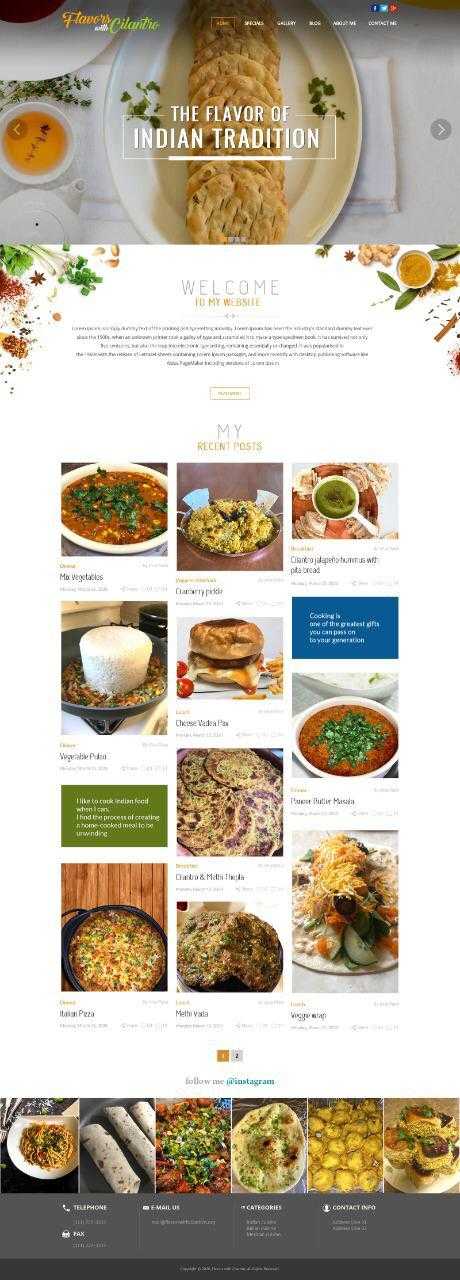
we want to start a food blogging WordPress website.
your required design is as below:
Page 1 : https://snipboard.io/oe4fkx.jpg page 2 : https://snipboard.io/4Lq82c.jpg
if there is any related design in your demo than we want to buy your theme.
Please suggest us your demo design link.
Thanks Pratik Patel
Hi there,
Thanks for taking an interest! You can check our landing page and search for “food” which will output a lot of demos that could suit your needs.
As well as you do have on our landing page: https://bridgelanding.qodeinteractive.com/ under Elements all possible elements showcased that you could use on your end to build your content.
So please check them as they can help you get familiar with the endless possibilities with our theme. So for sure you could create this kin of layout with our theme.
Do let us know if you have any additional questions.Don’t forget to sign up for our newsletter and be the first to find out all the latest news.
Hello Team,
Thank You.
Can we copy any section from other demo site and simply add it to our site, is it possible??
Hi there,
We do not have such a feature, however we do have an option to save a specific template which will allow you to add your predefined templates to any of your page.
We are here if you have any further doubts.Don’t forget to sign up for our newsletter and be the first to find out all the latest news.
Hi! your theme seems GREAT! but there are some questions that I would like to ask:
1) where do I change the color of these buttons?
https://ibb.co/mJwCQD12) where do I change the portfolio overlay?
https://ibb.co/HTCL7G53) Can I make these links, instead of going to a portfolio page, open a custom link?
4) where do I change the color of this “Call to action”?
https://ibb.co/23Kb2ngThank you very much for the answers
Hi there,
Thank you for reaching us!
Since author’s dashboard is meant for general inquiries and pre-sale questions, we would appreciate if you could submit a ticket to our Help Center and include your website URL and one of our support agents will assist you.Don’t forget to sign up for our newsletter and be the first to find out all the latest news.