666 comments found.

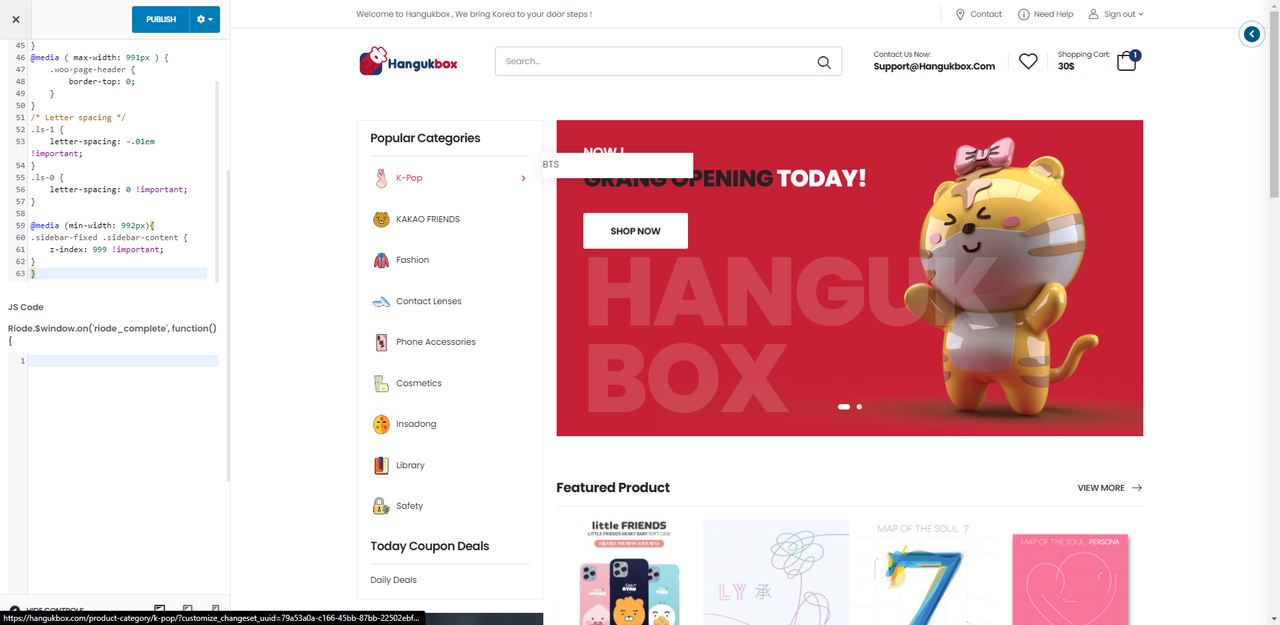
Hello there, Thank you guys for the great support. right now im facing an odd issue, it might be my lack of knowladge of elementor. but we have been trying to add sub menus to the home sidebar, after adding the sub menu from appearance – menu, the sub menu shows in the home sidebar via arrow, but the problem is it shows under the banner next to it.
please check the following screenshot
1- homepage https://postimg.cc/Xr2rdPFb 2- home sidebar “elementor” https://postimg.cc/XX09VTkH 3- appearnce- menu https://postimg.cc/GBwmF126Hello, @KimAbdu,
Can you please share the URL of the page having that issue so that I’ll check and help you out accordingly.
Regards don-themes.
hello, sorry for the late reply here is our website hangukbox.com
Hello, @KimAbdu,
Please copy and paste the below-given CSS code to Riode >> Theme Options >> Style >> Custom CSS and check back your site after removing the browser cache.
@media (min-width: 992px){
.sidebar-fixed .sidebar-content {
    z-index: 999 !important;
}
}
Regards don-themes.
hello, thank you for the fast reply. you guys are the best.
the Code CSS code worked, but the submenu looks very odd. anyway, advice on making it better? https://i.postimg.cc/GtvysjHz/We-Chat-Screenshot-20210715110809.pngAlso, we try to add the ” confirm password field to the user registration pop up” is there a way to do it by the theme options, or do we need to get a plugin for that? or the only way is via adding a code to the function.php if it’s only by code to functation.php, would you please provide it.
thank you very much
Hello, @KimAbdu,
1. I can see you have again removed that submenu item, so I am unable to set it in the same line as the parent menu item is, please set that submenu item again and let me know.
2. Sorry to say that but this is not possible, as there is no such option in our Theme for it, so it requires Customization, you can Customize it in file: riode\woocommerce\myaccount\form-login.php or you can contact our Customization team as well for the paid Customization services.
Regards don-themes.
Thank you very much, I have added the submenu.
Hello, @KimAbdu,
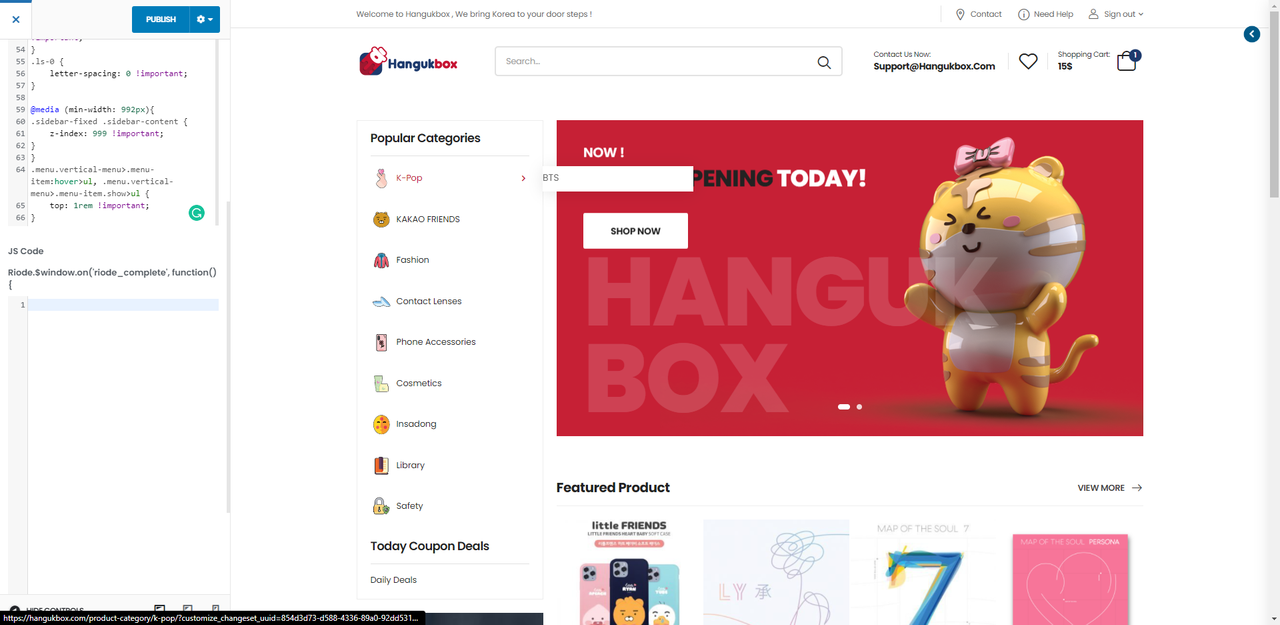
Please copy and paste the below-given CSS code to Riode >> Theme Options >> Style >> Custom CSS and check back your site after removing the browser cache.
.menu.vertical-menu>.menu-item:hover>ul, .menu.vertical-menu>.menu-item.show>ul {
    top: 1rem !important;
}
Regards don-themes.
Also, I would like to get rid of the pop up log in form, and just redirect the link to my-account page when clicking to on sign in / register.
thank you very much.
Hello, @KimAbdu,
Can you please contact us via our support system with your site WP Admin Login details so that we will check it for you on your site and provide you the best possible solution for it.
Regards don-themes.
Hi buying later today. Just to know if it has and how easy to use the Demo Install option. Also, can shipping be customized unlimited globally? Thanks
Hello, @eejaystephens,
First of all, thanks for showing your interest in Riode WordPress 
You can Import any of the Demo with just one-click: https://d-themes.com/wordpress/riode/documentation/2021/01/28/demo-import/
And Shipping is WooCommerce default functionality and yes you can Customize it easily using WooCommerce options as per your requirements: https://docs.woocommerce.com/document/setting-up-shipping-zones/
Regards don-themes.
Hello,
The option WCFM mode catalogue -> Hide price doesn’t work with Riode, but work with another theme. May be the hook ‘riode_wc_template_single_price’ which replace the Woocommerce hook ‘woocommerce_template_single_price’ ? Is there a solution, please? Thank you Regards
Hello, @Babeth47,
Can you please contact us via our support system with your site WP Admin Login details and with the small video clip of your issue so that our experts will check it for you and help you out with your issue.
Regards don-themes.
Hello, there is an issue with the new update, after updating the theme, I get a note to update the core plugin, but when trying to update it, it faild.
also when trying to update the theme from the dashboard, I get an error and it says ” already_use”. I have to redownload the theme and upload it again.. and that fixed it, but the core plug in wont update no matter what..
Hello, @KimAbdu,
Please go to Riode >> Theme License and deactivate the Theme from there and then again activate the Theme with same purchase code and then try to update the plugin from Appearance >> Install Plugins one by one, I am sure you will not finds this issue anymore, Otherwise, please contact us via our support system with your site WP Admin Login details so that we will check and solve it for you on your site.
Regards don-themes.
Thank you very much, it worked.
You’re Most Welcome!!
Same here with the “virus” warning on your demo site. Using MalwareBytes Premium Warning: TROJAN ! And SSL_ERROR_RX_RECORD_TOO_LONG
Hello, @zweigelb,
First of all, thanks for showing your interest in Riode WordPress
There is no such virus in our WordPress files as well, I have tested our Demo site on different scanners as well and finds it clear, below are the reports you can check:
https://sitecheck.sucuri.net/results/https/d-themes.com/wordpress/riode/demo-1/
https://transparencyreport.google.com/safe-browsing/search?url=https:%2F%2Fd-themes.com%2Fwordpress%2Friode%2Fdemo-1%2F&hl=en
https://vms.drweb.com/online/ & https://prnt.sc/17efr1b
So it might be the issue with your Avast and sometimes it also consider he PC/Windows/Browsers files as virus as well, so please try to disable it for a while and check the Demos.
Regards don-themes.
I know, I did check it myself yesterday on securi. But MalwareBytes and also Firefox is blocking your whole domain. Siteguarding.com for example cant reach your site, too. So you should check deeper. Maybe a problem with your SSL cert?
Hello, @zweigelb,
Thanks for your suggestion and we will check it in deep soon and if found the issue will solve it asap…
Regards, P-THEMES.
Hi i want to create an account on the support web but whenever i put a mail i get the message “this mail is already used” can you help me? My question is how can I manage this announcements https://prnt.sc/17pn8zw
Hello, @ccalzada,
For managing that announcement, please read and follow the instructions written in this article: https://dthemes.freshdesk.com/support/solutions/articles/66000485859--9-how-to-enable-disable-sales-pop-up-in-riode-wordpress
And for your support account issue: Please share your Theme purchase code PDF file with me via my email donaldaizaz@gmail.com so that I’ll check/verify and create the support account for you.
Regards don-themes.
Thanks so much I have just sended the email
Hello, @ccalzada,
We have successfully created the support account for you and replied to your email as well, please check back your email reply now and reply to your email properly.
Regards don-themes.
I bought the theme almost 3 months ago and I can’t create my support account. The share buttons in whatsapp as well as the yith filters in categories do not work for me.
Hello, @soyweb,
Please share your Theme purchase code PDF file with me via my email donaldaizaz@gmail.com so that I’ll check/verify and create the support account for you.
Regards don-themes.
Hi, how i can edit the currencies? Cannot find where to do that, and how to make it actually works? Thanks
Hello, @dealshoptime,
You have to use this plugin: https://wordpress.org/plugins/woocommerce-currency-switcher/ and please read more about it in our Theme documentation here: https://d-themes.com/wordpress/riode/documentation/2021/02/02/riode-currency-switcher/
Regards don-themes.
Thanks yes i have installed that plugin, but couldnt see where to edit or add the currencies that located at the below header in demo 22 ? There is USD and Euro but how to add more couldnt understand the documentation.. Thanks
Hello, @dealshoptime,
You have to set the currency from WooCommerce >> Settings >> Currency: https://postimg.cc/PPnQWgNn and then you have to go to Riode >> Template Builder >> Header and edit the header with page builder: https://postimg.cc/BP0PFGph and after that set/use the WooCommerce currency switcher element in the header and set it as per your requirements: https://postimg.cc/ykfhMkvs this will work for you: https://postimg.cc/18wdsGTD
This is how it works, hope this will help…
Regards don-themes.
Ahaa ok, so there is no use for the riode currency switcher widget? Thanks
Hello, @dealshoptime,
That Riode one is for the dummy purpose to show that you can use like that
Regards don-themes.
Ohh ok ^^ Thanks a lot for the help
You’re Most Welcome!!
Regards don-themes.
is 1 license valid for localhost and 1 public website too ?
@HMUKTrading, we have replied to your duplicate comment here: https://themeforest.net/comments/26866951
is 1 license. valid for 1 website and localhost too ?
Hello, @HMUKTrading,
1 single license of the Theme is for 1 single site/domain/IP only, this is Envato policy and you may wish to confirm from them as well. Please read the below given articles:
https://dthemes.freshdesk.com/support/solutions/articles/66000359291--1-theme-forest-license-policy-
https://dthemes.freshdesk.com/support/solutions/articles/66000359310--2-transfer-re-use-license-from-test-to-live-site-only-for-testing-purpose-
Regards don-themes.
. but localhost is the testing website !!! how u expect us to go life without testing it first !!! ???
Hello, @HMUKTrading,
We have a workaround for it with license as well, that I already shared with you above, here is again, please read this article: https://dthemes.freshdesk.com/support/solutions/articles/66000359310--2-transfer-re-use-license-from-test-to-live-site-only-for-testing-purpose-
Regards don-themes.
My antivirus too, the same
Hello, @vzoump,
Which antivirus are you using? It might be some detection from your antivirus, please check the below given links, I have tested the very latest version of our Theme and it is clear as crystal from any kind of virus, can you please once check with the antivirus support, I am sure something wrong with your antivirus.
https://www.virustotal.com/gui/file/cf0539597abb1aa60abe491ff8e9b6e15b8592e807009596b244feb77d9f3b33/detection
This is something serious with avast and cookies, please read the below listed thread as well, I am sure it will help you.
https://forum.avast.com/index.php?topic=63124.0
Regards don-themes.
My antivirus is stating your demo is infected with HTML:Iframe-inf .. pls check
Hello, @pagenet,
Which antivirus are you using? It might be some detection from your antivirus, please check the below given links, I have tested the very latest version of our Theme and it is clear as crystal from any kind of virus, can you please once check with the antivirus support, I am sure something wrong with your antivirus.
https://www.virustotal.com/gui/file/cf0539597abb1aa60abe491ff8e9b6e15b8592e807009596b244feb77d9f3b33/detection
This is something serious with avast and cookies, please read the below listed thread as well, I am sure it will help you.
https://forum.avast.com/index.php?topic=63124.0
Regards don-themes.
VirusTotal is stating your THEME file is okay. However your wordpress install might be infected. I have had no problem with AVAST using iframes or cookies over many many years … The fact that AVAST has singled out your DEMO website should prompt an investigation to your wordpress install. AVAST will not allow me to connect to your demo.
Hello, @pagenet,
There is no such virus in our WordPress files as well, I have tested our Demo site on different scanners as well and finds it clear, below are the reports you can check:
https://sitecheck.sucuri.net/results/https/d-themes.com/wordpress/riode/demo-1/
https://transparencyreport.google.com/safe-browsing/search?url=https:%2F%2Fd-themes.com%2Fwordpress%2Friode%2Fdemo-1%2F&hl=en
https://vms.drweb.com/online/ & https://prnt.sc/17efr1b
So it might be the issue with your Avast and sometimes it also consider he PC/Windows/Browsers files as virus as well, so please try to disable it for a while and check the Demos.
Regards don-themes.
Hi,
Can u help me with preloading webfonts. I cant make it by myself.
Kind regards,
Hello, @Plutiim,
Please go to Riode >> Speed Optimization Wizard >> Lazy Load and check “YES” “Enable Web Font Loader” as showing in this screenshot: https://postimg.cc/XX70zgv3 and you have to go to Riode >> Speed Optimization Wizard >> Performance and you will find the option “PreLoad Fonts”, set that option as per your requirements as well: https://postimg.cc/1n3YJJrj
I hope that will helps…
Regards don-themes.
Can I ask if there is a subtotal for free shipping in my cart? https://imgur.com/gallery/mhGTLTr"
Hello, @huybao91,
First of all, thanks for showing your interest in Riode WordPress
No, Sorry to say that but there is no such option in our Theme for it, so you have to look for any third party plugin for it, which better meets your requirements.
Regards don-themes.
Hi, I just purchased your Riode theme today and installed at my wordpress. But, I have encountered some issues due to the PHP Max Execution Time, but it allowed me to install anyways using Alternative Import” method in Demo Content import page. I tried to install using the alternative import method in demo content, but it came out the configuration of the theme didn’t work. It looked totally off (compared to the original demo theme), I tried to get a ticket from your support, but it didn’t work at all. So, I have to post a comment here. Please help me.
Hello, @Haileykhoo168,
I have just checked your site now and finds that it is not our Theme issue but this is your site SSL certificate issue: https://postimg.cc/CdcYxhZk
The mixed content or SSL issue occurs due to having a secure connection and it does not load the style sheet of the website.
Please try to change the website link from HTTP TO HTTPS
For this open your site WP Admin Dashboard and Navigate to Setting >> General and change the WordPress website URL from http:// yourwebiste.com to https://yourwebiste.com
OR
Search for Really simple SSL plugin in the new plugin search directory and install and activate it: https://wordpress.org/plugins/really-simple-ssl/
&
Please share your Theme purchase code PDF file with me via my email donaldaizaz@gmail.com so that I’ll check/verify and create the support account for you.
Regards don-themes.
helps how to reduce the banner in front of the site
Hello, @hallak,
Which banner are you talking about? Can you please share the screenshot so that I’ll help you out in a proper way and in a correct direction.
Regards don-themes.
thank you, but i can’t attach anything here and on your support site doesn’t work new registration, or i can’t get help
example of error, I added an email with no connection and still informs that it already exists so you have an idea
zzzzzzzzzzzzzzzzzzzzzz@bol.com That email address is already used !!Hello, @hallak,
Please share your Theme purchase code PDF file with me via my email donaldaizaz@gmail.com so that I’ll check/verify and create the support account for you.
Regards don-themes.
help, how to make the logo bigger at the top of the site
Hello, @hallak,
Please copy and paste the below given CSS code to Riode >> Theme Option > Custom CSS & JS and change the value in the given code as per your requirements.
.logo {
    width: 200px !important;
}
Regards don-themes.
help I can’t get the menu created to appear in front of the site
Hello, @hallak,
Please make sure that you have setup the correct Menu by following the below listed links from our Theme Documentation:
https://d-themes.com/wordpress/riode/documentation/2021/01/30/setting-up-a-menu/
https://d-themes.com/wordpress/riode/documentation/2021/01/29/menu-options/
https://d-themes.com/wordpress/riode/documentation/2021/01/30/menu-settings/
If yes then please contact us via our support system with your site WP Admin Login details so that we will check it for you on your site.
Regards don-themes.
1) Thank you, but none of the answers are what I’m looking for = the menu is created, but I can’t find how to work in the theme… 2) your support site is not possible to register, it has an error = every email I add informs that already exists
Hello, @hallak,
Please share your Theme purchase code PDF file with me via my email donaldaizaz@gmail.com so that I’ll check/verify and create the support account for you.
Regards don-themes.
I have been requesting for a long time to resolve my problem: The “Instructions” block is not visible on the “Thank you page”. I have resubmitted a support ticket with the details, please resolve it
Hello, @leslienielsen,
I have just confirmed from the support department and they said that they already replied to your support ticket, so please check back your support ticket reply now and reply to your support ticket accordingly.
Regards don-themes.