675 comments found.
Hello. You write that it is compact with Elementor. But I can’t edit the home page with Elementor. Also, it can not display a logo. Ask for help. Thank you
https://aga-haustechnik.ch/Hi,
if you want to use it with Elementor, you need to create the home page from the scratch, please follow this tutorial, all mentioned elements are available in the Elementor as well: http://docs.lsvr.sk/bluecollar.wp/#front-page
Logo can be changed under Appearance / Customize / Site Identity, please make sure to read the whole documentation: http://docs.lsvr.sk/bluecollar.wp/#quick-overview
Lubos

I would like a refund for this purchase. I am not able to use the theme due to the excessive amount of plugins required.
Hi,
“excessive amount of plugins required” – why is that be a problem? I mean this allows you to use only the functionality you want. Are you encountering some specific error?
Lubos
Hello, I want to scale correctly the thumbnail image of blog’s articles but my image still stay to the left, I don’t see where to center it. I try to change the resolution with the ones in the doc but it doesnt work. Can you help me please ? I can send you a screenshot if it can help
Hi,
after you’ve changed your Settings / Media as per the documentation, have you also regenerated your thumbnails?
Lubos
Hi, How can you regenerate the thumbnails ? By refreshing the page with F5? Thanks
It doesn’t change anything, the thumbnail is still not centered when I display the blog images on the home page. I can email you a screenshot if you want.
Better if you could share the URL so I can see it live.
Here is the url : https://esi-electricite-38.fr/ The image arebelow “Lisez nos conseils”
I took my base photo, I resized it to the dimensions indicated in your documentation, namely 300×300 for the thumbnails. I uploaded this image to the site and then added it as a featured image in the blog post. I refreshed the page: the photo appears in 300×300 format so it is a square and it does not correspond to the display of the thumbnails of the blog. I went to the image, I clicked on “Regenerate thumbnails” twice and I refreshed the site page: same observation. I left the photo online for you to see the problem. What am I doing wrong?
Ok thank you, it works but you need these explanations because it is not very clear basic I find  Have a nice day, best regards
It is explained in the documentation. Glad you sorted it out thought!
Hi, I have just installed your theme, it is working great, but on phone I see the services cubes one by one and I want to see them 2 cubes side by side,
I saw that on 480 < width < 991 the I see exactly what I wanted, 2 small cubes side by side.
Is it possible to do it using CSS or any other configuration?
Hi,
try to add this to your custom CSS:
@media ( max-width: 480px ) {
body .lsvr-bluecollar-services__item { float: left; width: 49.998%; }
}
Lubos
thanks
Hello,
I have installed WPML plugin for multilinguale and i got problem cause it showing me services double on both languages.
I do have all latest versions, for Theme, WPML and the WP updated.
Still issue persists.
Please help?
Hi,
you will have to contact me using an account with which you’ve purchased the theme and have a valid support to get help.
Lubos
My client has purchased the theme.
Try to recreate service posts and make sure they are set to the correct language.
This is already done, all other pages are working fine under WPML. It is just this block on the HomePage:
https://nimb.ws/Amw2DgThis is the website link:
https://kavouras24.gr/'suppress_filters' => false,
Thank you very much, this fixed the issue.
Just to let you know the correct path to the file was in the /inc/ folder:
/plugins/lsvr-bluecollar-toolkit/inc/classes/shortcodes/lsvr-shortcode-bluecollar-services.php
Hello.. I have installed WPML plugin fot multilanguage and i got problem cause it show me services double on both languages
Hi,
please make sure you are using the latest version of WPML the theme and WordPress itself.
Lubos
Hi, I initially built my site on a subdomain as a staging site. Since swapping it over to the main domain I am having a few issues…
1. No background images show when added to a row. The image shows fine in Elementor but doesn’t show on the actual site. 2. Icons are always left-aligned, no matter what the settings are, they are always left-aligned.
You can see the problems on the homepage – https://godivabuild.co.uk
Thanks.
Hi,
the theme does not affect the Elementor elements, so there must be something wrong on your server, maybe some sort of server-side caching or something.
Lubos
Hey, Can I change the behavior of service sections? I want the services catalog (each service) won’t be clickable.
tnx.
Hi,
I am sorry but that would require code customization. You can hire a developer for example at studio.envato.com.
Lubos
I’m developer, can you give a small direction to the area to be checked?
Dear Author
Featured image wordpress not showing on plugins : Serives and Protfolio and Galleries.
i need this feature to costume my web-site please.
help me please =)
Hi,
the featured image for these post types is used only as an archive thumbnail image. If you need to show it somewhere else, you will have to custom code it.
Lubos
Dear Author,
on home page (front page), on plugin service, i can change the icon, but i can’t add image. so how i can do it please ?
You can change the image by adding the Featured image for the service post.
I don’t found OPTION the Featured image I found only OPTION to change ICON
how to find the option how to show button Featured Image
Please =)
You will find it in the right panel. If you don’t see it, then click on “three dots” icon in the upper right corner, then Preferences / Panels and make sure Feature Image panel is enabled.
when i do all this, i found ; Permalink Template Service Categories Service Tags Excerpt
But I do not find “Featured Image”
that’s why I’m writing to you, that’s my problem.
(I’ve used this before on other themes. but now and with this theme i don’t found it)
Are you using the latest version of the theme (2.7.5)?
i’m using BlueCollar Child Version: 2.4.1 (activate) But i have the theme BlueCollarVersion: 2.7.5 (no activate) i’m using the BlueCollar. because in the manual tutorial is written: , you need to activate the child one.
i activate the BlueCollar or i upgrade the BleuCollar Child ?
also with theme BlueCollarVersion: 2.7.5, i don’t found it
I did a test now
i can send you usename and password on email if you want to check it
You should activate the child theme, that’s correct. You can send me credentials via PM and I will take a look at it.
Dear Author Featured image wordpress not showing on plugins Serives, Protfolio Galleries and i need it to costume my web-site please help me =)
Hi,
I am sorry but you will have to contact me using an account with which you’ve purchased the theme to get support. Thank you.
Lubos
I need old version 1.2.4
BlueCollar – Handyman & Renovation Business WordPress Theme – ThemeForest Item for Sale BlueCollar – Handyman & Renovation Business WordPress Theme
Hi,
I’ve already replied to your PM, please check your email.
Lubos
Dear author, my client purchased this theme version 2.7.3. But he want look like 1.2.4. Is it possible to get that? Basically the look was changed on service section and style are completely different.
Hi,
I am sorry but that is not possible without custom coding.
Lubos
then is it possible to give him old version through his purchase (not here, to his purchased mail or account)
I guess, but I don’t think the old version will even work with the new WP. It is a really bad idea to use the old version at all.
Yes, I also agree. But there is no way. If you ensure me, then I will talk with my client to contact by his purchase account? To get old version of theme.
Please tell your client to check the spam folder in his email, because it appears my emails are not getting through to him.
Do you have a demo importer? If not, do you have any guides on how I can import the demo?
Never mind, I see the link above.
hi, how do i upload all the demo data, ive installed the child theme and main theme, but no demo data is showing, im live on child theme
thanks
Dear Team!!
Today i bought this theme BlueCollar – Handyman & Renovation Business WordPress but this theme is not uploading not working There is no help chat support from your side I am very upset about this theme it is not working please refund me my payment.
Even after taking so much payment, you are not giving proper theme. I am again asking you to refund my payment. Thank!
Hi,
this is the support forum and this is actually the first time you wrote here.
Anyway, please make sure to follow the documentation which will lead you through the whole installation process. If you have more questions, feel free to ask them here.
Documentation:
http://docs.lsvr.sk/bluecollar.wp/#introduction
Lubos
Dear! When I am uploading theme on my website then only blog page is showing. Why am I not showing the entire site like you are showing the demo of the theme? I am very upset really i have paid so much for this and it is not working properly. I saw the link you have given but when I am uploading theme then my website is showing with proper image only blog page is coming. I’m really upset. i want my payment refund
No theme look like the demo after the installation. You need to import the demo content: http://docs.lsvr.sk/bluecollar.wp/#demo-import
Please read the whole documentation.
However, demo images are not imported for copyright reasons. It is mentioned in the item description.
The home page should be visible on the site, why is only the blog page visible? I have read the whole hun but it is not like this
hello The package could not be installed. The theme is missing the style.css stylesheet. Theme installation failed.
How will the background image of the 8 box on the home page be changed in the header? really this theme is problem created
can you send me proper theme file
Hello, for some reason our theme is not showing an update available using the Envato Marketplace plugin, however, we are not using the latest version and an update should be available, however, we only see the option to install the theme, not update it. The older version of the theme is currently active on the site. Please advise.
Hi,
you can download the latest installation file from your account / Downloads and update by overriding the theme folder via FTP, or remove the current version via admin and upload the new one.
Lubos
Hi – Is there a way to remove the file names from displaying on images in the galleries? I can’t figure it out and I’d rather just have the images without any text below. Example link: http://londonhomeprojects.co.uk/galleries/bathrooms/
Hi,
go to your admin / Media, click on each image and clear its Title field.
Lubos
Hi, I’m working on http://londonhomeprojects.co.uk/ – I can’t seem to get the icons to appear on the live site despite them appearing in previews. I have installed all the plugins, etc. It will appear when I’m editing the homepage, but not on the public version of the page. Any suggestions?
Hi,
please share your URL where I can see it, but this sounds like some sort of server issue.
Lubos
Hi – The URL is http://londonhomeprojects.co.uk/
If it is a server issue, would you be able to help or would I need to speak to my server provider?
This is the issue:
Cross-Origin Request Blocked: The Same Origin Policy disallows reading the remote resource at https://secureservercdn.net/160.153.137.170/l6r.d2b.myftpupload.com/wp-content/themes/bluecollar/assets/fonts/bluecollar-icons.woff?6j70k2. (Reason: CORS header ‘Access-Control-Allow-Origin’ missing).
Unfortunately, it is not something I can help you with. However, if you have access to your site via FTP, you should be able to fix it yourself, just follow this article: https://zinoui.com/blog/cross-domain-fonts
Hi,
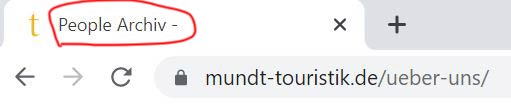
how can I change the page title for portfolio archive, services archive and people archive? I can’t find any settings for that in the theme customizer
Example: https://www.mundt-touristik.de/wp-content/uploads/2021/08/page-title.jpgThank you!
Kind regards Martin
Hi,
settings for that are actually in the Customizer. For example for the Portfolio it is under Customize / Portfolio – Project Archive Title field. However if you are using some sort of SEO plugin, it may override these settings.
Lubos
Thanks! It was the SEO plugin we are using which overrides the settings.
Hi,
we have a display error with the portfolios on our website. As you can see in the screenshot there is a gap between the last and the second last item in categories with five items, for example in “Irland”: https://www.mundt-touristik.de/beispieltouren-category/irland/We would like to have the last item right next to the second last element. How can we fix this? Thanks!
Kind regards Martin
https://www.mundt-touristik.de/wp-content/uploads/2021/08/screenshot-portfolio-categories.jpgHi,
I see, however the layout is determined by the Masonry script, so the only solution would be to turn it off under Appearance / Customise / Portfolio via Enable Masonry On Archive option.
Lubos
Hi.
Thank you! To be honest, I do not understand why there is one block which is one pixel higher than the others, which causes this effect. But however, I have turned off the masonry for portfolios and it is working now or at least it is displayed without gap.
Kind regards Martin
Hard to tell, maybe one of the images was slightly bigger?