26935 comments found.

Hello, I tried to install the tagDiv mobile theme from the tagDiv plugin panel, I however received the error
“The plugin does not have a valid header.”
Please how can I resolve this
Hi,
What if you install the plugin manually, it is provided in the full theme package, in the plugins folder https://i.imgur.com/PoSA5Hd.png If that doesn’t work as well, please send us an email at contact@tagdiv.com and provide a link to the website as well as admin login, so we can take a look at the problem.
Regards, Simion C.
Thanks Simon, I took an unexpected and tedious journey on this matter. And I still need some help.
I actually decided to update the theme altogether since I was still using version 9. That decision happened to hurt me a lot today because it was after the upgrade I realized that almost all my pages were broken and I had to redesign practically all the pages, HUGE TASK. I spent the best part of my day doing this. I was finally able to get the web pages redesigned.
However, getting the mobile version to work was another problematic journey. I installed the mobile theme successfully, created a mobile page for each of my existing pages and copied the content of each page to their respective mobile page, however, only blank pages with page title alone shows on the mobile phone for all pages. This happened for all the mobile pages I created. I have tried all I know to do but still the pages arent showing any content on mobile using the mobile theme plugin. Only the homepage has some content.
Hi,
If you updated from such an old theme version, then most likely you did not install the standard pack plugin. The plugin was introduced in update 10 https://tagdiv.com/newspaper/ and while it is labeled as optional, if content from it was used then it is required https://tagdiv.com/newspaper-theme-update-standard-pack-or-tagdiv-cloud-templates/ Without it being active, the templates it contains (header, footer, post, category, etc.) and also the standard blocks and grids, will not display. Maybe that is what happened, I can’t say for sure however without checking the website at the time. There may have been other issues. It is however a common oversight from users that update from an older theme version, without asking us first, or checking the changelog, or checking the articles we create for major updates on our website.
Regarding the mobile theme, please do not copy the content from desktop into the mobile editor, if that is what you did. The mobile theme does not work that way. The mobile editor for the mobile theme is for simple text and images mostly https://forum.tagdiv.com/mobile-theme-introduction/
Or if you are actually referring to mobile pages, these have nothing to do with the mobile theme. They are an alternative to the mobile theme. Please check this video https://www.youtube.com/watch?v=SpGkOnJeNZY&ab_channel=tagDiv
I suggest sending us an email if possible, and provide a link to the website, we can discuss more there. The themeforest dashboard isn’t the proper place for providing support, it is mostly for presale questions. Please send us an email.
Regards, Simion C.
Thank you for taking out time to respond here. I eventually realized the mobile theme wasn’t going to work for my use case, so I deactivated it altogether. Doing that reverted the mobile pages to the responsive version of the web pages, that is good enough for me. The only challenge I have now is getting my search result page on mobile to inherit header and footer from the global header and footer. Right now, the mobile search result page displays some default text header and footer. I’ve used the website manager on the tag cloud search page template to set to my required header and footer, yet not working, https://financecoachbk.com/?s=loan this happens only using mobile
As for my unscheduled upgrade, well, lets say I learnt the hard way. I was eventually able to get my pages working, since the number of web pages I have isn’t too many. Next time, I’ll be more circumspect in my updates and upgrades decisions. Thank you.
Hi,
From what I can tell the search page uses a cloud template, for which a mobile search template is set. So if you check in the search results page there should be a mobile template set https://i.imgur.com/kWfIDLc.png Or it can be seen here https://i.imgur.com/ZN9NJw2.png
A mobile template, like the one for the search, also requires setting mobile header and footer templates. When editing the mobile search template with the composer, you can convert the existing desktop header/footer templates https://i.imgur.com/3Si7WIf.png If a mobile header/footer is not set for the mobile templates, they will use a backup template, like the one you are seeing now. The intended way is to use mobile header/footer templates.
Or, if maybe you have set a mobile template for the search by mistake, please rewove it https://i.imgur.com/5cDpGbf.png Then the responsive version of the desktop header will be used.
Let us know if you have more questions, we will help, preferably by email if possible. Or via the dedicated support forum.
Regards, Simion C.
Thanks a million for your response. Inasmuch as I couldnt open the i.imgur.com links in your message (something about my region not supported). I was still able to read through your reply to find solution. I was able to locate the mobile template and set the header and footer as required. Thank you very much.
The newspaper theme (especially the current version) is practically one of the best themes I have used (and I have used many). The current ability to fully customize every part of the page especially the header and footer is priceless. Thank you and God bless.
Just to quickly add. I just noticed that viewing the pages on mobile, there’s a “go to mobile version” link at the bottom of every page. Clicking on this, gives me a mobile version that is not so good looking. I don’t have the mobile theme installed, could this be why the mobile version pages look broken. If I still don’t want the mobile theme installed, can I disable that option to view mobile version of pages on my mobile phone. The pages look good enough without that option.
Note, this broken mobile view version occurs even if I create a mobile (copied) version of the web pages.
Hi,
Sorry that the screenshots don’t work, I will use a different app for them. They usually work.
Thank you for the kind words. Through the composer we try to provide the options to customize almost every aspect of a website, if needed.
I believe that the option you mention on mobile is there because of AMP. Are you using AMP? If you do, is the option to redirect all mobile visitors active? Please check here https://prnt.sc/xDMoK-mILgTU
If you want to use AMP, we recommend using it together with our mobile theme https://forum.tagdiv.com/tagdiv-amp-plugin-tutorial/ Without our mobile theme AMP is quite limited, with very few options. It is up to you however.
We can help more if needed, but please send us an email, or create a new topic in the theme support forum as I see you have an account there. There you can provide a link to the website, and we can help more accurately. Let us know at any time.
Regards, Simion C.
Thanks, disabling the AMP plugin worked. You the best.
1. This theme is compatible for litespeed server? 2. I can’t personalize header title mobile menu amp plugin
Hi,
1. The theme works fine with a Litespeed server.
2. The mobile theme settings are all in the theme panel https://forum.tagdiv.com/the-mobile-theme/ There are a few settings for the header as well. If there is a problem, please send us an email at contact@tagdiv.com and mention a few more details about it. We will check.
Regards, Simion C.
i cant find default template BLACK VERSION in prebuild at version 11.4.1, how i can find it?
like this one https://demo.tagdiv.com/newspaper_black/
Hi,
The older non-PRO demos are being gradually rebuilt with their version of a PRO demo. Their is a PRO version of the black demo available now. We recommend using PRO demos as they are more flexible overall, almost everything can be customized in them. The older standard demos rely on the theme panel settings only and have limited customization options. However, if you want to use the standard version of the black demo, please send us an email at contact@tagdiv.com and provide a link to the website and admin login, we will provide a solution so you can use the demo. Let us know and sorry for the inconvenience.
Regards, Simion C.
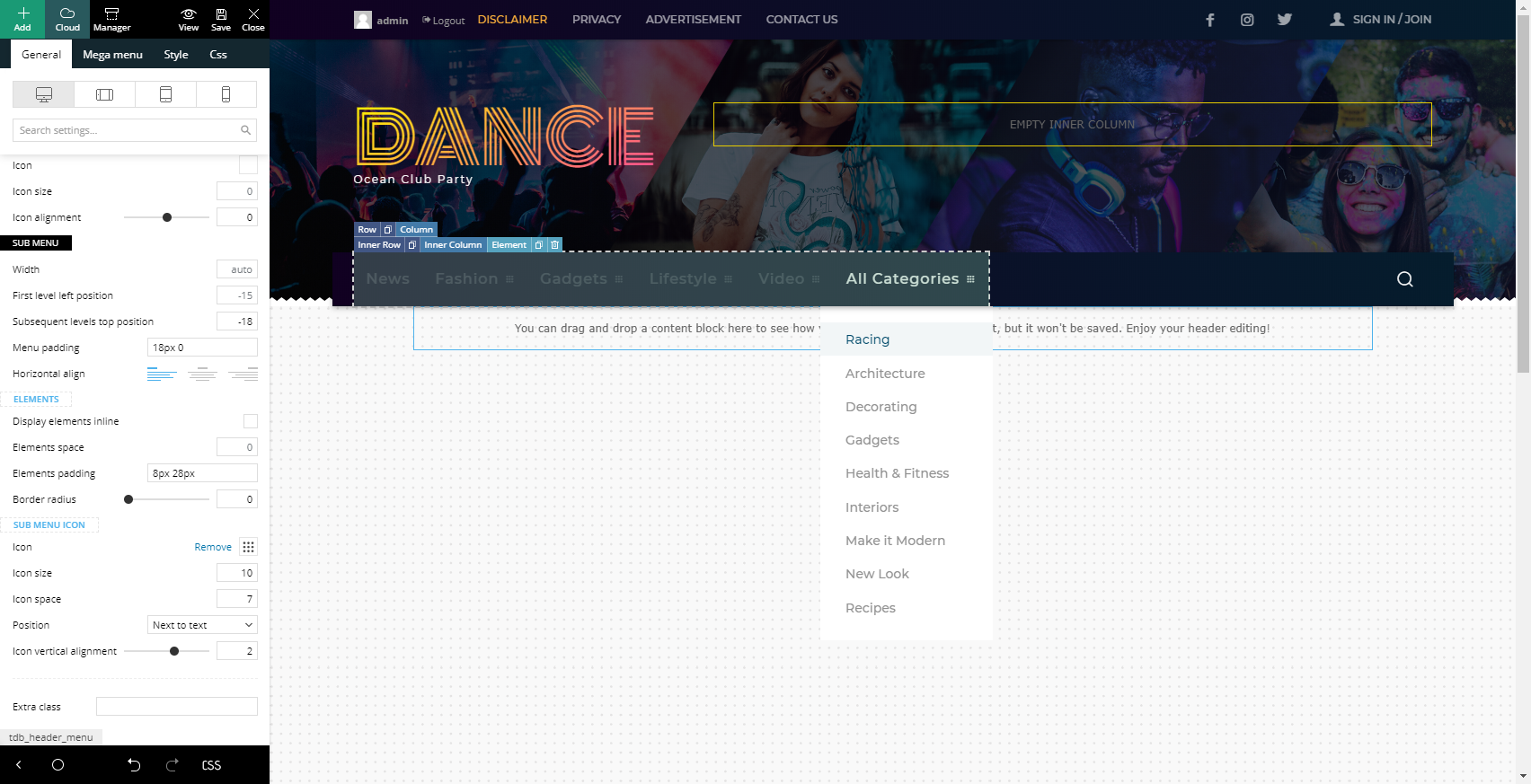
Hi! I would like to create a vertical scrollbar in a submenu but I didn’t find an option to limite the number of itens. For example, If I have a submenu “All Categories”, like that https://forum.tagdiv.com/wp-content/uploads/2015/05/submenu.png, I would like that only the first 4 categories should be shown and a vertical scrollbar should be displayed, so the user could scroll the rest of categories. How can I do that in Newspaper theme?
Hi,
A sub-menu doesn’t have a limit setting, it all depends on how many sub-menu items you add when creating the menu in WordPress. Some adjustments like adding a scrollbar can be done with some CSS. We can provide a solution, please send us an email at contact@tagdiv.com and provide a link to the website where we can see the menu item that you want to modify.
Regards, Simion C.
Ok. I’ll try using CSS. Tanks!
Hi,
Let us know if we can help, we can provide a solution for it. Simply send us an email and provide a link to the website where the menu can be seen. Then we can discuss how you want it to be. Let us know at any time.
Regards, Simion C.
Hi,
I am using the podcast post template but would like to move the date next to the author on the mobile view. How do I do this? I’ve looked and looked but cannot see how to stop the author from being 100% width. See the image for more: https://rave-one.com/wp-content/uploads/2022/03/move-date-on-mobile-view.jpgI have tried to use CSS Analyzer but had the following issues:
On the NFT home page cell padding/spacing disappears and causes a lot of the elements to be very close together.
On the podcast category pages the pagination breaks all pages after the default page (i..e pages 2,3,4,etc…)
The biggest issue for me is the post page. I am using the podcast post template and have 100’s of the pages. It would be great to use the analyzer but it breaks the featured image and seems to display a different image.
Can you raise the CSS issues with the development team, as I said before it would be great to be able to use it.
Many thanks Stu
Hi,
For the alignment of the date with the author it is faster and easier if we have access to the website and check. Please send us an email at contact@tagdiv.com and provide a link to the website and admin login, we will take a look at the post template. Regarding the analyzer, we are aware that there are still some issues with it in some cases, unfortunately. It has been optimized a lot since it was introduced, but it can cause various issues however. Send us the email and we will help with the post design on mobile.
Regards, Simion C.
Hello, I have built the website with your theme, suddenly the wp editor with tag divi is not working. https://www.acqj.al/ this is the page. Where can I send you the details so you can help me hot to solve the issue with the composer. Regards
Hi,
There must be a reason why it happened, it usually is. Please send us an email at contact@tagdiv.com and provide admin login for the website so we can take a look at the issue with the composer. Let us know.
Regards, Simion C.
Good day I cant see the Top Bar to edit or change from my Theme Panel. and each time I try to change any setting from the theme panel, the system booth for a long time without change the settings. for example I want to dissable the sign/logout settings, the system booths for a long time, if I refresh, the boothing stops without changing anything. I will appreciate if anyone can tell what may be wrong. I just install the newspaper theme four days ago
Hi,
We can take a look, please send us an email at contact@tagdiv.com and provide a link to the website and admin login. Mention the details for the issues in the email as well, we will check them. Let us know.
Regards, Simion C.
Hi there. I’m using the Gourmet Pro home page template, and by default, all blocks shown have the same settings of showing all posts. My only trouble is that I love how the top grouping looks with the 3 blocks, but I’m not sure how to configure it correctly.
I configured the left block to display “popular posts”. But I would like for the middle and right blocks to display the latest posts, but without duplicating the last post.
Is there a way to configure the block filter so that it skips certain posts?
Thanks so much in advance 
Hi,
Sure there is, each block can have an offset https://forum.tagdiv.com/offset-feature/ With this option you can set blocks to skip the number of posts you want and avoid duplicates. Please try it.
Regards, Simion C.
Hello friends, I like this theme very much, do you think this theme will look good https://isbul.gen.tr/
Hi,
Thank you for your interest in our theme. If you want to purchase our theme and use it for your website, let us know if you have any presale questions. Our theme provides a multitude of demos ready for install https://demo.tagdiv.com/select_demo/select_demo_newspaper/ Let us know.
Regards, Simion C.
Hello, I want to ask you about your Demo : Artist Pro. How can i change the image info box title background color?
I try with element setting but there is only for description background color but not for title. I have change it with custom CSS, but when i reloading the page i see first color orange and after fully load then my CSS change the color to mine.
Hi,
For some elements, which do not have (or yet have) options for the intended design, our team uses custom CSS. For the info boxes in the homepage of the demo you mention, there is a CSS box below them, like this https://i.imgur.com/DCVoM4B.jpg So the background color is this one https://i.imgur.com/Vuul6kJ.png and lower is the hover color https://i.imgur.com/Wc1K0uB.png We can provide assistance with customizing the demo, let us know. Send us an email at contact@tagdiv.com and provide a link to the website, admin login, and we will help.
Regards, Simion C.
After making and update to 11.4.1 I have problem with sharing posts to Facebook. Debugger tells me this – “Check that the webserver is running, and that there are no firewalls blocking Facebook’s crawlers”. On 11.4 everything was working fine.
- blog post – https://techrodzinka.pl/karmienie-butelka-gadzety-ulatwianie-pomoc/
Hi,
I tested the post you mention with the debug tool, it seems to be in order now https://i.imgur.com/9y4VbUd.png If the post cannot be accessed by Facebook, then that message will be displayed. It is however very unlikely that the theme is the one that prevents Facebook from accessing the content of the website. Whatever it was it appears to be solved now, I tested multiple other posts with the debugger and they all worked fine.
Regards, Simion C.
Yes, working
Hi there. I absolutely love this theme on desktop and tablet view, however it requires a TON of work to get set up. As for mobile view…is there an easier way to display the website on mobile other than what you have? Thanks so much in advance
Hi,
The ready made content we provide in demos and in the cloud library is ready to be used after importing, but the additional content created on the website can take some work, depending on what elements are used and the layout. Adjusting the content is possible per viewport. For mobile there are 3 choices, the responsive version, mobile pages/templates, and the mobile theme/AMP. There is a video showcasing them here https://www.youtube.com/watch?v=SpGkOnJeNZY&ab_channel=tagDiv Usually for the best results the dedicated mobile options are better. We can discuss further if you have questions, please send us an email at contact@tagdiv.com and let us know.
Regards, Simion C.
Hi, What element should we add to the single post template to show the Custom label? – Custom Category Label name, this will appear on flex modules/blocks like a category tag
We added content, but nothing shows above the tags and source blocks.
Hi,
The custom label is for blocks. If you have blocks in the post template, activate the label for the ones you want https://i.imgur.com/SLkyz4q.png Then if the posts have a custom label set https://i.imgur.com/FuwSmtA.png it will appear in the blocks https://i.imgur.com/iaEPfHG.png So basically it is a label that can be set per post, and it will be displayed on blocks, regardless of where the blocks are, they can be in pages and templates. That would be how it works. If you have questions, or if there are issues, let us know https://forum.tagdiv.com/forum/newspaper/
Regards, Simion C.
Hi, Can i have articles using different cloud templates? Or will the ‘Global’ dominate everything?
We noticed that at first we could set a different template for an article (from the top bar, next to the TagDiv composer), but after we cleared the ‘WP super cache’ this then resets to the ‘Global’.
Disregard this we found the solution in the post section.
Hi,
I found some issues when I tried to create archive page, I discovered that you generate an archive page and we can’t access it.
What should I do if I want to change the Url for that archive?
Please help!
Hi,
For changing the URLs of the website, the theme doesn’t have options. That depends on the permalink options set in WordPress. Archive pages are automatically created by WordPress when creating content on the website, like categories, tags, authors etc. Each of them will have an archive page. The theme provides the templates for them https://forum.tagdiv.com/tagdiv-cloud-library-plugin/
I suggest creating a new topic in the theme support forum and explain the problem you are having in detail, with some examples if possible https://forum.tagdiv.com/forum/newspaper/ We will try to help, let us know.
Regards, Simion C.
In paywall / membership option for paid article, only PayPal and Bank transfer option available??? In bank transfer user can share screenshot or payment receipt. Though in bank transfer manual approval required.
Here, if anyone among Stripe / Payu / Razorpay or Woocommerce payment method available then it would be helpful. As I am from India here PayPal is not popular. So Stripe is better option. Stripe available???
Please reply for payment option. Thanks.
Hi,
We are considering adding more payment options for the plugin, in future updates. The plugin will be improved more and have more options including for the payment. For the time being those 2 are the only methods to pay.
Regards, Simion C.
Hi,
My question is if the theme supports Rumble Videos? If not. Is there a way that I can embed the videos from Rumble?????
On the featured video box says “Paste a video link from Youtube, Vimeo, Dailymotion or Twitter” I tried to paste a Ruble video but it doesn’t work
Thank you.
Hi,
That is the theme featured video option, it supports videos from the socials mentioned here https://forum.tagdiv.com/featured-image-or-video/ Other videos will not work unfortunately. You could embed the video in the post content directly https://i.imgur.com/Pmt43qB.png and set a featured image manually, but use a post template that doesn’t display the image, so the video will be first https://i.imgur.com/jU78giu.png This would be a way to do it. Let us know if you have questions, you can always send us an email at contact@tagdiv.com and we will try to help.
Regards, Simion C.
Thank you,
I have another question
In the newsletter the only options are ” MailChimp, MailerLite, and FeedBurner”
How to make it work with Constant Contact??
Hi,
Those 3 are the only newsletter providers our plugin supports at this time. If you have a form code from a different provider, it can be added in a column text element for example https://i.imgur.com/vzQ5cJ9.png Or you could use a different newsletter plugin.
Regards, Simion C.
tagDiv Cloud Library
tagDiv Composer
tagDiv Standard Pack
The above plugins are causing several MySQL processes that are causing an increase in the overall server load.
PLEASE HELP
Please something is wrong with the theme. Developer to please check.
Site loading issues and apis stopped returning news to app after I updated.
Hi,
We can continue in the email you have sent us, we will try to help with what we can.
Regards, Simion C.
hello, this is a great looking theme.Which page builder does it use and I want to find out if after purchasing, I still need to pay or subscribe for a page builder?
Hi,
Thank you for your interest in our theme. The page builder we provide is the composer https://forum.tagdiv.com/tagdiv-composer-tutorial/ It is the builder that was used to create all of our available demos https://demo.tagdiv.com/select_demo/select_demo_newspaper/ and all the content from the cloud library https://cloud.tagdiv.com/#/load/All It is a very capable builder, with the options that allow almost everything to be customized in detail.
There are no extra payments or subscriptions required after purchasing the theme from themeforest. Everything is included in the package, ready for use. Please let me know if you have more questions.
Regards, Simion C.
Hallo,
Is posible to make the shop and membership managment to any of the demo templates? If i will use, the default demo, will it work with the membership plugin and woocommerce?
thank you for info.
jakub
Hi,
Creating a shop with woocommerce or using the membership plugin, can be done regardless of the demo. Choose the demo you like best, then use woocommerce and the membership plugin as needed. The shop plugin and the optin plugin we provide will work fine regardless of the demo that is installed. Please let me know if you have more questions.
Regards, Simion C.