59207 comments found.
Hi, we don’t have access to the development site that we originally setup this theme on and activated the license. We deleted the site and are setting up on our LIVE server but we now can’t use the license key. How can we fix this?
You can find information about license migration in our documentation http://rehubdocs.wpsoul.com/ or consider to update support if you need help from our team.
Without actual support you can expect help only with possible issues
You can read about Envato’s support policy here
https://themeforest.net/page/item_support_policyThank you for understanding that our time has price.

Hi sizam,
If I install a demo version of the site (Remag) and change my mind, can I then overwrite the whole site with another (Recart)?
Will that leave any code from Remag behind that would slow my site down?
There are some pages I like in Remag that aren’t in Recart. Is there a way to install Remag and then add individual pages from Recart (or all of them if that’s possible)?
Thank you, Matt
You can use plugin WP reset if you want to clean site
There are some pages I like in Remag that aren’t in Recart. Is there a way to install Remag and then add individual pages from Recart (or all of them if that’s possible)?
It looks like only some of the pages from Recart are available in the Elementor folder mentioned in the link.
If I were to demo import Remag and then immediately demo Import Recart, would that give me all the pages from both sites?
Yes
hello, sorry about my other account. Wasn’t sure why I was signed in there. But to reiterate my question: for some reason, my search is going to products search, instead of the entire site to see if search term matches. How do I allow search to actually search everything, products and blogs, etc…
Thanks!
You can’t search everything in one search because products and posts have different search result pages
Oh, how do I have search the blog posts instead?
Theme options-header option-search option
I just checked, it looks like its supposedly default already. I didn’t set any options in “Choose custom post type for search” field.
Default is posts or products
Hello,
I am enjoying your theme and would like to make small change.
The thing I need is to change text from woocommerce product. I need to change text “in stock” to “Available” and “out of stock” to “sold out”.
I found online how to do it and tried myself but I cant find anywhere what is a class name for that in rehub theme.
I am using Rehub ReCart theme.
I would appreciate your help on this. Thank you in advance. Best regards Marko Popovic
Better to use translation for woocommerce https://rehubdocs.wpsoul.com/docs/rehub-theme/theme-install-update-translation/translation/
Hi, I installed the plugin and follow instructions from the link you gave me and its not working. Can you please help me with changing the text from woocommerce products? best regards
Please send screenshots how you made all steps
I notice that the advanced heading on the Greenshift blocks doesn’t work with the table of contents.
Please, create topic according to guidelines, with all information, links, screenshots. This will allow us to understand your issue and give you a better and fast answer.
https://sizamtheme.support-hub.io/articles/how-to-write-to-support-if-you-need-technical-helpWhen you create a table of contents in Greenshift, when you click on the headings generated (using the advanced headings in Greenshift) it doesn’t go to the heading.
It’s a dead link
Because you didn’t add any anchors to heading
I did.
Please send links, screenshots how you added anchors
hello, for some reason, my search is going to products search, instead of the entire site to see if search term matches. How do I allow search to actually search everything, products and blogs, etc…
Please, write from your buyer’s account. We don’t support not official and nulled versions of theme. If you purchase or get theme anywhere except Themeforest, we recommend to check sites for malware because all not official versions of theme which we checked early have 0day virus
One question, the purchase includes import demo content with all the text and images as seen on a real webiste?
Yes
Hi, is the theme compatible WC deposit plugin ? Thanks
We didn’t test but if plugin supports Woocommerce, then it will work with theme also
Hi, is it possible to have multiple custom rows for the dynamic comparison chart (https://rehubdocs.wpsoul.com/docs/rehub-theme/comparisons-tables-charts-lists/dynamic-comparison-charts/).
So this is only 1 row: wpsm_woocharts contentlabel=”label name”[/wpsm_woocharts]
I’d like to have 5 or something with custom field data from the prouct.
No, only one is allowed
Ok thanks for your reply. I fixed it now with an elementor template, maybe nice to add to your guides for others too
Elementor can’t be used to edit comparison page so I don’t know how you made it
Using a shortcode with a template
It’s the same as using shortcode. It will add additional row
Hi, Is it possible to place pictures instead of the logotypes? The news dont show off in the Simple Theme? How to delete the comments in the Auto Sections? https://ibb.co/DKVnZcp https://ibb.co/0MSZ7QJ https://ibb.co/5F3g0nN https://ibb.co/XjwGWZ4
Hi. Using Content Egg price comparison layout in scenarios when you have different products (and not different prices of the same product) has no sense. You can enable other product layouts and use any kind of Content egg shortcodes inside content
To disable user ratings, follow to Woocommerce – settings – products
How to configure that the News will be automatically displayed on the products page in Simple [theme] without inserting Shortcode? https://ibb.co/XjwGWZ4
Ok, сan I delete automatically created news tabs? https://ibb.co/K02qvNy
You can’t delete existed tabs. You can enable other product layouts and use any kind of Content egg shortcodes inside content https://rehubdocs.wpsoul.com/docs/rehub-theme/shop-options-woo-edd/product-layout/
Hi,
https://accessify.co.za/wp-content/themes/rehub-theme/css/style-editor.css?wp-mce-49110-20201110font-family: Roboto,”Helvetica Neue”,-apple-system,system-ui,BlinkMacSystemFont,”Segoe UI”,Oxygen-Sans,sans-serif; }
Or something else, is messing with the default TinyMCE body text, it makes everything bold, and I can’t check my formatting.
https://snipboard.io/Oohatf.jpgThe above styling comes from rehub-theme, if I switch this “font-family” off in the Chrome inspector i.e /* */, then tiny MCE looks correct again.
Not sure why, but have you any idea how i can make sure TinyMCE looks correct and usable? It’s been driving me nuts ;-
Hope you can help. Thx
Sorry, but I am not able to test sites by screenshots
Please, create topic according to guidelines, with all information, links, screenshots. This will allow us to understand your issue and give you a better and fast answer.
https://sizamtheme.support-hub.io/articles/how-to-write-to-support-if-you-need-technical-helphello! To customize the different sidebar on each page, does the theme have any option or do you recommend a plugin? Thank you.
Hey I am actually testing the Greenshift on a staging site with a .online extension but I am unable to import, can I have an extra license for 2-3 days for testing?
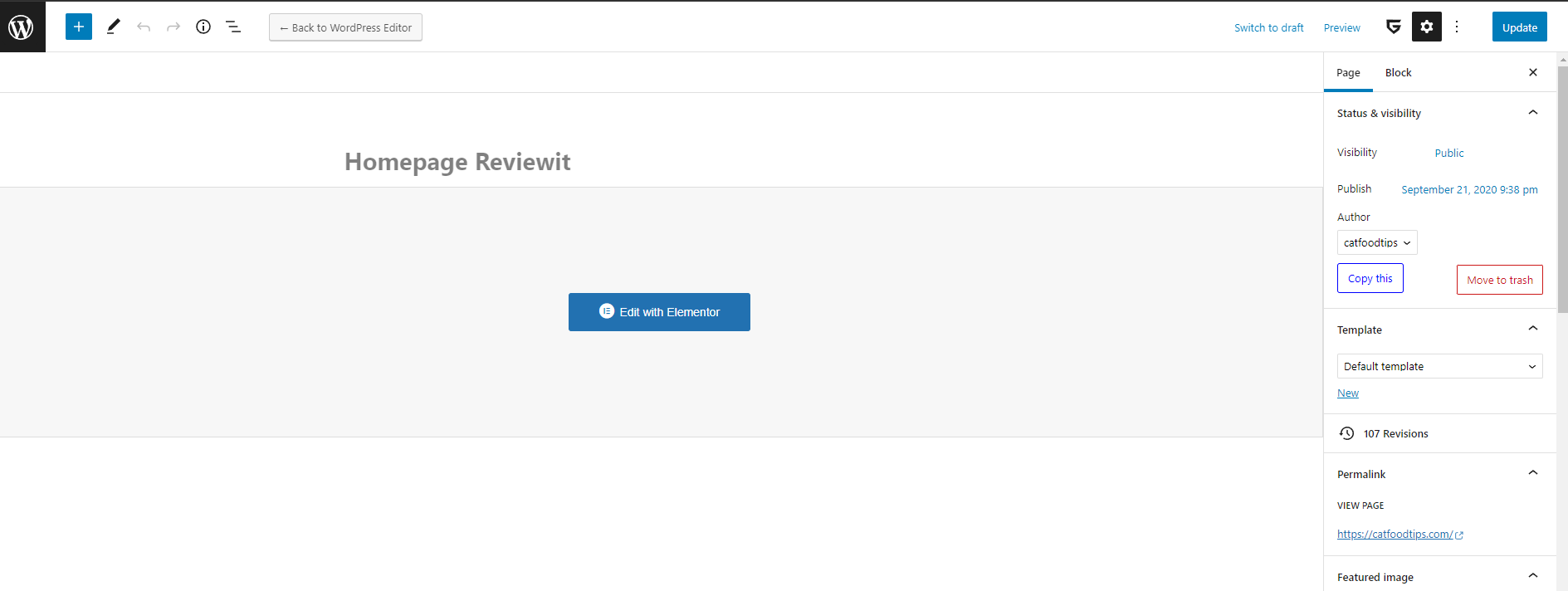
Need help. When I try to edit the front page, I can no longer edit it, all that shows up is “edit with elementor” and I can’t see anything on the front page to edit. ?
https://i.ibb.co/Js6kTkz/huh.pngYou see, there is nothing to edit? Before, the screen gave me the option to click anything on the front page and edit it.
Because this page is not Elementor page. Click to Back to Wordpress editor and edit page
Its still not working  – When I click go back to wordpress editor, this comes up. I can’t edit the main page like I used to https://i.ibb.co/cgGyjqC/huh2.png
Because you installed Classic editor plugin and disabled regular editor. If you prefer Elementor, you can find Elementor version of homepage in pages – all pages
hello, is there anyway i can “hide” categories from all the category boxes?
Hi. Currently it’s not clear which category boxes you mean
Hello, I could not be able to migrate the license from my test site to the main site please help!
I accidently used my subdomain site as a test site; but i want to activate license on my main site and remove from my subdomain test site please help me with this
Please check link above which has information how to migrate license
Hi there. Can you please help me?
Have a look at this page: https://catfoodtips.com/cat-diet/complete-guide-on-transitioning-your-cat-to-a-new-diet/
How do I get rid of the following section?
7.6/10 (Expert Score) Product is rated as #1 in category Cat Diet
any help?
.rev-verdict{display:none }
you can place this in theme options – general options – custom css
wonderful, thank you!
Hi, I want to change the design on the home page. I would like to use the ReMag design for the home page but I do not use Elementor. How can I get a home page from ReMag? Thx.
Hi. Currently, template library available only for Elementor. You can import only whole site if you don’t use Elementor
Bonjour,
J’ai acheté le thème REHub – Price Comparison, Multi Vendor Marketplace Wordpress Theme et quand j’utilise le Enter your credentials below to complete product registration. ça ne marche pas.
Please write on English as we have no other support
Hello,
Sorry for the French. So, I bought the theme last year. My site was hacked, and we had to restore a previous version of the site, without the theme. Now, I would like to use the theme again on the same site, with the same domain name, the same activity, I don’t change anything. So, I re-uploaded the theme, I entered the purchase key and it doesn’t work anymore. Can you help me please?
Which username do you use? And what is not working?
Google doesn’t like your How-To’s Schema
How do you know this? It’s working great on our sites
I don’t see anything wrong. Warning doesn’t mean something bad. It shows only for optional and not required fields. Bad is when it shows red errors
ok.