59228 comments found.

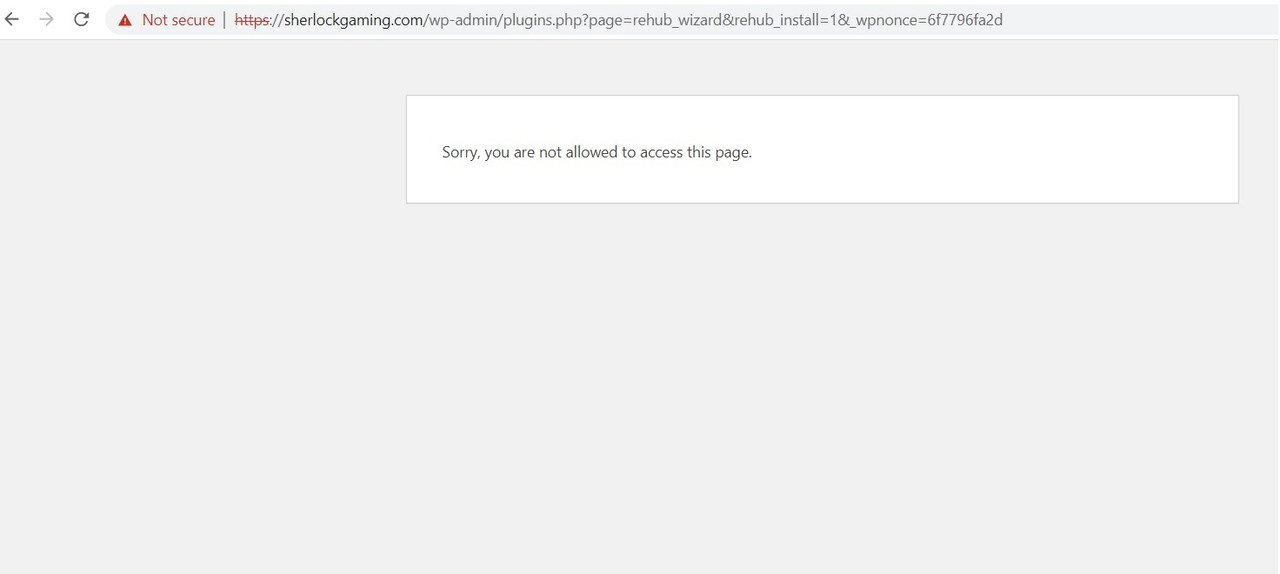
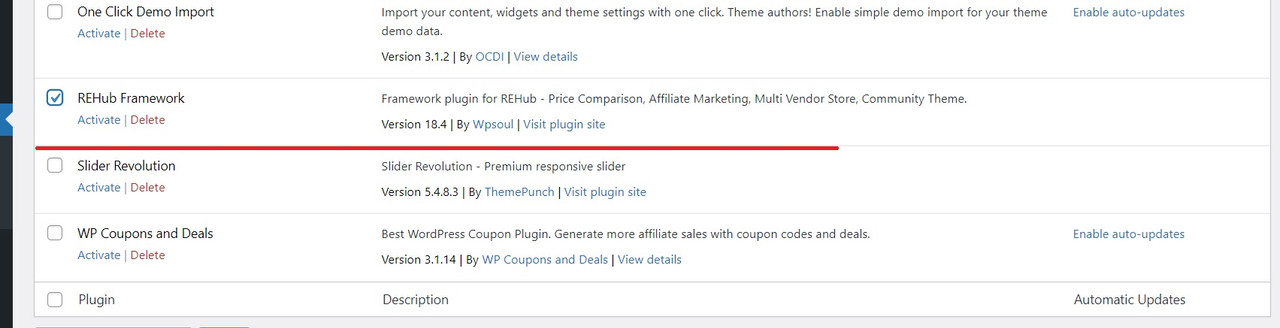
Hello I installed the theme. It required to install some plugins. When I install REhub Framework, it gives this error: “Sorry, you are not allowed to access this page.”. I tried to deactivate all plugins. It didn’t work. I even installed the default theme, still didn’t work. The thing is, after this error, when I refresh, the framework is activated, but I guess I will miss the demo import steps that come afterwards. Is there a fix for this issue? Thanks in advance.
Please provide screenshot of your issue
first of all, you need to fix your https issue. You must configure properly SSL certificate on site and make sure that Settings – general has correct link with https
Hey, I figured it out. It wasn’t because of SSL. I had renamed the theme’s folder name… I guess some libraries are dependent to the theme’s directory name. Anyway it works now. Thx for replying.
Hi sizam, I found out about all the helper module post type bugs. It showed all content, not only the published version but also the draft version. This causes the post to show a 404 error when visitors click to the post draft version. You can try with a colored post grid, news/directory list, etc.. Please fix it. Thank you.
Please send link to your page
Hello, can i use Gutencon that is included with Rehub, with another theme? Or the version is tied to rehub themes only? Thanks
It’s working only in Rehub
Hello. I installed the theme REHub file rehub-theme, it said the error “The link you followed has expired.”. Please help Email: leminhabc1985@gmail.com
In my WordPress dashboard, a WooCommerce notification appears telling me that my theme (Rehub theme) contains outdated copies of some WooCommerce template files. These files may need updating to ensure they are compatible with the current version of WooCommerce. Suggestions to fix this:
Update your theme to the latest version. If no update is available contact your theme author asking about compatibility with the current WooCommerce version. If you copied over a template file to change something, then you will need to copy the new version of the template and apply your changes again.
So, will you please solve it quickly?
You need to use actual theme 18.5
Hi, how can i import elementor Demo pages?
Hi sizam
can you tell me how to buy a Second license so that I can use the rehube theme on 2 different websites
You can buy theme again
Hi, I want to customize “my account” page by adding a captcha for spam registration protection. I’ve been looking for the page but can’t find it. Please advise where and how I can customize it.
Thanks. Preecha
screen shot https://imgur.com/a/rEXAbMr
You can’t just add captcha to page. You need to find captcha plugins for woocommerce
New update says Rating schema on Store pages
can give an example?
it’s for Affiliate store page. If it has user ratings, then, it will have rating schema
Oki can u link me the said page? Is it the brand page? I wanna test the schema
Does Greenshift require SSH or an SSL certificate or something now? Namecheap tells me it doesn’t support remote access on their EasyWP server. They provide SFTP access only. is that a problem for full-use of Rehub and Greenshift?
I receive this message on Chrome console window when trying to access GrenShift’s Helpers’ Library of Sections, Layouts etc:
spbLibrary.js?ver=bab1591dc553a1ce84d79417bdc6e1d2:1 Failed to load categories gspbLibrary.js?ver=bab1591dc553a1ce84d79417bdc6e1d2:1 Failed to load the layouts
Namecheap says they need more information on the request “you need to ask hoster to open remote access to https://greenshift.wpsoul.net/ since they can’t understand what you want them to do by “open remote access to https://greenshift.wpsoul.net/". Also, they say if SSH is what you want them to support they don’t support that in most hosting packages. Is that the deal breaker?
function wp_remote_get must return something but it’s blocked on your site for requests to https://greenshift.wpsoul.net/
https://monosnap.com/file/QL4A4s8STqFjr9mn7lU9vQfAMDWap6The problem is, it all used to work properly until the greenshift migration, and even in the first version of the plugin after migration, but with huge loading times. Now it says failed to load all the time. What could have changed in terms of hosting access to https://greenshift.wpsoul.net/ ? I even asked for the help of Namecheap, my hosting provider, and we reinstalled all wordpress core files from the beginning. Then disabled all plugins etc, and reinstalled them and updated etc again, and still nothing…
They need to ping https://greenshift.wpsoul.net/ from hosting and check answer
I would like to know page speed results in google MOBILE version. https://pagespeed.web.dev.
All items have been updated twice this last week. Rehub related ones including theme and plugins, Greenshift ones etc. Yet Since the major update in Greenshift, the Greenshift Library of Sections, Layouts etc takes ages to show items (loader never stops). How do I fix this? Cookies and cache and all have been cleared, not sure what else to do.
you need to ask hoster to open remote access to https://greenshift.wpsoul.net/
I reached out to Namecheap, my host, and they asked me to clarify further. Told them what you asked me exactly, and they will be investigating the matter. Not sure if you can provide any more details on the matter to help clarify.
They say they need more information on the request. They can’t understand what you want them to do by “open remote access to https://greenshift.wpsoul.net/"
Hello dear sizam team Can we create two different listing features on two different categories? For example, can we create a “buy now” button for products in one category and 2 separate buttons that say “visit now” for products on the other category? Thanks Regards
this will require additional plugins. For example Elementor PRO or Query Addon of Greenshift (it’s depending on fact which page builder you use)
Hello, I found a small bug. The main product on my site https://www.sunytool.sk/produkt/hodinky/honor-watch-gs-pro-black/ is the Honor watch GS Pro. The product being compared is the Honor Watch K2 Kids. Function ALT dont show the compared product, but it shows the main product. You see at the picture bit.ly/3FAxY9T Please fix it. Thanks
your link goes to 403 page
and what is Function ALT?
and what is main product? Woocommerce has no such option like “main product”
I was not able to reproduce any issue with comparison on your site https://monosnap.com/file/Md9crSCteMhMvaHmvdfwGVMk2Ibrzq
Hello,
in the column “Latest comparisons” there are products, for example Honor watch K2 kids. The source code for one product, etc. Honor watch K2 kids is
but “alt=” is incorrect. it should not be alt=”Honor watch GS Pro…”, but alt=”Honor watch K2 kids”. please look at the print screen https://bit.ly/3FAxY9T thanks
in the column “Latest comparisons” there are products, for example Honor watch K2 kids. The source code is:
img class=” lazyloaded” data-skip-lazy=”” data-src=”https://www.sunytool.sk/wp-content/uploads/thumbs_dir/Honor-Watch-K2-Kids-Magic-Blue_390×600_1- pw2km12oxnkt22sqoeifegmw0g347pb8vt75yxl5gy.webp” height=”70”
alt=”Honor Watch GS Pro Charcoal Black”
src=”https://www.sunytool.sk/wp-content/uploads/thumbs_dir/Honor-Watch-K2-Kids-Magic- Blue_390×600_1-pw2km12oxnkt22sqoeifegmw0g347pb8vt75yxl5gy.webp”
but “alt.” is incorrect. it should not be alt=”Honor watch GS Pro…”, but alt=”Honor watch K2 kids”. please look at the print screen thanks
ok, this will be improved in update
OK, thanks 
Header Top Line, with the top line activated it doesn’t show on mobile devices. Is that the correct behaviour?
yes, top line is visible inside mobile sliding panel
Посмотрите тикет https://sizamtheme.support-hub.io/tickets/36999 не можем закончить импорт
Можно создать страницу, добавить туда query loop блок и выбрать post type blog
Ну я же не об этом )). Как вывести на странице последние посты из блога я понимаю)) А как мне эту страницу сделать основной страницей блога. Ну или как она правильно называется, не знаю)) что бы по хлебным крошкам в нее переходить можно было. Не знаю как ещё объяснить)) Ну я привел пример, то что главную страницу сайта и главную страницу записей можно назначить, а главную блога назначить нельзя. У вас в инструкции рассказано то что можно создать кастомеую страницу и назначить ей название Blog. Но в моем случае это не сработает из за постоянных ссылок.
В итоге вопрос открытый: как можно ещё сделать страницу блога?))
Никак стандартными средствами так как эта страница виртуальная в Wordpress
Можно только через Query addon кастомизировать ее или Elementor pro
Hello,
I’m not able to remove the underlines from the Top Menu and Main Menu. Can you help me? See: https://snipboard.io/NhOXBd.jpg
I tried the code you guys provide in support but it didn’t work
nav.top_menu>ul:not(.off-canvas)>li>a:after {display:none}hi, our theme doesn’t have underline for these items. Please, send link
My website: https://comparaofertas.com.br/ Notice that the menus are underlined.
it’s fixed in update
thanks!!! Now it’s ok!
Hello,
How claim Business work in our theme?
Thank you.
you can use contact form for this https://rehubdocs.wpsoul.com/docs/rehub-theme/shop-options-woo-edd/how-to-make-classified-site-on-woocommerce/
After the business clam, Will “clam your business button ” automatic hide ? If not then please give us the solutions.
Sorry, currently there is no solution for this
If you need regular business directory theme, you can ask for refund and buy directory theme