26936 comments found.

Hi,
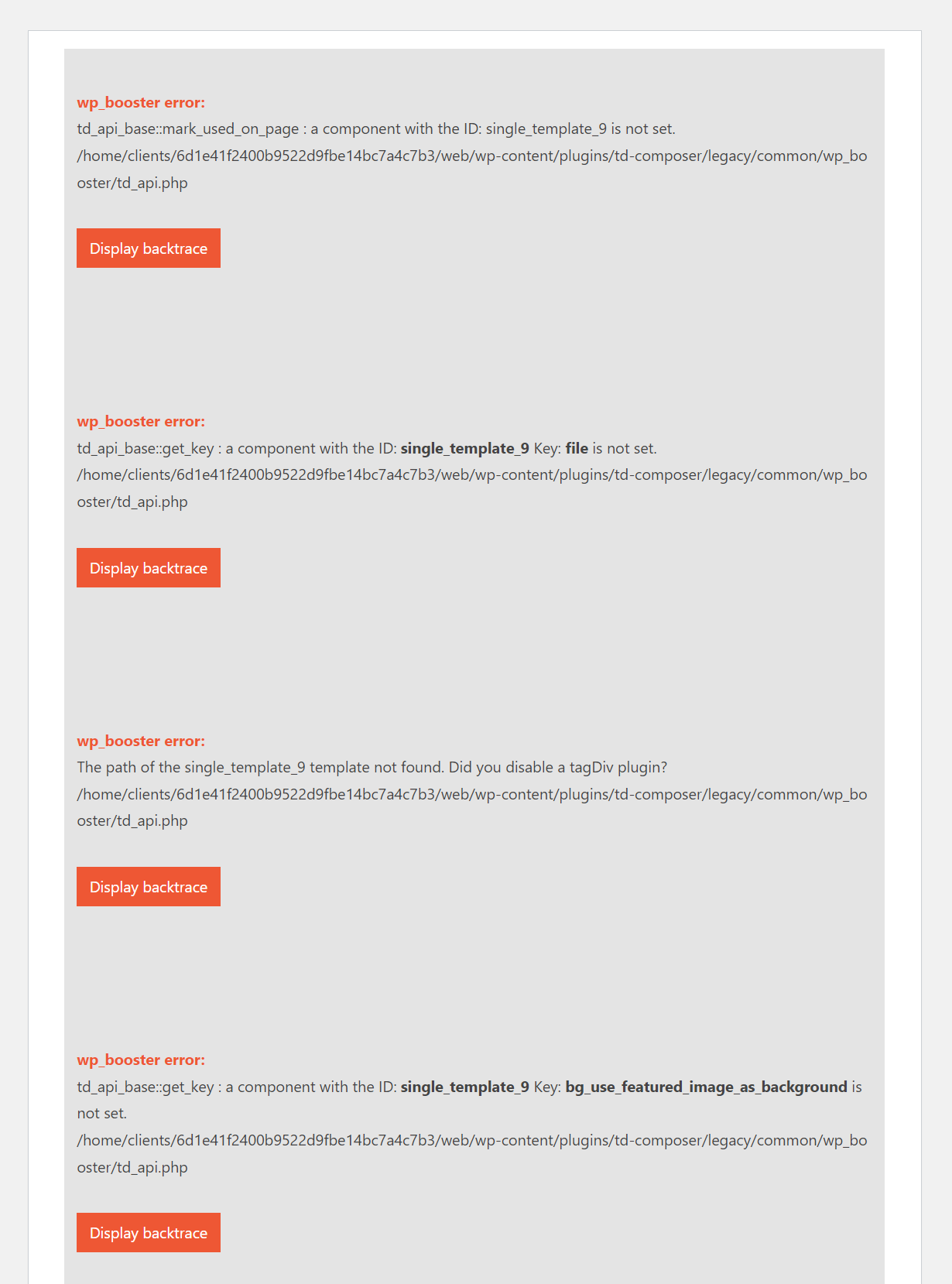
That error means that a post was using a standard post template, and the standard pack plugin is inactive. If that is the case, please make sure the standard pack plugin is active https://prnt.sc/abHH0uotwoBz This plugin must be active if the website uses templates from it. Or, you can use cloud templates and then it will not be required. We can discuss more, let us know at any time https://forum.tagdiv.com/newspaper-theme-support/
Regards, Simion C.
Hey i bought an older version of the theme ,now the website was hacked on checking i found online that tagdiv composer 3.4 allows unauthenticated users to login ,just by knowing you email address…..how can i upgrade tagdiv composer to 3.5 since i have an older theme license also.. things always break when an update is mage
Hi,
The latest theme version is 12.3 https://tagdiv.com/newspaper/ and you can update the theme at any time. If you are using a much older version it will have to be done manually, meaning via WordPress or a file manager. Or if you are using a newer theme version it can be done automatically https://forum.tagdiv.com/how-to-update-the-theme-2/ In case you need help with it, please send us an email at contact@tagdiv.com and we can discuss more. Let us know.
Regards, Simion C.
Let me hope i dont have to bu the theme once again
i mean let me hope i dont have to buy the theme once again
Hi,
If you already purchased the theme, then you can always download the latest theme version from your themeforest account. Updates are available for life if you purchased the theme. So you don’t have to purchase it again, or each time there is an update. Let us know if you have more questions, we will help.
Regards, Simion C.
thanks for this great theme! I like the newspaper crypto news pro layout, but I want to add woocommerce to this layout, how do I do that? thanks
Hi,
Thank you as well for using our theme, we are glad you like it. Woocommerce elements can be added to any demo basically. You will need the shop plugin https://forum.tagdiv.com/tagdiv-shop/ Then you can use woocommerce templates, product blocks, etc. We can help more if you want us to, please let us know at any time https://forum.tagdiv.com/newspaper-theme-support/
Regards, Simion C.
Features request. Ability for others to add a post (text and link) after registering. The ability to choose the category where to post, up/down votes and comments allowed for posts. thanks
Hi,
Posts can be submitted by website visitors, like so https://forum.tagdiv.com/create-frontend-submission-form/ A full post can be created, meaning title, content, featured image, also the user can select the category of the post. All of these can be conditioned by being logged in, or after registering/subscribing to a plan. I see you mention adding a post by link, which isn’t possible unfortunately, at least not at this time. Is this what you would like to see in the theme? I believe this request is already on our list, and it will be considered in the future.
Regards, Simion C.
Hi Team, in the latest update i see you have included the table of contents feature. Where can we check the demo of it?.
Hi,
We have indeed added a TOC element in the composer https://prnt.sc/Vu_RKgLAUeG2 It can be placed anywhere inside the post template. There are a few settings for it as well. We haven’t added it in a demo yet, but you could give it a try and let us know if you have any suggestions.
Regards, Simion C.
Hi and thank you for Newspaper, best theme there is!
A question regarding custom fonts; is there any other way to add more than just five custom fonts, other than via the panel I mean?
Best, Asgeir
Hi,
Thank you for your kind words and for being our customer. Unfortunately, there is no option to add more than 5 custom fonts. The only way to do this is by editing the files in the theme, but unfortunately that section of code does not work in the child theme and will be lost when the theme is updated. Thank you for your understanding! Regards, Calin N.
Hello again,
IMPORTANT!
This is not related to the fonts issue, I think, but both our websites running Newspaper turned really sluggish today. I deactivated the plugins, reinstalled a fresh version of WP, but in the end, I had to deactivate Newspaper because of the “rest-api encountered an error”. After reinstalling the theme and plugins it all works just fine.
I dont know what caused this, but apparently there was a lot of wp-cron jobs going on and many request to the db (according to the server hosting staff).
When it happened, I was replacing a woff2 font file in the media library. Note that I had to intall a WP Add Mime types order to upload woff2/woff at all, for permission.
We have two installations of Newspaper, one on the main domain (xxxx.com), and the other on the same domain like this; xxxx.com/en. Also, we have two lisences but we are using only one key since it on the same domain.
I was in fact doing the same operation on both these site, at the same time almost.
Let me know if this makes any sense, and also if you have had any similar cases.
best, ap
Hi,
I haven’t seen a case like this before, quite an unusual issue. And by reinstalling the theme and the theme plugins all that would be different is the files, everything else like the settings are the same and loaded from the database. If no modifications were made to the theme files, then it is the exact same theme which now works fine. Setting a custom font in the theme panel means that the theme will load it like this https://prnt.sc/y6pD-9zGxVjq and will include it in the font selection dropdowns, but that would be all there is to it. I can’t explain what could have caused such a problem, and why reinstalling the theme and the plugins solved it. But in case it happens again, I suggest sending us an email at contact@tagdiv.com and providing access to the website, we will investigate it.
Regards, Simion C.
Hello Simion,
The problem was not resolved, in fact, it started again shortly after.
It seems that this was caused by the Standard Pack plugin and .woff2 file (not .woff).
By deactivating the Standard Pack, thing worked just fine as far as page load was concerned. I removed the woff2 files, activated the Standard Pack, then I added woff files one by one, and that’s it.
It’s a bit strange since it all worked well over several days (with .woff2).
Anyway, it’s stable, at least for now, so we’ll see if anything happens over the next few days.
So to sum up; it seems that .woff2, which is a postscript format, is not compatible with the theme.
Lastly, If I put the CSS for the fonts (ref the screen shot) in the Custom Code field in the theme paned, would that work?
regards, ap
Thank you for the detailed information. I’ll make some tests with the woff2 format as well. You could load fonts by other methods and bypass the theme panel, but the problem is that they won’t show up in the font selection dropdowns. So they will have to be set with CSS manually for the elements you want. That may take some work if there are many fonts and many elements. But it will work.
Regards, Simion C.
Hi, I am having a HORRIBLE time creating a woo commerce shop page. I’ve followed the documentation and tried to use tagdiv composer, but I could not get the elements into the page. I even tried using the backend element (wpbakery???) but that doesn’t work either. I just want a shop page. Do you have a template for a shop page? I really don’t want to spend more hours trying to figure out why these other plugins don’t work.
My site is https://theblackhistorychannel.com. This is NOT a new site. I once had a shop page but it suddenly became all squished up and the sidebar was squished onto the writing. I couldn’t fix that either, so I tried making an all new shop page. No luck. Please help! Thanks.
Hello,
There is no need to build everything from scratch (Also I recommend disabling WP Bakery, as it usually interferes with the layout). If you want to use templates for the shop, they can be imported from this area – https://i.imgur.com/6pAAZII.png You can also import a shop page or shop elements for the page from here – https://i.imgur.com/U7foDbT.png – https://i.imgur.com/yPcIXeE.png
If you need further assistance our support team will be happy to help with any requests on our official support forum at https://forum.tagdiv.com/forum/newspaper/
Thank you! Calin N.
Thanks Calin, the customer support is EXCELLENT!
FYI, I don’t have have the Shop option – see this image – https://imgur.com/a/1wNehTD
Do I need to update something? In the meantime I’m going to try to import one of the Shop templates from the “General” tab. Thanks
ONE MORE QUESTION – I was trying to find a template for books for sale. These are woocommerce products. The closest thing I can find is the children’s store template. If I import this can it be tweaked into a book template? My site lets authors display their books. Thanks!
I’m unable to import any templates. When I click “import” the template does NOT appear, I still have a blank page. Please help.
Hi,
In order to be able to use or import the cloud woocommerce templates and elements, please install and activate our shop plugin first https://forum.tagdiv.com/tagdiv-shop/ The plugin is required in this case. Then if you can import the templates you like, which can be customized with the composer as well. or you can build your own templates. We can help more, I suggest to send us an email at contact@tagdiv.com and there we can discuss more. If possible also provide a link to the website in the email, so we can see what you are using and provide more accurate support. Let us know at any time.
Regards, Simion C.
The UNDO function doesn’t seem to work (CTRL+Z / CTRL+SHIFT+Z). Tried couple of times but nothing happens. How do I resolve this?
Hi,
The UNDO function must be activated – https://i.imgur.com/MliWLw0.png it can be used as long as the window in which the composer is open has not been closed, after the window is closed and reopened, the option will work for the elements that will be added to the composer, not for the ones that were added before the window was opened.
If you need further assistance our support team will be happy to help with any requests on our official support forum at https://forum.tagdiv.com/forum/newspaper/
Thank you!
Calin N.
Hi,
We are interested in buying your nice theme, ( News12Paper), for serious politics and business news website report Our focus is having all features display well on mobile phones, but to our shock, category blocks with all their tabs, like, “Dont Miss/ Life Style News/ House Design” dont show on mobile phone! Including the “Trending Now” newsreel just below header, which ought to be displaying on mobile phone.
Why is this?
Hi,
Thank you for considering our theme for your project!
Our theme offers 3 possibilities for the mobile version: the responsive version of theme, the mobile page template and the mobile theme plugin. Each of these has its own settings, but the most independent option that can be set in tagDiv Composer and does not affect the settings on the desktop is the mobile page template. The responsive version will display exactly the same elements as on the desktop but adjusted for mobile, and the mobile theme plugin is a mobile theme for a simple layout.
Now related to what you said about the categories, most likely the responsive version is not used for them, if you can tell me where you saw this I can tell you how it is set.
Thank you! Calin N.
Home header disappeared after new update, and some td features starting showing weirdly.
I love this theme but anytime there is an update, I have to start afresh again. Its quite frustrating especially if you have dedicated time to make it work. Perhaps, I should stop updating the theme.
Hi,
Is the problem with the header only for the homepage or the whole site? If you wish, you can contact us by email where we can offer you much better support and investigate the problem.
If you agree, please contact us on our email address at contact@tagdiv.com and provide a link to your site and wp-admin (login information and admin rights) so we can login and investigate. Please also include a link to this conversation so we can identify you.
Thank you! Calin N.
Table of contents shortcode; where to find?
Hi,
The “Single Post Table of Contents” element was added in Newspaper v12.3 and can be added with tagDiv Composer on single post template – https://i.imgur.com/qocYp8u.png -https://i.imgur.com/fqewtj3.png
If you need further assistance our support team will be happy to help with any requests on our official support forum at https://forum.tagdiv.com/forum/newspaper/
Regards, Calin N.
Greetings,
I should update the site to the latest version. Besides the theme and plugins, I see that there is also a patch (it’s called patch_12.2_12.3). Is it installed and if so, how?
Hi,
The patch folder contains the modified files since the previous version. But please note that it contains only modified files from the theme, not from the plugins. We may remove that in the future as it is somewhat useless, since the main theme files are in the plugins. I suggest updating the theme normally. So either manually through wordpress or using a file manager, or using the automatic update method. And please let us know if you have more questions or if there are problems https://forum.tagdiv.com/newspaper-theme-support/
Regards, Simion C.
Hello, “text with title” in the add element section – I cannot edit content, when I click it, It’s just getting loaded forever and nothing happens.
Hi,
We will take a look at it. Maybe there’s a conflict with something. In our tests it’s working fine. Please send us an email at contact@tagdiv.com and provide a link to the website and admin login. Let us know and we will check as soon as possible.
Regards, Simion C.
can we using “tagDiv Newsletter” with MailWizz – Email Marketing Application and Mailster – Email Newsletter Plugin for WordPress both are available on codecanyon
Hi,
Unfortunately not, so far we added only the newsletter providers mentioned here https://forum.tagdiv.com/the-newsletter-plugin/ In this case you can display the form by other means, like adding the form code in a column text element, it should work fine. Or you could try other newsletter plugins. Sorry for the inconvenience.
Regards, Simion C.
Hi, I have a Pre-Purchase Question: I know that the theme has its own powerful dedicated editor (TagDiv composer) but for some reasons I’m forced to use the WP Bakery editor. Do you think WP bakery will always be compatible with the theme in the future? (it will always be possible to use it) Or are you planning to just support the TagDiv Editor anymore? Thank you
Hi,
Thank you for your interest in our theme. If you have to use WPBakery, then you can use it. We still provide it with the theme, and when it receives updates we include the new versions in the theme package. You can find it in this folder once you extract the full theme package https://prnt.sc/1BUOPTbkoQI7 However, while we still provide it, since the composer was introduced the features and options we add in the theme are mainly focused on it. WPBakery can still be used to build pages if needed, but there won’t be that many extra options for it. Please let me know if you have more questions.
Regards, Simion C.
Thanks for the reply, all clear! Is it possible to disable the TagDiv Composer somehow? or “hide” the “TagDiv Composer” button when editing or creating a new page? or make the proposed default editor WPBakery? Thank you
Hi,
Unfortunately, if tagDiv Composer is disabled, you will no longer benefit from any of the Newspaper theme options. There is also no option to hide this element from the page or from the top bar, but I think it is possible using a function that can be set in a child theme. If you want, we can discuss this more by email.
Thank you! Calin N.
Hi, I forgot to update to 12.2. Is it ok to update now to 12.3? Thks for your time!
Hi,
Sure. You can update directly to the latest version. The changelog is available here https://tagdiv.com/newspaper
Regards, Simion C.
Thanks a lot Simion C.
I can design my sidebar by using tagdiv composer in all the areas except pages.
I have two questions.
1) I tried to customise the pages sidebar, but I can’t. It’s only allow newspaper default sidebar. How to customise the page sidebar?
2) Can we change newspaper default sidebar widgets properties like colour, font, etc.?
Hi,
1. The composer can be used to design pages and templates fully. I’m not sure to what you are referring to however. The newspaper default sidebar is a widget sidebar. The contents of a widget sidebar cannot be customized with the composer, only in the wordpress widgets section https://prnt.sc/pku_qVZ2OIqE So with the composer you can place a widget sidebar where you want to https://prnt.sc/Wya6gSCKH9sM but the contents of the sidebar can’t be edited with the composer.
2. There is a settings for the font https://prnt.sc/Tv49g5gC1cLe but for colors or anything else there aren’t. Normally widget sidebars or widgets are vary rarely needed now, as you can simply add elements with the composer in the page directly, not through a widget sidebar. And in the composer there are settings for everything. Are you maybe using widgets/elements that cannot be added through the composer?
I suggest to send us an email at contact@tagdiv.com and there provide some examples, so we can see for sure what exactly you are using in the page, and help more.
Regards, Simion C.
Hello I was wondering if there is login for publishers. we want run a website so all people can write articles – example like medium.com?
Hi,
We did add such a feature in a previous update. People can submit articles to the website via frontend submission forms https://forum.tagdiv.com/create-frontend-submission-form/ So you can create a page with the necessary forms, choose the post type, the post status, etc. and visitors can submit the articles. We also integrated it with our subscription plugin, so you can add free/paid plans (with optional limits) to which visitors can subscribe, and submit posts based on the plan they subscribe to. We will be improving this more over future updates, and adding more features. Please let me know if you have more questions.
Regards, Simion C.
Nice theme. I have a query. Can I use one license in two sites?
Hi,
Thank you for your interest in our theme, we are glad you like it. Please check the themeforest license terms here https://themeforest.net/licenses/terms/regular A license key is for one live website https://prnt.sc/e-0V3mCuS7VC but we do allow a second activation on a testing/staging website if this is needed. Please let me know if you have more questions.
Regards, Simion C.
Been asking for my domain to be reset at fastlaneseo since i changed the domain to serp.gg, please respond to/fix this. I’ve been getting ignored over email.
Hi,
I found an email from you, and my colleague replied in it yesterday. Please check as well, and also provide the license key in the email. We will be waiting for you reply, so we can reassign the key as soon as possible.
Regards, Simion C.
Just sent in a request from a new email, hope you guys could help tonight, thanks!
Hi,
The key has been reassigned as you want, please check as well.
Regards, Simion C.