26704 comments found.

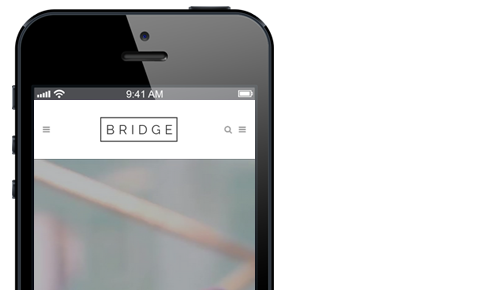
Hello where can search icon in mobile header activated ? As seen it here in documents : https://bridge.qodeinteractive.com/wp-content/uploads/2015/10/6-2-4-2-docs-2.png
Hello,
The search icon is hidden on mobile by default. For it to be displayed you can use custom css below:
@media only screen and (max-width: 1000px) {
    .side_menu_button>a.search_button {
        display: inline-block !important;
    }
}Don’t forget to sign up for our newsletter and be the first to find out all the latest news.
Hello. Thank you for your last answer and I would like to ask you additional questions.
I’m trying to import the entire site of the link below as it is, but the header and footer are not being applied as they were.
https://bridge498.qodeinteractive.com/How can I import the same as the sample site including the menu effect?
Currently, importing the demo site with the following conditions does not change the header and footer at all. How can I import the demo site as it is?
Import Type : AllImport Attachments : Yes
Following plugins should be installed and activated before demo import:
Elementor – Activated
Revolution Slider – Activated
Contact Form 7 – Activated
QI Addons for Elementor – Activated
QI Blocks – Activated
Hello,
Are you importing the demo on a clean installation of WordPress? If already imported some demo and you are planning to import another one, it is good practice to first clear your existing demo by resetting the database.
Once you import demo you should navigate to Qode Options > General and click on ‘Save Changes’ button in order to generate a new dynamic CSS file.
When importing Elementor demos we recommend following steps covered in this tutorial: How to Import Demos Made with Elementor in Bridge.
In case you need further assistance please submit a ticket at our Help Center and one of our support agents will gladly help you. To submit a ticket please follow instructions from this article – How To Submit A Ticket.Don’t forget to sign up for our newsletter and be the first to find out all the latest news.
Hello,
I have purchased multiple licenses for the Bridge theme. Some of the websites where the licenses were activated no longer exist, but the licenses still appear as active. Since I can’t deregister them from the old websites, could you please reset or release those licenses so I can use them on new projects?
Thank you for your help.
Hello,
You have an option deregister your purchase code via deregistration form at our Help Center in “My Products” section of your account. If you are unsure about the domain where the theme was previously registered, you can enter any url (like google.com), and in the error message the correct url will be written.
You can also contact us through this email, include your purchase codes in the email, and our support agents will assist you with deregistration.Don’t forget to sign up for our newsletter and be the first to find out all the latest news.
Hello, Solved, thanks!
Don’t forget to sign up for our newsletter and be the first to find out all the latest news.
Is there an efficient way to make the theme customizable entirely with Elementor? What’s the point of making a theme elementor friendly if then, for example, i won’t be able to change font style, size, decoration and the like for different text html elements without having to set them in Qode Options…Elementor is way more intuitive, fast and “per-container” based… Elementor should have precedence over Qode Options because it’s not convenient to set a static color for H2s or H3s or Ps if I need them styled differntly in different pages…If i set those in Elementor it doesn’t change, sign that the Qode Options are set to be more specific than Elementor
Hello,
We understand that this is your preference, however, when the theme was created Elementor didn’t exist yet so it was developed to use options by the theme. Also, the theme is developed to be compatible with three page builders: WPBakery page builder, Elementor and Block Editor. This is why the global options need to in the theme so they could be available no matter the page builder users chooses to use.
If you need any assistance with the theme or theme options you should know that you can always turn to our support team and our support agents will be happy to help. To submit a ticket please follow instructions from this article – How To Submit A Ticket.
We also recommend checking the documentation in this link and our Knowledge Base here.Don’t forget to sign up for our newsletter and be the first to find out all the latest news.
Hi, I have another issue with another instance of bridge but I can’t open a ticket even though I paid for support it says it expired. I’m having an issue with Revslider plugin, we’re on the last version and when active is not possible to edit anything, giving a critical wordpress error. I have the debug log but can’t send it through support.
Hello,
Sometimes support extension takes a bit more time to be processed. We located a ticket created with your account (#301474). If you need further assistance please continue the conversation in this ticket or open a new one.Don’t forget to sign up for our newsletter and be the first to find out all the latest news.
I do need further assistance. It seems like it has to do with the purchase code (which is good and active) I can open tickets with one purchase code but no other
Don’t forget to sign up for our newsletter and be the first to find out all the latest news.
I opened a ticket but I’m trying here as well in case it’s faster since this is urgent. I’m reinstalling a website using the same purchase code, on the same domain/directory but with a new database. As we’re rebranding our site, this is currently a dev environment.
The issue is that I can’t register the theme. I already tried deregistering, but it still gets stuck on “Please Wait” when I enter the purchase code and email. How can I continue?
I fixed it
Hello,
We are glad to hear that you’ve managed to resolve this in the meantime. There is an option deregister your purchase code via deregistration form at our Help Center in “My Products” section of your account. If you are unsure about the domain where the theme was previously registered, you can enter any url (like google.com), and in the error message the correct url will be written.Don’t forget to sign up for our newsletter and be the first to find out all the latest news.
This is my second time posting here and my second attempt to use this theme on a new project. Unfortunately, I’m facing the same error regardless of what I try. Every time I attempt to import the demo content, the process stops at 98% and displays the message: “Something went wrong. Please contact support.”
I purchased this theme, have already lost several hours troubleshooting, and still haven’t been able to use it. I would greatly appreciate your urgent assistance in resolving this issue.
Hello,
If the import reaches 98% and stops, this usually means that everything is imported except sliders, however, they can be imported manually. See one-click import → Bonus tips.
In case you need further assistance please submit a ticket at our Help Center and one of our support agents will gladly help you. To submit a ticket please follow instructions from this article – How To Submit A Ticket.
We also recommend checking the documentation in this link and our Knowledge Base here.Don’t forget to sign up for our newsletter and be the first to find out all the latest news.
It’s not just the slider — the entire design is broken. I’ve already read the documentation, and unfortunately, this isn’t my first attempt.
After writing a detailed message explaining everything, I receive the message in the TICKET section: “Support for ‘Bridge – Creative Elementor and WooCommerce WordPress Theme’ has expired.”
It feels like we’re not making any progress. Is there any way you could still assist me? I would really prefer to resolve this issue rather than leave a negative review. After all i have purchased the THEME and i would like to use it.
Hi,
We would appreciate if you could extend your support. Both the theme and demo import is working correctly on our installation. Our support can import demo for you, however, we kindly need to ask you to extend your support. You can find more info regarding support expiration and option to extend it in this article.
Note that using ratings to force authors to provide support when customer’s support has expired is against Envato Market rating policy.Don’t forget to sign up for our newsletter and be the first to find out all the latest news.
I understand your point regarding support expiration. However, my concern is that the demo import and basic theme functionality should work out of the box, without requiring active support. Since I’ve been unable to get the demo import working and it’s not the first time despite following the documentation, this feels more like a product issue than a support question.
I would sincerely appreciate if you could help me resolve this, even without an extended support package, as I haven’t yet been able to properly use the theme I purchased. If we can get this sorted, I’d be happy to consider extending support for future needs.
Thank you for your understanding.
Bridge theme already passed Envato Market quality check and the demo import is working correctly. We will link below detailed tutorials on how to import demos (both one-click and XML demo import methods):
How to Import Demos Made with Elementor in Bridge
How to Import Bridge Demos Made with WPBakery
The XML import method is a lighter method (it doesn’t require as much server resources).
In case you further assistance we kindly need to ask you to extend your support.Don’t forget to sign up for our newsletter and be the first to find out all the latest news.
I’ve already gone through all of these steps — watched the videos, read the documentation, completed the troubleshooting, and configured the server parameters exactly as indicated in the docs. Altogether, I’ve spent several hours on this, and with 15 years of experience as a web designer, I’m confident I’ve covered the basics thoroughly. Still if the DEMO is not installed completely i will not be able to use the THEME.
This is not something we can reproduce on our end and we are not sure what you exactly mean by “demo is not installed completely”. In your original message you wrote that import reached 98%. This means that everything is imported except sliders and they can be imported manually which is covered in video tutorials.
We understand that you’ve purchased the theme in 2022. and you want to use it now however your support expired. Once again we kindly need to ask you to extend your support.Don’t forget to sign up for our newsletter and be the first to find out all the latest news.
Thank you for your response. As mentioned, the demo import does not complete and consistently gets stuck at 98%. This is a product functionality issue rather than a support matter.
Also, as I’ve already clarified, it’s not just about the sliders. The entire website design is broken due to the partial import of the demo, which makes the theme unusable.
I purchased the theme in good faith, and while some time has passed, I believe that core functionality such as demo import should work regardless of whether support is currently active.
If we can resolve this issue, I’ll be glad to consider extending support for future projects. However, I don’t see the value in paying an additional $50 on top of what I’ve already spent if the theme cannot perform its basic functions.
Thank you for your understanding.
As we already mentioned several times before Bridge theme passed quality check by Envato Market and it is used on more than 200.000+ websites. The theme and demo import are both working correctly.
You say that you followed all of the steps from the video tutorials we linked. Please add screenshots of the errors you mention you’re experiencing here (both for one-click and XML demo import) so we can review. The video recording of you performing one-click and XML demo import would also be helpful so we can tell you what you can try. Thank you.Don’t forget to sign up for our newsletter and be the first to find out all the latest news.
I will get back to you tomorrow. Thank you.
This website crashes if the theme is activated. https://sarenosolutions.com/jikfi/ If using other themes – works; disabling all plugins – same crash issue.
Hello,
We couldn’t reproduce this on our installation. Is this a clean installation of WordPress or you’re trying to install the theme on a site with existing content which was made with some other theme? We always recommend installing the theme and importing the demo on a clean WordPress installation.Don’t forget to sign up for our newsletter and be the first to find out all the latest news.
Hello. I would like to inquire as I do not know where to set the menu ‘effect’ for the template below. Also, I am trying to replace the B logo in the upper left corner with a different image, but B does not appear in the Elementor editing screen.
https://bridge498.qodeinteractive.com/I can’t find a setting method in the header settings or Elementor editing screen.
https://bridgelanding.qodeinteractive.com/elements/headers/Then, I would like to ask for your specific answer. Thank you.
Hello,
The tutorial on how to set up header using Bridge theme can be found here – How To Set Up Your Website Header Using The Bridge WordPress Theme.
In case you need further assistance please submit a ticket at our Help Center and one of our support agents will gladly help you. To submit a ticket please follow instructions from this article – How To Submit A Ticket.
We also recommend checking the documentation in this link and our Knowledge Base here.Don’t forget to sign up for our newsletter and be the first to find out all the latest news.
Hello, how are, i’d like to know if this template is a Multi License package? can i use all templates on a other of my domains? Important Information, should be visible before buying! Thanks Regards
???????
Hello,
The theme is sold under the Regular License and this is noted on the page (please see screenshot). Each installation requires a separate license. Therefore, with the Regular license you purchase with our theme, you can use the said theme only on a single website or a domain.Don’t forget to sign up for our newsletter and be the first to find out all the latest news.
I want to know on which domain i am using my licence.
Hello,
If you need to deregister your purchase code, you can do this via deregistration form at our Help Center in “My Products” section of your account.
If you are unsure about the domain where the theme was previously registered, you can enter any url (like google.com), and in the error message the correct url will be written.
You can also contact us through this email, include your purchase code in the email, and our support agents will assist you.Don’t forget to sign up for our newsletter and be the first to find out all the latest news.
Hi! I am trying to locate the slider revolution template that is displayed on your elements page -> https://bridgelanding.qodeinteractive.com/elements/revolution-slider/
Thanks!
Hello,
This slider is not on the list. Please contact our support through this email, just include your purchase code in the mail, and our support agents will send you the slider.Don’t forget to sign up for our newsletter and be the first to find out all the latest news.
Hi there! When I go into the ‘Quode Options’ menu from my Wordpress dashboard, the menu stays on the general tab and will not change when I select another tab. For example, the panel area, or header, footer, sidebar, etc. It processes as if going to that tab, but then stays on the general tab. The address bar changes to reflect the new tab, but the page remains on ‘general’.
To note, I updated Bridge to the most recent version (as listed on Themeforest) this morning before sending this ticket.
Thank you for any assistance you can provide! 
I forgot to add that I have also updated Bridge Core.
Hello,
Please check if your purchase code is registered in Bridge Dashboard. Theme options, shorcodes and meta boxes are now disabled if theme purchase code is not registered on live server.
In case you need further assistance please submit a ticket at our Help Center or contact us through this email, include your purchase code in the email, and one of our support agents will gladly help you.Don’t forget to sign up for our newsletter and be the first to find out all the latest news.
Hi, and thanks for your response! Yes, it is registered in the Bridge Dashboard. I will send an email.
Don’t forget to sign up for our newsletter and be the first to find out all the latest news.
Code is already registered for other domain. Can anyone help reset it? I tried to submit a request through the support system but it says “Support for “Bridge – Creative Elementor and WooCommerce WordPress Theme” item has expired.”
Hello,
We deregistered the purchase code for you. You should be able to register the theme now.
You also have an option deregister your purchase code via deregistration form at our Help Center in “My Products” section of your account. If you are unsure about the domain where the theme was previously registered, you can enter any url (like google.com), and in the error message the correct url will be written.Don’t forget to sign up for our newsletter and be the first to find out all the latest news.
Hi there! Is it safe to use the Minify option (Basic Settings) with the W3 Total Cache plugin on this theme?
Hello,
Note that files are already minimized in the theme and you can’t minimize files like js.php and css.php, because they are dynamically created.
We haven’t tested the Minify option of W3 Total Cache plugin, however, you can always create a backup of your site and test it for yourself.Don’t forget to sign up for our newsletter and be the first to find out all the latest news.
please release last wp bakery plugin version as quick as possible
I can’t see any update in my backend
Hello,
You can now update the theme and plugins to the latest versions listed in change log.
To update Bridge theme and bundled plugins please follow instructions from this article – How To Update The Bridge WordPress Theme And Bundled Plugins. After you update the theme all of the plugins with available updates will be listed in Appearance > Install Plugins.Don’t forget to sign up for our newsletter and be the first to find out all the latest news.
Just updated theme and core plugin to the latest version, Qode Tours Plugin crashes the site now.
Hello,
Once you update the theme, it is recommended to first update Bridge Core plugin listed in Appearance > Install Plugins and then other plugins after that. It is also recommended to update them one by one.
If you are still having troubles to update plugins, please submit a ticket at our Help Center, or contact us through this email, include your purchase code in the email, and one of our support agents will gladly help you.Don’t forget to sign up for our newsletter and be the first to find out all the latest news.
WP Bakery has a security vulnerability in version 8.5, which is the most recent version on Bridge. We need the newest version of WP Bakery, 8.6.1, can you please make that available ASAP? My support has expired, but this is a security issue that should be resolved simply because we purchased Bridge since the WP Bakery license is through Bridge. Please advise, thank you.
Hello,
You can now update the theme to the latest version listed in change log.
To update Bridge theme and bundled plugins please follow instructions from this article – How To Update The Bridge WordPress Theme And Bundled Plugins. After you update the theme all of the plugins with available updates will be listed in Appearance > Install Plugins.Don’t forget to sign up for our newsletter and be the first to find out all the latest news.
Hi Qode, thank you for your prompt reply and update! I really appreciate the quick action even though this isn’t your normal support channel.
Don’t forget to sign up for our newsletter and be the first to find out all the latest news.
Hi, it’s seems to be a problem with wp bakery: WordPress WPBakery Page Builder for WordPress plugin <= 8.5 – Authenticated (Contributor+) Stored Cross-Site Scripting vulnerability
can you please provide a new theme update or even just the plugin update? thanks
Hello,
You can now update the theme to the latest version listed in change log.
To update Bridge theme and bundled plugins please follow instructions from this article – How To Update The Bridge WordPress Theme And Bundled Plugins. After you update the theme all of the plugins with available updates will be listed in Appearance > Install Plugins.Don’t forget to sign up for our newsletter and be the first to find out all the latest news.
Hi there, great theme!
I miss the function to show the date on WPBakery POrtfolio List Settings. I can only order by date, but not show date. Please advise.
Hello,
The portfolio lists don’t have an option to show date. Metadata shown in portfolio lists is usually title and category. For a more detailed overview of theme’s options please check the documentation in this link.
If you need any assistance with the theme or theme options you should know that you can always turn to our support team and our support agents will be happy to help. To submit a ticket please follow instructions from this article – How To Submit A Ticket.Don’t forget to sign up for our newsletter and be the first to find out all the latest news.