12819 comments found.

Can the partner feature be used as an affiliate feature for other people to become affiliate marketers in our travel?
Hello,
Unfortunately, Traveler does not support this functionality.
Each partner is responsible for uploading and managing their own services. They do not receive commission for promoting or selling another partner’s services.
Thank you for your understanding.
Thank You and Best Regards
I’m having an issue editing the 600×490 banner on the main pages such as About Us, Become a Local Expert, FAQ, Tours, etc.
I followed one of your guides where it is suggested to add the banner by enabling or configuring the Transparent Banner option in the theme settings. I have done this, but unfortunately the banner is still not being applied or displayed on those pages.
Could you please confirm if this is the correct procedure to modify the 600×490 banner on these pages? Also, if possible, could you share the link to the guide or documentation that explains this setup in detail?
Thank you in advance for your support.
Best regards,
Hello,
It is featured image of this page
Please feel free to contact us if you need any further information.
Thank You and Best Regards
I don’t understand your answer. I added the transparent banner image to the theme settings as you said, but it doesn’t add anything. As you can see in the link on my page, nothing changes. I’m asking for the link to the guide so I can see if I’m following the correct procedure.
https://grandsardinia.com/contact/look here https://prnt.sc/adbilcoQCCVD I entered it as your guide says and as you can see from here https://prnt.sc/8-YdLJ9E7SXj . I paid for support for a year and never bothered you, and now that it’s expired, you’re asking me to innovate to fix bugs with your theme? I followed your guide and it doesn’t work, and you need to help because I paid for the theme. It almost seems like bugs like this are purposely placed to force me to ask for support via ticket.
Hello,
There is no bug here when you use image in the wrong place. Kindly re-check our answer “featured image of this page” not Theme Options
Please feel free to contact us if you need any further information.
Thank You and Best Regards
Có thể tùy chỉnh để có thêm mục search theo Room thay vì Hotel không ad ơi!
Hello,
Search by room can be used on demo which have only one hotel. You can consider those demo hotelalone Example: https://hotelalone.travelerwp.com/room-search-page/
https://skihotel.travelerwp.com/room-search-page/Thank You and Best Regards
mình vẫn muốn sử dụng search by room trong multi hotel, có thể custom được không
Hello,
It will be like this https://modmixmap.travelerwp.com/room-search/
Please feel free to contact us if you need any further information.
Thank You and Best Regards
Hello, in page tour ( esemple: https://mixmap.travelerwp.com/st_tour/museum-of-american-history-through-music-tour-2) is possibile hide block “Organized by” or only “Ask question ” button ?
Hello,
You will need CustomCSS to hide it since Traveler does not have this hiding function
Please feel free to contact us if you need any further information.
Thank You and Best Regards
Hi,
I renewed support 1 or 2 days ago. When submitting a ticket on your website there is an error:
Your support period is expired. Kindly renew it on Themeforest and update on Shinehelp
Shine help has my licence code already (my licence code hasn’t changed after licence renewal).
Hello,
Just re-input your purchase code into Shinehelp account to update support period: https://travelerwp.com/how-to-update-my-support-license-on-shinehelp/
Thank You and Best Regards
Great, thank you
Hello, I would like to ask if the Tourfic Plugin is fully compatible with Traveler WordPress Theme
Hello,
No. Traveler have its own booking system and does not compatible with any other booking plugin
Please feel free to contact us if you need any further information.
Thank You and Best Regards
Hi, can I insert a video on the home page like this https://it.louisvuitton.com/ita-it/homepage ??
Hello,
You can use background video, example https://tomap-elementor.travelerwp.com/
Please feel free to contact us if you need any further information.
Thank You and Best Regards
I see this https://tomap-elementor.travelerwp.com/ but there is not a video . I try here https://grandsardinia.com/ , I can’t upload my video and when I insert the YouTube link, it doesn’t work.
Hello,
The background of hero banner is video https://www.awesomescreenshot.com/video/49316141?key=24a931b2acb74d565feba97592b849ce
Thank You and Best Regards
Yes, I’m trying to insert this. Hainil links to your documentation on how to do it. I use demo mix
Hello,
it is just a background and instead of image we use youtube link
If you would like us to investigate further in your environment, please submit a ticket through our support system at ShineHelp: https://shinehelp.travelerwp.com/.
This will enable our developers to quickly identify and address your issue.
Thank You and Best Regards
I understand, but I’m stuck on pages – homepage – and ST search form – mix service. I can only add images below. If you write here how to do it, it could also help other clients of yours who have the theme. I’m developing a site, otherwise if something you think is so simple always requires a ticket, I imagine for something bigger. I should change the theme.
i use this yours demo https://mixmap.travelerwp.com/
Hello,
We provide support only via the ShineHelp Support System.
Kindly provide us with a detailed description (photo, URL, admin account,..) that is related to your question above by “submitting a ticket” to our official support system: https://shinehelp.travelerwp.com/
That will help our developer quickly identify your issue.
Looking forward to hearing from you soon
Thanks and Best Regards!
I am failling to register on support and the activation . It keeps saying purchase code invalid. Let me know
Hello,
Your purchase code have been used on this user on Shinehelp
User Login: Benxxx
Email: benexxx@vixxxxxx.com
I hide the character for security
Please feel free to contact us if you need any further information.
Thank You and Best Regards
SUGGESTION: IA integration?
Hello,
Regarding feature requests, you can submit feedback here https://traveler.canny.io/
Thank You and Best Regards
is it possible to change st_tour url slug to something different?
Like
/tour/ /passeio/ /package/
Thanks
Hello,
You can change in WPAdmin > Settling > Permalinks
Thank You and Best Regards
Is there a possiblity of using Custom Contact Form 7 on your design?
Hello,
You can replace the default inquiry form with a custom form created using Contact Form 7. https://travelerwp.com/how-to-set-up-inquiry-form-with-contact-form-7/Thank You and Best Regards
The booking calendar is grayed out, and I am unable to make any reservations. Is this a system error on Traveler’s side?
I need this issue to be resolved as soon as possible, as Traveler is not usable for me without access to the booking calendar.
Hello,
We have checked, and it works normally in our environment: https://modmixmap.travelerwp.com/st_tour/segway-tour-of-washington-d-c-highlights/
If you would like us to investigate further in your environment, please submit a ticket through our support system at ShineHelp: https://shinehelp.travelerwp.com/.
This will enable our developers to quickly identify and address your issue.
Thank You and Best Regards
Hi, I use translatepress and when I add them to the menu, they are not added but only shows bunch of lines like this:
Dansk
Can you help me fix it?
Hello,
Traveler does not support TranslatePress. Regarding multi-languages, you need the WPML plugin to make your website in multi-languages: https://travelerwp.com/how-to-set-up-wpml-plugin/
Note that Traveler does not include WPML in the package; you need to purchase it separately.
Please feel free to contact us if you need any further information.
Thank You and Best Regards
Yes, but I added “Current lang” and the languages to menu and it usually works without being compatible
Hello,
Traveler does not support TranslatePress. Regarding the 3rd-party plugin, kindly control the issue by yourself
Please feel free to contact us if you need any further information.
Thank You and Best Regards
Hi there!
I’m experiencing an issue with 2 things and I’d like to kindly ask for your help:
1 – When a link to any of the rooms is posted on social media, the image is not the one set as a main image for the room. Most of the rooms show no image and those who have an image, it’s the wrong one. I use yoast seo plugin and I’ve added the correct image in the settings there but it isn’t fixing the issue.
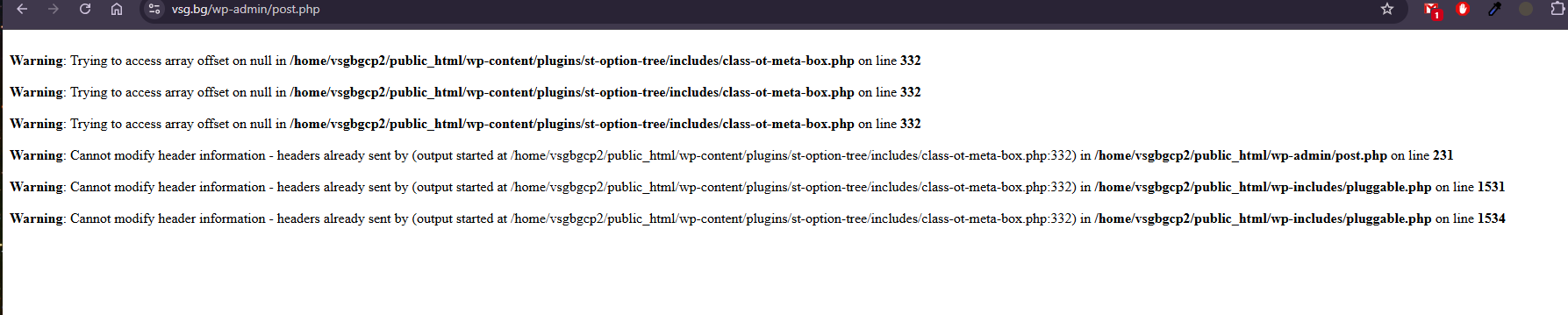
2. When I edit and post any of the rooms, I get this error. The edits are saved but I still worry about it – https://shinehelp.travelerwp.com/wp-content/uploads/2026/02/traveler-error.png
Thank you and best wishes!
Hello,
We provide support only via the ShineHelp Support System.
Kindly provide us with a detailed description (photo, URL, admin account,..) that is related to your question above by “submitting a ticket” to our official support system: https://shinehelp.travelerwp.com/
That will help our developer quickly identify your issue.
Looking forward to hearing from you soon
Thanks and Best Regards!
They are so money-hungry that they are selling their own designed iyzico payment system for $350.
Hello,
Payment gateway integration requires a significant amount of work, and this pricing is standard for such integrations.
Thank You and Best Regards
Of course, is this why billion-dollar game companies sell their games for a maximum of $49? Are you kidding, are they selling them for $350?
Noted
Very good theme. It really works with our company!
Hello,
It is wonderful to hear that you are having a great experience with Traveler and our support services.
Thank you very much for taking the time to share your review and for your kind words. Your sincere feedback is one of our greatest sources of motivation.
We remain committed to continuously improving our products and delivering excellent service.
Thank You and Best Regards
Hi we are in Maldives and we have not using car for transfer airport to male city i want to change the car into Boat how is this possible my main concern is on the mix service menu there is showing car rental and transfer there i just want to change if possible in backend that is great but if not just want to change on the mix service menu
Hello,
If you just want to change text from Car to Boat, you can change or translate the theme text by Translation with PoEdit software. This document for your reference: https://travelerwp.com/how-to-translate-your-theme-by-poedit/
Thank You and Best Regards
Where do we find the language file for us to translate en_US.po Before it was at theme/language/ now there is an english but all php files. Thank you
I have noticed a possible issue with language folder. Parent folder is named “language” wp recommends using plural “languages” and on child theme the code to add to fuctions.php as mentioned in your documentation it doesn’t seem to be updated: Redundant first line: load_theme_textdomain() is for parent themes. In a child theme, you only need load_child_theme_textdomain(). So from your recommended code: function child_theme_slug_setup() { load_theme_textdomain( ‘traveler’, get_stylesheet_directory() . ’/languages’ ); load_child_theme_textdomain( ‘traveler-childtheme’, get_stylesheet_directory() . ’/languages’ ); }
to something like this?
function child_theme_slug_setup() { // Load child theme translations – use parent’s text domain ‘traveler’ load_child_theme_textdomain( ‘traveler’, get_stylesheet_directory() . ’/Language’ ); } add_action( ‘after_setup_theme’, ‘child_theme_slug_setup’ );
Thank you for reviewing this. PS. Language parent folder shows English with very old languages version with all php files.
Hello,
The default .pot file in traveler\language\traveler.pot
And .po need to be placed into wp-content/languages/themes not wp-content/themes/
This document is for your reference https://travelerwp.com/how-to-translate-your-theme-by-poedit/
Please feel free to contact us if you need any further information.
Thank You and Best Regards
Hello, Can anyone please tell me how to turn off Room availability option in hotels side bar widget ? can i only keep the inquiry form? and is there any way i can completely remove the widget on hotel pages?
Hello,
The room widget cannot be turn off. If you don’t want room service, just use the Rental service
For example https://modmixmap.travelerwp.com/st_rental/townhome/
Then change text from rental to hotel
Please feel free to contact us if you need any further information.
Thank You and Best Regards
Can you tell me exactly which file the widget is in so I can edit it?
You can start from inc\modules\layouts\elementorv2\inc\views\services\hotel\single\
Please feel free to contact us if you need any further information.
Thank You and Best Regards
Dear,
We love your theme travel tour but we need functions and categories for : - hotel - car rental - activities (ex: wedding,..) - tour (visit, ..) -car rental - yacht
All in one theme, Is there a way to use your theme and have those sections without to to custom code ?
take care,
Hello,
Unfortunately, traveler does not support those service. Traveler provide only 5 services : Hotel (Room), Rental, Car, Tour, Activity
Please feel free to contact us if you need any further information.
Thank You and Best Regards