38353 comments found.

Love your theme. I purchased it for 4 diff sites. On this page, I have a gallery with flickety and images for the footer set in global sections. however it shows each image very big. its suppose to show all 6 images side by side like a client list but its blown up 2 images and doesnt show the rest djborhan.com/contact/
Hey djb19, I’m glad that you’re enjoying Salient 
Have you set the Image Gallery → “Desktop Image Height” field to a value that matches your desired design? Based on what you described, something around 50px–100px would be ideal, but it’s currently displaying at 500px. https://ibb.co/KjGnb4r4
Kind regards
Have you also tried deactivating your performance plugins to verify that caching isn’t related?
If it’s not, since there’s no known issue with the image gallery height field outputting a different value than what’s entered and I can’t replicate that locally, I would need to take a closer look at the editor view. Feel free to open a ticket on the support forum regarding this.
Thanks in advance
hi, ive updated my page here with the hero image. but on mobile it still shows the stock photo with the template https://vibe365.ca/weddingdj/
Hey djb19,
I can still see the mobile image specified in the element options for the Phone viewport. If you’re sure that you’ve removed the image for that viewport – and not just the desktop viewport by clicking the phone icon in the background image field – please open a ticket on the support forum regarding this issue.
Thanks in advance
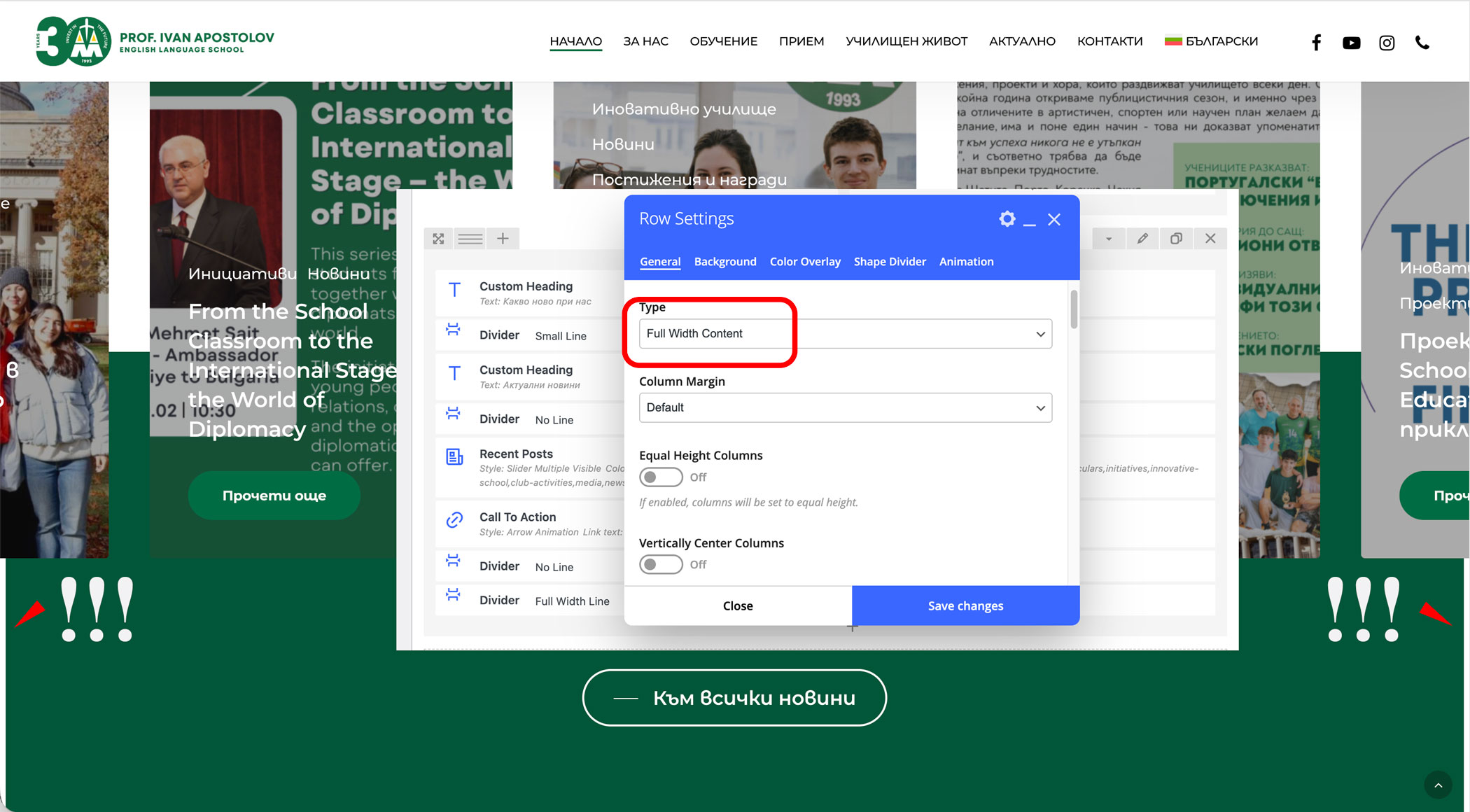
After updating to the latest version of Salient, we are experiencing a layout issue across multiple websites using the theme.
Full-width rows are no longer stretching to the full browser width. Thin white vertical gaps appear on both sides of the page, but only on standard full-width rows. Interestingly, the issue does NOT occur on slider sections — they still extend edge-to-edge correctly.
This happens across all pages and on multiple installations using Salient. No layout settings were changed before the update.
It seems that a new container or wrapper may have been introduced in the latest version, possibly constraining full-width rows even when “Full Width” is selected.
Could you please clarify: 1. Has there been a recent change to the row/container structure? 2. Is there a new setting controlling full-width row behavior? 3. What is the recommended way to restore true edge-to-edge full-width rows?
We would appreciate your guidance, as this affects multiple client websites.
Thank you.
Hey PixelHouseStudio,
We haven’t seen similar reports, and no new wrappers have been added. The full-width settings should function the same way as before. Are you also seeing the same issue in the live demos that use the latest version on your end?
Could you please share the URL of one of your sites that has the issue and temporarily disable any performance optimizations?
Kind regards
Hey,
It looks like you’re using various outdated versions of the theme from those URLs, ranging from v15 to v17. The issue you’re seeing is likely related to Chrome v145. We released a compatibility fix on the 13th of this month in version 18.1.0. You can read about how to update the theme here: https://themenectar.com/docs/salient/updating-salient/
Kind regards
Hi ThemeNectar! I really love the new update on Salient, it made me work with the template again. I went with Signal as a base and have a question about the new carousel.
Standard the carousel content looks a bit like 1:1 / 4:3 ish, but how can i make it look like social media content 9:16? Nowhere I can find how to adjust the height.
Hey novamilitia! I’m glad that you’re enjoying the new updates!
There’s no direct aspect ratio control for carousel items. In that example section, the items get their size mostly from the divider placed between the top text and the badges at the bottom. You can increase that value to reach your desired height.
Kind regards
Hi,
I’d like to report a few accessibility issues if you can address with the next update, it would be much appreciated.
1. It looks like all the Tab elements (maybe the accordion too, I have not tested this) and the site search icon have a broken same-page link issue. This tool reports the issue. See this please https://imgur.com/a/SuQ79Nb
2. For the Icon List element, can you please add an option so we can add our own heading tag and control the font size? Currently, it adds h4, and this gives a heading hierarchy issue when working with other heading content on the page.
Thanks
Hey toolbox101,
I’ve noted to take a look into these items for the next release.
Kind regards
Hi, I was playing with your new carousel templates and noticed there is no way to change the background color. When I click to edit the carousel item background color I see the option to choose ‘color overlay’ with various settings to choose, but there is no where to choose a new color, input a hex code, etc.
Hey AkeatsKes,
If you want to add a solid color background, you can use the Color Overlay tab and add a single color stop to the track, like this: https://ibb.co/sdm7cmNC
Kind regards
Hi there,
Are there any reports of issues with image alignment?
I’ve had no issues until just recently where I can ONLY view images on mobile if they’re left aligned but I’m wanting them centre aligned.
If I put them centre aligned they completely disappear on mobile.
I’ve gone through all the settings and can’t see anything, has anything been reported or do you have any ideas around what could be the cause as I’m needing the images centre aligned.
Thanks
Same happening on tablets
Hey UtopiaDM,
I haven’t been able to replicate that on my end. After reviewing your URL, it looks like most images aren’t using center alignment for testing. However, one image under “NATIONAL SPONSORS” does appear to have that option set, and I can see it displaying normally when checked on an iPhone. Could you provide another URL that contains more images set to center alignment for testing, and let me know which devices you’re seeing the issue on?
Kind regards
Is there an email address I can contact you at please?
You can see the images because I’ve set the images to left aligned so they show, when I set them to centre aligned (which is what I want), they disappear from the page.
It’s happening on three separate pages and I don’t know why, it was fine before and just this week it’s changed.
It’s quite frustrating as it’s affecting the whole visuals of the page.
If you let me know when you’re going to view the page, I can change the alignment to centre so you can see the images disappear.
Feel free to reach out via the contact form on my author page. You can create a duplicate test page and share that URL privately.
Kind regards
Hi, I’ve enabled the Blog Archive Loop override with Post Loop Builder. I have a simple ACF text field, active and populated on some articles, but it doesn’t display in the archive despite being selected in the builder’s “Custom Fields” options. On other pages, the custom field displays correctly. Is it possible to make the custom field show in the Post Loop Builder on archives too?
Hey sipeople,
I’ve confirmed that issue and will be including the fix in the next release. If you would like access to the change now, feel free to reach out via the contact form on my author page in regards.
Thanks in advance
on this page on mobile, there seems to be left and right scroll even though theres no content there. I used the prepaid templates. what is causing the extra width that allows the user on a mobile to scroll left and right? https://tinyurl.com/ysb824t8
Hey djb19,
You can prevent that by adding the following snippet into the custom CSS box located in the Salient options panel > General Settings > CSS/Script related tab:
html body {
   overflow: clip!important;
}
Kind regards
Hi, love your theme graphic, animations and spirit to outshine. For Woocommerce I am missing some graphic features, that are possible with many other themes without using additional plugins and I’d like to ask if they are available soon with Salient. – custom swatches (color, sizes, materials) – a pulldown is really outdated for a modern shop – show sold items with opacity .5 or similar – flexible single product page (bigger, more or scattered images. smaller info/price part), designing this page completely with the page builder
thank you
Hey waldemarker,
Thanks for the kind words and the feature requests. I’ve noted them on our wishlist
Kind regards
Thank you for understanding that customers need great design, but also pro features. Hope to see them soon and to wish you that your theme climbs significantly in the rankings again.
Dear ThemeNectar Support Team,
I hope you are well.
I have recently installed the latest version of the theme on a clean WordPress installation. After that, I imported the Tether demo.
However, I am unable to replicate the same menu layout as shown in the live demo. The header menu bar does not appear or behave the same way as in the online demo version.
Could you please assist me in configuring the header so that the menu matches the demo exactly? I would like to have the same menu bar structure and styling as shown in the Tether demo.
Please let me know if you need any additional details from my side.
Thank you in advance for your support.
Kind regards
Hey Asere,
It sounds like your demo import never fully completed. Have you tried opening the Tether demo import again and importing only the “Theme Option Settings”? https://ibb.co/9mKxmQD5 If that doesn’t work for you, please open a ticket on the support forum regarding this issue.
Kind regards
Hi! I don’t know if I am uninformed but I can’t set Global Section Footer to homepage and couple preferred pages, they don’t show up anywhere in the Display options of that Footer. How to solve this please?
Hey po1nt,
The Global Section Footer locations will display on all pages except those set to use the Page Full Screen Rows option. For pages using that option, you can insert your footer via the Global Section page builder element in the bottom row.
If you’re not using the Page Full Screen Rows option and are not seeing a Global Section footer that should be visible, please open a ticket on the support forum so we can take a closer look.
Kind regards
Hi, I’m using the header in sidebar mode. I’d like to find a way to compress it to the left so that it takes less space. How can I do this?
Hey apinzon,
When using Salient v18+, You can set the :Left Header Width” when using that header format: https://ibb.co/Ndh7q2rR
Kind regards
Thanks… I’d like to allow the user to compress/stow the bar to the right and only see icons. This is to give them more space for content. How could this be accomplished? It’s a very common practice in dashboard-type navigation.
Hey apinzon,
We do not provide a built-in option to dynamically compress the navigation like that when using the left header format. That would require some custom additions in your child theme.
Kind regards
Amazing theme
Thanks a lot, AliA
Cheers
Hi there! Having a strange issue. Mobile menu doesnt work on mobile. None of the links work. When I test on development tools its works fine, When I open the website on my mobile phone the links dont work? Please help! https://silaco.co.za/
Hey richardwells,
I’ve tested that URL on a Galaxy S23 and an iPhone 17, but I can’t see any issues when accessing the menu. What device are you experiencing the issue on?
Kind regards
Hi, if i want to create an icon next to text, the icon options do not give an option to place text next to icon. something like this https://dribbble.com/shots/26328763-Snoweirdo-Minimal-Framer-Portfolio this is my backend setup https://imgur.com/a/ElK0H94 how can i place the icon next to text without adjusting WPbakery row layout to two?
Hey toolbox101,
The Icon List element provides this format. You can also create a similar layout manually by setting a column to a horizontal flexbox display, allowing any child elements to flow next to each other. https://ibb.co/PsqD8Nss
Kind regards
Hi there. I’m trying to use the milestone element to count up from one year to another, from 1985 to 2026. Is this possible or does it always need to count up from zero? I’d also like to remove the commas.
Hey wints77,
There’s no option to set a custom starting value. If you want to use a format which does not utilize a comma, you’ll need to set the “Animation Effect” to “Motion Blur Slide In”.
Kind regards
HI, any plans to upgrade the font awesome? If I am not mistaking Salient uses 4.2, and the new version is v7.
Hey toolbox101,
You can enable the latest version of FontAwesome that WPBakery provides via a filter in your child theme. This is covered in the docs here: https://themenectar.com/docs/salient/font-awesome-versions/
Kind regards
Using Salients WP Bakery Builder, is there any documentation on how to use the equivalent of display:flex on a column with a margin-top:auto on a button?
Specifically, in a three column grid, each column contains an Icon, Title, Text (of varying lengths) and a button element – how might we align buttons to the bottom of each column (considering the Text is of varying lengths) in Salient?
Hey kford,
You can set your column to a flexbox vertical position (https://ibb.co/R4dx0qLF), and then add “auto” to the top margin on your button to achieve that.
Kind regards
The above settings for the columns are fine, but it appears the issue is setting the margin-top in the (now ‘Legacy’) button settings – It doesn’t register the word ‘auto’.
I can attach a class and correct the issue, but is this something that can be fixed in the Salient WP Bakery Builder?
Hey kford,
Today’s update (18.1.0) adds the option to enable “Auto” on the legacy button. Just make sure to update the Salient Core plugin after updating the theme to apply the change.
Kind regards
Hey Guys.
Looks like the latest update to Chrome (145) has effected the width. There seems to be a 15px gap (more so to the left hand side) of fullwidth backgrounds. Seems to be down to the scroll bar CSS.
If the following is removed, it seems to go back to how it should be.
/* margin-left: calc(50vw + var(-scroll-bar-w) / 2); /
/ width: calc(100vw - var(--scroll-bar-w)); */
Can you confirm if the above is the correct thing? Will we see an update soon to rectify this?
Hey jbennett360,
Yes, that’s a confirmed issue due to the change in vw calculations introduced in Chrome v145. It will be included in tomorrow’s theme update.
Kind regards
Are there any simple short term CSS fixes that can be added for sites where updating straight away isn’t a quick/easy option at all?
Hey jbennett360,
To correct that without updating, you could also add the following CSS snippet to the custom CSS box:
#ajax-content-wrap {
    --scroll-bar-w: 0px;
}
Kind regards
This only seems to work for the body content. Secondary header still has the issue.
Adding the header-outer ID seems to resolve the issue (#ajax-content-wrap, #header-outer {—scroll-bar-w: 0px;})
Can you confirm that’s fine to use too?
Dupe Comment
Hey jbennett360,
Yes, you can also add that to the selector to correct it when updating is not an option. Note that in the official fix, it’s resolved at a more fundamental level, so these aren’t the rules being used.
Kind regards
Hi, I’m an old customer of yours who has purchased many licenses and can’t contact you. I’d just like this information:My site uses an outdated version of PHP (7.4.33), which does not receive security updates, soon siteground will force me to change the PHP version to at least version 8.0, will the site work correctly with your theme? My contact email is: webmaster.klab@gmail.com
Hey Klabproject,
I don’t see any emails from that address. However, I’d be happy to help you here
Salient has supported PHP 8.0 for a long time. You just need to ensure you’re using a version newer than v14. It’s always recommended to keep your theme and Salient plugins up to date. The current release is v18.0.2.
https://themenectar.com/changelogs/salient.html Here are the docs on updating Salient: https://themenectar.com/docs/salient/updating-salient/Kind regards