26730 comments found.

Dears! How and where i can edit the color of each header page colour, in order to select custom the colour of each page. Now in some pages the colour is white and in other is black. Thanks
Hi,
This is usually because on some pages “Light” header skin is used, while others use “Dark”. This can be adjusted in header settings on the page.
In case you need further assistance please submit a ticket at our Help Center and one of our support agents will gladly help you. To submit a ticket please follow instructions from this article – How To Submit A Ticket.
We also recommend checking the documentation in this link and our Knowledge Base here.Don’t forget to sign up for our newsletter and be the first to find out all the latest news.
Dears! I purchased the theme and I’m trying to add a link from the team profiles to about us page, but when i use theme vuider i can’t find the option to add or set upt a link. Can you tell me how do it please? f.e: https://bridge498.qodeinteractive.com/?_gl=1%2Ad883sf%2A_gcl_au%2AMTc3MTIzMDE2NS4xNzgwMDcwMzA3&_ga=2.32959677.2066202611.1780070307-1535746671.1780070307
Hello,
Thank you for choosing our theme!
The team element doesn’t have the option to add links unfortunately. As an alternative, you can use banners.
In case you need further assistance please submit a ticket at our Help Center and one of our support agents will gladly help you. To submit a ticket please follow instructions from this article – How To Submit A Ticket.
We also recommend checking the documentation in this link and our Knowledge Base here.Don’t forget to sign up for our newsletter and be the first to find out all the latest news.
I would like to be transparent with you about the plugins. Simply put, no licenses were obtained for premium plugins like Elementor and Visual Composer.
It is indeed remarkable and frankly pathetic that this is even mentioned at all. Therefore, I want a full refund, or to receive the correct purchase codes after all.
And the purchase code of the rev slider..
Hello,
The plugins that you got after the purchase are called bundled and we, as theme authors, have purchased an extended license for them. That means you don’t have to activate them and they’ll work for you regardless of that. Please also note that in the Bridge description it is stated that it is Elementor compatible (free version) and not that it includes Elementor Premium version. WPBakery and Slider Revolution are bundled plugins with the Bridge theme.
Bundled plugins offer the same core features and functionality as the standalone version of the item on CodeCanyon. Some plugins may ask for a purchase code for registration/activation once installed, however, you can simply ignore these messages as bundled plugins do not require activation or registration. The plugin will still work as intended with the theme once the theme has been activated/registered.
When a plugin is updated, we as the theme authors will include the latest version of the bundled plugin with their next theme update. So you can easily update the bundled plugin when you next update your theme.
You can read more about this here: https://help.market.envato.com/hc/en-us/articles/213762463-Bundled-Plugins QodeDon’t forget to sign up for our newsletter and be the first to find out all the latest news.
Goodmorning,
I find this a bit misleading, especially since you can’t even customize the menu with the free version of Elementor. You might as well not sell anything then, because nobody can do anything with it..
Thanks for the extra explanation, but I do think there should be more openness and honesty about this. Because, once again, with the free version of Elementor, you can’t even customize the topbar & header.
We politely have to disagree. All of the features showcased in the demos on landing page and listed in the Theme Features list can be achieved with the theme and plugins included with the theme.
Also, please note that the theme was developed and published before the Elementor plugin even existed. It was designed and developed to use header templates by the theme, and these templates are showcased on the landing page here.
The theme has extensive documentation as well as video tutorials where theme settings are covered. Header settings are covered here: How To Set Up Your Website Header Using The Bridge WordPress Theme.
In case you need further assistance please submit a ticket at our Help Center and one of our support agents will gladly help you. To submit a ticket please follow instructions from this article – How To Submit A Ticket.Don’t forget to sign up for our newsletter and be the first to find out all the latest news.
Hello,
I had to delete my website due to a critical issue and performed a full clean reinstallation of both WordPress and your theme from scratch.
After completing the reinstallation, the purchase code I previously used successfully is no longer being accepted. I am unable to register the theme and access its features.
Could you please advise on how to resolve this? If the purchase code needs to be reset or reactivated on your end, I would appreciate your assistance.
Thank you.
Hello,
We have found two active purchase codes registered with your username on our side. We will gladly help you with the deactivation of the proper one, but, so we do not make mistake deregistering the wrong one and we do not reveal you details publicly, you can contact us through this email, include your purchase code you want to deregister in the email, and our support agents will assist you with deregistration.
QodeDon’t forget to sign up for our newsletter and be the first to find out all the latest news.
Thanks a lot
You are welcome!
Hello, I have multiple Bridge licenses, are you going to make the theme compliant for accessibility or do I need to switch to some other theme or Elementor theme builder? I found many issues. Thanks.
Hello,
Please contact us through this email, include your purchase code in the email and the details of your problem, and our support agents will assist you.
QodeDon’t forget to sign up for our newsletter and be the first to find out all the latest news.
Yes, I sent it. Thank you.
Our agents will be right on it!
I’m seeing the comments on Themeforest about the security vulnerabilities and wanted to let you know that I cannot update the Bridge Core plugin without it immediately crashing my site, returning a 500 error. The Rev Slider updates fine, but I tried twice for the Bridge Core plugin and the same thing happened both times.
Hi,
Can you please contact us through this email, include your purchase code in the email, and our support agents will assist you with this issue.
QodeDon’t forget to sign up for our newsletter and be the first to find out all the latest news.
Hello dear QODE team, is it really necessary for me to buy the $49 support package just to update a plugin that has a security issue? That’s really disappointing 
Hello,
Please contact us through this email, include your purchase code in the email, so we can check you have Bridge theme (you do not need to extend your support for this), and we will provide you the latest plugin update.
QodeDon’t forget to sign up for our newsletter and be the first to find out all the latest news.
Many Thanks, glad to hear from you! ✨✨
You are most welcome!
Hi, please provide as soon as possibile the last update of WPBakery Page Builder because with <= 8.7.2 – there is a critical vulnerability: Broken Access Control. Thanks for a quick replay
Hello,
At the moment we don’t have an ETA when the update will come out, hopefully soon, however, in case you need immediate update of any bundled plugin you can contact our support and they will provide you with latest version.
QodeDon’t forget to sign up for our newsletter and be the first to find out all the latest news.
There is a significant security concern for the current version of Slider Revolution included with the theme files. While the most catastrophic recent vulnerability (CVE-2026-6692, an Authenticated RCE) primarily affects the new Slider Revolution 7 (versions 7.0.0–7.0.10), your version 6.7.51 is behind several critical stability and security patches.
Critical Risk (CVE-2026-4798): A high-severity Unauthenticated SQL Injection vulnerability was recently disclosed affecting various 6.x and 7.x versions. This allows attackers to potentially extract database information without needing a login.
How and when are you going to provide the theme’s patched plugin files to your purchasers without having to pay for support?
Hello,
At the moment we don’t have an ETA when the update will come out, hopefully soon, however, in case you need immediate update of any bundled plugin you can contact our support and they will provide you with latest version.
QodeDon’t forget to sign up for our newsletter and be the first to find out all the latest news.
Hello Bridge / Qode Support Team,
We would like to report that the WPBakery Page Builder version currently bundled with the theme appears to have a significant security vulnerability, and our understanding is that this issue is resolved in version 8.7.3.
https://vdp.patchstack.com/database/wordpress/plugin/js_composer/vulnerability/wordpress-wpbakery-page-builder-plugin-8-7-2-broken-access-control-vulnerabilitySince WPBakery is distributed through the theme and its updates depend on the version packaged by Qode, we would appreciate it if you could review this issue and release a theme update, or an updated bundled package, that allows installation of WPBakery 8.7.3 as soon as possible.
As this is a security-related matter, we would appreciate your prioritizing it and confirming the estimated timeline for the patched version.
Thank you in advance.
Hello,
At the moment we don’t have an ETA when the update will come out, hopefully soon, however, in case you need immediate update of any bundled plugin you can contact our support and they will provide you with latest version.
QodeDon’t forget to sign up for our newsletter and be the first to find out all the latest news.
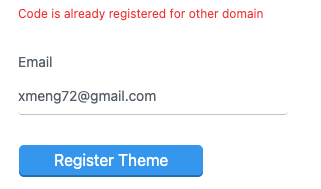
I am not able to activate the purchase code on my personal website. My previous site was deleted a few years ago. But now I am unable to register it on my new website. My support expired so I am unable to open a ticket as well. Please tell me what to do now. screenshot: https://xmengdesign.com/wp-content/uploads/2026/05/Screenshot-2026-05-12-at-11.22.04.png
Hello,
Thank you for using our theme!
Our system shows that the theme is active on a website where it is still in use. We can send you more info, just contact us using contact form here.Don’t forget to sign up for our newsletter and be the first to find out all the latest news.
Just sent a msg through the contact form. Look forward to having more info. Thanks.
Hello,
Our colleague has responded to your inquiry, please check.
QodeDon’t forget to sign up for our newsletter and be the first to find out all the latest news.
He actualizado y mi licencia ahora sale https://gyazo.com/6afba595a33dc069a34cf676e0b3b489
y tengo mi archivo de licencia y todo
Hello,
Thank you for using our theme!
We deregistered the purchase code for you. You should be able to register the theme now.
There is also an option to deregister your purchase code via deregistration form at our Help Center in “My Products” section of your account. If you are unsure about the domain where the theme was previously registered, you can enter any url (like google.com), and in the error message the correct url will be written.Don’t forget to sign up for our newsletter and be the first to find out all the latest news.
Hello, is there a way to put a video in the product signle page instead of photos?
Hello,
The videos cannot be added to product gallery unfortunately.
If you need any assistance with the theme or available theme options, you should know that you can always turn to our support team, and our support agents will be happy to help. To submit a ticket please follow instructions from this article – How To Submit A Ticket.
We also recommend checking the documentation in this link and our Knowledge Base here.Don’t forget to sign up for our newsletter and be the first to find out all the latest news.
Unable to activate the purchase code on my new website. I don’t use my previous website where this theme was installed, and I lost access. But now I am unable to register it on my new website. My support expired so I am unable to open a ticket as well. Please tell me what to do now.
Screenshot :- https://gyazo.com/7fefa5794e352355085bdf475589c904
Hello,
Thank you for using our theme!
We deregistered the purchase code for you, and you can now use it again.
There is also an option to deregister your purchase code via deregistration form at our Help Center in “My Products” section of your account. If you are unsure about the domain where the theme was previously registered, you can enter any url (like google.com), and in the error message the correct url will be written.Don’t forget to sign up for our newsletter and be the first to find out all the latest news.
Hello, How to set header height ? Thank you
Hello,
This can be done in Qode Options > Header. For more info please check this article.
In case you need further assistance please submit a ticket at our Help Center and one of our support agents will gladly help you. To submit a ticket please follow instructions from this article – How To Submit A Ticket.Don’t forget to sign up for our newsletter and be the first to find out all the latest news.
Hello Numbered carousel dont work, all you see is a black background
Hello,
Please check if you have updated the theme and its plugins to the latest version listed in change log.
To update Bridge theme and bundled plugins please follow instructions from the video in this link: How To Update The Bridge WordPress Theme And Bundled Plugins and please don’t skip ‘10:34 – One final step after updating the Bridge theme’ part of the video. After you update the theme all of the plugins with available updates will be listed in Appearance > Install Plugins. It is important to update Bridge Core plugin that will be listed there.
In case you need further assistance please contact our support using this email, include your purchase code in the email, and one of our support agents will gladly help you.Don’t forget to sign up for our newsletter and be the first to find out all the latest news.
We are currently using the Bridge theme (version 30.8.6). Could you please confirm the latest available version, and whether updating the theme or purchasing it again will provide updated versions of bundled plugins such as WPBakery Page Builder and Slider Revolution, or if separate licenses are required for these plugins?
Hello,
Thank you for using our theme! The latest version is 30.8.8.7 (see changelog).
There is no need to purchase the theme again if you already have it in the “Downloads” section of your ThemeForest account. To update Bridge theme and bundled plugins please follow instructions from the video in this link: How To Update The Bridge WordPress Theme And Bundled Plugins and please don’t skip ‘10:34 – One final step after updating the Bridge theme’ part of the video.
After you update the theme all of the plugins with available updates will be listed in Appearance > Install Plugins. It is important to update Bridge Core plugin that will be listed there.Don’t forget to sign up for our newsletter and be the first to find out all the latest news.
I am trying to set this theme up, I went to Qode to get support and to create an account I signed up and I am not getting there verification email.
The demo import there is no one click button or easy way to import the demo. the current process is time consuming and technical and just extremely stressful its been three days and my site looks like an AI glitch.
Hello,
We have now verified your account manually. Please clear your browser cache and try to login once more. You can also contact our support using this email, just include your purchase code in the mail, and our support agents will gladly help you.
We will add links to the demo import video tutorials below:
How to Import Bridge Demos Made with WPBakery
How to Import Demos Made with Elementor in Bridge
Don’t forget to sign up for our newsletter and be the first to find out all the latest news.
Hi Bridge Support Team,
I am running the latest version of the Bridge Theme (v6.9.4) on WordPress 6.9.4 with WPBakery. My website is www.cohive.works
While running a performance and quality audit using Google PageSpeed Insights, I discovered a JavaScript error that is negatively affecting my Best Practices score. The error is being logged in the browser console and appears to originate directly from the Bridge Theme’s core JavaScript file:
Error message:
text TypeError: $j(...).waypoint is not a function at checkAnchorOnScroll (https://cohive.works/wp-content/themes/bridge/js/default.min.js?ver=6.9.4:1:57706) at https://cohive.works/wp-content/themes/bridge/js/default.min.js?ver=6.9.4:1:85605 Source file: /wp-content/themes/bridge/js/default.min.js
This suggests that the Waypoints JavaScript library, which Bridge relies on internally, is either not loading correctly or conflicts with the current version of jQuery (3.7.1) that is active on the site.
All plugins and the theme itself are fully up to date. I have not made any custom modifications to the theme’s JavaScript files.
Could you please confirm whether this is a known issue and whether a fix is available or planned? I would greatly appreciate any guidance on how to resolve this.
Thank you very much for your support.
Best regards, Martin
Hello,
Thank you for using our theme.
Please contact our support using this email, and just include your purchase code in the mail. Our support agents will check this and investigate.Don’t forget to sign up for our newsletter and be the first to find out all the latest news.
Ok, done. Thanks
Don’t forget to sign up for our newsletter and be the first to find out all the latest news.
Hello there! Since the last update, my website has been disconfigured. cannot see any images on posts or pages, and even the main menu does not work. nataliadenegri.com
Hello,
At the moment the site is displaying correctly as well as the images. If you are having troubles with page transitions when clicking on menu items, try suggestions from this article.
When updating Bridge theme and bundled plugins please follow instructions from the video in this link: How To Update The Bridge WordPress Theme And Bundled Plugins. And please don’t skip ‘10:34 – One final step after updating the Bridge theme’ part of the video. This step is necessary in order to generate a new dynamic css file.
After you update the theme all of the plugins with available updates will be listed in Appearance > Install Plugins. It is important to update Bridge Core plugin that will be listed there.
In case you need further assistance, please contact our support using this email, include your purchase code in the email, and one of our support agents will gladly help you.Don’t forget to sign up for our newsletter and be the first to find out all the latest news.