17871 comments found.

Pre-sale questions: Vibethemes-
1. Is there a way for instructors to add classes/manage exams,quizzes on the front end so they can’t see the backend at all. Or is this a work in progress. Wordpress is an awesome platform but the more we hide it the better! It would be nice that all instructor functions were in the front end and also the functions of Sales that should be paid out to them as well.
I hope this is a work in progress!
Yes, this is WIP refer to this link for major features coming up in WPLMS.
Front end course creation is now live, you may want to check it out on the instructor demo
Hello Vibe,
- Can this theme support offline payment/bank transfer?
- Is there any front-end for Admin staff to enable the student after verifying their offline payment?
- If I use MemberPress, the product link should be from MemberPress or WooCommerce?
Thanks
1. Yes. WooCommerce has Cheque payment, Cash On Delivery options. Once the order is placed, the admin needs to manually mark Order complete from admin panel in order to give access to stdents to the purchased courses.
2. No, this is handeled from the Back end.
3. We haven;t tested with Memberpress, however, any membership plugin which uses WP Users is compatible with WPLMS.
Hello, I have a problem, i have installed the theme and when i go to ALL COURSES page (the page is set as homepage now), the pagination for courses is not working in chrome. the url : http://www.hanzouniversity.com
Have any ideea why i get this error ? Thanks
Yes, I can see the error. As you can see the pagination via ajax is not working but without ajax it seems to be working fine: http://www.hanzouniversity.com/?items_page=2
Can you create a support thread in the forums for this ? Also list down all the plugins you’re using. This seems to be working fine on my test setups.
Why are you bluntly ignoring all the support tickets on the forums but not here? I will write it here then..
Problem when registering for account. The “Profile Details” accordion section is closed on default. I want it to be open on default or to change the registration page to default WP/Buddypress Registration page. How can I do this? Its confusing for people who sign up as they dont even see the message “required field” because its hiding in the closed accordion.
When I try logging in from the home page, at times a message appears saying “you must enable cookies…....” I try again with the exact same p/w and it works.
Another problem i’m having is the “lost password” links to “about-us” How can I change this??
Must my questions be publicly seen for you to answer?
Apologies for this. There are so many tickets that some of them are getting skipped. You can simply bump your support thread up the order by simply posting on it.
Answers:
1. This is a BuddyPress feature. Add all your custom profile fields in a separate Field group. refer to this.
There is a fix added for this in 1.3.3 and a quick fix available in forums as well if you’ve still not got the update. In you’re having this issue on 1.3.3 then let me know.
Please be noted that ETA for support requests is 24 hours. It was 3 am here when the support thread was posted. Replied on the support forum thread ...
Thanks, I will re-rate the theme. There are tons of bugs in your current forums. I posted a few days prior but the post isn’t there which is why I got frustrated. I suggest you move it entirely to a more reliable platform and have this as an old forum for your customers to still refer to. (or if you can move over the data)
A quick question/suggested feature to add. When a user makes an account, have an option to send them a welcome email to their buddypress messages from the school.
Cheers
Thanks for suggestion. We’ll improve 
Hi,
I hope all your issues have been resolved by now. It would really great if you could re-rate our theme. Let me know if you have any issues. You can use our support forums or email me directly at vibethemes@gmail.com
Seems like all my issues are fixed. Thanks for your support and I will be re-rating the theme.
Cheers.
That is simply great thanks.
hi, how i can create the same information in that footer area where you have listed all the categories, and area where is -who is online, thanks
solved thanks
Hello admin
I am in the process of setting up WPLMS theme on my new blog I have already installed theme and all plugins and dummy content..Set menus and Slider.
However my Course pages and mega menu (MENU’s) load wrong once I’m in Cource page view
See here, this is what your page looks like http://screencast.com/t/PngKXo7xGx This is what my page looks like: http://screencast.com/t/lIVuXbKmdtX
as you can see all the content was imputed in when i did the dummy input. it just dont show on the page.
My goal was to have dummy content and edit for my pages.. but without this I cant continue working with this theme
please help
Thanks for the screeshots. Do you see a footer in your course page ?
I see a footer yes… there is no footer content because there is no links in widget but footer shows
Problem fixed from your support forum thank you
Pre-sales question
Great looking theme guys! Have been looking for something like this for a
long time! Some questions about the quiz format. 1. Can teachers make multiple choice questions. 2. Open ended questions. 3. Ask students to select an image that matches a statement or question. 4. True or false question types Basically can your theme offer the same functionality as this LMS plugin can? http://www.youtube.com/watch?v=YD1WNtEesdE
I was intending to use a buddypress theme and this plugin but then I saw your theme and was blown away! I know a little a bit LMS systems and being able to create flexible training modules is important as students can get bored following the same format over and over. I want to buy your theme because it looks great and seem like it has been really well thought out UI. The only thing I’m hesitant about is the extensionality of the quiz, I don’t want to get stuck making the same repetitive course format over and over.
1. Yes.
2. Yes
3. No.
4. Yes.
We have plans to add all the possible question types in the quizzes.
Thanks for the answer. I’m going to wait for those functions then before making my purchase of this theme.
Sure. You can follow us on TF to get notified of the updates .You can check the update log in the front page of the item in Themeforest.
Thanks. Will do!
Hi,
“INSTRUCTOR DEMO URL : http://vibethemes.com/demo/wplms/ Instructor Login: instructor | p@ssword, to create courses go to WP Admin section : http://vibethemes.com/demo/wplms/wp-admin To manage courses and manual evaluation of quizes and courses go to Course Directory -> Instructor Courses -> Course -> Admin”
1) Currently I am unable to view “Course Directory” at the back-end, am I missing something??
2) We also provide Classroom training, is it possible to create a back-end access for the students enrolled for our classroom training without payment.
3) While taking a course, can students post Questions on the same Page just like below http://themeforest.net/item/academy-learning-management-theme/full_screen_preview/4169073)Thank you in advance
Regards,
Vivek
3)
1) In the backend go to LMS -> All Courses for course directory
2) Currently backend access to students is not available.
3. You can connect forums to units and courses. In forums a student can ask questions. Forums are a lot flexible and easier to manage than comments.
1) In the backend go to LMS -> All Courses for course directory
2) Currently backend access to students is not available.
3. You can connect forums to units and courses. In forums a student can ask questions. Forums are a lot flexible and easier to manage than comments.
1) In the backend go to LMS -> All Courses for course directory
2) Currently backend access to students is not available.
3. You can connect forums to units and courses. In forums a student can ask questions. Forums are a lot flexible and easier to manage than comments.
Thank you for your prompt response.
2) Let me put it this way.
We have students enrolled for class-room training that visit our Coaching Center regularly
payment from these students is collected manually.
Is it possible to provide them free access to courses on Website (while others will have to pay)
Heres how you can do it:
1. Ask your students to register on the website.
2. Create a product which is connected to the desired courses. That is buying this product will give access to all the courses connected to this product
3. Generate a coupon in wooCommerce and give the students the coupon. You can also generate unique coupons for each student as well.. Let me know if this can not solve your query..
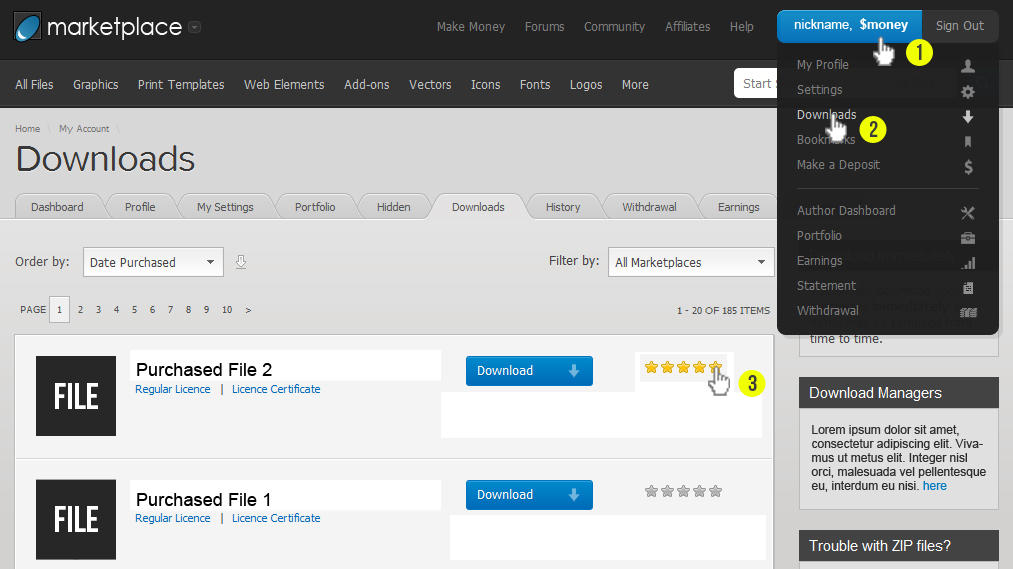
How can I rate your wonderfull theme?
Please refer to this screenshot.
Can I make a website in multiple languages??? Do this theme have WPML plugin ready, or other translator plugin ?
Yes, WPLMS is WPML ready.
Im trying to create a membership site with 3 member levels. Im going to use membermouse.com as membership plugin. what do i have to do to make it work with theme.
how do i disable free registrations and enable free course/ how would user workflow work?
Assuming that member mouse uses WordPress users architecture. Here’s how this would work:
0. Setup WPLMS.
1. Disable free registrations from WP Admin -> General -> Anyone can register.
2. Turn the default user role as student from WP Admin -> General -> default user role.
3. Mark all the courses as *free, in WP Admin -> LMS -> Course -> edit -> course settings.
This way you can use any membership plugin with WPLMS. You can disable the price disaply for each Course using the WPLMS Customizer plugin.
great, thanks for such a great theme and fast support
Awesome LMS. A couple of questions pre-buy. 1) If I want to have people come in and take a course self-directed and another group take the same facilitated by a teacher do I have to create two versions of the same course or is there a away to set up different setting for each group where they would have different access to the course forum and not see each other?
2) I see that you can give out coupons. Can I have codes that I give to someone to have access a course for free and does that bypass paypal or whatever payment system?
Thanks!
1) Yes, you’ll need two versions of the course for this.
2) Yes, that is what a coupon will do. You can create a coupon of the same amount as that of the course (connected product with course) and the student can use it to purchase the course, you can ask the student to select cheque payment to bypass paypal.
Hi, it’s a great theme and I try to optimize it. A few questions: 1) what are the largest dimensions of the logo. I cannot get it bigger than 48px. 2) The frontpage logo links to www.url.com/wordpress-folder and not www.url.com (when WP is installed in wordpress-folder). How can the logo link to the site url? 3) The logo in the mobile version (iphone) is over the search icon and menu stripes. What are the best dimensions here for the logo? 4) The image size of testimonials photos are very large. How can these be reduced before they are downloaded by the user? (Suggestion to use the thumbnails size in the testimonial template?) 5) Is it possible to add the same course in more course-categories. If I add more categories to 1 course, it only shows up in 1 category. 6 Suggestion: I would like a ‘fall down hover over info’ like fiver.com Thank you!!
Hi,Thanks.
1. Technically no dimensions, you can change the logo size using Theme customizer.
2. This would require some custom changes in the header, I would suggest you use support forum for this.
3. The logo can be made smaller for mobile versions. Since logo dimensions are different for different websites, I would suggest you to create a support thread in forums, it is really easy fix.
4. The testimonial featured image is the image of the testimonial, you can upload smaller images in it.
5. Yes, more than one categories appear above the course name, see see example
6. There are number of hooks available for almost everything. Use our support forums, and I’ll tell you how you can have a ‘fall down’ for course thumbnails with custom information.
Okay, thanks, I’ll switch to the forum.
Hi there,
I have just installed the theme and set up everything (I had a problem reimporting the media, so I imported all the demo data via the different chunks you provided).
However, for some strange reason I can’t find the Navigation menu in Theme customizer: https://dl.dropboxusercontent.com/u/7534936/screen.PNG
Could you please advise?
Thanks!
Hi,
Thanks, I seem to have missed exporting the Menus. I will add to the sample data right now..
Thanks! I am using the link you provided here, but it doesn’t have the menus yet: http://vibethemes.com/forums/forum/wordpress-html-css/wordpress-themes/wplms/tips-tricks-docs/7313-wplms-faqs
Apologies for the incorrect info above, it seems that WordPress menus can not be imported/exported separately. So, you’ll have to rely on the Menu documentation for this.
OK, no problem! I’ve seen it’s not very difficult. Thanks a lot!
Hi There,
First of all , Great theme your have there. we have few pre-sales question before buying the theme. We are looking to create a website which work pretty much like Khan academy or lynda.com. Below is few of our concern.
1. Could we not use the buddy press and forums functions? How will that effect the layout or the functionality of the themes?
2. Issit possible to add a normal comment function below each unit ?
3. We would like to have a quiz below each units (below video). rather then having a quiz page by it’s own. Is that something possible as well?
Finally, is there any option for us to bundle the courses in levels ( year 1 untill year 6)? and selling them in Bundle?
Thanks and looking to hear from you guys!
For the second question : does it work using the Unit forums. ( Private or public )
1. If you do not user BuddyPress WPLMS will lose most of its functionality, such as user profiles, groups, courses, forums, instructor profiles and dashboards etc.. It will become a plain vanilla WordPress theme. Offcourse the backend of LMS will still remain as it is.
2. Yes, I can add a switch for this upon request. But we have added the unit forums functionality purely for this purpose. Forums are a lot flexible and maintainable than comments.
3. No, currently quiz module is a separate section. You can use any quiz plugin for this, as most of the plugins have shortcodes which can be embedded in the unit content, however the scores may not be integrated into the WPLMS course results.
4. Yes, Bundling is a main feature available in WPLMS. You can create a product and it can be connected to multiple courses. The product can be either subscription type or one time purchase type. When this product is bought by a student a student is subscribed for all the courses connected in this product.
Hello support team, for question 3 ( quiz ) If we do customization to achieve such purpose – does it involved lot of work? Is sit possible in the first place?
Thank!
We already have in-unit quizzes in our feature list. However, given the feature timeline, you can go for any quiz plugins available in WordPress for this. I would not recommend you to edit the quiz module when the same functionality can be achieved using WP plugins.
hi have a serious problem with the upgrade! in my wp dashboard i can’t see the theme’s upgrade to 1.3.3 version, i have installed my api key correctly, but i can’ts see upgrade (with current api key i installed 1.3.2 version).
Other short question:
1) How can i translate in Italian the theme’s text? for exemple “curriculum course” in italian is “programma del corso” and other element…
2) All in seo pack works with wplms?
3) When you will release a version with event calendar for presential course? And other feautures with sales statistic for instructor?
4) which plugin can i install for webinar and conference? and how can i connect a course with “virtual room”?
thank you ! this is a very fantastic theme!
There are currently some issues with Envato API, due which updates are irregular. Answers:
1. Please see translation guide in documentation.
2. Yes.
3. Next version brings the Events plugin and the start course stats for instructor.
4. you’d have to rely on Google for this.
thank you friends! then to update how long should you wait? and how should I do?
You have bug in function: set_page_title (includes/func.php) The site meta title not showing.
No, set_page_title is specifically aimed for Thankyou page in WooCommerce and it does have any impact on other titles. We recommend using Yoast SEO for creating better WP Titles.
Hello, I want to create my site in several languages. How can I translate “Page Builder” / “Page Settings” using qTranslator Plugin?
For this you need to translate the language files in the Vibe Custom types plugin. We recommend translating the backend using poedit.
Hello,
I’ve a problem installing Layer slider. It’s the only plugin that gives me problems on automatic installation. It comes with a “non valid header”
Here a screenshot: https://www.dropbox.com/s/aqmpr88rjm8i1op/layerslider.pngDone with alternative isntallation method (single plug in installation). Thank you
have installed the theme on WP 3.8.1 on MAMP successfully. When I have tried to install plugins I have received the following error
The package could not be installed. PCLZIP_ERR_BAD_FORMAT (-10) : Unable to find End of Central Dir Record signature
for Layer Slider, Vibe Course Module, Vibe Custom Types, Vibe Short Codes.
Today I have downloaded the new file as per your response to someone else on a brand new WP install and the same issue occurs.
Can you please advise.
The above error means that the download files are corrupted. Since you’re developing locally on MAMP, you can simply extract the plugins from wplms->plugins folder, unzip them and copy the unzipped folders in the wp-content/plugins directory. This is same as installing the plugin. After this you can simply go to WP Admin -> Plugins and activate the plugins respectively.
Thanks. That worked.

This item was featured on ThemeForest

Power Elite Author
Contact the Envato Market Help Team