4080 comments found.
Hi, I’m looking for a theme that runs like the site in the link. Can you help me? In this way http://courses.tutsplus.com/courses/pro-web-design-workflow or http://www.lynda.com/?co=2
Hi,
WPMU Membership plugin can help you to build such as site. True Mag supports WPMU Membership. Regarding to layout, you have to figure out yourself how True Mag can fit your needs.
Best regards, CactusThemes
Thank you for your support. by the way, very nice indeed true mag theme
Thanks! All the best 
Do not hesitate to contact us if you have any further questions. Please submit ticket to http://cactusthemes.ticksy.com

Hi , Categories seems to be running all the films in one category now when prior to this it ran thumbnail images instead. my website is facultimedia.com
a category page is http://facultimedia.com/category/all/
these used to be just images, no bizarrely have turned into video players?
would be great if you could help, sam
Hi,
It’s not possible to sort by category (WordPress does not have that kind of order http://codex.wordpress.org/Class_Reference/WP_Query#Order_.26_Orderby_Parameters )
You could choose to display image in Theme Options > Blog > “Show Feature Image or Video player in blog”
And make sure that you have the latest version of TrueMag (2.8.2)
Best regards, CactusThemes
For a single video page, is there a way to make the “Next” link label appear on the right and “Previous” on the left?
We wish to make consistent that “Right” is forward / next and “Left” is back / previous.
Thank you!
- Josh
Hi,
That’s the way it works (like WordPress’s default themes). You could add custom CSS to switch them:
.player-button .prev-post {
   float: right;
   transform: rotate(180deg);
   -webkit-transform: rotate(180deg);
}

.player-button .next-post {
   float: left;
   transform: rotate(180deg);
   -webkit-transform: rotate(180deg);
}
Question: If a video post is assigned to more than one category and the Single Video theme setting for “More Videos Same Category” is set to yes, how will the category be chosen?
Will it be a mix of videos from all selected categories? Or is it the first member category by ID or alphabetically?
We are looking for a way to force the “More” videos to be a specifically set list. Think of a video series where there are other episodes, chapters, extras, etc, all directly related to the current video post. We want the “More” list to allow users to move within the set list, while the “previous” and “next” buttons actually change to the next in the sequence.
Any ideas on how to make this work?
Thanks!
- Josh
Hi,
“More videos same category” will be a mix of videos from selected categories. Videos will be ordered by published date.
You have nice idea there, but it will need custom code to achieve it. And it’s not so simple, i’m afraid you will need to ask for help from a coder
Best regards, CactusThemes.com
Is there a way for “More” to use tags instead of categories?
It’s not possible with Theme Options. There are only 2 choices:
- More videos are in same category
- More videos are all videos with blog order
You could find it in Theme Options > Single post/video > “More Videos same category”
Hi there,
I’m noticing an issue with True Mag with toolbar plugins that toggle the toolbar.
Normally on most themes they would retract or hide the toolbar while freeing the top space so the page margin is flush with the top. With True Mag and all of the plugins I’ve tested, that top bar space is not recovered. There ends up being a white strip across the top of the page in the fixed location where the toolbar would be.
Here are a couple of ones I’ve tested:http://wordpress.org/support/plugin/hide-wp-toolbar
http://wordpress.org/support/plugin/toggle-admin-bar
Any idea on why that is happening and if it can be resolved?
Thanks!
Hi,
There is a setting in User’s Profile to hide the toolbar. Uncheck ” Show Toolbar when viewing site” in a User’s Profile setting page in admin.
When the toolbar is hidden, the whole page will auto move-up.
Thanks for the reply, however that’s not quite the issue. I want the toolbar showing, but the user to be able to toggle it on and off, as these plugins are designed to do. On other themes it would normally retract or show without the fixed bar along the top. With True Mag, the bar space is there even when the toolbar is hidden…
Hi,
It’s strange because as we checked, when the toolbar is hidden, there is no space there.
And yes, users are able to enable/disable the toolbar themselves, it’s default WordPress’s feature.
Or maybe I do not get your point clearly? Could submit ticket, leave admin account, and take screen-shots of the problem?
Best regards, CactusThemes
Hello I was wondering where i could download the truemag shortcodes plugin since it does not work in wordpress
Hi,
The installation file is included in the download package. Please find it in /Installation Files folder. It needs to be installed via uploading
Just launched my new website based off of this template! Highly customized! Great template! Took several weeks of hard labor, but I finally got it up and running. Please consider showcasing this site somehow to show current and future customers the possibilites. I think I’ve done you proud!
http://dalyfe.com/Wow, that’s awesome. One of the best showcases for TrueMag
For sure, we are making a list of TrueMag’s showcases and your site will be definitely in the list 
Thanks a lot and best regards!
Awesome! Thanks! And THANK YOU!
Hi great theme. How do I add content like in the demo where you have the “YouTube” section on the home page? I cant get it to look like that with text on the right of the image. Can you show me how to do that?
Hi Dzielski,
Please Go to Pages – > Add New – > Backend Editor- >Add element – > Smart Conten box – > if you want to display as you wish in the layout, choose “Single”
If you have added Smart Content box and want to fix, please login with your admin account Please Go to Pages -> find page , for example “Home page” -> Edit with Visual composer -> Backend Editor. Let’s click “Edit Smart Conten box” -> if you want to display as you wish in the layout, choose “Single”
If you have any further questions when using our product, please not hesitate to contact us by submitting a ticket to our support system: http://cactusthemes.ticksy.com
We always try our best to support you.
Best regards, CactusThemes
I did the single as you said but it gives one big image and text underneath, not a half size image with test to the right as I want. Can you tell me how to do this? Thanks.
Hi
As mentioned above, you can refer to the document: http://doc.cactusthemes.com/truemag/#!/smart_content_boxIf you can not fix your problem, please submit a ticket to http://cactusthemes.ticksy.com/ and leave useful information ( admin account, some screenshots, website url) so we can check
Best regards,
CactusThemes
Hi, in the single post/video there are this kind of arrow when we press they show what you typed about the video. how to remove that? I want when people load the page, they show automatically all what i typed there.
Hi Zhinkayz,
Please Go to Appearance-> Theme options-> Single post/video->Enable Show More Content-> choose “Enable”
Thanks,
Hi,
Is TrueMag supported Video SEO plugin?. This plugin needs some of the following embed video methods:
http://kb.yoast.com/article/94-supported-plugins-of-the-video-seo-plugin https://yoast.com/wordpress/plugins/video-seo/Sorry, we haven’t tested it with Video SEO for WordPress.
hi sir, it is a great theme.
First, i discovered that the video embed height is fixed with 5XXpx, even in the mobile the “obj-yt-inbox” class is always a 5XXpx and it is not good. I wrote the following custom css and solve the problem, hope it’s useful. The demo can see in my website http://alexclog.com/298/ with your phone.
#player-embed { height: auto;} .video-player {width: 100%;} .video-player:before { content: ””; display: block; padding-top: 56.25%; /75% if the video is 4:3, 56.25% is for 16:9/ } .obj-yt-inbox{ position: absolute; top: 0; left: 0; bottom: 0; right: 0; height: auto !important; }
And i have a question, now the video can not play youtube video “directly” in ios or chrome in android(mobile browser without flash), is it possible that the theme can load a html5 youtube video if a mobile browser is detected? Thank you very much.
Hi, Please Go to apperance > theme options > youtube settings > HTML5 (youtube) player > Yes
Youtube player is automatically changed to HTML5 or it will open native video player on mobile. We have tested on the default browser of android and found that it plays directly.
Hi, I want to implement a function: for every video post, besides the author widget, there is another widget showing who is in that video. If people click that person’s image, it will go to that person’s profile page where all post about him can be found. Pretty much like this site, here http://mpora.com/videos/AAdrvsghw9l4 on the right you can see who is in the video, and when you go to his profile http://mpora.com/athletes/harry-main you can see all his videos. Those people are not the users or members of the site, but the people who show up in the videos. Do you know a plugin to achieve that?
Hi,
That’s a nice feature. Currently I don’t have a name in mind now, but maybe you should find a combination of plugins/widgets that:
1. Help you enter custom code/metadata for each post (considering a post is a video)
2. add a custom post types of member so that you have a profile page of a person
Thanks for the reply. The coding skills required for this is far beyond me. Is it possible that you add such a feature in the next update? : )
Hi
Yes, it is a nice suggestion. We were thinking about a plugin that would do that work
Best regards
please help me with this since i need to finish this asap thx.
Hi,
We have acknowledged this issue and are working on it. Sorry for any delay.
Best regards
Thx for fixing it. Anyway your products are AWESOME. if i have any further question i will contact again.  thx again.
Great
Greeting from Cactusthemes
We actually thank you for your interest and having bought CastusThemes’product.
If you have any further questions when using our product, please not hesitate to contact us by submitting a ticket to our support system: http://cactusthemes.ticksy.com
We always try our best to support you.
Best regards,
CactusThemes
Hello,
I would like to buy this theme. Can the carousel video in homepage play directly or it only link to the post page? Also do you have autoplay function after loading the page.
Thanks Singtao
Hi,
Thanks for interested. The Carousel Video in Home Page can play directly (ie. feature images will be replaced by Video Player).
True Mag has auto play function. However, it only works in single video page.
Yeah ! The big day arrived!
Will update the theme with Visual Composer today?
I think that this new problem is with theme developer: I can’t use “slides” in home and “View All” videos buttons at same time.
I need that shows like this: http://cl.ly/image/1A0F1T1o371C/Captura%20de%20Tela%202014-05-22%20a%CC%80s%2019.46.36.png
But only works in visual editor, when save and go to live website, one of both desappears.
Yes it will be updated today.
Regarding other issue,
you can’t have the navigation & “view all” button at a same time. When your smart-content-box has more than 2 slides, it will have slide navigation and view all url will come to its title (instead of button)
Hi,
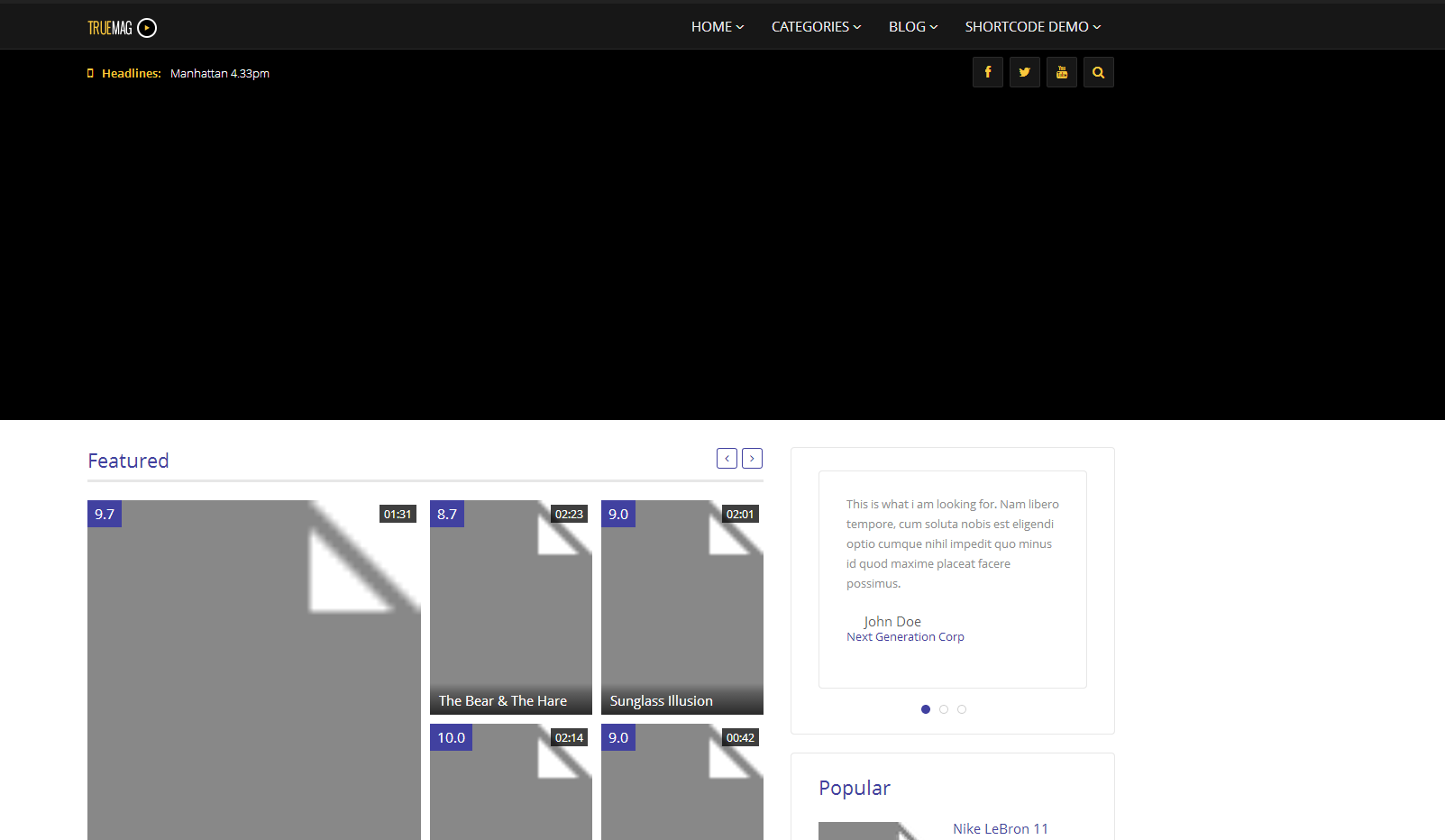
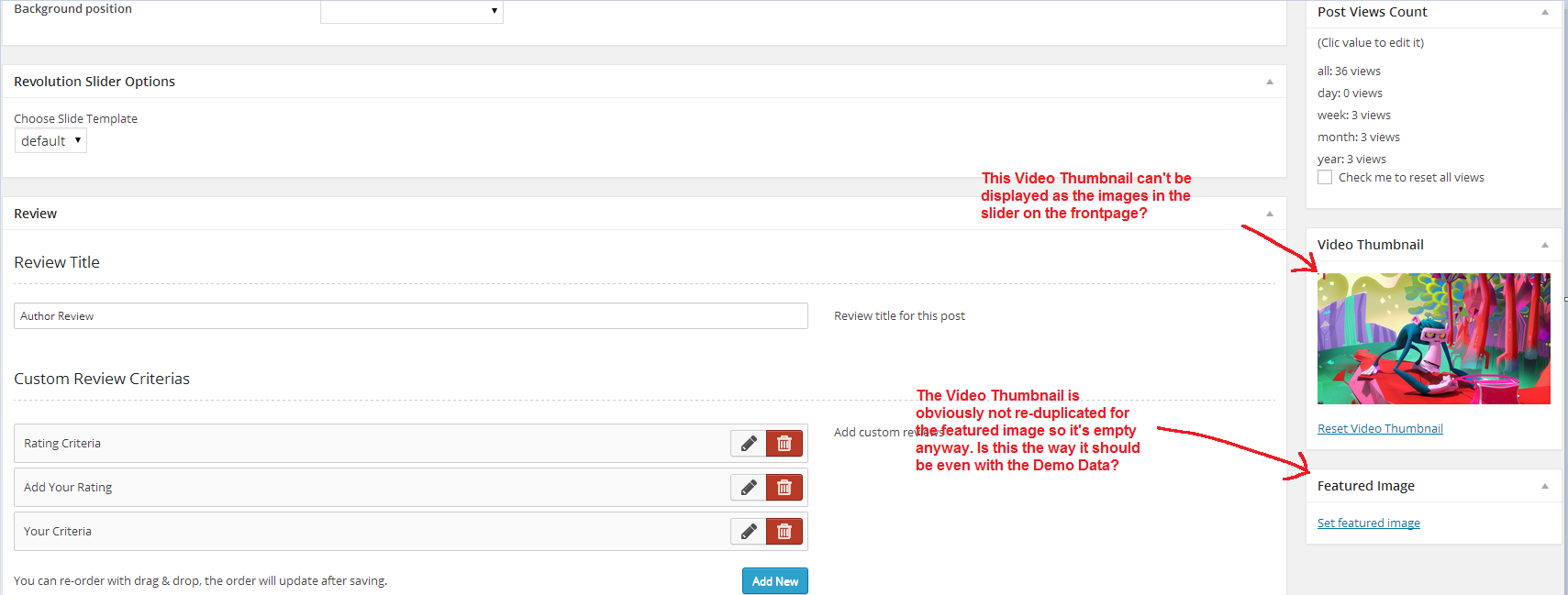
I got a question on the slider on the frontpage. It’s just black. I did the Demo Import Data but it is not showing the videos in the slider in my main page. Any idea on how to fix that?
Thanks (nice theme with a lot of potential btw).
Hi,
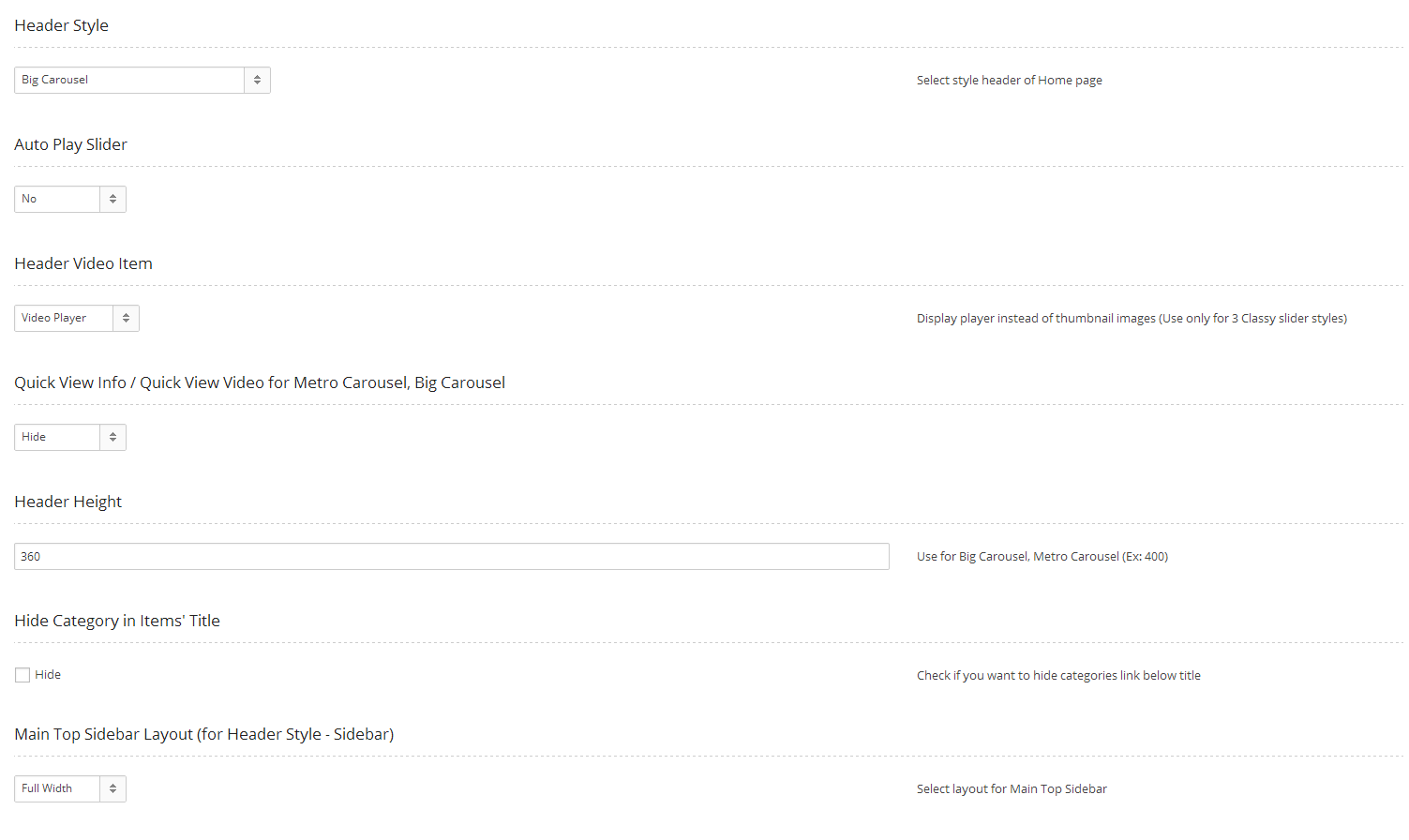
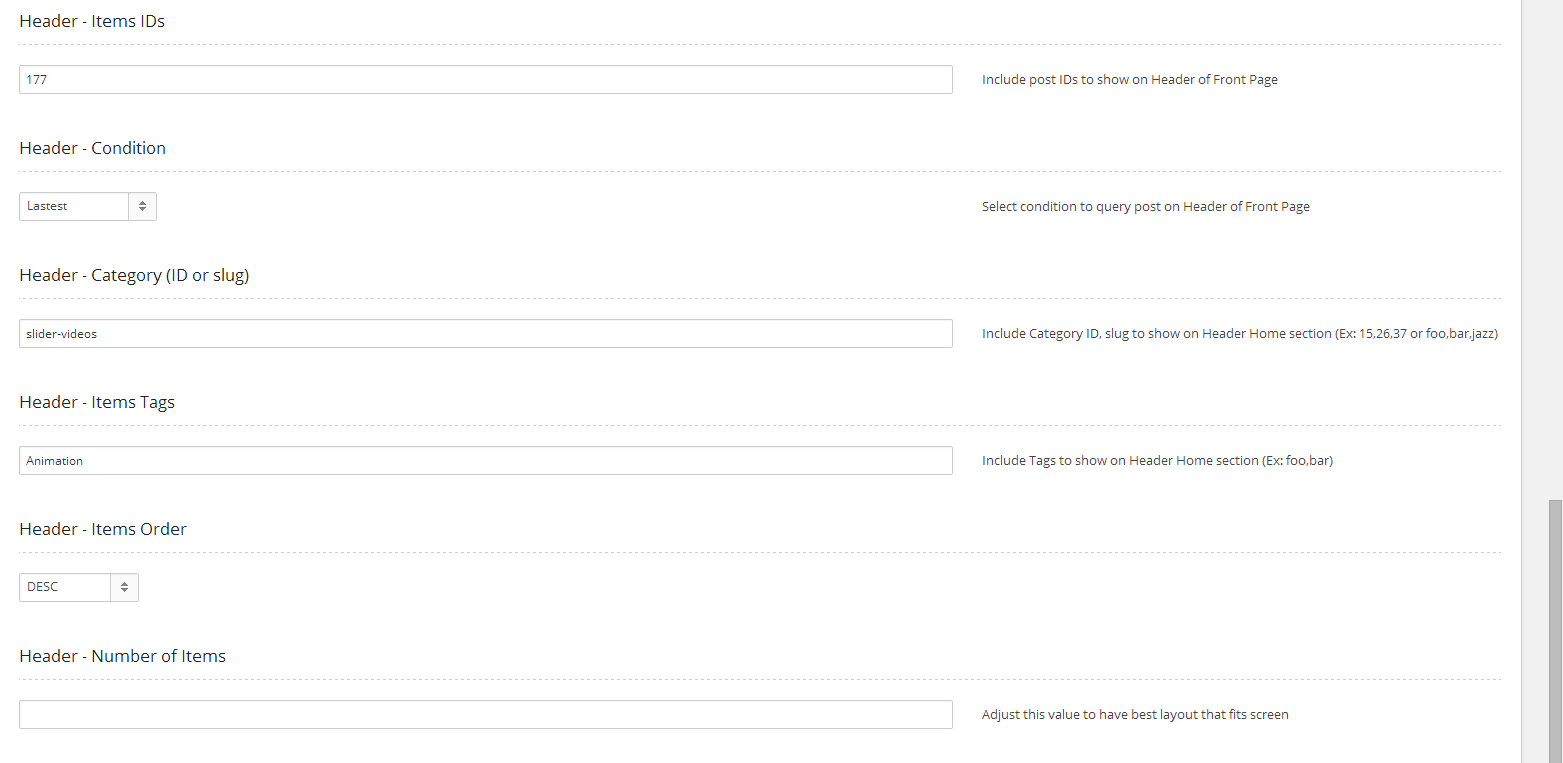
Thanks for using TrueMag. You can configure that area in Theme Options > Front Page > Header – xxx settings.
Hi,
Yeah that’s still unclear.
I’m currently using the demo data so it should have imported everything fine. All the posts and everything are there, just the frontpage slider isn’t doing its job.
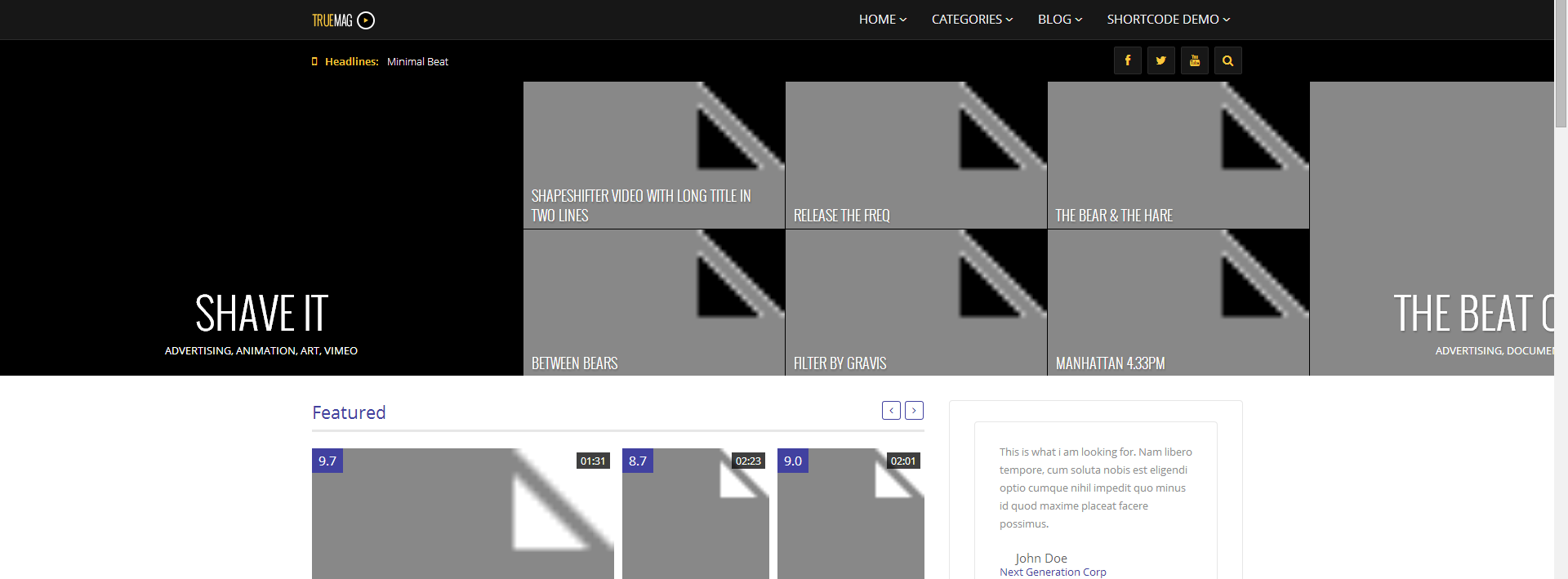
Check out the 3 screenshots below Frontpage settings: http://i.gyazo.com/bfa7572fcac9e11273c83d057a5f650e.png http://i.gyazo.com/772263d7963bf9200a779c141f9aa643.png (You can ignore those ID’s and Tags I put in, I tried to test and see if that would help showing the specific posts, but unfortunatly with no luck) How it looks like right now on the frontpage: http://i.gyazo.com/87cea346f708389809ed97f616d59e5e.pngSo yeah, could you be a bit more elaborate? I really need this fixed asap.
And as you can see also below (Featured) the thumbnails also show a broken image thumbnail. Please do check the 2 screenshots I have provided of my Frontpage settings in my previous reply.
Hi,
If you use Import Sample Data feature, images are not imported. You need to set thumbnail images for each post again.
I never said I wanted the featured images displayed as thumbnails, I want the video thumbnails to be displayed instead of the featured images, I mean that should be possible right?
Hi,
No, it’s not possible as TrueMag uses Featured Image. In fact, TrueMag automatically copies Video Thumbnail into Featured Image so they should be the same, excerpt if you upload another image for featured image.
Waves flag, hello?
Hi,
First, you need to make sure Featured Image is empty. Click on “Set Featured Image” and remove any selected item in the gallery. Then click on “Reset Video Thumbnail”, it will update the image again.
If you need further support, please submit a ticket to http://cactusthemes.ticksy.com and leave admin account so we can check.
Best regards, CactusThemes
Hi Guys, stunning theme, I appreciate also the clean code and fast loading. Is it possible have an integration for this plugin in video slider : Social Locker for Wordpress, or something similar to a “call to action”? This Is the newest trend in video social sharing.
Hi,
Thanks for your interest and suggestion. We will consider integrating Social Locker soon
I’m getting squares instead of the icons that are supposed to be on the website when I view it on the web and on mobile. What’s wrong? My website is www.chasing.la
Hi Ennisjr,
We do not get your point clearly. Could you please give us more information and take us a screenshot about your problem so we can help?
Thanks,
Hello,
I got a issue when I post, I receive this:
Fatal error: Call to undefined method SimpleXMLElement::__toString() in /public_html/wp-content/themes/truemag/inc/classes/class.video-fetcher.php on line 94
What’s wrong?
Thanks in advance
Hi,
Try the latest version of TrueMag that would fix this issue.
Best regards.
I have auto-update and no changes, still that error..
Hi,
Make sure you have updated plugins also. The auto-update feature cannot update plugins. You can download the full package again from ThemeForest and re-install the latest versions of plugins (TrueMag-Movie & TrueMag-Shortcodes).
If problem persists, do not hesitate to submit ticket to http://cactusthemes.ticksy.com and leave an admin account so we can help
Best regards, CactusThemes