11491 comments found.

hey, How can i get rid of the category base?
Hope you’re doing well and thanks for reaching out.
With respect to your query here, could you please share a screenshot of the section you mean here? We will then assess on the posibilities of having it removed?
Hope this helps. If I can be of any further help, please let me know!
Kind Regards,
Brian from Astoundify
Support
Knowledge-base | Support Ticket System | Astoundify Facebook Community
Hi I’ve raised a support ticket about this as well, but thought others may also benefit from a general response.
The documentation is currently a bit unclear as to which plugin(s) are required for charging for new listings, and charging for claiming existing listings. There are 3 plugins mentioned in the docs:
1. Astoundify’s own https://astoundify.com/products/wp-job-manager-claim-listing/ 2. Astoundify’s https://astoundify.com/products/wp-job-manager-listing-payments/ 3. Also https://wpjobmanager.com/add-ons/wc-paid-listings/ which seems to offer the same functionality as #2.
Would appreciate some clarification and also updating the documentation with regards to the settings required for different scenarios. Thank you very much.
Hope you’re doing well and thanks for reaching out.
With respect to your query here, well, i believe you read two documentations in order to find this out. Usually with the Listify theme you will only need the claim listing and the listing payments plugin. The other plugin [paid listings] is normally used with our Jobify theme. You may have also read this documentation hence the reason you stated it as well.
Hope this helps. If I can be of any further help, please let me know!
Kind Regards,
Brian from Astoundify
Support
Knowledge-base | Support Ticket System | Astoundify Facebook Community
I’m confused because on the Claim Listing plugin page (https://astoundify.com/products/wp-job-manager-claim-listing/), it states *Requires Paid Listings and links to the WP Job Manager Paid Listings plugin.
And on the contrary, the Claim Listing plugin page makes no mention of the Listing Payments plugin.
Hope you’re doing well and thanks for reaching out.
With respect to your query here, well this normally depends with the theme you are using. For Listify it works with the Listing payments and no the WC Paid Listings. The two plugins functions the same way but they are used in different themes.
Hope this helps. If I can be of any further help, please let me know!
Kind Regards,
Brian from Astoundify
Support
Knowledge-base | Support Ticket System | Astoundify Facebook Community
Thanks for the clarification Brian. I’m thinking of purchasing the Claim Listing and Listing Payments plugin for Listify. A few presale questions:
1. Are these purchased from the astoundify website?
2. I don’t see a changelog for these and there’s very limited documentation. Are they still regularly updated and maintained? All the documentation is from 2014 and 2015. Documentation on Listing Payments: https://kb.astoundify.com/article-category/listing-payments-plugin/ Documentation on Claim Listing: https://kb.astoundify.com/article/754-claim-a-listing-using-wp-job-manager-claim-listing/3. The astoundify website indicates “1 Year Technical Support” for both these plugins – do I still get access to all future updates after support ends? (much like how the themeforest plugins work)
4. Does Listing Payments support switching different packages? I mainly want my users to be able to switch from a free plan to a paid plan. The documentation (https://kb.astoundify.com/article-category/listing-payments-plugin/) is very limited and does not mention whether this is doable out of the box.
Hope you’re doing well and thanks for reaching out.
With respect to your query here, yes the plugins there are purchased from the Astoundify website. For Jobify plugins some are purchased from the WP Job Manager site.
As for the changelogs we normally do not include it within our documentation . However these plugins do get updated and they will rarely cause any issues while using them. In case you encounter any issue you can always give us a shout and we will help.
Well usually their licenses are valid for one year and you are expected to renew it in order to continue receiving updates and support for them.
Listing payments does support the switching of different packages. However this is not based on the account of the user but it is based on the listing the user added. The user or listing owner can only switch the plan on a specific individual listing.
Hope this helps. If I can be of any further help, please let me know!
Kind Regards,
Brian from Astoundify
Support
Knowledge-base | Support Ticket System | Astoundify Facebook Community
Hi Brian, I bought the two plugins. I’m not seeing the option for the user to switch the plan on a specific individual listings. I tried both newly added listings and claimed listings, but don’t see the option for either. I’ve submitted a support ticket.
Hope you’re doing well and thanks for reaching out.
With respect to your query here, so long us you have submitted a ticket with us, we will let you know what is the reason of them not being able to show that option via email in that ticket.
Hope this helps. If I can be of any further help, please let me know!
Kind Regards,
Brian from Astoundify
Support
Knowledge-base | Support Ticket System | Astoundify Facebook Community
Looking at buying the theme but I see a number of mentions of demos built with Elementor. Does the theme work and function fully without having to use a weighty page builder like this one?
Hope you’re doing well and thanks for reaching out.
With respect to your query here, by default the theme works with WordPress widgets to display its content. The use of the Elementor builder with the Elementify plugin is just an alternative to this. Thus the theme work can function fully without having to use the page builder.
Hope this helps. If I can be of any further help, please let me know!
Kind Regards,
Brian from Astoundify
Support
Knowledge-base | Support Ticket System | Astoundify Facebook Community
Hi
Using “Loco Translate” plugin to translate strings in Listify.
The string “A password will be sent to your email address”, which appears in the pop-up login form, is not showing on the list of strings to translate.
All other strings in this same form does show in the strings’ list.
Where can I find this string to translate?
Thanks!
Hope you’re doing well and thanks for reaching out.
With respect to your query here, well in case you are not in a position to find a string then it is possible that the string can only be changed within the code itself. Well based on the checks I have made the code there can only be accessed under Appearance > Theme Editor > Listify Theme > WooCommerce > MyAccount > form-login.php file as shown in this screenshot: https://prnt.sc/1w2MWXGqKdkN. Kindly confirm if you can change it from there.
Hope this helps. If I can be of any further help, please let me know!
Kind Regards,
Brian from Astoundify
Support
Knowledge-base | Support Ticket System | Astoundify Facebook Community
Hi I’m using WPML to make the site bilingual. So far the translations are working fine but I’ve got some questions.
1. How do I make the homepage multilingual? Do I duplicate the page, or do I duplicate each of the widgets and use the language dropdown option at the bottom of each widget?
2. For the WPML settings, I’ve set Listings (job_listing) to “Translatable – use translation if available or fallback to default language”. This is working fine if I visit each listing page directly, but the homepage widgets and search results do not seem to pick up the language fallbacks if a translation is not available in the current language. How can I set it so that if a listing is not available in the current language, it still shows the listing in another language?
3. Is there a way for listings owners to translate their listings?
Hope you’re doing well and thanks for reaching out.
With respect to your query here, we would love to check into your settings here but you would need to share your credentials. You can do so by getting in touch with us here:
Create a New Ticket
Hope this helps. If I can be of any further help, please let me know!
Kind Regards,
Brian from Astoundify
Support
Knowledge-base | Support Ticket System | Astoundify Facebook Community
Hi, I’m thinking of creating a brand db list, but in your demo, I don’t see clearly the options that your plugin is able to do.
The layout seems to be very specific for selling houses, hotels, tourism, hospitality or similar. It is something very local based. The layout will be horrible when someone wants to make an international list for other business areas. For example, brands are all over the world and we only want to configure some topics and not all of them.
I intended to do linked to international (not so focus on local map or location search). So I have some questions:
1. Is it possible to remove the location field or any other field we don’t need?
2. Is it possible to create a listing of brands with a table view? In this table, we should be able to set up the columns with the topics we want to display.
3. In these listings is there a possibility to add categories or hashtags for topics related to that brand list? (so people will find product type tag or category according to what they search and not the location)
4. Is there a possibility to create a table with annual voting, for each company? And at the same time have a global cumulative vote (of all the years).
5. Also another field “where to buy?” .. just inside a list of places to people that need something can buy in that website list (according to country)
6. Would be interesting if, by some way, we can connect to those brands official social networks to check Number of Fans / Followers by each brand. So we also can rank them.
Maybe you don’t have these options… so I hope can be developed because will be new ideas 
Thank you, Kind regards
Hope you’re doing well and thanks for reaching out.
With respect to your query here:
- Yes it will be possible to get rid of the location section of the theme or any other field you do not intend to use.
- Unfortunately we do not have an implementation of. table view while creating a listing. The alternative to this would be to use the Field Editor plugin to include a table field within the listing creation form.
- Yes it is possible to add categories or labels within listings so that one can see related listings that are grouped together.
- We have not implemented the creation of tables with annual voting yet. This would be something that would require custom work to achieve.
- The Where to Buy field is not included in the theme. The theme only has a search option to show your users the places of the listings you add to your site. This can only be added as a custom option as well.
- Well it is possible to connect with the social networks of the listing that you add in your site by adding their social link while creating the listing.
Hope this helps. If I can be of any further help, please let me know!
Kind Regards,
Brian from Astoundify
Support
Knowledge-base | Support Ticket System | Astoundify Facebook Community
Hi I’ve worked with this theme before for another project a long time ago and planning to buy it again for a new project.
Some questions/comments:
1. I’m going through your KB now to research how I might do the customizations I need this time around. Many of the gists links are now broken. For example this one https://kb.astoundify.com/article/619-limit-photo-uploads-to-listing-owner/ . It looks like the original gist author has deleted or made a bunch of gists private. Please work on adding these back.
2. I’m planning to add 2 listing subscription packages. A free one and paid one. I would like to edit the fields available in the free subscription, and add additional ones in the paid listing subscription. I think I’ll need WP Job Manager Field Editor to add fields. Questions are:
a) Does the Field Editor plugin allow me to restrict some of the default fields? For example, can I hide the “website” field for the free subscription, and show it for the paid subscription? Will this automatically update the listing submission form, and the listing owner’s editing form?
b) Same question for NEW fields. Can I associate new fields to subscription packages, and will the plugin automatically adjust the forms for me?
3. Can listing authors reply to review comments? Can I restrict this ability to different subscription packages?
4. If I add a listing pricing field using Field Editor, would I then be able to enable listings sorting by pricing? I think this requires FacetWP?
5 a) Can I add custom fields in reviews? Which (plugins) will I need? 5 b) If I can add custom fields in reviews (e.g. a certain numeric field), is there a way to enable sorting reviews based on such custom field?
May post more questions later. Thank you.
Hope you’re doing well and thanks for reaching out.
With respect to your query here:
- Based on the checks I have made I have noted indeed the code is missing. I have gone ahead and reinstated it from my end and now everything in the kb seems fine.
- The field editor plugin can help you hide these fields but would always be nice to confirm this from the plugin developers themselves. If it does not hide then you can go with the WPJM visibility plugin instead.
- Well the linking of custom fields to subscriptions is not something we have tested yet. However the WooCommerce subscriptions plugin is not mentioned in their compatibility plugins section here. Therefore it is most likely that the plugin is not compatible as well but it would be great to confirm this from the devs team there.
- Yes the authors can reply to review comments and also moderate them from the backend. This is not restrictable using the subscriptions plugin though.
- Well the listing pricing packages is usually added by the listing payments plugin and not the field editor. The field editor only includes additional fields to the listings. You can however use it for adding the individual prices though.
- The reviews plugin is not integratable with the fields editor plugin based on their compatible plugins indicated here.
>
Hope this helps. If I can be of any further help, please let me know!
Kind Regards,
Brian from Astoundify
Support
Knowledge-base | Support Ticket System | Astoundify Facebook Community
Hello,
Sorry I have many question but I need to study all the possibilities and I’m very interesting in your theme. Is it possible to remove the review part on businesses page ? Or to manage the reviews to remove some comments/reviews ?
Thank you.
Hope you’re doing well and thanks for reaching out.
With respect to your query here, well it is indeed possible to remove the reviews section on the listing page. You can as well manage the reviews left within the listing page either by disapproving them or approving them.
Hope this helps. If I can be of any further help, please let me know!
Kind Regards,
Brian from Astoundify
Support
Knowledge-base | Support Ticket System | Astoundify Facebook Community
top thank you !
Much Welcome!
Hello, is it possible to force establishment to pay a package for one year? Then I would like to know if the establishment’s page is editable by them when they want? And if we can block some possibility, like changing the categories?
Kind Regards, Romain.
Moreover, can we make changes to the design of the establishments page ? like add a form or text ?
the last question for developpers only
Hope you’re doing well and thanks for reaching out.
With respect to your query here, well am assuming by the establishment you mean the listings. Ideally, they can be set or linked to a package that is yearly or that expires annually.
Usually the listing page would be editable so long as they are the ones who added the listing to your site. Limiting the listing page not to be editable in some sections would definitely require additional custom work.
As for making changes to the design or the listing pages that are possible only with customizations involved. You may have to involve your developer in order to achieve this.
Hope this helps. If I can be of any further help, please let me know!
Kind Regards,
Brian from Astoundify
Support
Knowledge-base | Support Ticket System | Astoundify Facebook Community
Hope you’re doing well and thanks for reaching out.
With respect to your query here, I do believe that is being caused due to some styling error. Could you first check if you are using the latest theme version 3.0.6 so as to make sure this is eliminated. If you still are updated, you can get in touch with us here:
Create a New Ticket to further investigate this issue.
Hope this helps. If I can be of any further help, please let me know!
Kind Regards,
Brian from Astoundify
Support
Knowledge-base | Support Ticket System | Astoundify Facebook Community
I am using the latest version of listify, version 3.0.6
Hope you’re doing well and thanks for reaching out.
With respect to your query here, could you please get in touch with us here:
Create a New Ticket and also include your site credentials for us to investigate further?
Hope this helps. If I can be of any further help, please let me know!
Kind Regards,
Brian from Astoundify
Support
Knowledge-base | Support Ticket System | Astoundify Facebook Community
I don’t have support anyway. Since we are reviewing this template for use in a project, we have this to review. If you want with the duplicator plugin I can make you a copy and upload it since the web is local
Hope you’re doing well and thanks for reaching out.
With respect to your query here, am not sure how that works. We can only provide support when you have a support purchase. This is because you need to provide us with site credentials within our ticket system by getting in touch with us here:
Create a New Ticket.
Hope this helps. If I can be of any further help, please let me know!
Kind Regards,
Brian from Astoundify
Support
Knowledge-base | Support Ticket System | Astoundify Facebook Community
But even if you pay the support extension they will not be able to access, since the web is built on a local xampp server, If I pay and create a new ticket, can I export a backup with this plugin? In these ways you can do the necessary tests. I need to know if this problem has a solution to decide whether to purchase a new license or support extension
Greetings
Hope you’re doing well and thanks for reaching out.
With respect to your query here, I have just gone ahead and consulted our devs team regarding this issue and they will be working on the issue soon to release an update. In case we get feedback from them we will let you know.
Hope this helps. If I can be of any further help, please let me know!
Kind Regards,
Brian from Astoundify
Support
Knowledge-base | Support Ticket System | Astoundify Facebook Community
Brilliant. I will comment the same to the rest of my colleagues. With this problem already solved we will acquire an expansion of the support to give output to the project. All the best.
Hope you’re doing well and thanks for reaching out.
With respect to your query here, sounds great that you will communicate with your team about this. Should anything arise from our end we will let you know. Always a pressure to help.
Hope this helps. If I can be of any further help, please let me know!
Kind Regards,
Brian from Astoundify
Support
Knowledge-base | Support Ticket System | Astoundify Facebook Community
Is theme has support sell and buy and bump ads feature?
Hope you’re doing well and thanks for reaching out.
With respect to your query here, the theme does support ads of any kind so long as they are integrated correctly with the theme. The theme also lists the featured listings at the top on the results page on the site which is one way of advertising your listing.
Hope this helps. If I can be of any further help, please let me know!
Kind Regards,
Brian from Astoundify
Support
Knowledge-base | Support Ticket System | Astoundify Facebook Community
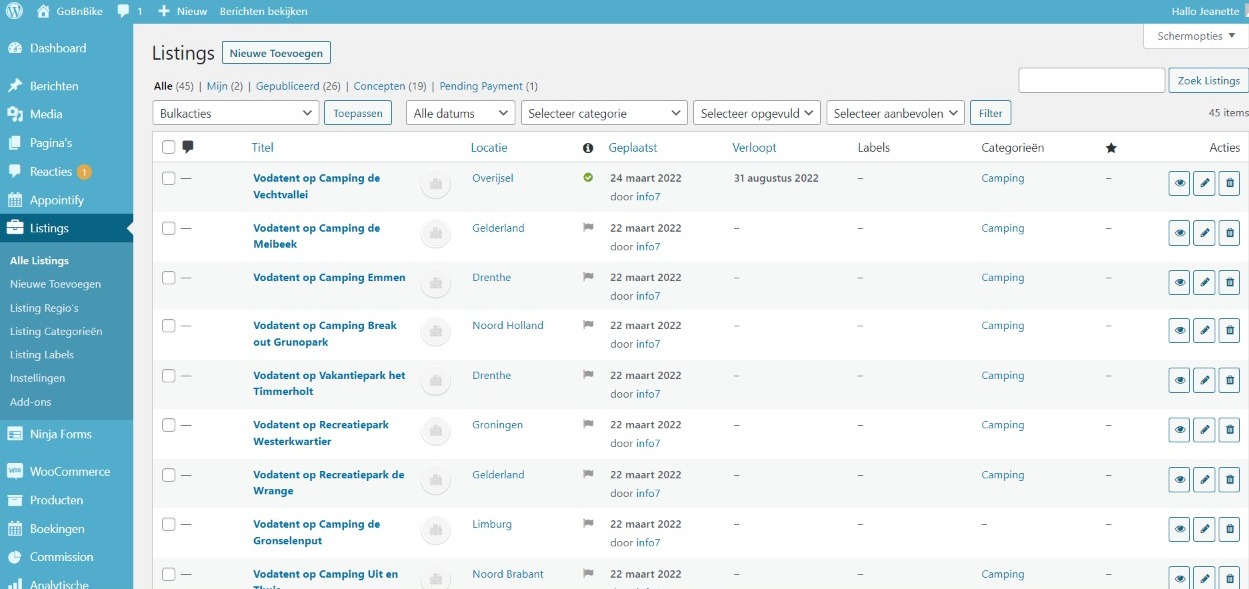
hi, One of our client is using your theme to offer listing service and listing booking service to our customer. below is the link of the website gobnbike.com
We are facing many problems which we wanna make clear. Please help us to find the solutions of the questions below. Also below the list of plugins we are using.
Appointify Contact Listing for WP Job Manager If Menu – Visibility control for menu items Listing Labels for WP Job Manager Listing Payments for WP Job Manager Mollie-betalingen voor WooCommerce Ninja Forms Products for WP Job Manager Regions for WP Job Manager Simple Social Login WooCommerce WooCommerce Bookings WooCommerce Product Vendors WP Job Manager
Below are the questions
1. We added lots of listing in listing tab but on front end the booking option is not showing. Please let us know the whole process how to enable the booking feature for general customer on frontend. the docs link which you shared on comments are more than 3 years old. below image link will help you to see the pic of our listing . https://res.cloudinary.com/scriptfeeds/image/upload/v1651620880/WhatsApp_Image_2022-05-04_at_5.03.33_AM_d3ucz6.jpg2. We offer add your listing feature to add listing by people on frontend by selecting a package which we created by listing package and added that to woocommerce product but it still not working.
Please help us to sort this issue. Regards
Hope you’re doing well and thanks for reaching out.
Based on the queries raised here these issues could only be addressed if we troubleshoot your site’s admin. could you please provide us with your credentials so that we can check into this deeply? You can do so by getting in touch with us here:
Create a New Ticket
Hope this helps. If I can be of any further help, please let me know!
Kind Regards,
Brian from Astoundify
Support
Knowledge-base | Support Ticket System | Astoundify Facebook Community
Do you support migration from listable to your theme ?
Hope you’re doing well and thanks for reaching out.
With respect to your query here, unfortunately we have not tested the migration from another theme to ours. The best we can offer during the migration process is the use of the WP All Import plugin which does help in the listings importation. Not so sure if the theme you are using [Listable] supports the plugin but it would be best to enquire on that from them.
Hope this helps. If I can be of any further help, please let me know!
Kind Regards,
Brian from Astoundify
Support
Knowledge-base | Support Ticket System | Astoundify Facebook Community
Hello, is it possible to send a private coupon for an establishment to a customer, directly by the administration tab?
Hope you’re doing well and thanks for reaching out.
With respect to your query here, well sending a private coupon can only be achieved by contacting them directly. You could add the Private messages plugin which can help in this direct messaging.
Hope this helps. If I can be of any further help, please let me know!
Kind Regards,
Brian from Astoundify
Support
Knowledge-base | Support Ticket System | Astoundify Facebook Community
Hello, is it possible to add in the establishment’s page a form or a button ? I want to let the possibility of the client to let his contact details to the establishment to obtain a discount coupon.
Hope you’re doing well and thanks for reaching out.
With respect to your query here, unfortunately, this option is not present within the theme and would require custom coding to the theme files to include it.
Hope this helps. If I can be of any further help, please let me know!
Kind Regards,
Brian from Astoundify
Support
Knowledge-base | Support Ticket System | Astoundify Facebook Community
Can users view all the items they have bookmarked on one map?
Hope you’re doing well and thanks for reaching out.
With respect to your query here, Usually the map presents all the listings that are displayed on the listing page. Well it is possible to know which listing is represented by a map pin by hovering on the pin itself and it will display a snippet of the listing.
Hope this helps. If I can be of any further help, please let me know!
Kind Regards,
Brian from Astoundify
Support
Knowledge-base | Support Ticket System | Astoundify Facebook Community
Hi,
Can you tell me if WCFM is full suppoorted in your theme ? => It’s mentioned here : https://wclovers.com/wcfm-compatible-themes/
But I need to have a confirmation in your part, because I would like to use your listing theme to sell some products (multivendor feature) and to sell some servie (booking/timeslot) Also it’s mandatory for me (because i’m in a country where nobody use website but only smartphone with app) to have Android App plugable with these feature , so i think to add something like this : https://codecanyon.net/item/fluxstore-multi-vendor-flutter-ecommerce-full-app/25013325 (for frontend customer) + https://codecanyon.net/item/fluxstore-manager/29888574 to offer a vendor management system on app => to manage WCFM produt and serviceCan you confirm if all this can work out of the box with your theme ??
Thanks a lot
Hope you’re doing well and thanks for reaching out.
With respect to your query here, well unfortunately we have not made any official tests with this plugin and thus we can not guarantee that it will safely work with our theme.
As for our theme, we normally recommend users to install the Woocommerce Product Vendors plugin instead of that one as it is the one that we made tests on.
We have not added app functionality to the theme but there are various platforms that can convert your site into a web app for customers to access as well.
Hope this helps. If I can be of any further help, please let me know!
Kind Regards,
Brian from Astoundify
Support
Knowledge-base | Support Ticket System | Astoundify Facebook Community
During the creation of a listing by a user, when adding the time the drop-downs with the hours are displayed incorrectly, how would I solve this?
Attached image https://ibb.co/C8gzcQ5Hope you’re doing well and thanks for reaching out.
With respect to your query here, could you please let us the theme version that you are using. Just tried to access the image you shared and it does not seem to work on my end. For such cases we recommend you contact us via ticket system. You can do so by getting in touch with us here:
Create a New Ticket
Hope this helps. If I can be of any further help, please let me know!
Kind Regards,
Brian from Astoundify
Support
Knowledge-base | Support Ticket System | Astoundify Facebook Community
Hope you’re doing well and thanks for reaching out.
With respect to your query here, we were still not able to access the image file there as it brings this error:https://prnt.sc/NP5veUEpcA_C.
We do recommend that you share your credentials on our ticket system and not here for further checking into this issue. You can do so by getting in touch with us here:
Create a New Ticket
Hope this helps. If I can be of any further help, please let me know!
Kind Regards,
Brian from Astoundify
Support
Knowledge-base | Support Ticket System | Astoundify Facebook Community
We can’t use support as it beat us. We use this theme in another project and we are satisfied with the result. That is why we want to buy a new license again, but first we want to know if this problem has a solution. Can we use another way to send you the error image? thank you
Hope you’re doing well and thanks for reaching out.
With respect to your query here, you could use chat to reach us as well, but both of these platforms are purely meant for presale. At some point we may require an in-depth look at your admin to see if the issue is resolvable and not only by seeing the error.
Hope this helps. If I can be of any further help, please let me know!
Kind Regards,
Brian from Astoundify
Support
Knowledge-base | Support Ticket System | Astoundify Facebook Community
When a listing is created, where does the option to add a product to the listing appear?
When a listing is purchased by the user, it causes problems when finalizing the purchase, since it redirects me to the home page and not to the cart.
We want our clients, when creating their listing, not to have to go through a subscription, since our way of income would be a commission of the products that go up to the listing. Can subscriptions be removed?
We need to know this, because we need it for a new project, said project will be based on this template, if the answer is yes and it can be done, we will buy the support, since we will need it in the future
a greeting
Hope you’re doing well and thanks for reaching out.
With respect to your query here, well the option to add products requires the plugin for Products for WP Job Manager.
In case you are facing problems with the last step of purchasing your listing then it means that you have not set up the Woocommerce settings accordingly. Please go to its settings and head over to the advanced tab and make sure that all. pages are configured correctly and respectively.
Subscriptions can be removed by removing the WooCommerce subscriptions plugin.
Hope this helps. If I can be of any further help, please let me know!
Kind Regards,
Brian from Astoundify
Support
Knowledge-base | Support Ticket System | Astoundify Facebook Community
Hi there, looking to start a medical professionals directory and wanted to have different type of listings like this site: https://edutory.mx/ But instead having Chiropractics, Philologists, Psychologist, Internists, etc.
Does this feature comes out of the box with your theme? Or would I need to buy extra plugins?
TIA.
Hope you’re doing well and thanks for reaching out.
With respect to your query here, well these could be just listing categories and the theme does support the creation of numerous listing categories on your WordPress site.
Hope this helps. If I can be of any further help, please let me know!
Kind Regards,
Brian from Astoundify
Support
Knowledge-base | Support Ticket System | Astoundify Facebook Community

This item was featured on ThemeForest

Power Elite Author
Contact the Envato Market Help Team