23249 comments found.
Hi please help me change the license to a new domain. The website I used last time is already expired that’s why I want to use the license to a new website. Help me please.
Hello,
I have reset your purchase code, now you can use the same purchase code for registration of your theme.
Best Regards.
Thank you!!!
Most Welcome!!.. 

Hi, I want to buy this theme, but I’m using WooCommerce 3.9.2. Is it compatible with? Or only 3.8. Thanks
Hello,
First of all, thanks for showing your interest in Porto WordPress.
Porto WordPress is fully compaitable with the latest version of the WooCommerce, only a couple of Theme templates are outdated and this is because WooCommerce has updated its plugin very frequently and that makes a couple of Theme templated outdated, but no need to worry, first, it does not create any issue on your site, second, we are working on the new Theme update and soon you will find the new Theme update with updated templates, so you have to wait till that and Enjoy using Porto
Best Regards.
hi everytime a porto theme update comes out a few days later Visual bakery and the slider and also Ultimate Addons for WPBakery Page Builder 3 plugins are always outdated i’ve had your theme for over a year and this happens all the time. How can I stop this from happening I already purchased the theme that gives me unlimited grant access to the premium plugins. Please provide the latest code canyon files immediately and effectively you can email them to my assoiciated account if you dont want to share wit hthe public my website keeps getting hacked because of this issue
Hello,
Regarding Latest WP Bakery and Slider Revolution: You can always get the latest updates of the Premium plugins with the Theme update in Theme Package OR You can download the latest plugin from here:
https://smartwave.freshdesk.com/support/solutions/articles/12000007851--12-latest-wp-bakery-visual-composer-and-ultimate-addons-for-visual-composer-and-slider-revolution
And there is no need to activate or purchase the new license for this plugin. This plugin is already included in the theme package and already purchased the license by P-Themes. This activation message for those who want to update the plugin directly from their website. In our case, you can receive the updated plugin always with the theme update release.
So no need to activate it, just ignore the message and feel free to use it.
You can not use the library/template of any Premium plugin including in any Theme Package, If you want to use the premium plugin library/template then you have to purchase that particular plugin license separately, this is Envato policy you may wish to confirm from them as well.
And Regarding Ultimate Addon for Visual Composer: Please be patience till the new Theme update, we will update the plugin link with the new update of the Theme, BTW that plugin is not supported by us anymore since last 2+ years, if you need it urgently then you can purchase it separately.
Best Regards.
Hi! When I try to activate the purchase code it says “Your ip address is blocked as spam!!!”. ?
Hello,
I have whitelisted your IP now, Please try again now, I am sure you will not finds this issue anymore.
Best Regards.
Thank you! You all are the best!!!
Most Welcome!!!..
i need buy it but when your team go fix the demos old?
Hello,
First of all, thanks for showing your interest in Porto WordPress.
Sorry for the inconvenience but our team is working on the new Theme update and soon you will find the new Theme update in which the latest Demo Importing issue will be fixed, so please be patience and stay tuned with us.
Best Regards.
hi i dont remember the password of my porto costumer service account this is the email you guys gave me ammarlatif@ymail.com and the user name is ammar,somehow i deleted my the password in my lap and now i do not remember
Hello,
Our Support Manager has been successfully reset your support account and the email with new credentials has been sent to your email: ammarlatif@ymail.com Please check your email now.
Best Regards.
guys you provided me that email i dont have acces to that email you provide me that to log in my email is hecgar1016@hotmail.com
Hello,
We have changed your account email as hecgar1016@hotmail.com and the reset information for Login into support account is same please try now with this email.
Best Regards.
hi i still can not log in with porto support
Hello,
Please share your product purchase code with us via our email newsmartwave@gmail.com so that we will verify and set your support account.
Best Regards.
Prices will not display on Simple Products. Any idea?
http://bunkpolice.kinsta.cloud/product/ceramic-testing-platform/Hello,
This is because of the Custom CSS you have added into Porto >> Theme Options >> Skin >> Custom CSS:
https://ibb.co/y5MPZr0
https://ibb.co/wzJLgYN
Best Regards.
Hi, I am buildinig a online store with woocommerce and Elementor. I saw that you have recently added Elementor as a compatible builder with your theme but I need to ask some things. Can I use Elementor to customize the shop layout, the product archive layout and the single product layout? To be more specific, all I need to achieve with your theme, is to use your archive template with the grid and list, option, the filters option and the sort dropdown option but change completely with elementor the layoout of the products appearing in the archive. Thank you.
Hello,
First of all, thanks for showing your interest in Porto WordPress.
As you know that we have recently added the compaitability of the Elementor plugin with the Theme, So there is no pre-built Demo with Elementor plugin for now, All the Pre-Built Demo’s are made using WP Bakery plugin, So you can only Customize the Pre-Built Demo’s using WP Bakery plugin and if you want to use Elementor plugin then you have to start from Scratch.
But for your information, we are working on the upcoming Demo’s version, which you will find with the upcoming updates of the Theme and which will we built using Elementor plugins.
Best Regards.
Hi, thank you for the reply, I don’t mind starting from scratch with elementor, I just need to know that I can achieve all functionalities of the theme like when using the WP bakery plugin. Unless you build new widgets for Elementor that must be used to work properly, otherwise, I can build my own layouts, no problem with that. Thank you.
Hello,
Yes, you can use all the features like Widgets,Theme Options etc… with Elementor plugin as well.
Best Regards.
Great, thank you.
Most Welcome!!!
Hello p-themes team,
My name is Hassan i’m the Manager of Kainelabs.
First of all congratulations on this great theme, you did a very very good job !
We found your theme very interesting in a way that could have an extra asset where we make our community and forums and user profiles plugin “Youzer” with this will open your theme to whole new audiences that are looking to build social networks, communities and users profiles.
We already worked with many big themes in the market and the result was amazing, themes like “Enfold”, “Kleo”, “Bimber”, “Olympus”, “Aardvark”, “OneCommunity” and many more.
Here’s our plugin :
https://codecanyon.net/item/youzer-new-wordpress-user-profiles-era/19716647Many users when they bought our plugin they asked us to recommend a theme for them that’s why we decided to create a list of recommended themes and the clean themes like yours are the best ones to be used with youzer !
We are ready to work on any compatibility issue by our selves, we can give you the latest version from our plugin to test it from your side or you can send us a version from your theme so we can test it from our side or in case you have any other solution we are open for it ^^
Thank you for your time & i’ll be waiting for your kind reply.
Best Regards, Hassan.
Hello,
Really thanks for your offer and time and kind words ..
I suggest you to please share that offer via our official development department, they will look through it.
Best Regards.
Hello,
Thank you for your feedback,
I just sent you an email from your author page.
Looking forward to hear from you.
Hassan
Hello,
Now, Please be patience once the Author will check your email you will get the reply of your email.
Thanks for your understanding.
Hi!
1. The visual composer is working in page section, but not working in product page section.
https://drive.google.com/open?id=1vISKXStSTc9dz4o5Zv4MB-nPrvrJnj_L2. I changed all the fonts to Roboto and Open sans, some of them works correctly, but in some areas font is not working, like slide, product price.
https://drive.google.com/open?id=11MCkfmiS9t2whp45Z-LePuMFz7BXHxSAHow can I fix these problems? Thanks
Hello,
1. Please go to WP-Dashboard >> WP Bakery >> Role Manager and please make sure that you have checked the Custom Type Product from there as showing in this screenshot: https://pasteboard.co/I5kNK5Z.png
It will work for you.
2. You have to set those Text’s Fonts using Custom CSS.
And also could you please purchase support extension to get further support? Your 6 months of support period is expired from 02/03/2016. According to Envato support policy, renewing support is required for further support.
Thanks for your understand.
Thank you!
2. But those fonts are from Google fonts, Do I have to use Custom CSS anyways?
Thank you!
2. Those fonts are from Google fonts, do I have to use Custom CSS anyways?
Hello,
Those Text’s are Custom Text and you have to set those Text’s styling using Custom CSS only.
Best Regards.
Hello, what are the minimal server requirements for this teme?
Hello,
You can check the Minimum server requirements for using Porto WordPress Theme here:
https://www.portotheme.com/wordpress/porto/documentation/requirements-for-theme/
Best Regards.
I am facing problem with wishlist.
1. Wishlist icon error 2. Wishlist page product delete error
Theme version 5.2.0(Porto) with YITH wishlist 3.0.6
I also noticed there are many icons missing. you could find missing icons through out the pages but if you go to
YITH – Wishlist – Add to wishlist options – Style & color customization – “add to wishlist” icon.
you can find many icons are missing or broken.
openwater.net
Hello,
Sorry for the inconvenience but the latest version of the Wishlist plugin is creating an issue with the Theme, So please do not update it, for now, we are working on the new Theme update is which we will solve it, for now, please use the old version of the plugin it will work for you fine.
Please contact us via our support system so we will provide you the version of the plugin which is working fine with the current version of the Theme.
Best Regards.
Hello I am in urgent need to update demo shop 06
Hello,
I have tried and tested it at my end with re-importing the same demo but finds the same issue, It means you are right, It is Importing the Demo but not with the latest content, So it is the issue, I am forwarding this issue to the development department for testing it and solving it with the upcoming update of the Theme so till that please be patience.
Thanks for your understanding.
How can we increase the padding on the sides of the blog post?
Hello,
You can change the Layout for Blog Archive Page from Porto >> Theme Options >> Post >> Blog & Post Archives as per your requirements: https://ibb.co/CVJNF38
And you can change the Layout for Single Post Pages from Porto >> Theme Options >> Post >> Single Post as per your requirements: https://ibb.co/Hg4j17Z
And also could you please purchase support extension to get further support? Your 6 months of support period is expired from 17/07/2019. According to Envato support policy, renewing support is required for further support.
Thanks for your understand.
Hello, I follow this instrucctions to change the leguage by using plugin loco Tranlated. Pic: https://i.postimg.cc/3JhqZ6qS/222.png
But I got this error ones I click on “save”, can you help me please?
Hello,
Please read and follow the below-given threads and doc, I am sure it will help you in solving your issue and if you will still face the issue then please contact us via our support system with your site WP-Admin Login details so we will check it for you.
https://wordpress.org/support/topic/errore-blank-response-from-server/
https://wordpress.org/support/topic/error-blank-response-from-server-4/
https://localise.biz/wordpress/plugin/faqs/ajax-errors
Best Regards.
Hello, I have a column with a Custom heading inside. Below I have a button, I would like to create another horizontal button. That is, having two buttons side by side. If I insert another button puts it below, how to solve? Thank you.
Hello,
Sorry to say that but this is not possible, If you insert/set two buttons in a single Column then it will appear vertically not horizontally, So you have to use 2 Columns for it.
Best Regards.
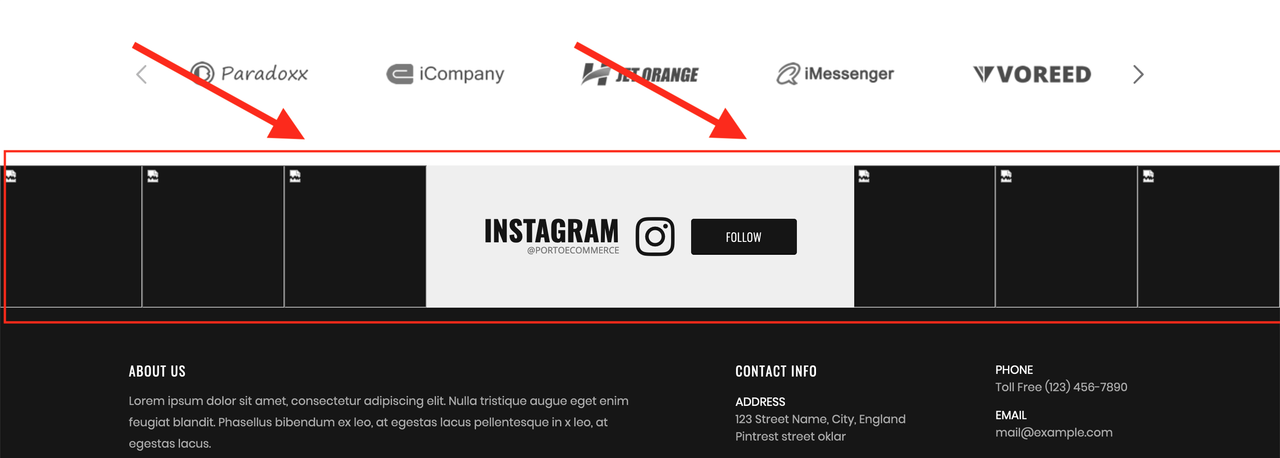
Hello, can you tell me where or how can I put the Instagram carrusell feed in my website up to the footer, like this demo theme (Shop 20) you have in your demo. My is porto shop 19
Pic: https://i.postimg.cc/QMJZC2dL/Captura-de-Pantalla-2020-02-12-a-la-s-7-17-35-p-m.png
Hello,
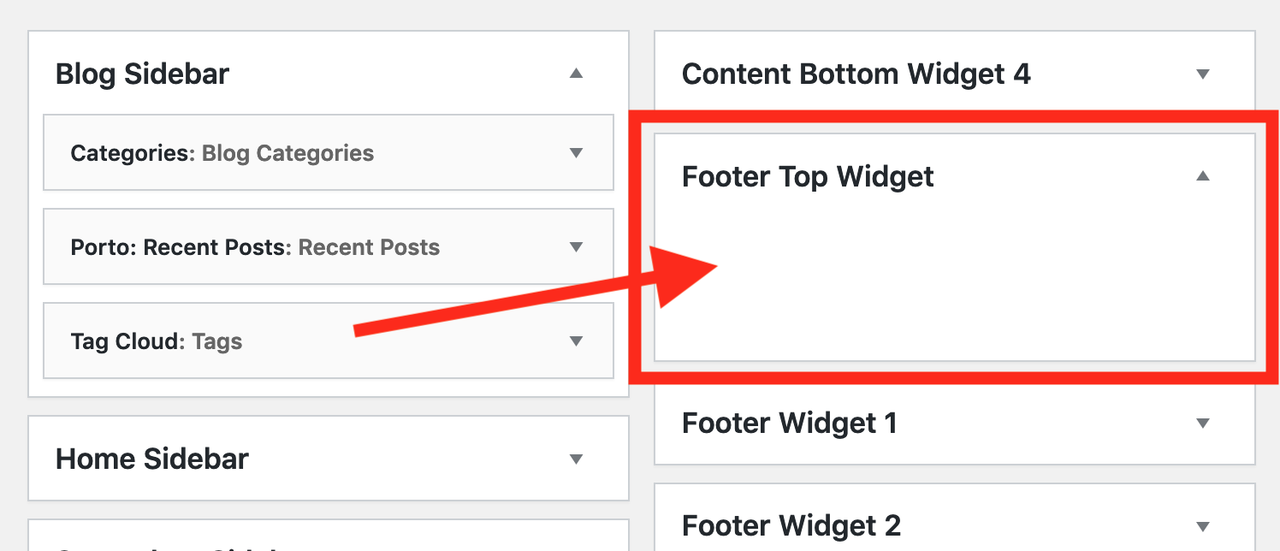
Please go to Appearance > Widgets >> Footer Top Widget and use Social Slider Widget under it and set it as per your requirements: https://ibb.co/FJgSsTq
Best Regards.
Sorry but I don’t have “Social slider” in the widgets, can you help me please?
Pic: https://i.postimg.cc/CLpJbQ1v/Captura-de-Pantalla-2020-02-13-a-la-s-10-16-13-a-m.png
Hello,
Please go to Appearance >> Install Plugins and Install and Activate Social Slider Widget Plugin and then go to Appearance >> Widgets, You will find the particular Widget there.
Otherwise, please contact us via our support system with your site WP-Admin Login details so we will check it for you.
Best Regards.
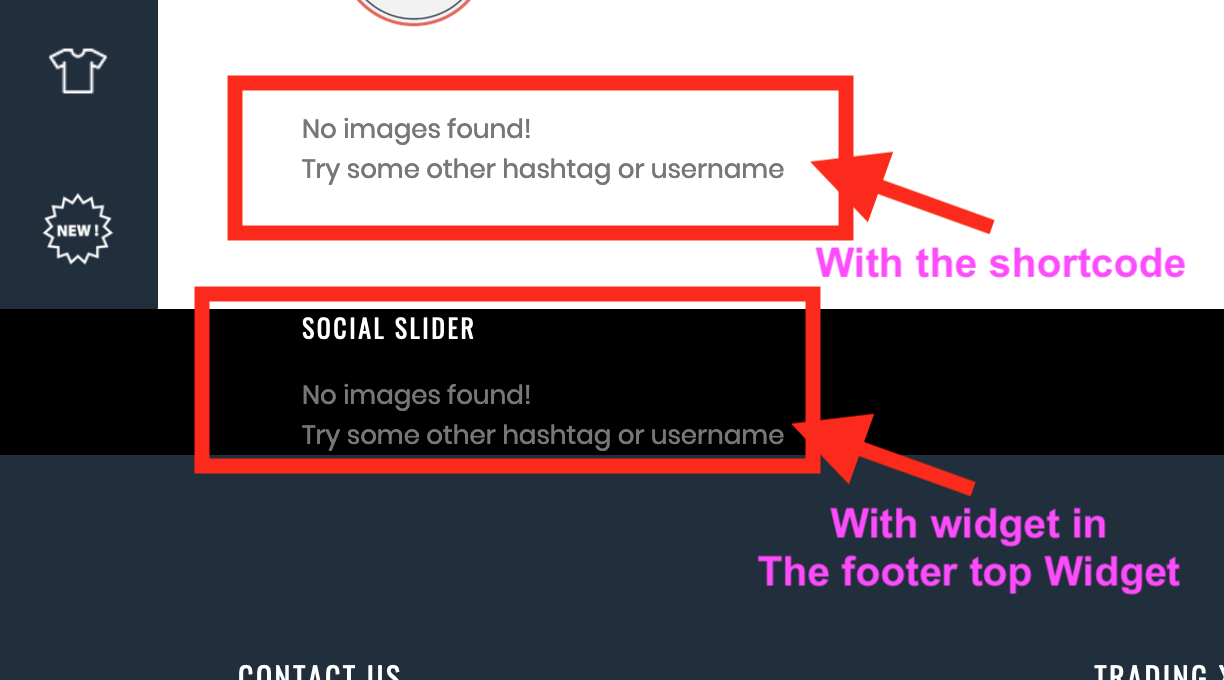
Thanks for the help, but now it looks like this, I did what you said using the widget and also the widget shortcode [jr_instagram id=”2”] and can’t see the instagram images, and everything is ok with the setup of the widget. Can you help me please. Thanks
Pic: https://i.postimg.cc/W3JZnMRL/Captura-de-Pantalla-2020-02-14-a-la-s-8-47-41-a-m.png
Hello,
This is not the Theme but your Instagram Account setting issue, Please read and follow the instructions written in the below-given thread:
https://wordpress.org/support/topic/no-images-found-try-some-other-hashtag-or-username-4/
Best Regards.
hello! how to translate the word “description” and “details” neare the portfolio elemnts? thanks
Hello,
You can translate the Complete Theme to any language as per your requirements using Loco Translate plugin, Please watch and follow the instructions showing in this video that how to translate the Theme using Loco Translate Plugin: https://www.youtube.com/watch?v=z_X4mELtYDM&t=20s and simply you can change any word translated as well as per your requirements by changing it into the Theme Language files using Loco Translate plugin.
Some parts are coming from WooCommerce as well so its better to translate WooCommerce plugin as well to the same language by following the same video steps.
Some parts are coming from Porto Functionality as well so it’s better to translate Porto Functionality plugin as well to the same language by following the same video steps.
Best Regards.
Hi Does WooCommerce Extra Product Options plugin works with this template i have it installed but it doesn’t show any customization the link of the plugin: https://codecanyon.net/item/woocommerce-extra-product-options/7908619?_ga=2.73848978.1816449675.1581576105-887477322.1574295688
Hello,
Sorry for the inconvenience, but we have not tested “WooCommerce Extra Product Options” plugin with our latest Theme and nor this plugin is included in the third-party compatible plugins list confirmed from our end here:
https://themeforest.net/item/porto-responsive-wordpress-ecommerce-theme/9207399
So we are unable to suggest you on it, If you want you can try it with the theme, Otherwise, contact plugin Author for it.
Best Regards.
Ok thank you yeah i already did talk but i got almost the same answer their plugin did work with others defalults themes that wp have but not with porto because they said it was a conflict i don’t know where so that should just use another theme. But anyways thak you for you time
Most Welcome!!!..
Hi, support team, Do you have a link to remove or manage license ?
Hello,
You can simply remove the license from your test site by going into Porto >> Theme License.
Best Regards.
Dear PT, How to edit header Top? link: https://prnt.sc/r1o2ub
Hello,
Please go to Porto >> Theme Options >> General >> HTML Block and you will find it there, Change/Remove it as per your requirements.
And also could you please purchase support extension to get further support? Your 6 months of support period is expired from 15/04/2016. According to Envato support policy, renewing support is required for further support.
Thanks for your understand.