23249 comments found.

Hello, I chose shop 18 and selected header type 2, but I don’t see the link for registration / login at the top, welcome to … etc etc … why?
Hello,
Can you please contact us via our support system with your site WP Admin Login details so that we will check it for you.
Best Regards.
Hi, some accordions tabs does’t works on woocomemece. Example on cart page when you click on coupon tab or shipping cost estimation the page scroll up instead open the tab (eg: https://www.qik.fit/carrello/) . Could you help us?
Hello,
Please make sure that you are using the very latest version of the Theme and Plugins, If not then please update the Theme and Plugins:
https://smartwave.freshdesk.com/support/solutions/articles/12000052422--13-update-porto-theme-manually-without-loosing-any-data-
https://smartwave.freshdesk.com/support/solutions/articles/12000007851--12-latest-wp-bakery-visual-composer-and-ultimate-addons-for-visual-composer-and-slider-revolution
And if you are using Child Theme with Customization Code/Files then please once check your site with activating the Parent-Theme as well and if you are already using the Parent-Theme then please once check with deactivating all the third-party plugins and check your site, hope your issue will solve and then again you have to activate all the third-party plugins one by one and check which one is creating an issue on your site, and if this also does not solve your issue then please check with cache, you have to first flush your server cache and then deactivate it and then you have to remove your site cache and deactivate cache plugins and finally check your site after removing the browser cache
https://smartwave.freshdesk.com/support/solutions/articles/5000612747--14-unable-to-change-color-settings-or-setting-from-theme-options-cache-problem
, Hope this will solve your issue and if still the issue will be there then remaining your site third party plugins deactivated and share your site WP-Admin Login details via our support system and the permission to debug your site which includes deactivating all the third-party plugins and on-site Customization so that we’ll check it for you and provide you the best possible solution for it and please take the complete backup of your site before providing us the requested info after purchasing your support extension because your support is expired from 13/08/2019.
Best Regards.
Hello,
First of all, thanks for showing your interest in Porto WordPress.
When you will purchase the Theme you will get all the Demo’s and you can easily Import any of the Demo on your site by following this video:
https://www.portotheme.com/wordpress/porto/documentation/installation-video/
Best Regards.
How can i edit the register and login buttons that appear under the main menu in porto shop theme 10 ?
Hello,
That is coming from Porto >> Theme Options >> Menu as showing in this screenshot: https://postimg.cc/XGFZ0RYM
Best Regards.
Team, i’m getting this string error. Please advise:
Warning: Illegal string offset ‘c’ in /home/hilltopbeverages/public_html/wp-content/themes/porto/inc/lib/porto-studio/porto-studio.php on line 339
Hello,
Can you please contact us via our support system with your site WP Admin and Cpanel Login details so that we will check it for you.
Best Regards.
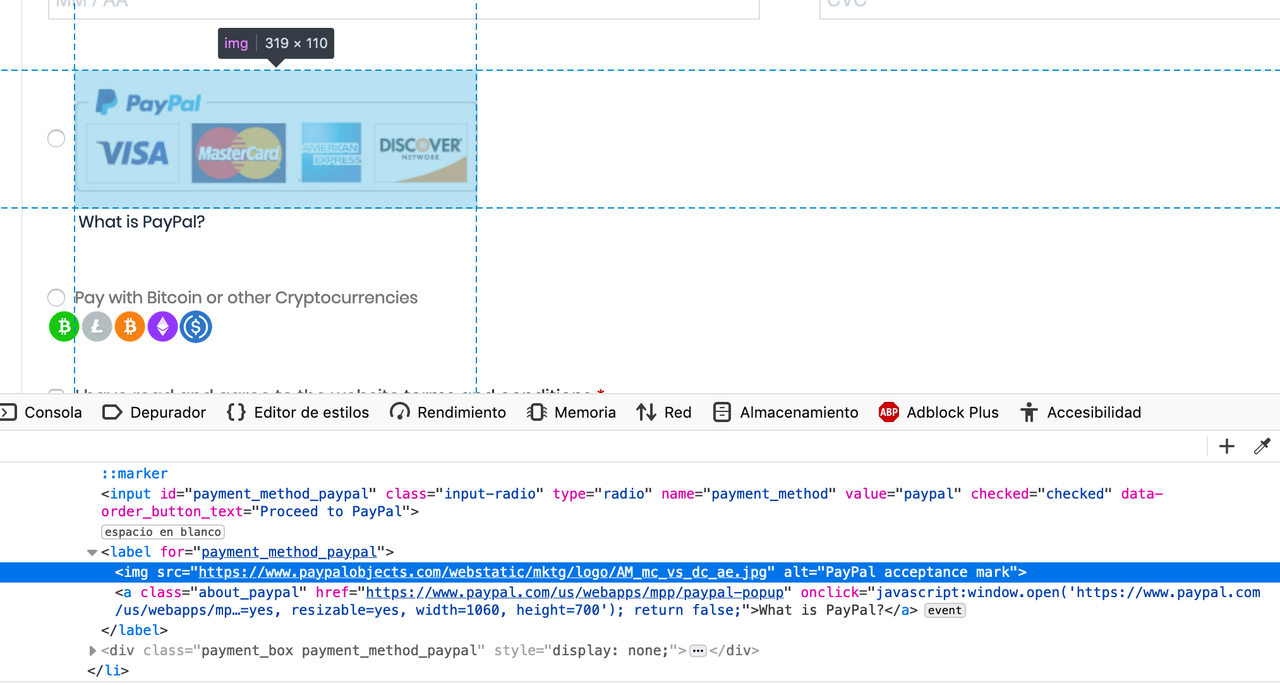
Hello friend, I need your help. What do I have to do to change the paypal logo, by another different logo. Please help, Thanks!
Pic: https://i.postimg.cc/8zDbbnvL/Captura-de-Pantalla-2020-02-24-a-la-s-11-04-19-p-m.png
Hello,
There is no option in the Theme for it and this is the default functionality of the WooCommerce, So for changing it you have to do small Customization, Please copy and paste the below-given code into functions.php of the Theme and change the URL of the Image in the Given Code as per your requirements, I have tested it and it is working for me as well: https://wpstreak.com/change-paypal-image-icon-woocommerce/
/* Change PayPal Icon */

function my_new_paypal_icon() {
    return '/wp-content/uploads/2017/04/paypal-icon.png';
}

add_filter( 'woocommerce_paypal_icon', 'my_new_paypal_icon' );
And also could you please purchase support extension to get further support? Your 6 months of support period is expired from 17/02/2020. According to the Envato support policy, renewing support is required for further support.
Thanks for your understand.
I and many others are requesting on off canvas cart to your next update please.
Hello,
Our next update is almost ready so it’s not possible with this update, but I am forwarding this to our development department for considering to add it in the theme, but I am not giving you the guarantee for that because please note that a theme cannot satisfy all requirements as it may occur theme heaviness. Sometimes it may require your own customization. So if the development department finds it fit with the theme environment then surely they will look through it.
Thanks for your understanding.
Ok thank you! I think this feature (just like shopify) will be a winner and help heavily with conversions for your customers, me included. Please keep us updated if this is something we can see in the following update.
Hello,
Surely you can always check the Changelog of the Theme for getting known about new features: https://themeforest.net/item/porto-responsive-wordpress-ecommerce-theme/9207399#item-description__change_logs
Best Regards.
Hello,
This error came out of nowhere and has crashed our site. What does it mean?
Fatal error: Call to undefined method Vc_Vendor_Woocommerce::getCategoryChilds() in /home/xxxx/public_html/wp-content/plugins/porto-shortcodes/woo_shortcodes/porto_product_category.php on line 43
Hello,
Can you please contact us via our support system with your site WP Admin and Cpanel Login details so that we will check it for you.
Best Regards.
Is there compatibility issues with the latest WooCommerce? I no longer receive email or App notifications for new orders.
Hello,
No, there is no such issue with the latest WooCommerce, This is your server and WooCommerce plugin issue.
Please read and follow the instructions written in the below-given articles:
https://kb.oboxthemes.com/articles/woocommerce-not-receiving-order-emails/
https://www.fixrunner.com/fix-email-notifications-woocommerce/
https://docs.woocommerce.com/document/email-faq/
And also could you please purchase support extension to get further support? Your 6 months of support period is expired from 19/08/2019. According to the Envato support policy, renewing support is required for further support.
Thanks for your understand.
Simple Question: Were i can change THIS name Please ! https://prnt.sc/r735kf Thank s !!
Hello,
You can change/translate it in the Theme language files: https://ibb.co/pjL7Kd5
You can translate the Complete Theme to any language as per your requirements using Loco Translate plugin, Please watch and follow the instructions showing in this video that how to translate the Theme using Loco Translate Plugin: https://www.youtube.com/watch?v=z_X4mELtYDM&t=20s and simply you can change any word translated as well as per your requirements by changing it into the Theme Language files using Loco Translate plugin. Some parts are coming from WooCommerce as well so its better to translate WooCommerce plugin as well to the same language by following the same video steps.
Some parts are coming from Porto Functionality as well so it’s better to translate Porto Functionality plugin as well to the same language by following the same video steps.
Best Regards.
Loco translate is the plugin who i am using btw.. Thanks Mate !
Sound’s Good!!
&
Most Welcome!! 
I’m going crazy with this!!! I can’t add any more members… I save one information, then add new. When adding the title then the permalink keeps the previous one and overwrite everything. I have bypass that by adding manually but the member keeps not saving. I have 36 members, is there any limit to this? Could you help?
I’m seeing some latency on showing the new saved members ( needs a F5 to show up with clean cookies ). Problems was on some settings on htaccess file.
I will report if problem grows up
Hello,
Yes, there is no such issue in the Theme, I have just tested it at my end on my test site and it is working perfectly fine at my end, As you said it was the settings issue on your htaccess file, so surely this was, and sure if you need any help feel free to write back to us via our support system, we are always here to help you.
Best Regards.
I think is overloaded
Need to do a F5 else it does the same thing like I explained
I don’t use any cache plugin, or do I have any improve settings on htaccess or server.
Now I’m on 55 members, and will continue to increase. Although one member is with +1700 lines. Others will have less or more lines.
Like I said, I think is overloaded. Is there any limit with member in code?
Hello,
I am sorry to say that but this is not the Theme issue this is again your server setting issue, and there is no limit in the member code for this.
Best Regards.
Is possible to not be… if I didn’t write any information regarding htaccess would you be any different with your answer?
Or everything is related to user?
Unbelievable…
Hello,
I do not know that every thing related to use, and I am sorry but this is not the platform for such issues, this platform only used for small queries, and I already tested it on my test site and I have not faced the issue you are facing, so we have to check it on your site, Please contact us via our support system with your site WP Admin Login details so our experts will check it for you.
Thanks for your understanding.
Have a great day!
Have a great day..
Hello,
Looking into purchasing your WP theme, but wanting to ask more about API integration and how that’s handled. We need to build a plugin to connect data between our system and the WordPress site – so would you use the standard WordPress APIs for that or is there a custom way? If you have documentation for this so we could see if your theme is a good fit for our website, we’d love to review it.
Thank you.
Hello,
First of all, thanks for showing your interest in Porto WordPress.
We have used standard WordPress APIs for the Theme and there is no documentation on it, If you want to earn more about it you should ask from our Customization department:
https://www.portotheme.com/wordpress/porto/documentation/support-customization/
Best Regards.
I used one of the demos which looks nice, unfortunately this creates inline CSS in the header with absolutely nowhere to edit the code. It’s not in the theme options under Skin > Custom CSS. So where is it?
Hello,
Can you please share the screenshot and also the site URL as well so that I’ll check it for you and provide you the best possible solution for it.
Best Regards.
Hello, Is Porto 5.2 fully compatible with Woocommerce 3.9.2 ? Thank you.
Hello,
This is because WooCommerce has updated its plugin very frequently and that makes a couple of Theme templated outdated, but no need to worry, first, it does not create any issue on your site, second, we are working on the new Theme update and soon you will find the new Theme update with updated templates, so you have to wait till that and Enjoy using Porto
Best Regards.
Hello,
Please go to Porto >> Theme Options >> General and change/set the Page Content Wrapper as Wide: https://ibb.co/M5MDbzQ
And also could you please purchase support extension to get further support? Your 6 months of support period is expired from 06/08/2018. According to Envato support policy, renewing support is required for further support.
Thanks for your understand.
please provide Update
Hello,
We are working on the new Theme update and soon hopefully with in a week you will find the new update of the Theme, Please be patience till that.
Best Regards.
Thanks
Hello,
Please turn ON your site debug Mode and check what error you are receiving when you are trying to accessing the Header Builder or Customizer.
Best Regards.
Hi, 2 months ago I asked if you can fix error: wishlist heart is gone from site. Can you please fix that in your theme already?
Hello,
Sorry for the inconvenience but the latest version of the Wishlist plugin is creating an issue with the Theme, So please do not update it and use the old version of the plugin, for now, we are working on the new Theme update is which we will solve it, for now, please use the old version of the plugin it will work for you fine.
Best Regards.
If you are going to release a new version of a theme please make sure it is working properly. Lots of people have already complained about your mobile menu not working and issues with the theme in general.Our mobile menu completely stopped working after updating. this is not good at all.
Hello,
Mobile Menu is working perfectly fine with the Current version of the Theme as well, All the Customers faced the same issue has the confliction with third party plugins, and same will be in your case, Please deactivate all the third party plugins on your site and check your site after removing the server, site and browser cache, I am sure you will finds the issue resolved and then again you have to activate all the third party plugins one by one and check which one is creating an issue on your site.
And also could you please purchase support extension to get further support? Your 6 months of support period is expired from 05/04/2019. According to Envato support policy, renewing support is required for further support.
Thanks for your understand.
Hello,
I previously bought the Porto theme and used it on my old website. Now I have removed it from the old website but when I installed the theme on the new website I received a “This code was already used in korea.com.vn” message. Help me remove purchase code from old website and I would like use it on the new website.
My old website: korea.com.vn
Thank you!
Hello,
I have reset your purchase code, now you can use the same purchase code for registration of your theme.
Best Regards.
Awesome !!! Thank you very much
Most Welcome!!