8676 comments found.

About build query on isotope module using portfolio. When I try to type in specific category, where it says “Click here and start typing..:”, loading icon gif shows but none of my categories or tags appear. both chrome/safari. I increased memory limit, but not working, which code I need to use in query?... I need to use category class indeed. Thank you in advance. Great theme.
Hi pibarrec! Please note that if you are working with Portfolio you should use taxonomies and not categories (that in WordPress are categories but of CPT): https://undsgn.d.pr/txagso
Perfect! Thank you very much. Great Theme. Great Support,
Hi pibarrec and thank you for the confirmation! 
Hi, Thank you for superb Theme. I deeply reviewed before my question: -Is there a way so I can stop video looping in background? (option loop in media is unmarked but video still loops)
Hi pibarrec! As for any example you have in our demo, if you use a video in background this is automatically looped, the option you refer is for ideo embed, when a video is used in a background is supposed to loop.
Ok Thank you. Therefore, If I want that video to stop looping, any suggestion you could recommend?
You can create the section with Slider Revolution that is part of Uncode and connect to the page with a Slider Revolution module (if it’s a section in the page) or with the headers options if it’s an header.
Ok thank you. So, if I want this video background to stop, is there any procedure you could recommend me? Thank you in advance, nice and fast response from your side.
Not sure to understand the request but with Slider Revolution there are all the settings you may need to control the video play/stop native of the plugin options, so you can set the video background to stop when the video finish…
Sorry I had repeated the question by mistake. I will follow your instructions regarding slider. Thank you!
Ok perfect! Makes sense!
Hi, Maybe a basic question. Is it posible to use a slider revolution as background for a content block or section? Thank you!
Hi, if this is an header you have the option in the Page Options > Header Type > Slider Revolution, if this is a section you can use the Page Builder module named Content Block VC.
Perfect!
Hi pibarrec and thank you for the confirmation!
Hello, here is a support question. I’ve created a complete page thanks to your visual editor. Now I would like my others pages (existing and future) to look the same. How to do so, is it possible to save my page as a model ? (I tried to save it as a VCbloc but then I can’t change the content) Thanks a lot !
Hi remidoubi! You cannot save this as a template but you can save this page as shortcode to be reused (I mean that if you modify something the change is not update in any instance): https://undsgn.d.pr/KWRanx – https://undsgn.d.pr/8Rm7zh
Anyway, if you need support is offered in our Help Center, there we have a completely dedicated support team, please submit a ticket so we can check your installation and support the solution privately! Thank you! https://support.undsgn.com/hc
Thanks a lot !
Hi remidoubi and thank you for the confirmation!
Hi, I have a pre-sale question. In the creative-freelance demo, is there the option to configure the dimensions and the ratio/orientation of the video background? I mean, I see in the demo that a landscape (horizontal) video is cropped in mobile view, so that is visible the central part. What if I insert a portrait (vertical) video instead? Will it be cropped in desktop view? Thanks in advance
Hi mmad_srl and thank you for interest! 
Yes, it will be cropped and you can understand here that there is not a format that works fine for all scenarios: https://support.undsgn.com/hc/en-us/articles/213459809
At least you can hide the desktop header and show another designed for mobile but the sections will be both present in the page. I hope this makes sense!
Thank you very much for the quick and clear response!
Thank you for the confirmation!
I want to add an existing Content Block into a Post. (Not into a Page) Is there any shortcode for it? Thanks
Hi noppah! I’m sorry but the only method it’s to use the Page Builder and use the Content Block VC module. You can try to use [uncode_block id="46"] but it cannot work in all scenarios (consider a basic use that it’s even not supported).
Had image disappearing problem as noted from other comments, so decided to update. After update content blocks disappeared from pages – website has over 60 pages so not really feasible to go to each page and re-add content blocks.
Hi madcatwebdesign! Did you updated the Uncode Core plugin? Unfortunately, without a check to your site it’s not easy to help, as you can see no other users reported the same problem so it’s not really easy to suggest something from here… In case, if you need support is offered in our Help Center, there we have a completely dedicated support team, please submit a ticket so we can check your installation and support the solution privately! Thank you! https://support.undsgn.com/hc
Sure thing, but I will note that I just tried to update a different site, on different hosting, and the exact same thing happened – content blocks are no longer on the pages after update.
Also noticed that “galleries” are not displaying on mobile devices, even though they display on desktop when the screen is resized to mobile size.
Hi madcatwebdesign! We are sorry but as I hope you can understand it’s not possible to help here (without check your site from the frontend or better from the backend) if you have an odd issue other users are not reporting. If these are issue of Uncode here you should see thousands of similar reports. Please open a ticket so we can access your site and debug the issue you have.
I cannot update any plugin as it says: The Envato Purchase Code seems to be invalid. Please try to unregister and register the product again. If the issue persists contact the theme author. (Error 23).
The problem started when I’ve installed Polylang plugin, which allows me to change the website language depending on the DNS used to connect to the website.
What can I do to allow it work correctly?
Cheers
Hi vscandurra93! Did you tried to unregister and register again the theme as suggested by the error message?
I have no experience of this Polylang plugin, we declare compatibility with the most popular WPML or Weglot for the translation of the site into other languages. However, try to deregister and register as suggested by the error.
I am afraid that if I deregister the product, then I won’t be able to active it again as it says the code seems invalid.
What can I do in case it doesn’t work?
Hi vscandurra93! I’m sorry but I don’t understand… did you tested and you have an error or are you afraid this will happen? If you used the Purchase Code according to the license terms you should have no problem.
Ok I will do it then, thanks for the help
Hi vscandurra93 and thank you for the confirmation! Let us know how it goes!
Hello,
Since 3 days i’m facing an issue on my two licences and can’t update the theme or have access to demo stuff, would be great to answer to my support request so i can work on it.
Hi ippgroupe! The issue you are facing seems related to the fact that you have registered the theme too many times. Anyway, we are going to check asap.
Hi do you support the plugin: https://publishpress.com/authors/ ? I contacted their devs but they say that you don’t support their plugin. It only displays the username in the post header but not in the post gallery. See screenshot here: https://www.dropbox.com/s/7yowxad1ptv1n77/Screenshot2020-03-1816.14.07.png?dl=0 Is there a way the plugin can also displays all of the authors in the screen before you click on the post? Thanks!
Hi MatthiasReichl! We are sorry but there are more then 30.000 plugins out there and this is the first time we header about this one. Moreover, it’s really not possible to understand or suggest something from a screenshot.
Ok thanks for your reply though!
Thank you for the confirmation even if we cannot help more from here.
Hi! I have a problem with the LayerSlider plugin. Since last Uncode update all sliders dont’t autostart. All layers configuration is missed and there is now way to make layers start. Is this problem happening to other customers?
Hi nicomad! No other users are not reporting any issue and I saw many users recently with LayerSlider, moreover in the Uncode update there is nothing that influence LayerSlider (this is something like a frame). Anyway, note that Slider Revolution and LayerSlider and no more compatible each other, this mean that if you have Slider Revolution active you need to deactivate.
Hi. Thank you for the tip! I did deactivate Slider Revolution and now everything works fine.
Hi nicomad and thank you for the confirmation!
Dear Uncode, I know the height of the menu is mastered by the logo height plus the custom padding, but if the logo is large or circular, etc, the submenu dropdown is pushed apart from the menu item. How can we bring the dropdown submenu closer to the main menu item? Thank you.
Hi Engin! We are sorry but it’s not possible to understand just in words the scenario you are facing, can you please share your site link?
Anyway, if you need support is offered in our Help Center, there we have a completely dedicated support team, please submit a ticket so we can check your installation and support the solution privately! Moreover, since there is a dedicated team the waiting times are better than here. Thank you! https://support.undsgn.com/hc
Hi,
Is it possible to create a footer menu similar to the top main menu? (with sublevels, etc..)
Thanks.
Hi Ray_Donovan! You can use the Custom WP Menu widget of the Page Builder but you cannot have animated dropdown in menu, in a few words, it’s the classic footer menu (list of links).
Hi, is there any way to have the social links in the navbar (the social icons in the navbar) open in a new tab? IMHO it’s bad practice to have external links open in the same window, replacing my site all together. Thanks in advance.
Hi ptc4 and thank you for the note, actually it’s not possible, if needed you need to modify the “uncode/partials/menus.php”: https://undsgn.d.pr/Oe3L9H
We’ll take care of this suggestion for next updates (inserted in the list).
Hi! I like this very versatile theme. But I would like to know if it allows creating menus with submenus with animations similar to this:
https://ohio.clbthemes.com/demo23/ https://ohio.clbthemes.com/demo21/# https://ohio.clbthemes.com/hamburger-menu-creative/Also something like this (multiple links): https://ohio.clbthemes.com/demo3/
And something like this: https://ohio.clbthemes.com/compare-shortcode/ Thanks
Hi Carlos_Prosur and thank you for interest!
Sorry where are the side-menu on these link? I only see an Overlay menu and a Horizontal Justify menu (in case, both menus are available in our demo too). It’s probably our problem that we don’t understand each other… It’s probably our problem that we don’t understand each other.
Hi, yes I mean the overly menu that appears when you click in the icon menu (up left corner). This menus also: https://ohio.clbthemes.com/hamburger-menu-creative/
And what about the other questions?
Thanks for the fast response
It’s not the same you see in a lot of our demos? https://undsgn.com/uncode/homepages/creative-collective/
Yes, you can have multiple links and also the Before and After shortcode (at the bottom of this page): https://undsgn.com/uncode/features/single-media/
Thanks! yes, the menus are pretty similar, but not the same format and animation. Anyway I think overall I like your theme. I will probably buy it
Hi Carlos_Prosur and thank you for the confirmation! Okay it makes sense, I didn’t even think you were referring to secondary details like the animations of the menu unless expressly stated.
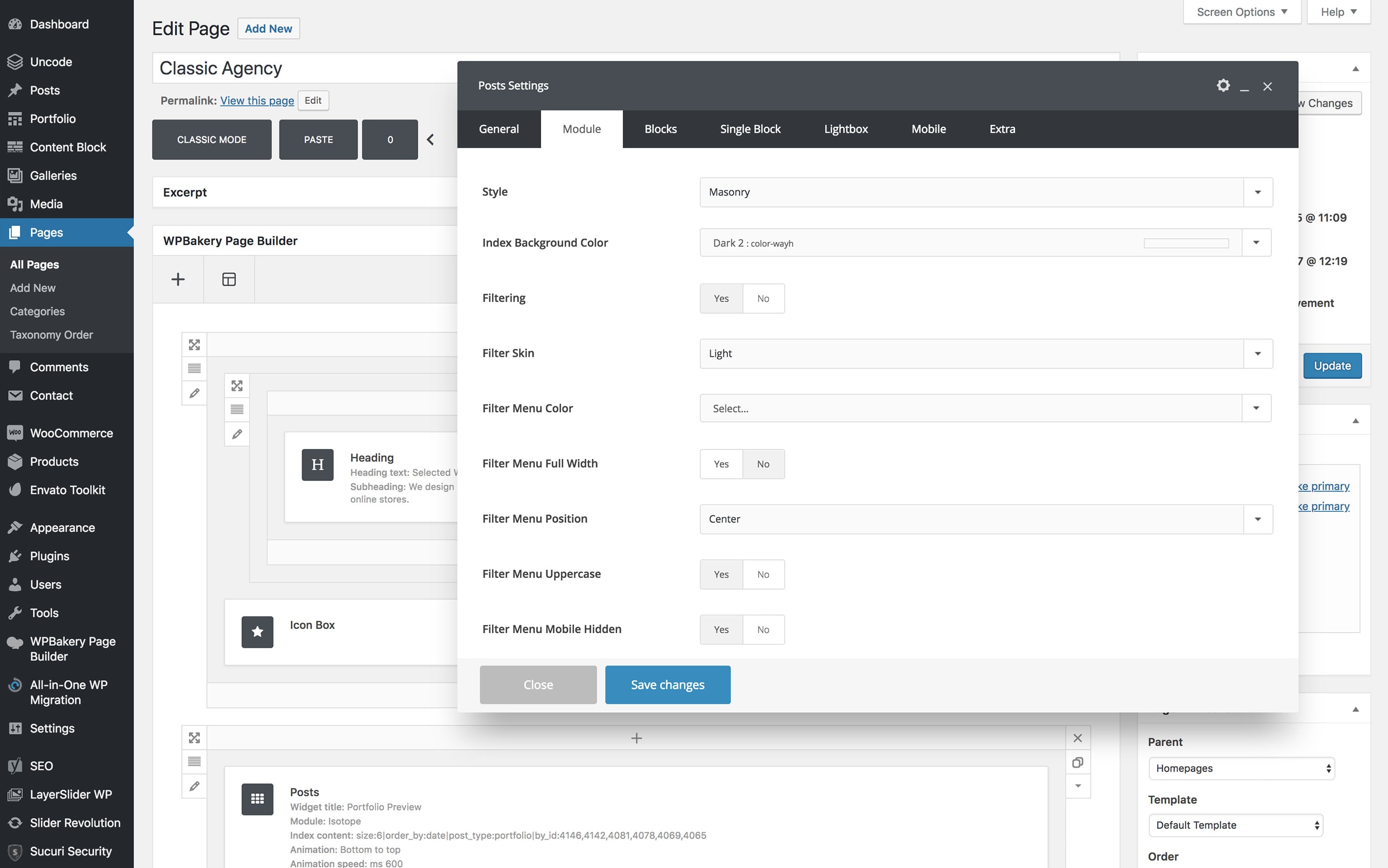
For some reason I can’t seem to find the ‘post settings’ tab section. Where do I go to see this section of menu items please? https://support.undsgn.com/hc/article_attachments/360000107985/doc-posts-module-min.jpg
Hi craigheyworth! Just insert a Posts module and navigate to the module tab: https://undsgn.d.pr/pnJStc
Oh yeah, I see it. Appreciate the fast response. I’m trying to add the ‘reading time’ to the posts themselves, like you’ve done on this page for example. How would I go about doing that as it seems those settings in a post module isn’t where I would do that? https://undsgn.com/uncode/working-from-your-home/
If you have one of the latest version this is part of Demo Contents, the part that create the reading time is the Info Box module not the Posts module: https://undsgn.d.pr/9pFILS
Great, I see that. Thanks for the reply again. I’m after adding the reading time to the header however like the ‘working from your home’ page linked above. Currently your demo contents solution seems to only update the info box module at the bottom of the post. Any ideas?
Here’s a quick vid of my issue: https://www.loom.com/share/0a04ba2181a94ce3b54dc4914017f1d3
Hi craigheyworth! Im sorry but this not make sense, the Info Box module can be used both in the header both in the Page Contents (both at the top both at the bottom), tested now and everything works as expected: https://undsgn.d.pr/NDJUdx – https://undsgn.d.pr/L58Xaf
Note that the example I see in your video is not based on the Info Box module but the native Info Box line available for the blog posts Basic Header… in our demo this is an example of the Info Box, (they look pretty similar but this is the one based on the Page Builder): https://undsgn.com/uncode/make-it-clean-and-simple/
Anyway, if you need support is offered in our Help Center, there we have a completely dedicated support team, please submit a ticket so we can check your installation and understand better your specific issue: https://support.undsgn.com/hc
ok thanks for this. That makes sense. It seems then what you’re saying I should ask is: How do I adjust the ‘native Info Box line available for the blog posts Basic Header’?
Sorry but “adjust” what?
I’m wanting to add the ‘reading time’ segement into the info box line which you say is adjustable on the blog posts basic header. Where are the settings located to adjust the posts basic header?
This is a default, probably you have some extra codes that hide it, some plugins or something broken, but as suggested above we cannot understand from here without access your installation. When you use the basic header you have this by default.
I got it
Hi vicpereiro! Sorry for the delay and thank you for the confirmation!
Anyway, if you need support is offered in our Help Center, there we have a completely dedicated support team, please submit a ticket so we can check your installation and support the solution privately (waiting times are better than here)! Thank you! https://support.undsgn.com/hc
I legitimately purchased this template about 2 years ago through Envato and have started having problems with it. Now, when I go to submit a ticket, it’s saying I did not purchase it. Need assistance. I won’t buy this template again.
Hi jadderholt! Probably you purchased with another account, in fact the ThemeForest website also reports that you didn’t purchase our theme as you can see when an user has a valid purchase this is reported: https://undsgn.d.pr/zF7quj
If there is a problem with this you need to fix this with Envato since the login to our Help Center is managed directly by ThemeForest (Envato).
Hi, how can I display the date and author in a portfolio page? I am also using he normal post feature. It get displayed perfectly. For organization I need to separate the post feature. So I want the same layout from posts on portfolios. (date and author) Screenshots: https://www.dropbox.com/s/69t750pil1ge3ku/Screenshot%202020-03-19%2014.37.55.png?dl=0 https://www.dropbox.com/s/d3u0xnrngdlfffl/Screenshot%202020-03-19%2014.38.14.png?dl=0
I managed to get it work on this view: https://www.dropbox.com/s/69t750pil1ge3ku/Screenshot%202020-03-19%2014.37.55.png? So I just need help on the other link
Hi MatthiasReichl! I’m sorry but in the first message you have the same screenshot 2 times and moreover doesn’t make sense. What would be Test123 etc? Please try to be clearer or link the layout of the demo you want to recreate.
So this is the screenshot that matters: https://www.dropbox.com/s/d3u0xnrngdlfffl/Screenshot%202020-03-19%2014.38.14.png?dl=0
“Test123” is a headline. Basically I just want to add the date and the author underneath the headline. Like it is on the post section. Here is a screenshot how it should look like: https://www.dropbox.com/s/5jhgd8m1escwaw4/Screenshot%202020-03-19%2015.19.15.png?dl=0
Do you know what I mean?
What you have in the Basic header is a feature reserved only to the blog posts template, you should recreate your headers using a Content Block header matrix with dynamic Heading and the Info Box module (that is the the one that re-create the info line): https://undsgn.d.pr/MbipSN – https://undsgn.d.pr/GU1MQ7
Awesome! And how can I set the content block up to also use the feature image of a portfolio post? Thank you so much!
When you use a Row in the Content Block there is a no option Dynamic Background next the background image, just insert an image that will be used as fallback and activate this option.
Thx!
Hi and thank you for the confirmation!
In the header a very thin gray line appears below the logo and the menu, is there any way to remove it? thanks.
Hi rflautom! It’s really not easy to understand what you refer without a link to your site, anyway please try one of these options: https://undsgn.d.pr/4B4jz9
Anyway, if you need support is offered in our Help Center, there we have a completely dedicated support team, please submit a ticket so we can check your installation and support the solution privately! Thank you! https://support.undsgn.com/hc
It was the Menu Divider Shadow, thanks!
Hi rflautom and thank you for the confirmation!
-LATER EDIT- Nevermind, out of nowehere i checked again and it seems to be working now, without making any changes. I feel that i experience some glitch ?
Hello,
Honestly i am starting to loose my patience a little…. Can someone please give me some tips of what could be the reason that the Secondary Menu is not being displayed on my mobile device?
I have all of these settings done (see pictures), and the Secondary Menu was showing up, until now…
1. https://imgur.com/wNvszBv – mobile device (showing only primary menu, without secondary menu) 2. https://imgur.com/sJdUIzL – theme settings done right 3. https://imgur.com/PfEeyCe – Secondary menu 4. https://imgur.com/7QSB6Ki – Custom CSS Code added 5. https://imgur.com/1QgtwAF – Secondary menu visible on laptop/desktop in Footer area (ok)
Can somebody please tell me what am i missing?
Again, I feel that I experience some bugs or i don’t know what ghosts are walking around my website..
I have different outcome on Firefox and Chrome. Both mobile and desktop device. Title in header is definitely not centered on Firefox
https://imgur.com/WRsW17JAlso, how can I set my shop pages to display 2 (products) columns per every row? I see that the change is happening at 504px, but I want to see on mobile device 2 products per row
https://imgur.com/leJuhRXThank you kindly for your patience!
Hi heviutza! Sorry to say but it’s a bit funny that you lose your patience when you are using general comments for continuous support requests outside your support period, and that, all the problems you had, were related to extra custom codes you had entered or help requests for custom changes. You may find useful to read the Envato policy: https://themeforest.net/page/item_support_policy
Based on this I strongly invite you to consider renewing your support period, since these are the rules of this marketplace. Every time you ask something here, authors have to stop product development (which is a benefit for all customers), while in the Help Center there is a dedicated Support Team.
We are always polite and try to reply in the shortest possible time but we expect that others are likewise respectful.
1. For us in mobile the secondary menu perfectly works: https://undsgn.d.pr/ukJ8O0
2. Maybe, try to update to theme to a recent version since the version you are using is from 31/10/2018 (latest version is 2.2.7): https://culturadestrada.com/wp-content/themes/uncode/style.css
PS: since you have lot of custom codes and your version is very old it’s strongly suggested to perform a back-up first: https://support.undsgn.com/hc/en-us/articles/360001216518
If you need more support, like everyone else, please use the official support from now on: https://support.undsgn.com/hc/en-us