8686 comments found.

Hi, after updating die the newest update, i cant do any changes in the Theme Options. If i click a dropdown, it shows me just an empty field. Can you Guys help me?
Thank you 
Hi tryyyy! Please clear the browser cache as after any update “Clear cache: it is always recommended to reset your browser, possible cache plugins, and server cache when you update. Possible visual issues may occur after an update if you have old files cached, this is something easily avoided by clearing your cache after all updates.”: https://support.undsgn.com/hc/en-us/articles/214001205
Damn! That was fast! Now it works :)) Thank you very much
Thank you for the confirmation!
Hi i have another quick question:
I’ve ordered my products by date with the posts module and applied the posts module in theme options > archives > products
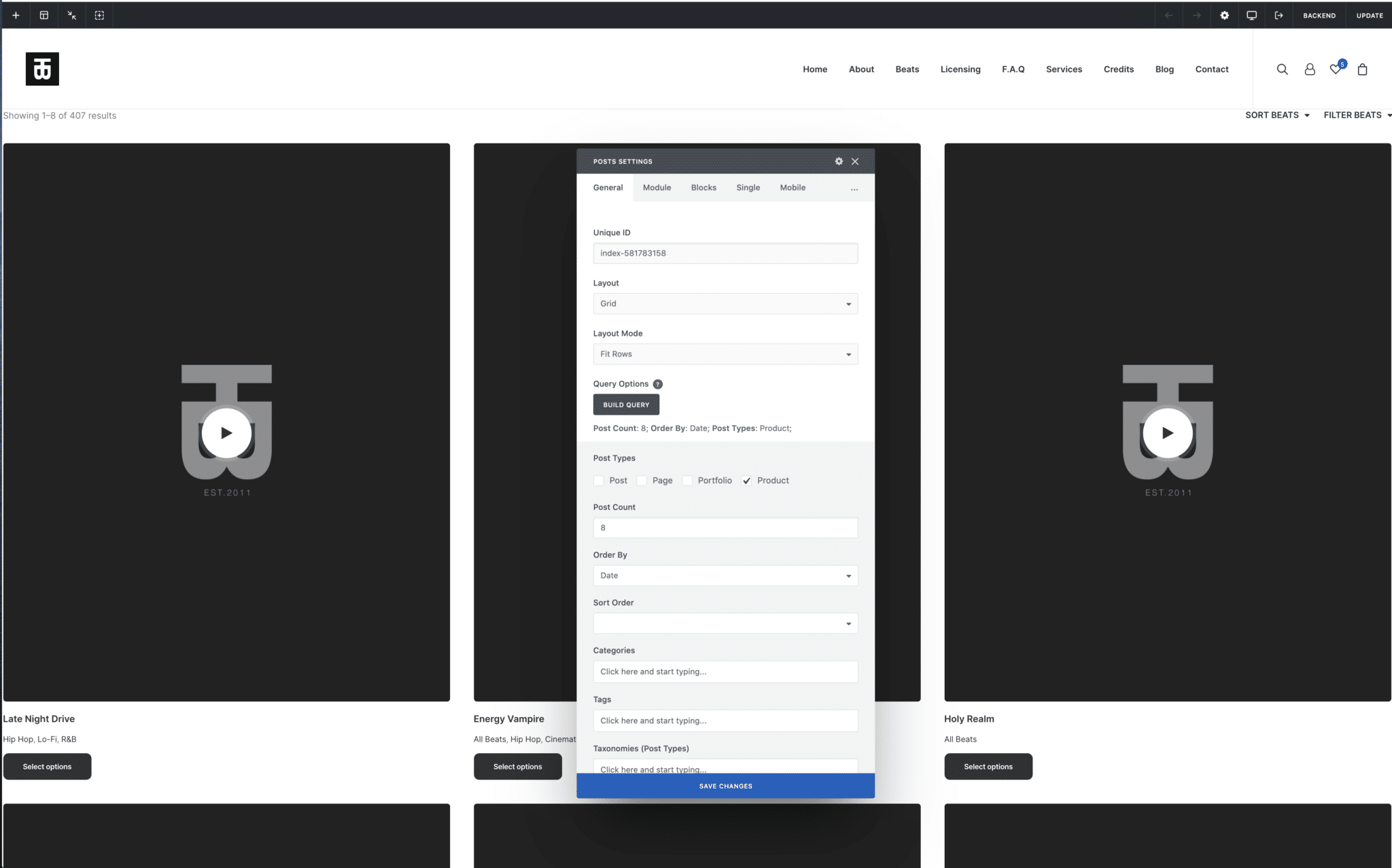
On backend (in posts module) it looks like this: https://tellingbeatzz.com/wp-content/uploads/2021/11/order-by-date-posts-module.png On frontend however, products are ordered by title / alphabetically: https://tellingbeatzz.com/wp-content/uploads/2021/11/ordered-by-title-alphabetically-on-frontend.pngCan you point me in the right direction, so my products are ordered by date? I’ve checked the docs but couldn’t find the solution.
Hi Bama77! If you are using the Dynamic Query in the Posts module ( https://undsgn.d.pr/pq1zv3 ) the query is the original WooCommerce one for that particular context and the options of the Build Query part are not taken into account (only when you work with the Frontend Editor): https://support.undsgn.com/hc/en-us/articles/213459549
In a few words what you see it’s the native WooCommerce query (and order) for that particular page if you deactivate Uncode you should see the same. Please remember that WooCommerce offers natively various methods to order products ( ex: https://undsgn.d.pr/IGGJoH ).
Hi
Thanks so much, best support
Thank you for the confirmation! 
I try to have support here..
i’ve a big problem with the isotope-filters, ‘couse it doesn’t work anymore. Every filter goes to ”#”. I’ve update to the last versione of all, but this isnt’ working.
before the update it worked, now it doesn’t and no changes have been made.
Hi dep42! If you need support is offered in our Help Center, there we have a completely dedicated support team, please submit a ticket so we can check your installation and support the solution privately (or at least ask for support with an account that bought the theme)! Thank you! https://support.undsgn.com/hc
Hi! How can I turn on breadcrumps for this theme? Thanks!
Hi Nellissima! For each Post Type of Uncode you have this option (both for the Single, both for the Archived), ex: https://undsgn.d.pr/WXuCuM
Hi! I have update the Theme but now I have an issue with the Child Theme: the Theme Options don’t work and also are not visible (all options are empty). Can you help me please?
Hi DadaAlessandra! Please note that each update is strictly tested by Beta Testers before it’s released. 1. Do you refer that you are not able to open the Theme Options or your settings are empty? Did you clear your browser cache? Is the frontend of the website affected?
Hello! Thank you so much for your help. It was the browser cache. My apologies .. I love your theme is one of the best!
Thank you for the confirmation! Much apprecited!
I’m sorry I have one more question.
I just updated the theme and the plugins, everything works but somehow the sidebar disappeared from the theme options panel and therefore also on my site.
When i go into Uncode > Theme Options > Archives > Products >
There’s still the sidebar options table but when you click on it to expand it to change settings, it’s empty.
Did you guys remove this with the update? or is it a bug?
Hi Bama77! Did you clear you cache properly? In case please share some screenshots since it’s really not possible to understand your scenario.
It was the cache! I’m sorry for the inconveniences
Thank you too for confirming. All the best
Is there a plug-in you guys can recommend so I can set up grid AND list view for the woo product archives?
Seems like list view is not integrated with the theme.
Also I want to thank you guys for developing such an amazing theme, it’s really a pleasure working with it
Hello! If you mean you would like to have sort of a switch button to make the user decide to order the products in a grid or by rows, no, sorry, we can’t recommend any solution working with our Posts module. If you need a different way to display product lists, instead, we have just released some new features that maybe could interest you, for instance: https://undsgn.com/uncode/shops/shop-table/ or https://undsgn.com/uncode/shops/shop-titles/
Let us know, best
Awesome, thank you! The shop table solution looks really good
Can I set it inside the posts module?
Hi Bama77! This was published just a few hours ago with the new Uncode 2.5.0 theme version, please find the dedicated doc here: https://support.undsgn.com/hc/en-us/articles/4407894824209
If you install the new Wireframes plugin searching for “table” there are already a few examples.
Thanks, exactly what I needed and also the product rating integration with the posts module is exactly what I needed. #Undsgn
Hi, yes this is new too! Thank you for the confirmation!
Hi,
I have updated to the latest version, but the sticky menu on mobile doesn’t work. In the uncode options, I have chosen sticky menu, but nothing happens.
here you can see that it doesn’t work on mobile https://2021.callandridemallorca.com/is this normal?
Thanks
Hi mac_fly! In a few days we’ll publish a new major update, this issue should be part of the fixes, before test be sure to have deleted any kind of cache (from possible cache plugins, to device cache).
Ok Thanks!
Thank you for the confirmation, let us know how it goes!
Hi there, I’m using your awesome color change feature for the backgrounds of my website. Unfortunately, the feature does not seem to work on content blocks on product detail pages. I’ve set everything up, put a color to change at the background, but it just shows up a split second and then is going to white background again. Disabled all plugins already, did not work. It’s working great on all other pages, except the product detail pages. Do you guys know how to fix this? Thanks & Best, Henning
Hi BirnenHans! The Color Change is designed to work on a blank new Page Builder canvas, not on a template where it’s possible to insert a composer fragment. I’m really not sure this can be modified. In case you need to create a completely custom template and not use the default product template. Anyway, can you please share a link so it’s possible to understand the exact scenario?
Hi there, thanks for your reply! Yes sure: https://childish.wtf/shop/make-racism-wrong-again-adidas-backpack/ On this product page for example, the section with “Message of this item” should change the background color to yellow, and after that to green and after that to purple. You can see the color backgrounds for a split seconds while reloading, but then changing to white again.
You can insert a code like this but then you have to apply a color to each section of your page:
.single-product .style-color-xsdn-bg {
    background-color: transparent;
}
Yes, thank you – that worked great!
Thank you for the confirmation!
How do I know that the privacy plugin from Uncode is really working and blocking the facebook pixel or Google Analytics? For example, when I enter my website as a user and I do not activate google analytics in my preferences seems that GA keeps collecting the geolocation data etc… because when I see google analytics page in real time I can see the geolocation and if they are using desktop or mobile so finally the privacy plugin is not blocking that code. Do you know how to proper set this up? I didn´t find too much information in the uncode help folder neither in the video they have in youtube. Site: ultrazonicmag.com
Hi danielts3! Please find more information on this page about how to properly configure possible tracking codes. Please note that with the Google Analytics Anonymize IP you don’t need to block tracking codes (the scope of the GDPR is not to leave site owners without proper stats, but to limit the data they collect): https://support.undsgn.com/hc/en-us/articles/360000911529 – https://support.undsgn.com/hc/en-us/articles/115005491769
Hi, I made a Content block that with a “Posts Element” dynamically calls all related articles and I set it in Theme option / Archives / Posts / Content, but when I view all the archive contents of a tag it only displays the posts of 1 category.
Hi mario_matera! We are sorry but without a few links to your site, it’s really hard to understand the scenario. Can you please share the URLs to understand?
Hello, are you planning to release an update to support WooCommerce 5.8 please? The Recent Products / Newest Products widget is no longer usable.
https://docs.woocommerce.com/document/woocommerce-widgets/Hi morepix! From here everything is working as expected, and we don’t have other reports. Please note that from some time it is named “Product List”: https://lopezb.d.pr/XmCza5 – https://undsgn.d.pr/CA9vSM
Hello,
We were using this in a page with the shortcode [recent_products per_page=”6” columns=”4” orderby=”date” order=”DESC”]
Am I missing something or is this no longer working with v5.8 please?
WP Bakery Product: https://snipboard.io/w5bIyV.jpg
WP Bakery Widgets: https://snipboard.io/y7lCYB.jpg
Hi morepix! Ok now makes sense. The shortcode still works: https://undsgn.d.pr/AugOyJ
If you need to use as a new module you need to use the Products Widget, please find more info here: https://support.undsgn.com/hc/en-us/articles/360012911317 – https://undsgn.d.pr/rjh1MR
Hello, thanks for that. But that Widget displays a list while we had blocks like you have in the demo. Is that still possible since the classic editor is now also gone please?
https://undsgn.com/uncode/homepages/shop-beauty/Blocks example: https://snipboard.io/3d2BGn.jpg
To resolve our issue now I have activated Gutenberg editor and added the shortcode but that’s not ideal.
The Classic Editor is gone? I think you have very old version of Uncode, ex: https://support.undsgn.com/hc/en-us/articles/360011829858
Anyway this is just a Posts module with Carousel option, and Query to Products: https://undsgn.d.pr/Hl6h2n
Classic is no longer working. Theme version 2.4.0.3 and WordPress 5.8.1 Classic Editor plugin is installed.
Thank you for the video, all ok now!
Hi morepix! yoU can disable the Classic Editor plugin since you really don’t need it. Maybe you clicked this? https://undsgn.d.pr/xI8NLz
Hello, I buoght one more license (so now I have 2). Now I haven’t used one of my licenses (I deleted website). So now how can I use it for another website???
Hi nd89vn! We are sorry but we don’t get the problem since we don’t have other messages from your account… do you have any errors in the registration? In case you can send a private message from the form you find in this page (if it’s related to license and registration please include your Purchase Codes): https://themeforest.net/user/undsgn
Hello, do you know how to create 5 column in a raw with wp bakery page builder? Thanks
Hi carlosrosales1979! You can set six Columns, and hide the last one on all devices: https://undsgn.d.pr/Vnlj1b
Hey guys, since the last update, when i am in my theme options the site gets really slow. If i click on something like portfolio/pages/typo…etc. It will also freez….
Hi Harpyen! Unfortuantely, we don’t have other similar reports, if there is a problem with the Theme Options and the latest update, here you should rad thousand of similar comments (moreover, the latest big update was published several months ago). Probably it’s more something related to server resources, and you note only now.
Anyway, if you need support please open a ticket so the developers can access your server and installation and debug the problem! Thank you! https://support.undsgn.com/hc
Thank you for your comment. yes i guess then i just didnt realised it, because i normally dont touch the theme options anymore.
Hi Harpyen! In case verify if you have some evident error in the Chrome Developer Tools (maybe some issue with possible extra plugins), otherwise this is something related to server resources but it’s really not possible to suggest better from from here.
Hello, I recently updated and on this page the captions appear again in the images that I had removed in the css customization of the page itself with this code. Why is this happening? Thanks.
https://www.gemaescudero.com/galeria/.caption { display: none !important; }
Hello! If you refer to this caption https://undsgn.d.pr/7N8YbY now the right code is:
.jg-caption {
  display: none !important;
}
since we had to adopt more specific selectors for the galleries justified. Sorry for the inconvenience, best
Hey. I’ve de-registered this from one domain and trying to install it on my new domain, but I’m getting the “According to the Envato License Terms, you have exceeded the maximum number of activations permitted for a single Purchase Code. Please purchase an additional license.” error.
Are you able to sort this?
Hi Inzate! We already replied to you privately! Please test now!
Dear undsgn, Thanks for your help with my last question: How can I set up free shipping after a certain amount of shopping cart.
OOO, I have found it, thank you!
Hi faceben10, sorry for the delay and thank you for the confirmation!
Is it possible with uncode to create a search bar for products? I dont mean the icon the appears in the menu but an actual block (cant see anything in wireframes). Like what appears on this page https://undsgn.com/uncode/homepages/classic-help-center/ but for products rather than pages/posts.
Hi OmriS! No, this is not possible with the native options, need to ask developers tomorrow if it’s easy to hack somehow. In case it is a feasible modification I will write here a possible solution (this kind of search is created with Dave Live Search and we need to verify the feasibility)...
Hi, I managed to do what I needed thanks for the reply.
And thanks for replying on the weekend
Hi OmriS, and thank you for confirming you have already found a solution!
Hi, I have line breaks in the caption of my images but when displaying those under my images using the media gallery module the whole caption is on one line. Is there a way to keep the line breaks on caption or description? thanks!
Hi doso-art! Unfortunately, I can not think of other users with the same problem and moreover without a link to your installation is really not easy figuring the scenario of use or what can cause the problem. Please send us at least a link to a page where we can see this.
Otherwise, if you need private support is offered in our Help Center, there we have a completely dedicated support team, please submit a ticket so we can check your installation and support the solution privately! Thank you! https://support.undsgn.com/hc