1457 comments found.

Hi there,
do you plan to develop this theme further, or has it reached the end of its product cycle?
I still see possible improvements like:
- a better wishlist support - fixing the wishlist counter due to cache - extending elementor widgets. For example: the Konte Product Grid allows you to mix the settings between type, category and tag. So, you can include or exclude certain product criteria. But the Konte Product Tabs don’t have those same settings. It’s showing products only based on type or only category or only tags. So it’s less powerful in regard to adjustments. - fixing the bug with team carousal. You can set up the social channels for first team member. From second member the urls of social channels are broken in the frontend.
Hello,
Thank you for your suggestions. Our developers are still working on new features for this theme. We will keep our theme up-to-date with regular updates.
hi can u please let me know how can i remove a domain that i registered with this theme?
Hello,
At this time, this theme doesn’t register your domain to activate. Therefore you don’t need to remove anything. You can use the purchase code on another domain.
hi can u please let me know how can i remove a domain that i registered with this theme?
Hello,
At this time, this theme doesn’t register your domain to activate. Therefore you don’t need to remove anything. You can use the purchase code on another domain.
Hello, How can I make a blog archive page which will show all blog posts?
Hello,
You just need to create an empty page and set it as the blog page. WordPress will display all blog posts on this page automatically. Please check this document for more details:
https://docs.uix.store/konte/#/page/homepages?id=setup-the-homepageThank you
How do I achieve Blog V2 as shown in your demo store (https://konte.uix.store/blog/?blog_featured_display=carousel&blog_featured_posts=0&blog_featured_slider_height=570&blog_layout=grid&layout_default=no-sidebar&blog_nav_type=loadmore)
How do I hide the widgets on the right side? Thanks in advance!
Hi,
You can config the blog layout in Appearance > Customize > Blog. And you can disable the sidebar of the blog in Appearance > Customize > Site Layout.
Please check this document for more information.
https://docs.uix.store/konte/#/theme-options/layout https://docs.uix.store/konte/#/theme-options/blogThank you
The thumbnails on the blog is of the worst quality, almost everything is blurry, how do I solve this? Thank you!
Perhaps your images are not large enough, therefore they are not cropped properly. If you can share your website address, we can test it more and assist you better.
Thank you
The images are pretty large actually, here is the link: anglarsports(dot)(com)/blog
Images on your website are already in WEBP format. They are optimized for page speed and are displayed very well. But to ensure they are ready for retina display, you can try this plugin.
https://wordpress.org/plugins/wp-retina-2x/Thank you
Hi may i ask question does language switcher is available as a shortcode?
Hello,
This theme supports WPML and Polylang plugins. So you can use the shortcode of these plugins to display the language switcher.
Thank you
Hello,
Is it possible to add the product toolbar to the product grid that’s not on the shop page. E.g displayed on the homepage instead
Thank you
Hello,
Unfortunately, it is not possible. WooCommerce doesn’t support this toolbar outside the shop page.
Hello, I have this message after updating Woocommerce plugin “Your theme (Konte Theme) contains outdated copies of some WooCommerce template files. These files may need updating to ensure they are compatible with the current version of WooCommerce. any update soon?
Hello,
Thank you for your feedback. WooCommerce has just released the version 7.2.0. We will release a new version for the theme soon to update included template files.
Hello, I want to remove my account icon. Thanks
Hello,
You can use the header builder to build your header layout and decide what icons will appear on the header.
https://docs.uix.store/konte/#/header/builderThank you
Hi,
You can use custom CSS to set the min-height for the slideshow. You can try to remove the “selector” in your CSS to make it work.
Topbar – display the topbar on mobile. By default, Konte hide the topbar on mobile. If you want to keep it on mobile, please enable this option.
Where is the option ? I am using version 2.2.0
Hello,
You can find this option in Appearance > Customize > Mobile > Header.
You can check this documentation for more information.
https://docs.uix.store/konte/#/theme-options/mobile?id=headerThank you
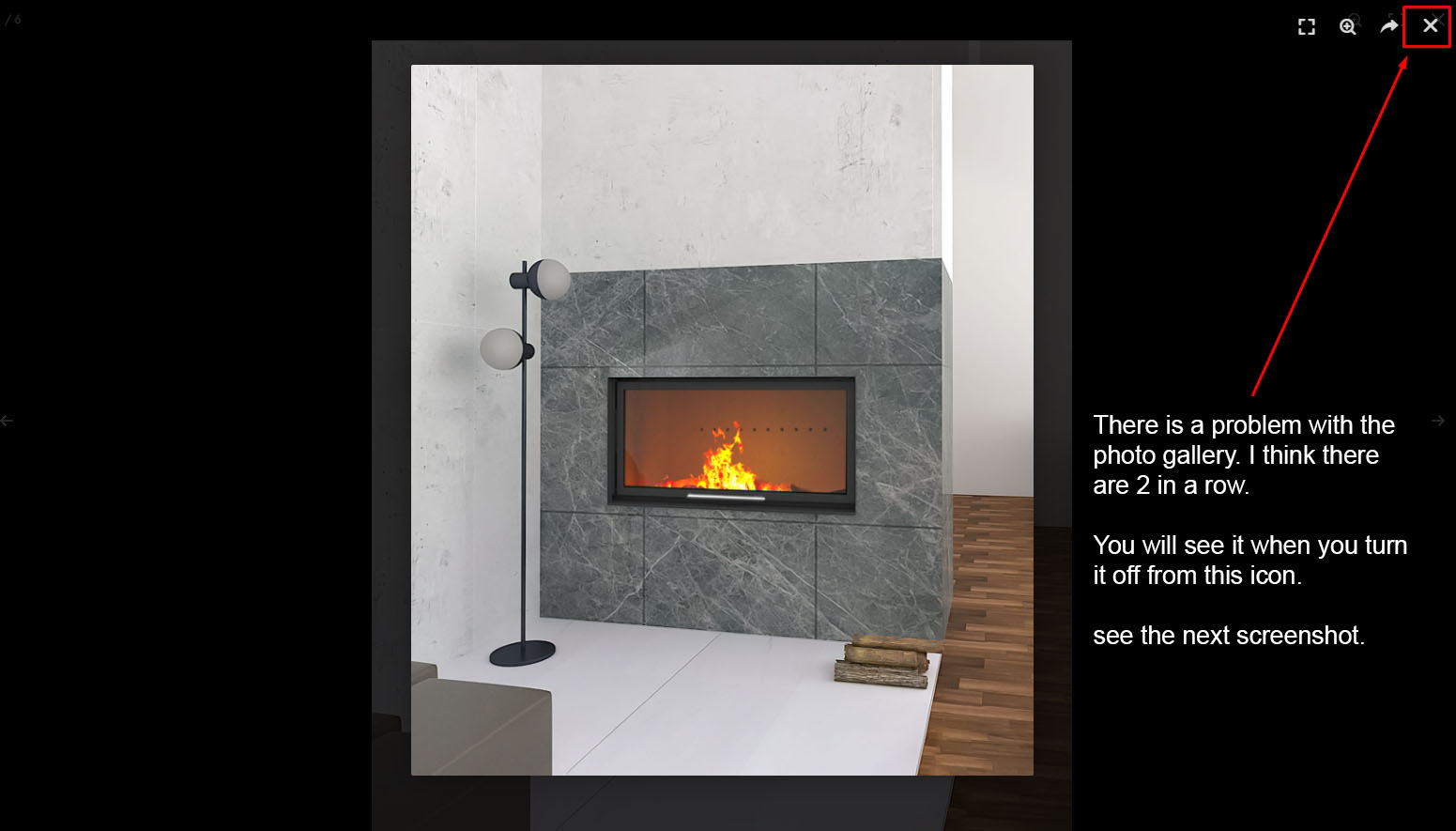
There is a problem with the photo gallery. I think there are 2 in a row. You will see it when you turn it off from this icon.
See the screenshot: https://ticksy_attachments.s3.amazonaws.com/01_544.jpg - https://roe-deer.co.uk/product/moonlight/hereford/ I asked this 2 days ago.Hello,
Thank you for your feedback. This is a problem with the image light-box of Elementor. It should not be enabled by default. You can follow this document to disable it.
https://elementor.com/help/lightbox/Our supporters will check and answer your tickets soon.
yeap : )
Pre-sale Question: Is the usage of Elementor mandatory for this Theme or can i just go with WpBakery? Are the Pre-Build sites made with WpBakery?
Hello,
This theme is fully integrated with both Elementor and WPBakery builders. You can pick one of them (or both if you want). The pre-built sites were made with both of these plugins. It means each pre-built site is delivered to you in 2 options: built with Elementor, or built with WPBakery. You can pick the one you prefer in the installation step.
Hy Team,
i create my own template for product archive.
Unfortunately I can’t find a widget in elementor. For the Shop > Products Toolbar / products-toolbar Also filter open on side
Can I add this via php coder. Many thanks
Hello,
This theme doesn’t have the Products Toolbar widget for Elementor. If you want to build a custom product archive template, you should hire a developer to help you, because it is pretty complex if you want to build a custom toolbar.
If you need further assistance, please open a ticket on the support site. Our supporters will help you.
https://uix.ticksy.com/Thank you
Hey guys!
i know my support is expired but im facing a big issue on laliv.co.il
is anybody else have this problem of product page not opening?
Hello,
It seems to be a problem with the cache plugin on your site. There are some JS errors and they may cause this issue. Please try to clear caches and disable the cache plugin to test the problem.
Hi is this theme cover create account of woo commerce page ?
Hi,
Yes, you can enable the registration form in WooCommerce > Settings > Account & Privacy. Please check this document for more details:
https://docs.uix.store/konte/#/shop/accountHello. Is it ok to update to WooCommerce v7.1.0 or should we wait for a theme update ? Cheers.
Hello,
You can feel free to update WooCommerce to the latest version. The theme works perfectly with it.
Hello, i had bought the theme and my support has expired.
However i’m facing a problem. I created a new single page product with elementor pro. All work perfectly.
But strangely, i have the related product section on the top of my page.
Do you know why? I think it’s the hook of your theme.
I try to find where you call this hook to delete or to remove it at the bottom. Thanks you for your reply.
Hello,
Because you used Elementor to build a custom template for the single product page. The template of theme is not used. You should check your Elementor template for single product pages.
Thank you
[pre-sale question] Hi, are you going to develop and maintain the theme further to support future WP and Woo releases?
Hello,
Thank you for your question. Yes, we always keep our themes up-to-date to support WP and WooCommerce. You can check the changelog of the theme to see how our themes were updated.
Hello,
when i list variable product, theme show two price on product page screenshot for the problem: https://prnt.sc/L6hEgq8LVMAP i try to disable the tax and still same ?
Hello,
It is the default behavior of WooCommerce. WooCommerce always display 2 prices on the variable product. The first one (on top) is the price of the variable product, the second one is the price of the selected variation.
yes i know that, the price on top not the same price when you selected the variable product.
If you have multiple variations, the first price always show as a range, from the smallest price to largest price of the variable product.
yes i know that also,look when i set price for 2 variable product let’s say first variable price is 10 usd and 2nd is 13 usd the price on top be like” 9,90 – 12,87” usd check the page to understand: https://florethygiene.com/product/flat-floor-squeegees/
It could be a problem with the multi-currency plugin. Please deactivate it if you don’t need to support multiple currencies. Or you can go to the setting page of the WOOCS plugin and correct the conversion ratio.
Thank you
it’s work thanks
Hello,
I have just updated the plugin Woocommerce to version 7.0.1, but an error appears: “Your (Konte) theme contains outdated copies of some WooCommerce template files. These files may need to be updated to ensure compatibility with the current version of WooCommerce. Fixing Tips:
Update your theme to the latest version. If no update is available, contact the theme author asking about compatibility with the current WooCommerce version. If you copied a template file to change something, then you will need to copy the new version of the template and reapply the changes.”
How to fix this issue? Thanks
Hello,
Thanks for your feedback. We’re going to release a new update to fix this issue soon.
Hello! Thanks for the prompt reply, I’m going to install the update just released and let you know if everything will be ok!

This item was featured on ThemeForest

Power Elite Author
Contact the Envato Market Help Team