496 comments found.

1. <aside class="b-l aside-lg bg-light hidden-sm">
2. <i class="fa fa-calendar fa-2x v-middle" /> <span class="hidden-sm hidden-xs">My Calendar</span>
<pre>

Problem : hidden-sm not working when inside aside element (1) , working on span element for hide text (2). (vertical mode screen size : 768 x 1024)

how to fix it</pre>
use this style
@media (min-width: 768px) and (max-width: 991px) {
  .hbox > aside.hidden-sm {
    display: none !important;
  }
}
How do I get the bank records are not loaded all at once for later show, because I believe that this is the problem he is taking too long to load the page?
The table is taking too long to load. It seems you are loading all the records for later display on the screen. As has over 2600 records that are seeking the seat, takes a long time. What can I do to improve it … The table code I’m using is as follows:
<section class=”panel”>| Cadastro | Local | Tipo | Nome | Oportunidades | Status | Ações |
|---|
How do I get the bank records are not loaded all at once for later show, because I believe that this is the problem he is taking too long to load the page?
If you have a large data. you need the server-side code. check this example, http://datatables.net/release-datatables/examples/data_sources/server_side.html
Thanks
I could not understand. Could review the code below and would like to send me?
| Cadastro | Local | Tipo | Nome | Oportunidades | Status | Ações |
|---|
You did not use the ajax source. follow this demo. http://datatables.net/release-datatables/examples/data_sources/server_side.html
Put your sql code and out put the json data in the “server_processing.php” file. and use the ajax source.
$(document).ready(function() {
    $('#example').dataTable( {
        "bProcessing": true,
        "bServerSide": true,
        "sAjaxSource": "../server_side/scripts/server_processing.php"
    } );
} );
the code is there. “Server side (PHP) code”, follow the demo step by step.
Thanks
How to change border color with todo class?, thank you
Change border color on which component?
ok i got it
Good
Hey quick question about the lockme model. On your website it seems to be working flawlessly but in the source that is downloaded I just get a grey screen when I press the lock button – do you know why that might be?
The lockme modal is a ajax modal. you need put the file on a server.
Thanks
it’s me again,
Can you help me how to integrating this template js and all dependencies with require js.
 main.js-->
require.config({
    paths: {
        //packages
        'jquery': '/scripts/jquery-2.1.0',
  'template': "/scripts/template/js/app",
       'template-plugin': "/scripts/template/js/app.plugin",
'slimscroll': "/scripts/template/js/jquery.slimscroll.min",
    },
    shim: {
        'kendo': ['jquery'],
        'toastr': ['jquery'],
       // 'datetime':['jquery']

    },
    priority: ['text', 'router', 'app', 'app-its'],
   // jquery: '2.1.0',
    waitSeconds: 30
})
but it’s not working “slimscroll not working”
thank you.
any error happens? you can try move the slimscroll.min above the app.plugin. load the slimscroll.min first.
I am try it before but still not working, ... slim scroll its not depend on app.js isn’t?
the app.js include the Modernizr, it will give a ”.no-touch” class on html tag. and slimscroll need this class. $(’.no-touch .slim-scroll’).each(function(){});
use the chrome dev tools to debug it.
Its working now, thanks
i’m sorry if i sound ignorant but how does this work i bought it thinking it was plug and play style i really needed a TODO app for my company so that we can all be in sync with what we have to do but i cant get this to work if anyone could help me i’d really appreciate it
This file has a backbone/localstorage task page. you can use the code to build your “TODO” with database.
Thanks
im sorry im not very good at web desinging i just know the basic things what exatcly does backbone/localstorage mean and how would i go about personalising the template more making log in work etc?
thank you in advance
You do not need know the web design things. but you need know the html/js. this template is all about html/css/js. you need integrate this template into your cms or app.
Thanks
Is there a tab panel with tabs down the left side rather than along the top? Like the form wizard2 but without the prev/next buttons.
Currently there is no vertical tab. i will add one. Thanks
Hi there,
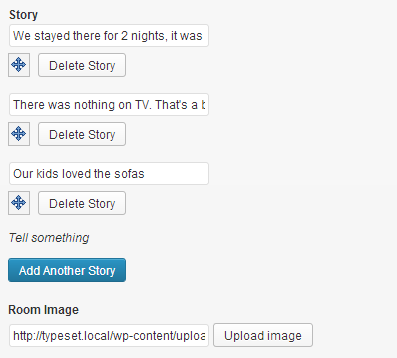
Great job on updating your script. A quick question, I need to implement something called a ‘repeater field’. I guess its a bit like your sortable list (http://flatfull.com/themes/todo/list.html) but with the ability to add and delete fields. To better explain, I found this through google images http://d7j863fr5jhrr.cloudfront.net/wp-content/uploads/2013/03/repeating-fields-edit.png I need a compatible script that allows me to add fields one after the other and with the ability to rearrange and delete them. The data would be retrieved and saved/updated to a mysql database through php.
Any advice would be appreciated. Thanks.
check this plugin http://www.rhyzz.com/repeatable-fields.html
Excellent!!! Thanks Flatfull  Hope it works with ‘todo’.
The problems im having, I have to move all the Javascript files to the top (above the </header>) and then the sort/arrange (move) feature doesn’t work. Any ideas?
check this page source file. http://www.rhyzz.com/repeatable-fields/index.html the js is in the header tag.
Thanks but your JS script collection appears at the bottom. Flatfull, I just want it to be fully compatible with your template, therefore zero conflicts now and in the future. I will be using the repeater field in a variety of places, even on your dashboard page inside the third tab.
Not sure If you have the time, but could you please add the script in one of your files to demonstrate that it full works?
Thanks you.
you can put the repeatable-fields.js at the page bottom after the jquery.js and jquery.ui, no conflicts.
Mouse over in footer button broken layout in IE11. Demo here: http://jsfiddle.net/sCYjR/4/embedded/result/
You need put a ‘w-f’ class on the vbox>section. and check this page http://flatfull.com/themes/todo/tasks.html it have button in the footer.
Thanks
<p class="checkbox"><label><input id="toggle-all" type="checkbox"> Mark all as complete</label></p>for
<a class="btn btn-primary">crash!</a>This bug happening only in IE11 when mouse hover in a.btn in footer. See a printscreen: http://postimg.org/image/9n9uucik5/
Works on IE11 on windows7. Thanks
¬¬ ok, modernizr was outdated. Now works, thanks!
i am having issues with the switch. I have the animation of the wht/green working but im not getting the slider to move left/right can you tell me which files i need.
It’s css3 driven, no js file. which browser you used, the left/right works on chrome, firefox and ie9-11, but not works on ie8.
Thanks
which css file?
It’s in app.css, less file “less/app.switch.less”
Hi
I’d like to use the notes app inside my app with the API and would like to know which are the only files notes requires to run with your interface so I can keep it lightweight? I can then just edit the interface accordingly.
Thanks
Rob
  <script src="js/jquery.min.js"></script>
  <!-- Bootstrap -->
  <script src="js/bootstrap.js"></script>
  <script src="js/libs/underscore-min.js"></script>
  <script src="js/libs/backbone-min.js"></script>
  <script src="js/libs/backbone.localStorage-min.js"></script>
  <script src="js/libs/moment.min.js"></script>
  <!-- Notes -->
  <script src="js/apps/notes.js" cache="false"></script>
and if you want the RESTful api, it’s in the “api/” folder.
Thanks
<div id="app">
    <div>
        <div id="content">
            <div>
<!--Template Default Div generate by SPA template-->
                <section class="vbox">
                    <header>
                        <p>Header</p>
                    </header>
                    <section><!--Problem : Height 100% not working-->
                        <p>Content</p>
                    </section>
                    <footer><!--Problem : footer move on top-->
                        <p>Footer</p>
                    </footer>
                </section>
<!--Template Default Div generate by SPA template-->
            </div>
        </div>
    </div>
</div>
please help how to fix it?, thank you
You need put the vbox in a height=100% element.
<html>
<body> // body height is 100%
<section class="vbox">
    <header> <p>Header</p> </header>
    <section><p>Content</p> </section>
    <footer><p>Footer</p> </footer>
</section>
</body>
</html>
or put in a hbox
<html>
<body>
<section class="hbox stretch"> // stretch hbox have 100% height
  <aside> // 100% height
    <section class="vbox">
      <header> <p>Header</p> </header>
      <section><p>Content</p> </section>
      <footer><p>Footer</p> </footer>
    </section>
  </aside>
</section>
</body>
</html>
My problem is i don’t know how to remove element ( ) generate by SPA template (i used kendo SPA template). div element after #app and #content automatically generate by SPA kendo template. and this element make “vbox layout” not working propperly (not 100% height).. image ==>https://onedrive.live.com/redir?resid=F53B5C6D291A28B6!172&authkey=!AHDispvpAtfGMfE&v=3&ithint=photo%2c.JPG please help.
<div id="app" style="height:100%">
    <div style="height:100%">
        <div id="content" style="height:100%">
            <div style="height:100%"> ==> it's working but how to put that style to element due to element div after #app and # content automatically generate by template.</div></div></div></div>
you can use a custom class #app, #content, #content>div{height:100%}
yes you right, One question more : on mobile view how to make content 100% height and stay bottom footer , image ==>https://onedrive.live.com/redir?resid=F53B5C6D291A28B6!173&authkey=!AJUVPYkqis8ncg8&v=3&ithint=photo%2c.JPG
can use a custom class
@media (max-width: 767px) {
    .nav-bar-fixed-bottom{
        position: fixed;
        left: 0;
        bottom: 0;
        width: 100%;
        z-index: 1100;
    }
}
for bottom footer its working now, but I am still problem with 100% height content. I am try with the same approach (use a custom class #app, #content, #content>div{height:100%}) on @media (max-width: 767px), but not working. ??
you need make the html,body{min-height:100%}
unfortunately not working, is this template not support 100% height on mobile view out the box?
it does not support 100% height on mobile view. Thanks
i have buy it,and i have a question like this.http://myglowjuice.host.bluemark.cn/bug.jpg.please tellme how to reset it.my email kongdy@bluemark.cn.And i from china thanks.
<span class="fa fa-stack fa-2x">
<i class="fa fa-circle fa-stack-2x text-white" />
<i class="fa fa-bold fa-stack-1x text-info" />
</span>
Thanks
Hello, I have tested it in my own server, it take 1~2 seconds to let the elements become responsive in IE when I visit a page, but I can see there is so fast in your demo, how can I fix it?
Remove the font.css and try again. Thanks!
Thank you for the excellent theme, this is the first theme that I can fully use on ASP.Net without any modifications, just “plug & play” 
Thank you!
Hi, What theme are you using to present the todo? Thanks
Hi, What theme are you using to present the todo? Thanks
they are both included in the purchased download file.
thanks
First of all! really awesome template (& script!)...
Maybe it’s a stupid question,.. but I can not found it on the docs..
How can I work with the restfull api? I do not know where or what I have to change (replace backbone, how?)... any trick please?
There is a folder “api” which the Restful api located. it use http://www.slimframework.com/ and the index.php is for the note api.
default, it use localstorage to save the notes. and you can switch to mysql database. check the steps http://flatfull.com/themes/note/docs.html#notes
Thanks
Thanks… this api can work with tasks too?
No, only for note. Thanks.
Trying to use the note app, I get this error on chrome javascript console… Uncaught TypeError: Cannot set property ‘innerHTML’ of null epiceditor.min.js:4
Also, the notes are not being saved…
epiceditor not find the dom target. you can initialize the epiceditor in the notes.js.
Thanks
Not find the dom taget, but is your template as is. I did not change nothing… Anyways, sorry about my ignorance… how can I do it?
You can initialize the epiceditor in the NoteView -> initialize function (notes.js). and it must have the id=”epiceditor” check the documents https://github.com/OscarGodson/EpicEditor
Thanks

This item was featured on ThemeForest

Elite Author
Contact the Envato Market Help Team