8705 comments found.

PLease reset license
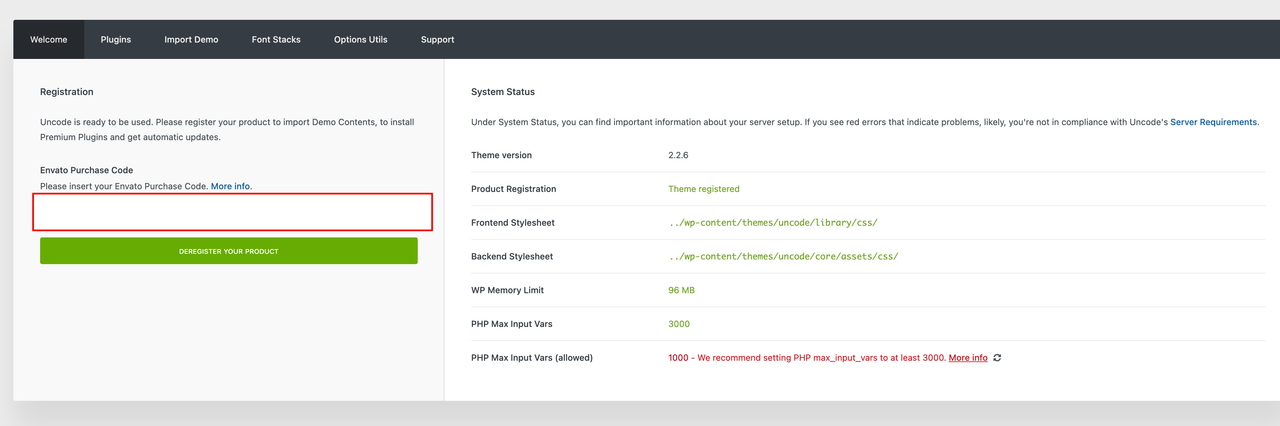
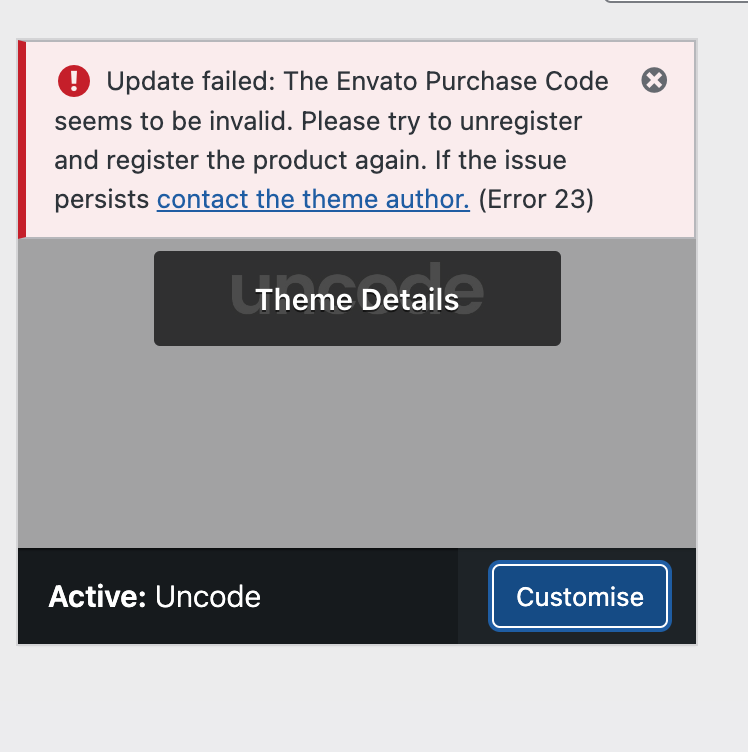
Hi timtimtim! Next to the error message you probably have, there is a ‘More Info’ link that takes you to a documentation page with all the information you need. If you haven’t seen it in a nutshell, please send a private message using the form you find on this page and include your Purchase Code: https://themeforest.net/user/undsgn
my purchase code doesn’t work and I don’t have it activated to any site
Hi marcus5299! Next to the error message you probably have, there is a ‘More Info’ link that takes you to a documentation page with all the information you need. If you haven’t seen it in a nutshell, please send a private message using the form you find on this page and include your Purchase Code: https://themeforest.net/user/undsgn
the link doesn’t work
Hi marcus5299!! Here you are: https://themeforest.net/user/undsgn
Hi, I can’t log in to open a ticket, either with Envato credentials or by entering them manually. How do I solve it?
Hi MAMBOINDUSTRIES! We are sorry for this but probably is a cookies or browser extensions issue: https://support.undsgn.com/hc/articles/18606475185437
Hey there! Thank you for the excellent theme! I have a question about setting page edges. Like here: https://undsgn.com/uncode/homepages/portfolio-developer/ I can’t find where to set the color and width of the page edges.
Hi LR and thank you for appreciating Uncode! 
This is the Body Frame, please activate the option to have also the its color selection: https://undsgn.d.pr/i/h9sCJH
Great! Thank you!
Hi LR and thank you for the confirmtion!
Getting a PHP warning since last update:
PHP Warning: Undefined array key "extension" in /home/REDACTED/REDACTED/wp-content/themes/uncode/core/inc/helpers.php on line 466
line 466:
$extension = '.' . $file_info['extension'];
Hi TreyB! We are sorry but we don’t have any other similar reports from other users so it’s something specific happening on this installation. What version of the theme do you have? What version of Uncode Core? Have you tried disabling possible extra plugins?
Received the below this morning in addition to hundreds of the above.
PHP Warning: Attempt to read property “logo_min” on null in /home/REDACTED/REDACTED/wp-content/themes/uncode/partials/menus.php on line 77
UncodeVersion: 2.8.15 UncodeCore: Version 2.8.15 Wordpress: 6.5.3
Hi TreyB! Did you host updated the PHP version? Sorry, but we can’t tell from here without doing some debugging because only your installation has this warning. If you need more support you need to open a ticket so the developers can access it, alternatively set the debug mode to false as these are only warnings and not errors as defined.
Hey there!
Alright so everything has been going great designing the front end using WP bakery. But now when I’m editing the front end, it doesnt show the updated edit in the front end. But when I publish and see preview, it does work.
For example: I change a red image to a blue one and hit “save changes”, the red image is still there. But when I hit update and view the live site, it does in fact change to blue. But in the front end, its still red.
How do I fix this?
Hi geovanie2994! We are sorry, but if you have a strange issue which, as you see here, no other user reports, we cannot tell you what is happening on your installation. Maybe you have extra plugins that create the issue or maybe there are server problems.
Anyway, if you need support is offered in our Help Center, there we have a completely dedicated support team, please submit a ticket so we can check your installation and support the solution: https://support.undsgn.com/hc
PS: Please remember to include the logins in your ticket so the Support Team can access and check it!
Hello, I moved several of my sites to become subdomains and now some of the registration codes don’t work. I clicked to deregister it and then reentered the code, and now I get a message that says I have exceeded the license. Which I haven’t. I have used this code on this site for more than 4 years. How can I fix this situation. Thank you.
Hi mcalas! Next to the error message you probably have, there is a ‘More Info’ link that takes you to a documentation page with all the information you need. If you haven’t seen it in a nutshell, please send a private message using the form you find on this page and include your Purchase Code: https://themeforest.net/user/undsgn
Hello, I noticed today that the header photo for both portfolio pages and post are not loading and just showing a black background instead.
My Website is https://pynnaclegroup.com/
Portfolio: https://pynnaclegroup.com/portfolio/baps-hair/ Post: https://pynnaclegroup.com/2024/05/13/10-must-have-features-for-ecommerce-websites/
I have tried to purge cache and even remove the photos. And added them back. Nothing has helped.
Any ideas what may be causing these issues?
Hi RellsFargo! From here it’s not possible to understand why you have this issue, anyway you can use this code:
#page-header .header-wrapper .row-container > .row-background {opacity: 1;}Anyway, if you need support is offered in our Help Center, there we have a completely dedicated support team, please submit a ticket so we can check your installation and support the solution: https://support.undsgn.com/hc
Hi I would like to add the “mix-blend-mode: difference;” to the navigation. I tried hard coding it into the CSS, but it doesn’t work. I tried playing with the ‘z-Index: 999’ as well of the Navigation to put it all the way on the top, but still it didn’t work.
With the mouse cursor it works perfectly, but with the Navigation it doesn’t. My website is: http://www.a2-foto.com
Thanks!
Hi techboi_design! If you are trying to replicate the same option you see on some of our demo (Menu change Skin based on the adjacent Row) you can try this option: https://undsgn.d.pr/i/cleHox
If instead you are searching for a custom code that makes the Menu in difference we are sorry to tell you that this is not possible, because in order for this to work a precise oirdine of the elements in the HTML is required and this is not possible (another user had asked this some time ago).
Anyway, if you need support is offered in our Help Center, there we have a completely dedicated support team, please submit a ticket so we can check your installation and support the solution: https://support.undsgn.com/hc
Hey! Thanks for such a quick reply. I do indeed have the ‘Menu Desktop Transparent Scroll’ activated, but the text still keeps being displayed as white, regardless of what it scrolls on top. I’ve submitted a ticket!
Hi techboi_design! It seems you have not the correct Skin applied, anyway if you have submitted a ticket the Support Team will check this.
Hello, loving the theme. I’m currently building our an ecommerce site but I’ve noticed something unusual. I think it’s specific to having ajax filtering enabled.
The ajax filtering works fine, except for on category pages (e.g. https://website.com/product-category/) it will display ALL products, not just those in that category.
Is this an error, or a limitation?
Hi Nathan561! Please be sure you have activated the Dynamic Query option: https://support.undsgn.com/hc/en-us/articles/213459549-Custom-Category-Pages
Anyway, if you need support is offered in our Help Center, there we have a completely dedicated support team, please submit a ticket so we can check your installation and support the solution: https://support.undsgn.com/hc
How does the Dynamic Srcset Adaptive Images work? Are all these new variants going to be store in the media section? How does this affect the SEO? are these new versions going to be crawlable by the search engines as well?
Hi Danielts3! Here you can read more: https://support.undsgn.com/hc/en-us/articles/214003845-Adaptive-Images
Anyway, our suggestion is to use the new Dynamic Srcset (both methods doesn’t affect SEO): https://support.undsgn.com/hc/en-us/articles/4403183673873-Dynamic-Srcset-Images
Thank you, When I activate the Adaptive Images Async the mobile version works but the image never loads and just shows blurry, In desktop at the begining is blurry but then I can see them perfectly, how can i fix this?
Hi! Probably you have not update the theme: https://support.undsgn.com/hc/en-us/articles/14791390760989-Blurry-images-after-update-to-WordPress-6-4
Anyway, if you need support is offered in our Help Center, there we have a completely dedicated support team, please submit a ticket so we can check your installation and support the solution: https://support.undsgn.com/hc
Is there any other way? When I add my data it says not found. My theme is up to date 2.8.14 https://www.ultrazonicmag.com/ I deactivated the Adaptive Images Async option because mobile just stays blurry. In desktop they start blurry but then they change to normal as expected.
Hi! Can you please upload a screenshot of this “not found” error? Did you try the Envato login method? Anyway, all users fixed this problem that is from several months ago with this. You can also use the more advanced Dynamic Srcset option as suggested in the article: https://support.undsgn.com/hc/en-us/articles/14791390760989-Blurry-images-after-update-to-WordPress-6-4
Where can I upload the screenshot? It just allows me to add text in here. I do have the Dynamic Srcset activated and it works good. however the website runs faster if I activate the adaptive images, but then I have the issue mentioned above.
You can check here what is going on if I activate the adaptive images https://www.staging2.ultrazonicmag.com/
Hi danielts3! The website is not faster with the Adaptive Images. The Dynamic Srcset is the evolution of the old Adaptive Image. Anyway, from here, we cannot help more, sorry. If you need support is offered in our Help Center, there we have a completely dedicated support team, please submit a ticket so developers can access, check your installation and support the solution: https://support.undsgn.com/hc
Do I need to buy another license it says mine is expired?
Hi danielts3! For accessing the Help Center, as for Envato Terms, you need a valid support period. If your support period is expired you cannot access private support services.
Hello, I’m getting error in the post and page Yoast xml sitemaps after switching to PHP8.x version. Fatal error: Uncaught TypeError: Unsupported operand types: string * float … {main} thrown in /var/www/vhosts/website.com/httpdocs/wp-includes/media.php on line 467. Works normally in the 7.4 PHP version. Any suggestions?
Hi xChemical! We are sorry but as you can see from the error’s path the error itself points to a file of WordPress, it’s not under the Uncode namespace.
This is full error:
Fatal error: Uncaught TypeError: Unsupported operand types: string * float in /var/www/vhosts/website.com/httpdocs/wp-includes/media.php:467 Stack trace: #0 /var/www/vhosts/website.com/httpdocs/wp-includes/media.php(135): wp_constrain_dimensions() #1 /var/www/vhosts/website.com/httpdocs/wp-includes/media.php(268): image_constrain_size_for_editor() #2 /var/www/vhosts/website.com/httpdocs/wp-includes/media.php(970): image_downsize() #3 /var/www/vhosts/website.com/httpdocs/wp-content/themes/uncode/core/inc/compatibility/yoast/class-uncode-yoast.php(88): wp_get_attachment_image_src() #4 /var/www/vhosts/website.com/httpdocs/wp-includes/class-wp-hook.php(324): Uncode_YOAST_Support->add_images_to_sitemap() #5 /var/www/vhosts/website.com/httpdocs/wp-includes/plugin.php(205): WP_Hook->apply_filters() #6 /var/www/vhosts/website.com/httpdocs/wp-content/plugins/wordpress-seo/inc/sitemaps/class-sitemap-image-parser.php(127): apply_filters() #7 /var/www/vhosts/website.com/httpdocs/wp-content/plugins/wordpress-seo/inc/sitemaps/class-post-type-sitemap-provider.php(664): WPSEO_Sitemap_Image_Parser->get_images() #8 /var/www/vhosts/website.com/httpdocs/wp-content/plugins/wordpress-seo/inc/sitemaps/class-post-type-sitemap-provider.php(211): WPSEO_Post_Type_Sitemap_Provider->get_url() #9 /var/www/vhosts/website.com/httpdocs/wp-content/plugins/wordpress-seo/inc/sitemaps/class-sitemaps.php(379): WPSEO_Post_Type_Sitemap_Provider->get_sitemap_links() #10 /var/www/vhosts/website.com/httpdocs/wp-content/plugins/wordpress-seo/inc/sitemaps/class-sitemaps.php(279): WPSEO_Sitemaps->build_sitemap() #11 /var/www/vhosts/website.com/httpdocs/wp-includes/class-wp-hook.php(324): WPSEO_Sitemaps->redirect() #12 /var/www/vhosts/website.com/httpdocs/wp-includes/class-wp-hook.php(348): WP_Hook->apply_filters() #13 /var/www/vhosts/website.com/httpdocs/wp-includes/plugin.php(565): WP_Hook->do_action() #14 /var/www/vhosts/website.com/httpdocs/wp-includes/class-wp-query.php(1881): do_action_ref_array() #15 /var/www/vhosts/website.com/httpdocs/wp-includes/class-wp-query.php(3824): WP_Query->get_posts() #16 /var/www/vhosts/website.com/httpdocs/wp-includes/class-wp.php(696): WP_Query->query() #17 /var/www/vhosts/website.com/httpdocs/wp-includes/class-wp.php(816): WP->query_posts() #18 /var/www/vhosts/website.com/httpdocs/wp-includes/functions.php(1336): WP->main() #19 /var/www/vhosts/website.com/httpdocs/wp-blog-header.php(16): wp() #20 /var/www/vhosts/website.com/httpdocs/index.php(17): require(’...’) #21 {main} thrown in /var/www/vhosts/website.com/httpdocs/wp-includes/media.php on line 467
uncode/core/inc/compatibility/yoast/class-uncode-yoast.phpwith:
https://pastebin.com/raw/2p5uAXDP
Alternatively, set a height and width for all your images. We will include the same fix in the next update.
Thanks a lot guys!
Thank you for the confirmation!
Hey there! I would like to know when you plan to update to a newer version of slider revolution? All best Kaya
Hi p-inc! Their latest version is from just two days ago and it will be published, as always, with the next Uncode update interaction as soon as possible, ex: https://support.undsgn.com/hc/articles/213454129
Hey there! I’ve noticed a potential issue with the filter functionality. When the ‘sort’ filter is activated, it seems to hide unchecked checkbox filters.
You can observe this behavior in your demo:
1. Choose a checkbox for a category, for example, ‘accessories’: https://undsgn.com/uncode/homepages/shop-ajax/?tax_product_cat=accessories&unfilter=1 2. Then, when you click on the any of the sorting filter: https://undsgn.com/uncode/homepages/shop-ajax/?tax_product_cat=accessories&unfilter=1&orderby=priceIt hides the unchecked category checkbox, which can be confusing. Ideally, the sorting filter shouldn’t affect the category checkboxes at all. The category checkboxes should still displaying all option, after the sort. like the first screen.
Could you assist in resolving this issue? It’s crucial for my website, and I’d greatly appreciate your help.
Thanks a bunch! Let me know if there’s anything I can assist you with as well.
Hi ksuteja! Thanks for the accurate report and for spotting this glitch! The developers confirm that it is an issue and has been included in the list of fixes that will probably be published with the next update!
Hi ksuteja! Please replace the content of the file:
uncode/core/inc/helpers/ajax-filters/ajax-filters.phpwith this version: https://pastebin.com/raw/kXJEWj3V
Otheriwse, it will be published with the next Uncode update.
Oh okay! Thank you so much. I appreciate all the help. You Guys are awesome!
The fix does worked! Thank you so much once again!
Hi ksuteja and thank you for the confirmation!
Just a quick question…
In your demo for the Off Canvas mobile menu, you have a button and some additional text included in the menu. Is this something which is a feature of Uncode or is it something you have added? It is something I would really like to do but am not sure if it is part of the theme or not.
https://undsgn.com/uncode/capture-the-beauty-of-nature-through-photography/Thanks.
No worries, have just found the documentation.
Thanks anyway and great work!
PS – any idea when the next large update may be coming out?
Hi Imagesofdorset and thank you for the confirmation! We think a matter of a few weeks (beta testing permitting).
Does anybody know how you set up the centre double menu? I cannot find any documentation on how you set up two menus, one being left and one being right.
Thank you.
Hi Imagesofdorset! Use the Call to Action menu: https://support.undsgn.com/hc/en-us/articles/18615150991133-Menu-Call-to-Action-Buttons
Thanks so much!
Thank you for the confirmation!
Hi, I´m currently trying to upgrade my database from PHP 7 to 8, and when doing so, I get a blank screen. Is this a theme or a WordPress issue? Any hint is very much appreciated. Thank you!
P.S.: I just tested a fresh WP installation with the same plugins and it works fine with PHP 8. Could it be a database issue (since it doesn´t work with the old website with a full database…)?
Hi musimon and sorry for the delay during the weekend! On the first site, do you confirm that you do not have any extra plugins? This is a bit strange since Uncode has been compatible with PHP 8+ for so long now: https://support.undsgn.com/hc/en-us/articles/213454129-Change-Log
From here we can only suggest that you try activating WordPress debug mode and see if any specific errors are printed out.
HI im trying to update the theme but its saying code invalid and i cant log a ticket on your support
Hi Eight-One! What theme version do you have? Are you able to upload a full page screenshot of the System Status page when you have this error (in the case obfuscate the License Code)?
Hi Eight-One! It seems this is a possible website migration but the message doesn’t say the License is invalid. Please send a private message using the form you find on this page, include your Purchase Code, and the new URL you need to register the product: https://themeforest.net/user/undsgn
Login via your support site doesn’t work. 404 Not Found when all my info is correct. Using the Envato button doesn’t work, return to same page no login. License deactivation on dev site and reactivation on production site doesn’t work.
Hi aarucanada! Please test it in Incognito Mode, some browser extensions can also block the logins to the Help Center. We confirm that we have users logged right now.
Worked in Avast browser but not Firefox.
Hi aarucanada! Thank you for the confirmation!
Not only that, but your support for the license switch was unbelievably fast. Thank you!
You welcome!
Bonjour, Mon site a changé de nom de domaine et je ne peux plus utiliser ma licence. Comment faire ? Merci
Hi Misterdoppler! Next to the error message you probably have, there is a ‘More Info’ link that takes you to a documentation page with all the information you need. If you haven’t seen it in a nutshell, please send a private message using the form you find on this page and include your Purchase Code: https://themeforest.net/user/undsgn